
AI Setup Evolution

I’ve been writing a lot about AI and tech projects lately, which makes sense since that’s the stuff that ends up on this blog. It isn’t all that’s going on in my life, just to be clear. But my AI setup has quietly evolved in August and September in a way that’s letting me undo a bunch of stuff I only built because of the cloud AI’s limitations, so here we go again.

First, the accounts. I’ve been using Claude a lot more than any other AI system lately, but I’m still mixed between Claude and ChatGPT for coding work. Instead of paying for Claude Max or the equivalent top tier ChatGPT plan, which run about five times the price of the regular subscription, I pay for two mid tier plans instead, the Claude Pro and the ChatGPT Plus. Partly that’s so when I run out of tokens on one, I can switch to the other. But that’s a small reason. The bigger ones are that if one gives me a bad answer, I want to try the other, and sometimes I want a second opinion and will ask both the same question. I also don’t think I’d actually use five times the usage, so paying for the bigger plan on either one would just mean I’m not getting my money’s worth. There are times I max out both in the same stretch, so maybe I am doubling up after all. Who knows.

Interesting side note, I’ve been leaning on Codex more for coding lately, with a bit of chat here and there. I like their interactive audio, though I don’t use it as much as I probably hold onto the idea of using it. I’m building sites and things with Codex now, not because I think it’s better, I started because a friend recommended it after I hit a specific wall with Claude. I still use Claude for coding too, but I keep them separate on purpose. Coding work tends to run a project’s token budget down fast, and I don’t want that eating into the day to day chatting I do in Claude. The coding side is pretty interchangeable between the two since everything gets saved locally to wherever I’m working anyway.

Now, the actual problem I’ve been solving. With ChatGPT, and then Claude once I moved to it, the challenge was always context. Take my car tracking prompts as an example. It’s one of many, holiday planning is another, so is tracking the general inventory of stuff I own, but let’s stick with the car since we’re actually replacing it with another used one right now. I’d feed it a lot of detail about the car, our usage, our spending, all of that. Then every new chat, I wanted it to already know the context, how to respond to me for that narrow kind of conversation. So I had some generic prompts, plus a very specific auto inventory prompt, and I’d load all of that into a fresh chat every time.

Then there’s the data itself. Registration, MOT dates, how much we paid for the car, fuel spend over the last couple of months. All stuff AI is genuinely good at trending and drawing insight from, and useful for research too. But I needed to save it somewhere. My old process was to have the prompt itself describe how to save the data, which in most cases meant getting the AI to structure everything into a JSON file I could download and keep a version of.

The problem is I don’t want to keep an indefinite chat going, especially with Claude, though ChatGPT has some of the same issue. As a chat gets long, the AI starts forgetting the earlier stuff and compacts it, and it even warns you this is happening. I wanted everything solid enough that if I deleted that chat and started fresh, the new one would already have everything the old one had.

So the prompts were only half the system. The other half was the JSON, or a CSV for a pure inventory file, sitting there holding the actual data. I built one of these little systems for the car, one for holiday planning, one for holiday budgeting, a stack of them, each with its own context switch. It worked, but it meant a real proliferation of chats. Start a chat, load the data, double check which version of the file I was working from, and when I was done for the day, have the AI spit out a fresh JSON with a version number in the filename and save it to disk. I ended up with thirty or forty versions of some of these files sitting around. Not done with the topic forever, just done with it for that session, so I’d save and move on, and next time load the latest one and keep going.

That whole dance existed because neither Claude nor ChatGPT could write to a file in its own project folder, only read from one. I could load something into a project, but I couldn’t have it write back out to that same spot. That was the actual limitation driving all of it.

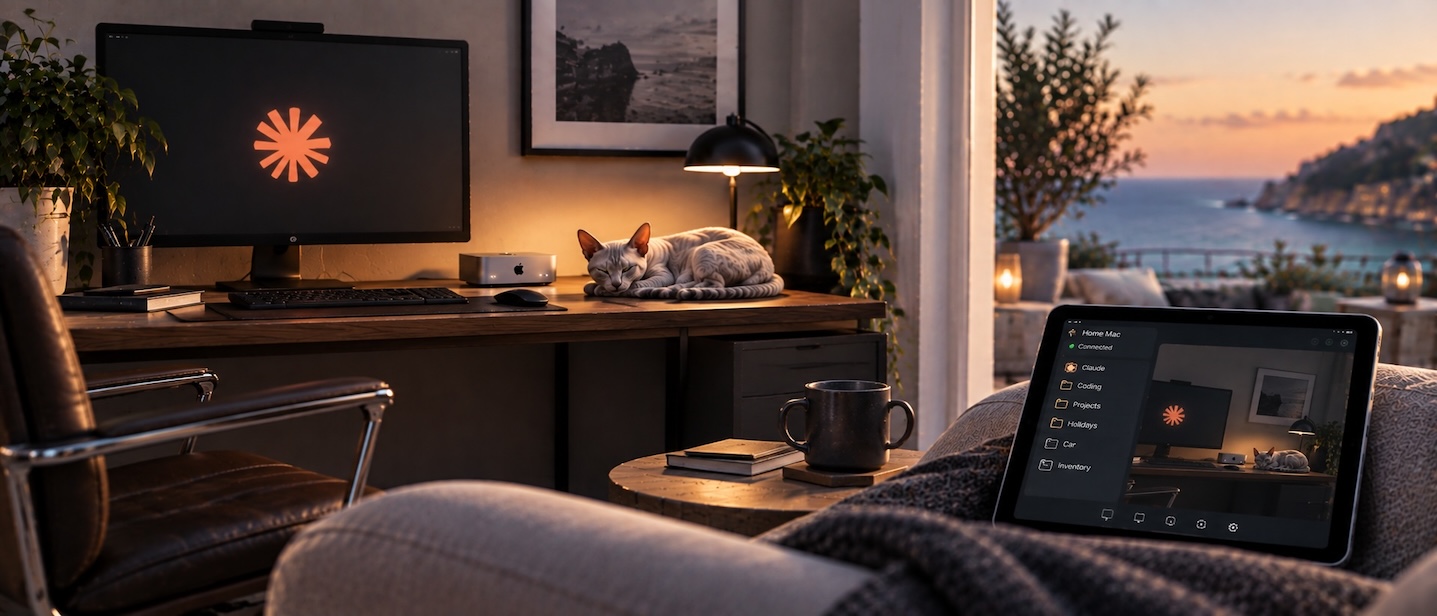
Then, much more recently, within the last month or so, Claude’s Cowork got a lot easier to use and a lot more functional. It’s mid September as I’m writing this, and just yesterday I read that they’d simplified the interactions with it even further, which is great timing for me. With Cowork, I’ve gone back through each of my little systems and rewritten the prompts. Now I can just tell a new chat to look at a directory on my computer, read the markdown file with the instructions, read the JSON, and write straight back to that same JSON. No more versioning gymnastics on my end, because I don’t need to care about it anymore. Time Machine on my Mac is already snapshotting everything hourly and backing it up elsewhere, so the versioning is handled at the file system level, which is where it belonged all along.

I still keep these as separate projects in Claude, because I want specific context tied to specific folders on my computer. My car information lives under an auto folder inside a broader life inventory folder, my computers have their own folder, my domain names have theirs, each with its own markdown for how I want it handled. In the past I’d have to manually load the data file and the instructions file into Claude every single time I started up. Now the project just has a tiny instruction pointing to a markdown router, a file in the root directory that lists out all the different contexts I’ve got and where to find the detailed files for each one. It knows to go look in those folders, and inside something like auto, it’ll find an instructions markdown, the data file, and whatever else belongs there. I can start one omni chat for anything life inventory related, or a specific car chat, and either way it’s not my job to keep the local files in sync anymore, because that’s just handled.

For a while I could already do a version of this on my own computer in a coding session, but not from the cloud, not from my phone on the couch, or my iPad while we’re figuring out where to go for dinner or nailing down holiday plans. Now with Cowork, I can start a session that runs as long as it needs to. I don’t care if it compacts and forgets things partway through, because all the data that matters is already saved to a file, and it’s got a remote session into my actual computer at home.

In another post I mentioned why I might end up getting a Mac Mini instead of relying on my MacBook Air, and this is exactly why. If I take the laptop with me, none of these sessions work, since there’s no computer at home to remote into. I’m fine with a dedicated home machine for this, because lately the only reason I’ve been taking a laptop anywhere has been to do AI stuff with it in the first place. It’s a bit circular. If I can run everything through a remote Cowork session back to a computer at home, I don’t need to bring a computer anywhere at all.

I’ve been going on holiday without a computer for a while now, aside from that one AI use case, to the point where I’ve packed the laptop a couple of times telling myself I might need it, and then never actually taken it out of the bag. My 11 inch iPad Pro has become my go to screen for everything, and this new Cowork setup makes that even more true than it already was.

So that’s where things have migrated to for now, and we’ll see how it keeps evolving. Ideally I’d love to get to a point where I don’t need a home computer in the loop at all and can just use remote storage instead. But I don’t use a mainstream service like Dropbox, OneDrive, or Google Drive, which is probably where that kind of direct read and write access would actually get supported first. Last I checked, Google at least would let you read from those places but not write back to them. When that changes, it’ll be worth revisiting, but for now I’m sticking with my own storage.

That’s the state of the AI setup as it stands. Check back in a couple of months to see how much of this I’ve already torn apart and rebuilt again.
The Story of My Mac Mini M1

I had been waiting for Apple to come out with a new Mac Mini that I can upgrade to for a long time. I even wrote about it as far back as 2016. By then it had been two years since Apple had released anything new in the Mac Mini models. I had the 2012 model at the time. They had came out with a 2014 model however by 2016 when I wanted a new computer it was not worth spending money on a two year old computer model that is only slightly better than the one I already own. The challenge was what I owned was four years old and really needing a replacement.

It would be another two years before the mini was refreshed in 2018. At that point I was prepared to buy a new one. I may have even had an order ready to go. However on reflection the differences between what I had that was six years old in the 2018 variant wasn’t hugely different and the amount of money was not insignificant. At the time I past on an upgrade and just used a laptop as my desktop. I also purchased A significantly cheaper Intel Nuc with better specifications that I put Linux on.

Even after coming up with an alternative plan I still really wanted a Mac Mini. I just couldn’t justify the price for what it was getting me. Flash forward to fall of 2020 and I was excited to pre-order a M1 Mac Mini. I did in fact have an order placed and it was on backorder for about six weeks. After a little while though I talked myself out of getting it and continue to use my old laptop. It was not until this winter then I finally decide the time was right to make a purchase. For the money the mini was a pretty nice computer with the M one chip in it. I also had a 12 inch iPad Pro that are used around the house and out and about like a laptop. It’s not a laptop replacement however someone said the perfect quote that it’s about 90% of our computer replacement. For when I’m not at my desk having the iPad Pro is perfectly fine. For when I sit at my desk having a desktop computer works better than a laptop docked to a monitor.

After literally over four years of waiting I finally got my new mini. Was it worth the wait, I won’t say that. It is a pretty nice computer though. my 2012 mini stop being functional as my main computer about three or four years ago. I used it for a while with Debian on it. At this point it is a paper weight.

I was so slow to write this post that a funny thing happened after a few months with my Mini. I started missing a personal laptop or the freedom that being undocked from a stationary position. Even if it was rare that i did it, the flexibility was nice. I went out and got the stock 8Gig M1 MacBook Air. I was worried that the base configuration was not going to be powerful enough. I was wrong. It has been perfectly fine. After having the MacBook Air a while i can say that i do not use it away from my desk often. When i do it is worth the flexibility. I do see the iPad Pro 12” getting flexible enough that i may change that decision over time.

As great as the Mini was, after about a year I had sold it on eBay in favour of the MacBook Air. I still miss a desktop now and again but the laptop is way more flexible.

Containerizing My Media Center

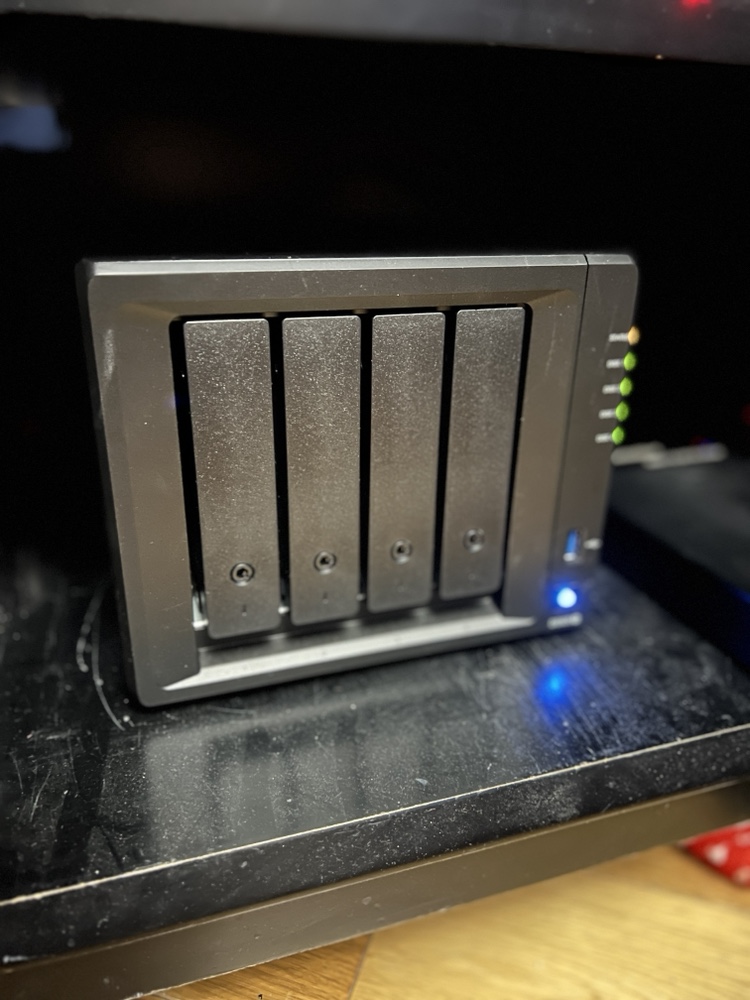
Back in February when my family went on vacation I spent a lot of time playing around with Docker. I converted several applications I was running on raspberry pi’s to run in Docker containers on my Synology Diskstation.

The challenge I gave myself was could I set up the containers to run on the NAS (The Diskstation) while at the same time being able to run them on my Mac mini as a backup in case there was any problems. That meant I needed to figure out how to replicate the configuration information between the devices.

I solve that challenge by setting up a new Resilio Sync folder for all of my Docker config’s. In most cases there was little to no reconfiguration needed to have those config files work on the NAS or the Mac mini. It wasn’t a super elegant solution since it did require human intervention however switching between systems was not something I intended to do often.

I did run into problems getting Plex to run as a container. I was having performance issues in general running Plex on my NAS. My solution was to setup Plex on my Mac mini as a native app. At some point I want to go back and figure out how to get Plex working in a container. Even when I do that I will still need to build a new machine to host it on. The Diskstation just doesn’t have the power to run Plex and my sync application at the same time anymore.  Even with the 4gig I upgraded the disk station to a year or so ago is now not enough.. For now I can continue to use Plex on my Mac. Longer-term I have bought components to build myself a Linux application server to host all of my containers so I can make my disk station just host files.

A New Mac Mini Please…

My desktop computer at home is a 2012 Apple Mac mini. At the time I got the slightly upgraded version with the fusion drive and 16 gigs of RAM. Four years later it is starting to show its age. For most people it would probably still be a perfectly good computer however there are certain functions I’m noticing I need more power.

I would love to retire this Mini and relegated to act as a backup node on my Bittorrent Sync network. The challenge that I have is that the current Mac Mini model is from 2014. I cannot justify myself to buy a brand-new computer with technology that’s two years old to replace a four-year-old computer. My choices then are either purchasing iMac, build myself a Windows 10 or a Linux machine. My only other option is to wait for the mini to be refreshed.

For me Windows is not practical. I haven’t used Windows as my primary computer for work or professional life in years. I use a Windows computer when I need to at work and I have virtual machines for when I need it however living on one at home day in and day out just doesn’t seem like something I want to do. I have been wanting to build a Linux desktop however today it doesn’t offer me all the software I would need to replace my Mac. The iMac is compelling however I have not been a fan of the all in one computers. I’ve owned several iMacs and had challenges with some of them. Every time I think man those are cool I remember my burn in issues I had on to back to back iMac’s. Other reasons to avoid an iMac is I have been eyeing a bigger monitor than my current 27 inch. I would love a 34 inch widescreen however the current mini I have cannot support the resolution for one. If I do end up getting a second desktop running Linux I would want to plug it into the same monitor. I’m trying to stay is future proof on whatever I buy now as possible.

Since I haven’t been able to come up with a solution I am happy with I continue to wait. Every Apple announcement I hope they will refresh the Mac Mini and then sadly they don’t.

I know the one last option I have that I didn’t mention prior since it is super expensive is the full Mac Pro desktop. The cost alone is a nonstarter for me. Add to that it has not been refreshed as long or longer than the mini makes it not a viable option for me.

As Tom Petty says the waiting is the hardest part. Now I wait some more…

Pi Net Back to Full Power

After a few weeks of running in a degraded state I have all my Sync nodes back online.  Some very basic maintenance at my parents for thanksgiving got me working with my problem node.  I ended up swapping out the Pi at my parents place for a Mac Mini that I stopped using after I got my latest Apple TV.  That mini had a replica copy on a larger hard drive so the swap out was less about any issues with the Pi vs I took the opportunity to upgrade while i was there.

I need to call my sync network something other than Pi Net since right now the majority of the nodes are not Raspberry Pi’s.

The Decision To Get Another Mac Mini

I know that I waffle on what approach I take with regards to my computer equipment.  I have been known to swing between wanting one laptop I use for everything to a laptop and desktop, to just a desktop and using works laptop.  Right now I have a semi-new 2012 Macbook Air.  I sold my main desktop, a 27″ iMac that I bought and tricked out in 2011 over the summer.  I also am selling my old 2011 Macbook Air because I wanted one computer, a laptop.  At the time my thoughts were I wanted a single machine so I can go between work and home and have my stuff with me.  I had the iMac because I previously worked from home 2-3 days a week and having the more powerful desktop made sense.  Since I am in the office most days as of early summer that didn’t make much sense anymore.  I also have a 2010 Mac Mini I have been using as a media center.  Its no longer plugged directly into my TV but is hosting all my media and acts as a headless server that my Apple TV or Macbook Air connects to.  I can’t use it as a desktop since the Thunderbolt display I have is not compatible with the older Mini.

Flash forward to now, and I am happy with my Air however I am finding myself wanting a desktop that is always on.  I still need my laptop for now for if I need to work from the bedroom or anywhere else if the baby is in the area were my computer is, but having a desktop for me and the family has its advantages.  Having a super powerful iMac still doesn’t make sense.  My current solution is to get one of the new Mac Mini’s that were just announced.  It is 1/3 of the price I paid for my iMac, and if i need to I can unplug the Mini from my display and plug in my laptop as needed.  The 1TB Fusion drive looks like a good compromise for speed and storage space.  The new Mini’s looked good enough that I ordered a new one on the 5th.  It arrived Friday.  So far the Cinema Display and the Mini is a great alternative to a laptop or an iMac.  I still have to carry around a laptop to work but I like having a flexibility the mini provides vs an all in one iMac.  Only time will say if I remain happy.


Desk Reconfiguration

At work I have had 5 monitors on my desk.  Let’s not argue the necessity of five monitors. It is a bit excessive. That is why I’ve been thinking about downsizing for a while.  At the time the setup made sense, and I had the equipment on hand so I figured why not.  Recently however my desk is been slightly cramped, and I found myself using my third computer significantly less.  This set up started when I got a new 27 inch display for my laptop.  It was a great needed addition since the extra real-estate is used and I blow text up a lot.  With that addition I had the two 19″ monitors I was using for my Macbook Air free to move to my Mac Mini that I use.  I have that machine mainly to sit on the guest wifi network to do Skype video chats with far flung staff.  I can use Skype on the internal network but it never seems the same.  The 15″ monitors (2 of them) I was using for the Min went towards a Dell desktop I have that I run a specific work app on.  I can run it in a VM but on my older Macbook Air the VM was starved for memory.  Now i may revisit the need for that machine but i like having a dedicated Windows machine around even if I dont use it often.

Since I wasn’t using the windows machine a lot I gave away the 15″ monitors and just have the Dell desktop plugged into one of the Mini’s 19″ monitors.  They take DVI & VGI so I created  poor mans switcher for the monitor.  Longer term i will probably just RDP to that machine.  Surprisingly 3 monitors is not uncommon at work.  Some people even have 4 but i was a bit out there with the 5.

Now I have space on my desk that you can actually see my wedding & engagement photos.  Now isn’t that whats important?

Plex Media Center 9

Earlier this month Plex came out with a new version. I had been really liking version 8 since I started using my Mac mini as a media center back in late June. I was eager to download the new version when it came out. Initially I was not very pleased. I had significant issues with my media library upgrading. Well, part of the problem was it didn’t upgrade. I had to start over and lost all my customizations. The new version also had issues downloading TV metadata initially. Thankfully the download issues were resolved and I am actually quite pleased now how Plex 9 is turning out.

I also purchased the IOS media streaming app for my iPhone and iPad. That is slightly slow, but it is very cool to be able to stream everything to my portable devices.

I’m still playing around with my set up, but I hope to have everything tweaked the way I like it very soon.

The New Mac Mini

I ordered one of the new Mac Mini's the other day.  It should arrive on Wednesday.  It is taking so long since I wanted 4gig's of RAM so it was a special order.  I got the stock HDD and Processor since I don't think I needed more than what it came with.  Now I will agree I have a few computers so why would I want another one?  Good question.  No real good answer.  I don't "need" anything.  However with this new Mini I can use HDMI naitivly so my hopes for a media center machine are once again alive.  I don't know if this Mac will have the same HDMI issues as my other ones have with the adapters to HDMI, or if the native cable will "just work".  If this doesn't work I am sure it is my TV that is the problem.  Well I am already pretty sure it is my TV that is messed up but we will see Wednesday.

If the media center doesn't work out I mainly bought this new one because my 20" iMac is slowly going.  Not sure why since it is only 2 years old but I don't have Apple Care and the screen has lighter colored vertical bars here and there (in regular intervals) that make me think it is the back-lights.  That was an issue for a while but now I am not even able to put most DVD's into the drive.  It starts making really bad sounds and wont spit them out.  I know I use the iMac as a server mainly to host up my iTunes video library but I do want it to work.  If the DVD drive goes I may end up just moving it to my bedroom to use as a TV or streaming host for videos that I wanted to do a while back and use the new Mini to host my iTunes collection.  In the end the Mini will be used as some sort of media center.  If it plugs into my TV or an extra monitor on my desk is really all that is up in the air.

My New Media Center

I broke down and picked up a new Mac Mini last weekend. I have been tempted to build myself a full fledged Media Center computer again but haven’t wanted to make the investment. I also wasn’t sure if I would be able to setup the computer with my LCD TV to work right. In the past I have had issues with HDMI adapters and any computer fitting to the screen on my 40″ LCD. Even with Mac OS 10.6 set to 1080i (yes there is even an option for that now) the picture didn’t fit the entire screen.

With those questions I still went out and picked up a Mini. In the end I needed to connect my Drobo’s to an actual computer vs using them as network attached storage. The editing I was doing was taking too long over the network (802.11n to my desktop). The new Mini is plugged into the Drobo’s and my TV directly via VGA. The picture is good, but not HD. I still think the issue is with my TV and not any computer since this is about the 5th or 6th computer I have tried plugged into the TV with the same issue. Using VGA the picture works so I am keeping it setup like that. I am able to access the computer using VNC when I want to work on it, or I have a wireless mouse and keyboard plugged into it as well.

Even though the Mini is plugged into the TV i am serving up its content via iTunes so I can stream it to my Apple TV. At least the ATV works with HD so that is why I am doing that. The plus side of having the Mini plugged into the TV and not just use it headless as a server is that I can watch Hulu streaming full screen on my TV now. I can use the remote on my Mac and it is just like using a DVR. I found that very useful since I gave up on hacking the ATV with Boxee long ago.

Other plus to this new configuration is that I can watch DVD’s on the Mini. I don’t have a DVD player and using the Xbox 360 for DVD’s is ok but it is loud. I love the Droo’s, but the speed still isn’t what i expect, but it is better than when I was accessing them over the wireless LAN so I am so far very happy with this configuration.

My new media center setup