My Backup Strategy Finally Grew Up

For over ten years I had a personal backup strategy. Strictly speaking it didn’t cover every scenario I could encounter, but the plus side was I had one at all, and it saved me a few times despite the gaps.

The tool I used was Resilio Sync. Basically a BitTorrent style sync system for personal use, replicating data bidirectionally between wherever I told it to go. At various points that meant a copy on my laptop’s external hard drive, a copy on my NAS, more copies scattered around the house on Raspberry Pis, and for a while, a copy on a VPS. Before that I even had encrypted copies sitting at two different friends’ houses, encrypted specifically so they couldn’t see what was in them, but I could still recover if something went wrong.

It was great, for what it was. It solved exactly one use case: drive failure, or something happening to the house. And it worked. When my NAS died I was sure for a minute I’d lost everything, and then remembered a huge chunk of that data was safely sitting somewhere else entirely.

I paid for Resilio once, something like ten years ago, roughly fifty dollars, plus a twenty dollar upgrade at some point. That’s the entire lifetime cost I paid, and I got my money’s worth many times over. At one point I tried Syncthing, an open source alternative that does something similar, just to see if free was as good as paid. It was fine, but fiddly enough that I didn’t really stick with it back then. More on that later, because that part of the story isn’t over.

The hardware I used for this setup evolved constantly underneath it. I started on Raspberry Pi 2s next to the NAS, moved to Pi 3s, then Pi 4s. I’ve blogged about this system in various forms over the years, so if you go digging through the archive you’ll find the whole lineage.

But here’s the thing I knew for almost as long as I ran it: it never covered data corruption. Not really. Early on that was a vague worry about my own data getting mangled somehow. As cyber threats got worse, and they always were getting worse, it turned into a much sharper question. Was I actually prepared to survive ransomware, or a wiper attack wiping out everything the replication system would happily sync to every node?

So on top of the replication, I’d take manual offline snapshots. Once a year if I was disciplined, once a quarter if I was lucky. Sometimes that meant another spot on the NAS, which isn’t really a proper backup since it’s still one box, but at least it was off the live replication system. Other times it meant a physical hard drive, especially for directories too big to replicate offsite, like my media library.

Generally though, I wasn’t that worried. Everyone’s a target for that kind of attack in theory, but my actual threat model used to be drive failure, full stop. That’s what kept me up at night, if anything did. But the ransomware / wiper concern kept creeping up over time, the way it does.

About a year or two ago I finally decided to address the other backup use cases and to take into account having an immutable backup. I set up my own Borg backup on a Raspberry Pi. I did it mostly manually, with some AI help for suggestions along the way. Then starting around March or April this year, I got a lot more serious about building things fully AI assisted, with the AI actually managing systems directly over SSH. That shift naturally pointed straight at my backup setup. I kept interrogating the AI on the best way to build it out, and as I was standing up new websites and other projects, the whole thing evolved with them.

A couple of iterations later, here’s where it landed. Two separate Borg backup targets. One local, in the house, backing up the big media directories and everything else internally. Good for an immutable copy, but obviously useless if something happens to the house itself, which is why I still take a manual physical hard drive backup periodically. They’re sitting in a safe right now. Future Scott needs to actually get them somewhere outside the house.

Feeding into that, I also moved my laptop’s sync off Resilio and onto the NAS, and funnily enough ended up back on Syncthing to do it. Not because it got better, but because the AI found it easier to set up and manage than Resilio. I set up one way replication, so anything that changes on the NAS doesn’t sync back to the laptop, and that gets picked up on the NAS side for the real backup. It worked perfectly on the first try, which after years of fighting with sync tools felt almost suspicious.

The second target is a VPS, two terabytes, that I got as a deal from lowendbox.com for about thirty dollars a year. Ridiculous deal. Every VPS and Raspberry Pi I run backs up daily to a directory on the NAS. The NAS then spins up a Docker instance for each Borg destination, runs the backup, and shuts itself back down. There’s a separate prune job on my laptop I run to clean up old backups over time.

It’s honestly more robust than a personal backup needs to be. I’ve run a fair number of threat models on it at this point, probably more than necessary, but that’s the improvement over the old system: it’s immutable now, not just replicated.

I’ve got a pattern set up with the AI now where I can just ask it to check the status of everything and give me a detailed report. One of the VPSs also connects into my home network over Tailscale to monitor status, with alerting wired up, so I get a push notification the moment anything isn’t working right.

Really robust. More than I need. Definitely worthwhile anyway.

The current iteration has been running for two months at time of writing this in late August 2026. There was an earlier version before it that ran about two months, before I rebuilt it with some lessons learned. So far, so good.

I’m still debating whether to ship a Raspberry Pi and a large external drive to a friend’s house to replicate everything at home, offsite, the old school way. Then I do the math and realize the total cost of that probably outweighs several years of the two terabyte VPS backup I’m already paying for. So probably not worth it. Still evaluating though, because apparently doing ROI calculations on my own backup strategy is a hobby now, service versus hardware, one spreadsheet at a time.

Overall, very pleased with where it landed.
Downsizing the Pi Network

I keep a blog idea board in my Trello app so I can track all the things I want to write about, because I’ll come up with an idea for a post and then promptly forget it. Of course, sometimes I also add it to the board and still forget about it for years. By the time I rediscover it, the topic isn’t relevant anymore, or I’ve already written something similar. But I digress.

One of those old notes was about the state of my Pi network. I wrote it down a year ago, maybe updated it earlier this year, and now I’ve finally made enough changes that it’s worth revisiting.

I’ve owned pretty much every generation of Raspberry Pi. Actually, I think I’ve owned all the main variants from each generation, not the tiny ones or the 400/500 models that are built into keyboards, but all the standard boards. I bought the original Raspberry Pi 1, set it up, played with it, and then never really deployed it for anything meaningful. By the time I wanted to, the Pi 2 had already come out, so I bought one of those. At some point I got rid of the Pi 1, maybe gave it away, but I’ve kept just about every other one since.

The backbone of my original home network was built on Raspberry Pi 2s. I had five of them running my early private cloud backup network. Over time, I upgraded them with new cases, official Wi-Fi adapters, and less reliance on Ethernet. Then the Pi 3s came out, and I added a few of those for compute jobs. Then came the Pi 4s, and I gradually shifted everything over again.

Eventually, I stopped using the 2s and most of the 3s, and my little network of Pis became mostly 4s. I think I had around four or five of them running various workloads. When the Pi 5s came out, I didn’t jump immediately, but I have about four of them now.

Funny thing is, I’m using less compute now than ever. The main purpose of the Pi cluster used to be my Docker setup, which ran parts of my media center, a Minecraft server, and Homebridge for connecting Ring cameras to Apple HomeKit. Most of that has since moved or shut down.

I replaced the Ring cameras, so no need for Homebridge. Plex moved to my Synology DiskStation because the transcoding works better there. The Docker stack was easy enough to migrate, so that freed up another Pi.

These days, I’m really only using:

One Resilio Sync node for backups One BorgBackup setup for immutable backups One Pi as a Tailscale exit node And a Raspberry Pi 4 running Pi-hole for DHCP and DNS in the house

Everything else runs on Pi 5s, though even that’s more power than I need. When I built out the 5s earlier this year, I decided to stop using SD cards and external drives. I got cases with SSD add-ons, most with 256 GB drives, and one with a 2 TB SSD for backups. It’s a neat all-in-one box setup.

The Pi 4, especially the 8 GB version, is still a perfectly good piece of kit, but I just don’t have enough for it to do. So I’ve started selling them off on eBay. I’ve already sold a couple of the 4s and gotten a surprisingly good return for hardware that’s several years old. I’ve sold all of my 3s and am now selling the 2s. Apparently, people still buy them for nostalgia or small projects.

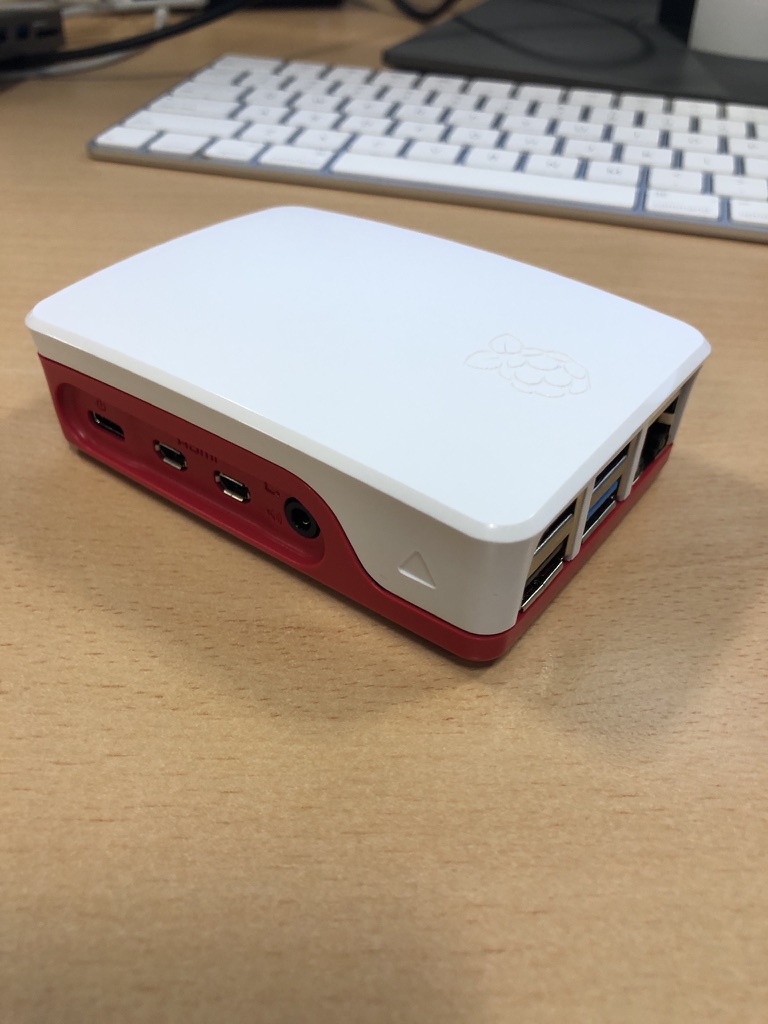
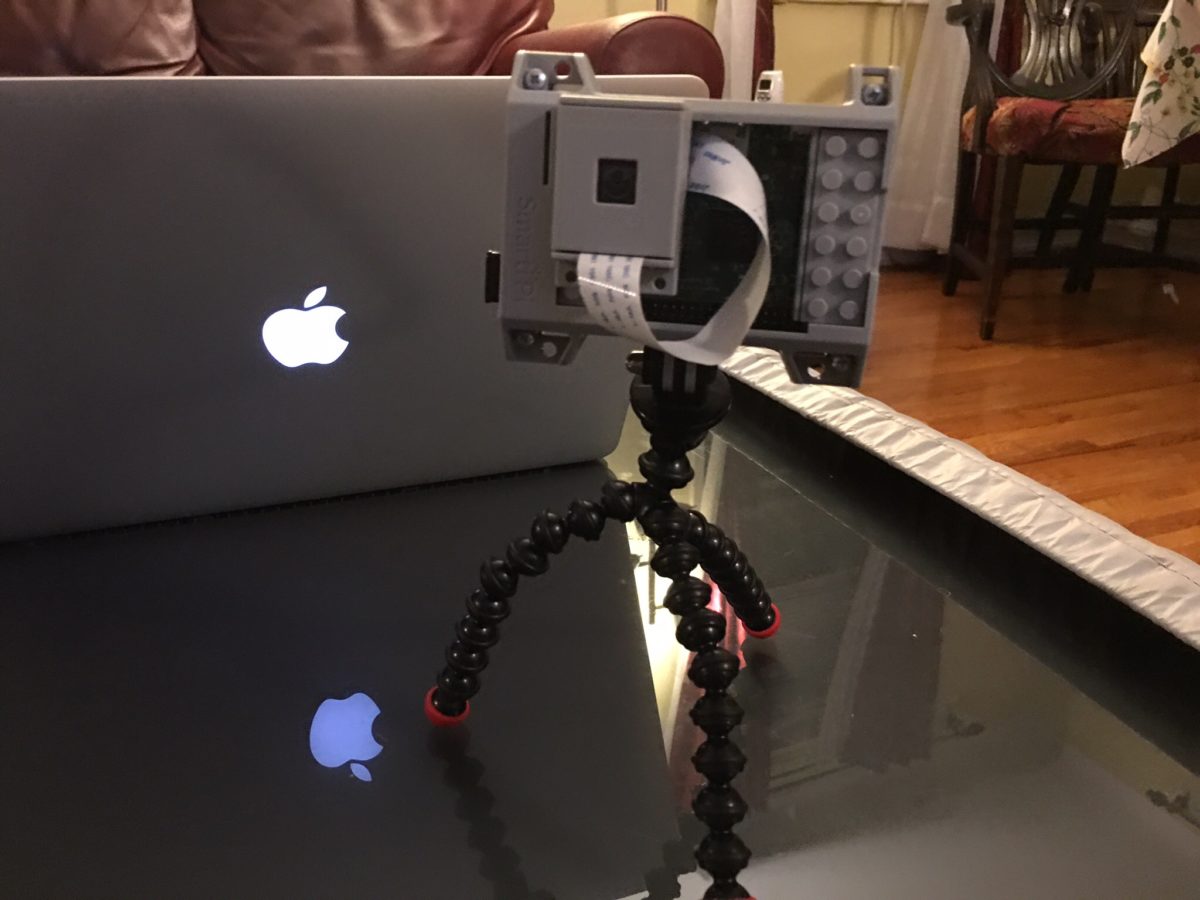
A few of my old ones are in official cases, and two are even in LEGO cases with camera kits. They look great, but I’m trying to pare everything down so I’m left with only the Pi 5s, and maybe I’ll move the Pi-hole over to a 5 while I’m at it.

Maintaining the hardware takes a decent amount of time and effort, and with what I’m doing now, renting a virtual private server is just simpler. My web hosting, where this blog lives, runs on a VPS with 2.5 GB of RAM, a single virtual core, and about 40 GB of storage, all for around $23 a year. It’s based in Dublin and does the job beautifully.

Building a Pi 5 setup can easily cost around four times that, even if it gives me more power than I’ll ever use. I’m not planning to get rid of the 5s I already have since they’re great machines, but I’ve reduced what I actually run on them. Justifying keeping all the older models sitting around isn’t really there anymore. For most of what I run these days, a VPS or my upgraded DiskStation handles it fine.

So yes, I’m officially downgrading, selling off hardware, consolidating services, and simplifying. I still love tinkering, but the Pi 5s are plenty. The rest? Off to eBay.

Backup Network Version Number I Forget

I’ve been writing a lot about my tech setup lately because I’ve done quite a bit of work on it. I’ve been meaning to share my current private cloud backup setup for a while now.

The backbone of my private cloud network is still Resilio Sync. While I rely on it a bit less these days, it remains a core part of my strategy.

Right now, I’m using Resilio to replicate a full set of data from my Synology DiskStation to a Raspberry Pi 4. I also replicate a subset of this data—everything except the media center—to an SSD on my laptop. Soon, I plan to set up another Pi 4 as a backup for the same subset of data I have on my laptop.

At this point, I no longer keep any replica data at friends’ houses. I probably should, but when my last setup failed, my friend had to bring the device back to me when he visited from the States. Ultimately, it wasn’t worth buying new gear just to ship it back to him. Instead, I signed up for Amazon Glacier Deep Archive (or whatever they’re calling it now). It’s a cheap, long-term storage option where data is locked in for six months without modification or deletion options. My Synology DiskStation has a built-in client that made it easy to set up a backup of my personal data to Glacier. I still need to test a restore, but for now, I see Glacier as my remote storage solution. At about $1 per terabyte per month, nothing else comes close to that price. Setting up another Pi with a friend would cost around $150–$200, which makes Glacier far more cost-effective over a three-year period.

Because I’m still a bit unsure about restoring from Glacier, I’ve also started using Proton Drive for critical data, including my entire family photo and video library. Once I’ve uploaded the photos, that dataset stays pretty static, so Proton Drive makes sense. With our 3TB plan, I can gradually copy large, mostly unchanging files that I want securely backed up. Since there’s no automated way to sync this, it’s not my primary backup, but it adds another layer of protection.

Recently, with T in high school (or middle school if we were in the States), she’s been using the computer more often. It made sense to subscribe to the family plan of Office 365, which gives each of us 1TB of storage on OneDrive. I’m experimenting with Cryptomator encryption to securely store a subset of our backups on OneDrive. I still need to fully implement this, but it’s something I plan to sort out soon.

In addition to these replica copies, I take monthly RSYNC snapshots to a separate directory on my DiskStation. I have two scripts—one for odd months and one for even months—so I always have two recent copies. I also keep an annual copy of everything. It’s a bit less automated, but it works.

I’m also considering setting up another Pi as a remote Resilio node. Another option is to get a storage VPS again. The previous deal I had expired, so I canceled it last year. That’s partly why I’ve been relying less on remote Resilio replicas. When I got rid of my last remote Pi, I switched to a VPS running Resilio. Now, I’m debating whether it’s worth setting up another VPS instead of piecing together backups the way I have been. At around $80 per year for 2TB, it’s an option I’m keeping open.

Overall, the system works. When I had a catastrophic failure on my DiskStation before upgrading to my current one, I was able to verify that all my data was backed up somewhere. In the end, I didn’t need to restore because I managed to salvage the array on the DiskStation, but it was a valuable exercise to go through.

UPDATE: I wrote this before Christmas. Since then I have built a new Pi with a 2TB SSD and need to deploy it somewhere other than our house as a backup. I have also found a new cheap(ish) VPS storage provider. I have a 2TB VPS in Germany were I am now replicating my main Reslio shares to. I have stopped using Glacial since i haven’t been able to properly test it.  It is still by far the cheapest backup option out there however without being able to verify it works to easily fully recover i was a bit concerned.  The new VPS i have is a few pounds more per month but not outrageously expensive.

Building My Own VPN

I started writing the background of this blog entry. I looked at my own archive and realised I had stopped using remote access software sometime in 2016. I think I got spooked by the changes that logmein did to their free plan or that it got bought by someone.  I forget.  As an alternative I started with remote SSH to remotely manage my growing network of raspberry pi’s. As my setup evolved, I eventually upgraded to OpenVPN for my home network. This way, when I was out with my iPad or laptop, I could connect to my home network and manage my media center.

When WireGuard came along, I switched to that because it was so easy to set up. I’ve been using it ever since for those rare occasions when I need remote access to my house.

Recently, I started experimenting with Tailscale, which is a mesh network implementation of WireGuard. The concept sounded great, and their free plan supports up to 100 devices across three users, which is more than enough for me. I set up Tailscale on my workstation and most of my Raspberry Pis. Now, instead of using WireGuard to connect to my home network when I want to access the media center, I just log my iPad onto the Tailscale mesh network, giving me seamless access to all my services. To make things easier, I use CNAME records with one of my domain names, so I don’t have to remember the cryptic Tailscale-provided domain names. It’s all been working smoothly.

With M and the girls away this week, I’ve had time to play around with Tailscale’s exit nodes. This feature allows me to route all my internet traffic through any Tailscale client I set up as an exit node. I found this intriguing because it lets me browse the internet as if I were at home, even when I’m out. I also experimented with setting up an exit node on my VPS in Texas, so I could route my traffic through there.

I recently noticed Tailscale offers Mullvad VPN exit nodes as an add-on. Mullvad is a solid VPN provider; if I didn’t already have Proton for other services, I’d probably use them. This add-on is essentially a full Mullvad VPN plan for five devices, allowing me to configure Mullvad exit nodes. I’ve been testing it over the past few days, both at home and on the go with my phone and iPad. Like any VPN, there’s a bit of overhead in terms of latency and bandwidth, but I’ve been using the London exit node and haven’t noticed any performance issues.

What’s great about this setup versus a traditional VPN is that I don’t have to toggle anything off to access my home network—my connections just work. This setup is letting me keep a VPN on all the time when I’m out, which I prefer. The Mullvad add-on costs an extra $5 per month on top of the Proton services I already use, but it’s been worth it so far. With a single click, I can switch the exit node to any other Mullvad location or one of my own, like my home network or VPS.

I’m actually so happy with this setup that I’m considering configuring the girls’ iPads to have always-on VPN through Tailscale.

an extra $5 per month on top of the Proton services I already use, but it’s been worth it so far. With a single click, I can switch the exit node to any other Mullvad location or one of my own, like my home network or VPS.

I’m actually so happy with this setup that I’m considering configuring the girls’ iPads to have always-on VPN through Tailscale.

Since I had some extra free time this week, I bought an additional Raspberry Pi 4 specifically as a VPN exit node for the house. I’d been experimenting with an existing Pi 4 as the exit node while it was handling other tasks, but I ran into some routing issues and didn’t want to troubleshoot on a device already in use. So, I spent about £50 on a new Pi and case. I do have a couple of Pi 3s lying around, but I didn’t want to use them due to their 100meg network bandwidth limitations. A Pi 5 seemed like overkill for this purpose, though I did pick one up for another project (which I might write about later).

So far, I’m very pleased with my new mesh VPN setup!

Let The Waiting For The Raspberry Pi 5 Begin…

So of course I pre-ordered the Raspberry Pi 5 (8gb) after I saw that it was announced. Sadly I missed the announcement by a day or two. I then saw the guidance that by the time I pre-ordered it would have to wait till sometime in early 2024 to receive it.

I also saw even after the launch if you subscribed to either of two Pi magazines you could get yours straight away. Yes I almost subscribed, but i am proud of myself for not doing it and waiting patiently. Or am I?

The Story of My Upgrade Partially Pi Powered Backup Network

I have written a few posts on using Resilio Sync to replicate my personal data as a backup network. Currently I have several nodes running at home on various devices. I have one remote nodes running. It is on a VPS that I may write about in more detail separately. I had another remote Pi at a friends house for years. With the cost of the VPS being so cheap and easier to manage remotely I gave up on the extra node with my friend.

Instead I have 2 Pi’s running Resilio at home. In addition to a ODROID HC2 and instances on my laptop and NAS. Every device does not have all the data on it except for the NAS. Some of the shares are so big I had to shard them out. Only the NAS has all the data. However all of my data is replicated at least twice in the house. All, but my videos are replicated to the VPS.

I also started using Amazon Glacial Deep Freeze to backup (approx $1 per tb) some shares. Deep Freeze is so cheap my intention is to add bigger shares to backup. I just have not gotten around to it yet.

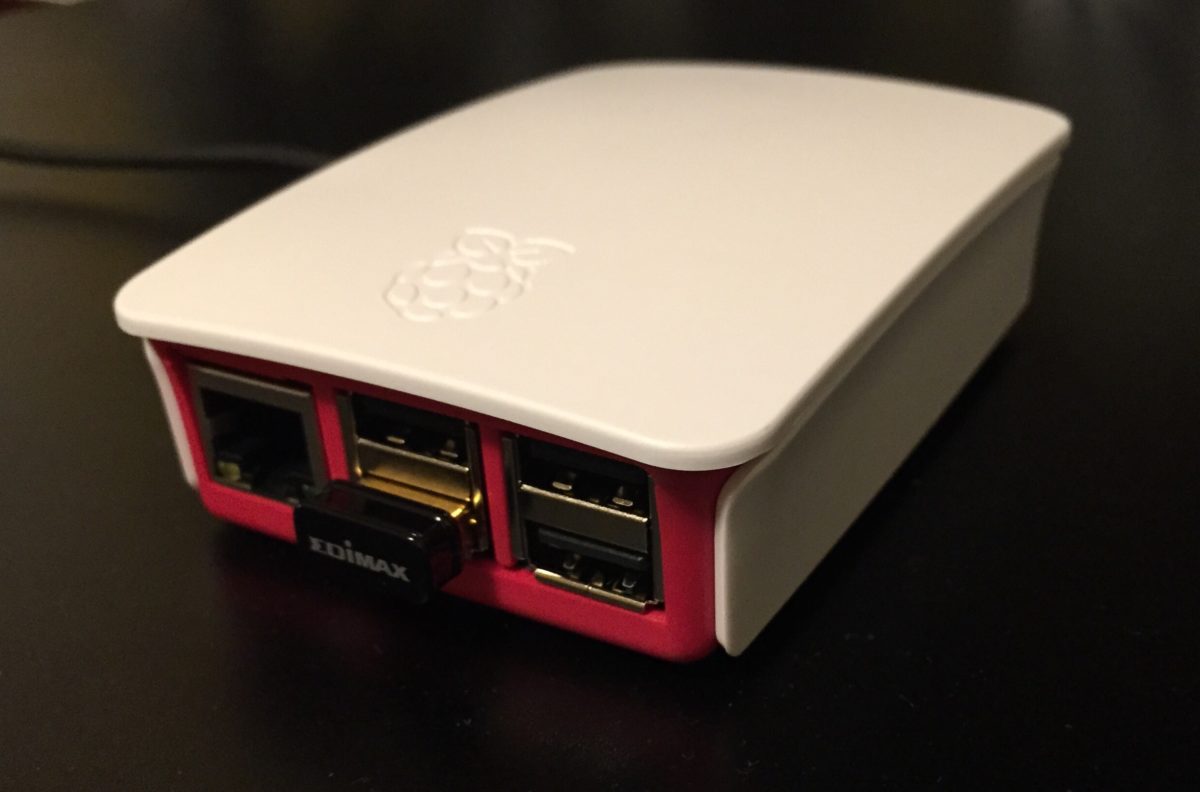
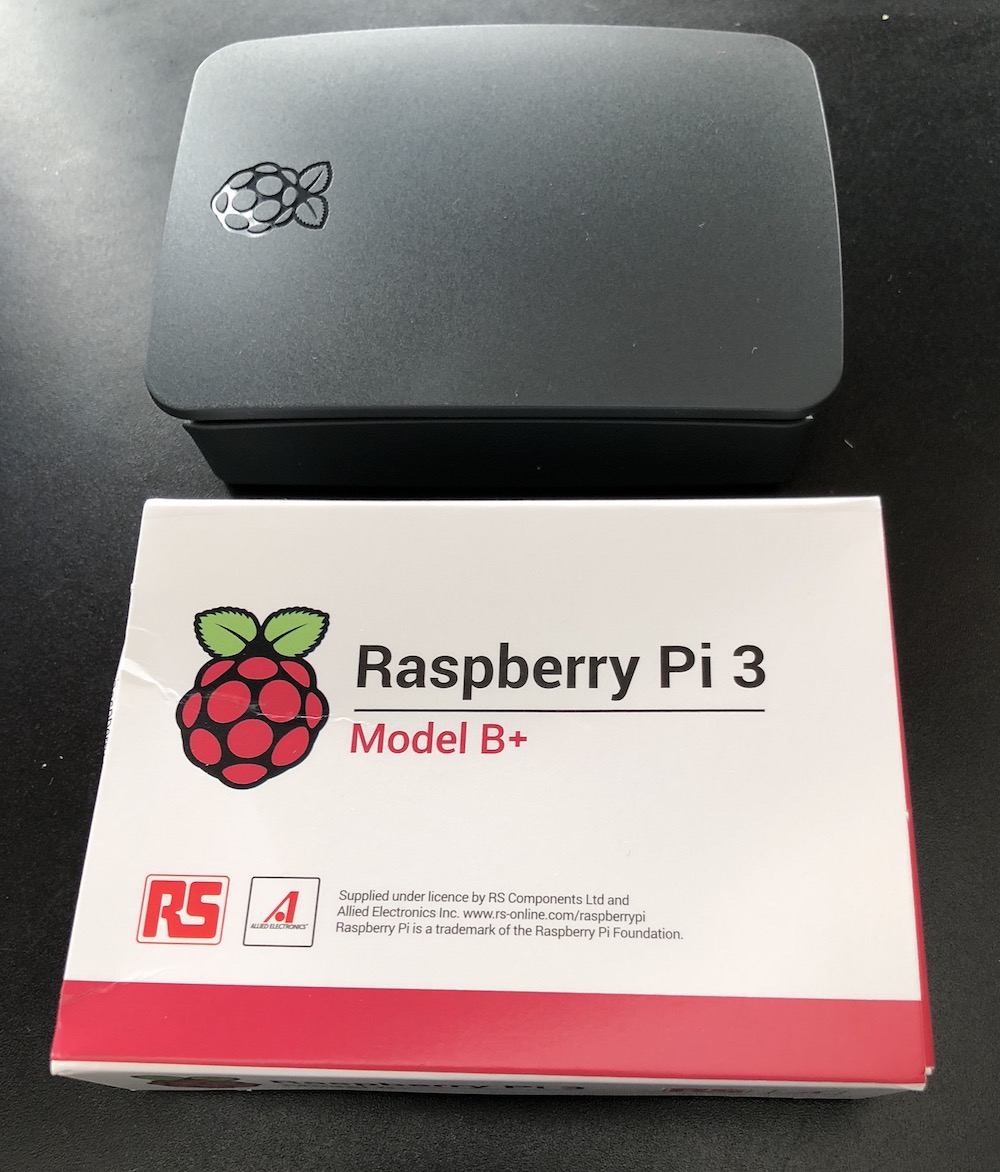
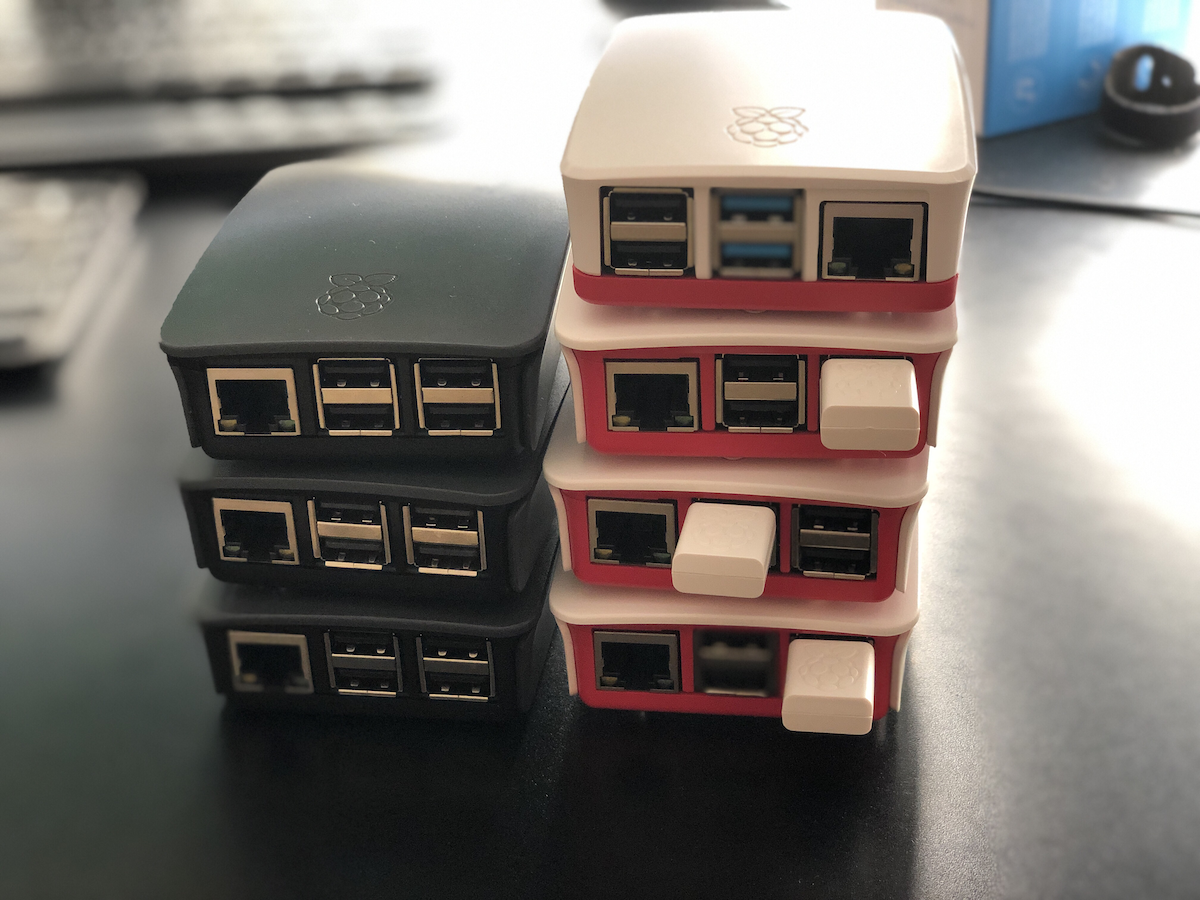
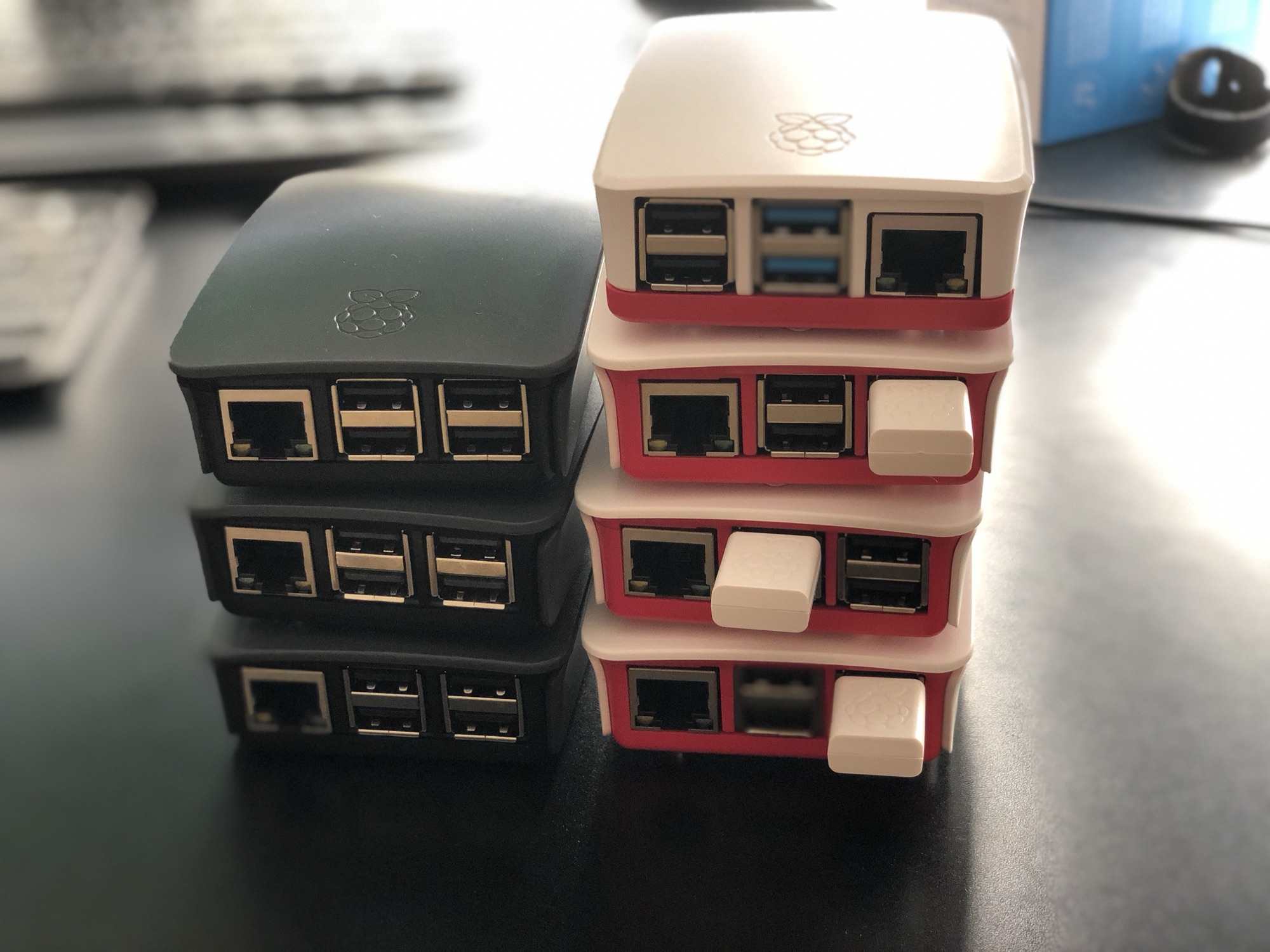
The Raspberry Pi’s photographed are the Pi 2’s (white cases) and Pi 3’s (Grey cases). The current generation of Pi’s I am running are two Pi 4’s. One with four gigs of RAM and the other with eight. I have a third Pi 4 with four gigs of RAM that I am playing around with alternative configurations on. I still have the second and third generation Pi’s. I use the third-generation ones periodically. Most recently one was a dedicated Pi-hole, however I recently stopped using it.

Pull disclosure, pictured is the older P2 and P3’s.

The State of My Private Cloud in 2019

I have been maintaining my private cloud network powered by Resilio Sync for a few years now. I have talked about it before. See this search for all those posts. When I built the original version of my private cloud the intentions were for it to provide a 321 backup solution for my stuff. The effort involved in maintaining the system turned out to be more time involvement than I would like. Overall even with more work than i thought it still has been largely a success for me.

At the time when I built the network my intention was to use Raspberry PI’s as my remote nodes. As my use of the system evolved that stopped being a viable solution. One of my first Raspberry Pi remote nodes had to be replaced. The drive i deployed just wasn’t big enough. That wasn’t a Pi specific issue. The next thing that happened was I ran into significant challenges around the amount of memory available on the a Pi II. Resilio would crash the Raspberry Pi. The reason was the app would consume all of the available memory until the OS froze. I had the same challenge on my Synology disk station at one point. That was fixable with a $15 4 gig memory upgrade. I was not able to do anything like that with the raspberry pi II.

To work around the limitations of the Raspberry Pi 2 was that I bought more powerful and thus more expensive computers. The two remote machines that I had running were fanless zotac z-boxes. They were great. The only downside was the cost that was significantly more than a pi. I bought a low-end Celeron version of the Zotac for around $150 plus memory and drives. The costs were about 4 times as much as a similar Pi 2 setup. At the time I had no good alternatives.

Then someone at work put me onto buying a Hardkernel ODROID-HC1 that was designed as a personal cloud type machine. It came with a case to put an internal hard drive in. The beauty of these machines were they had two gigs of memory and were not that much more expensive than a Pi 2 at around $50. I think I maybe spent $70 including memory card etc, not counting the hard drive. The hard drive was an internal one so cost to get one was cheaper than using an external one for the PI.

I purchased two ODROID’s within a year. One was at a friends house. The other was replicating data at home. I had problems with what I think was corruption of the OS on the SD card on both machines. The remote host had to be rebuilt twice. By the 3rd time it had a problem I gave up. I just didn’t want to spend the time troubleshooting it. I’m not sure why they continued to get corrupted. I still have one of them at home that has been pretty stable this year. I gave the remote one to my friend who hosted it for me. He was going to see if he could use it for something. The ODROID was a good idea however it did not turn into a long-term solution for me.

When I first started this private cloud project the public or consumer file storage services did not really offer zero knowledge encryption. The only service at the time that was financially viable for me to use was MEGA. I tried that out and it wasn’t seamless for me so I abandon a public cloud solution. I went with my private cloud. Today there are a few service providers that cater to people looking for zero knowledge encryption for remote storage. There still aren’t a lot of them however I was glad to see the landscape had evolved since I started this project.

I’m not sure what triggered my research into public clouds again. I started looking at what the cost benefit would be to go with a zero knowledge encryption public cloud provider instead of continuing to build my own network over last summer. I found a provider I liked, Tresorit. They ticked all the boxes for me on what I was looking for. The challenge was for 2 TB monthly cost over £20 a month. There only cheaper solution was not enough space for my needs.

When calculating the lifecycle of the hardware I buy for my own private cloud network versus the service costs of the provider it’s probably cheaper to keep doing it myself. Originally that was not true. From when I started this investigation in moving to a service provider until today there was a change in what kit was availible. The Raspberry Pi 4 came out. Having a need to replace the ODROID and possibly one Zotac at a minimum in the next 3 years would have been several hundred pounds. The Pi 4 was clocks in for the 4gig model at around £60 for the computer and all the accessories I needed minus a hard drive. I am recycling a hard drive so there is no additional cost there. When they announced the latest pi4 I immediately put in order for one of the 4gb models. My hopes were that it would perform well enough to use in my private cloud network. On paper it solves the memory usage issue of the Pi 2 & 3.

At the time of writing this I have had my first Pi 4 running in “production” for almost 3 months. The software has been pretty stable. I am running it within a docker container on a Pi 4. So far the system is consuming way less than 50% of memory. Ussually somewhere between 1 to 1.5 gig. One of the other clean up things i did was consolidate the many shares I had into 5 total shares. The Pi replicates 4 of them.

With the extra space i have on a remote node can also take local copies of the replicated data on that remote machine. That should complete my 321 backup strategy. Since I want to add extra resiliency into my plan I will continue to take annual point in time offline copies of most of my data.

Since I am reusing hard drives right now (i over bought on size I needed on the last upgrade and the drives are great) that means i can get another Pi 4 for £60 pounds and have a refreshed pair of remote nodes. I continue to use my Synology, my laptop, and a Linux server for the other nodes at home.

My costs this year are on target to be £60-£120. That is half the price of one year of cloud storage service. The new machines should give me 2 to 3 years of service easily. Especially since I’m deploying them with 5 TB drives and I’m only using about 1.3 TB for what I’m backing up today.

I am pleased that the build my own system is cheaper and continuing to work out vs the public cloud option. As long as maintaining the system is not a lot of trouble I picked the right option.

Pi Net Expands

My new Pi 3 B+ arrived today.  All my other Raspberry Pi’s are 2’s so this one should be significantly more powerful.  I didn’t really “need” it however I wanted to play around with it.  I haven’t written longer posts in a while however I now am using a Pi for RetroPi game console, an OSMC (Kodi Open Source Media Center) and two other ones I am trying to setup a docker swarm with.  I hope to write more about my projects later.  Now off to install Rasbian.

Inbound Network Lockdown With an SSH Proxy

Ever since I started working on building my backup network using raspberry pi’s and BitTorrent Sync I’ve started a list of other home projects I want to do with technology. One of the things that’s been in my head however not high on the list actually do was create a VPN endpoint with my home router so I could VPN in while remote. I tried to play around with open VPN and ran into some pickups. Didn’t have all the time I really needed to sit down and figure it out so I gave up on the project. Even while I was trying to set up an inbound VPN friends of mine at work were saying it was probably overkill anyway.

At least one if not more people recommended that I set up a SSH proxy on one machine and use that to connect to all the other resources. I like the idea but never gave it much focus until recently. I have a Zotac ZBox C Series Mini Computer that I have been running Ubuntu Linux on for a while. I’ve been baking it in as a next-generation BitTorrent Sync machine for my network. I hadn’t deployed it yet and figured I would try using that as my SSH proxy.

The proxy itself was trivial to initiate to the box. Deciding how I would configure my computer was not difficult however it took some thought so I could be connected to the proxy in one web browser and not affect all other Internet traffic. I opted to try FoxyProxy in Firefox. I do not normally use Firefox on a day-to-day basis so being able to dedicate that browser for direct proxy connections to my home network seemed reasonable.

The setup worked with less than 30 minutes of configuration. Once I was able to prove to myself that I can do this and maintain I needed to figure out what my permanent solution would look like. The Zotac likely won’t stay at my house and I’m using it for other things. If ongoing have a proxy I use often I want isolated and basically have it do one thing only. I opted to set up one raspberry pi as a dedicated SSH box. At the moment I have enough spare pi’s to dedicate one. I initially had concerns about the 100 Mb limit on the network card however I doubt I’ll be doing anything of high traffic that I should worry.

My set up for now is simple enough. I have a plain-vanilla Rasbian install on a Raspberry Pi 2 with a 16 gig SD card. I have the pi plugged into an ethernet jack on my router. Besides SSH I installed Fail2ban to protect myself from potential attacks on the Internet. I also used a password of significant complexity for the login details. I have a dynamic DNS entry set up so it’s easy to connect from anywhere.

This setup works well on my laptop however I am not sure if I could get it working using my iPad. That’s one trade-off with this configuration however most if not all of the services that I previously exposed to the Internet should be fine with this limitation. If anything I can use remote desktop software from an iPad to connect to a local machine and then bring up those services.

The next thing I want to do involve making it easier to access my home network while on my laptop remotely. That mainly involves configuring Royal TSX sessions to use my proxy details. I also would need to set up the proxy connection within royalty TSX. I also need to finish creating localhost entries for my home network services as well as bookmarks within Firefox to make accessing everything easier. As much as I want to do that all up front it’s a little bit of effort that I will probably just take care of as I need it.

An additional enhancement I would like to make is to go beyond having Fail2ban and a strong password to enabling to factor authentication. That will require A bit more skill for me to learn and at least one hardware USP token. For now I consider that a reach goal.

I still want to find some time to play with inbound VPN configuration. Even if it’s just to show myself I can do it. For now however the SSH proxy more than meets my needs and is working today. There are other projects on my “Technical Maker Board” that I set up that I’d like to get to next.