The Great No Wallet Experiment

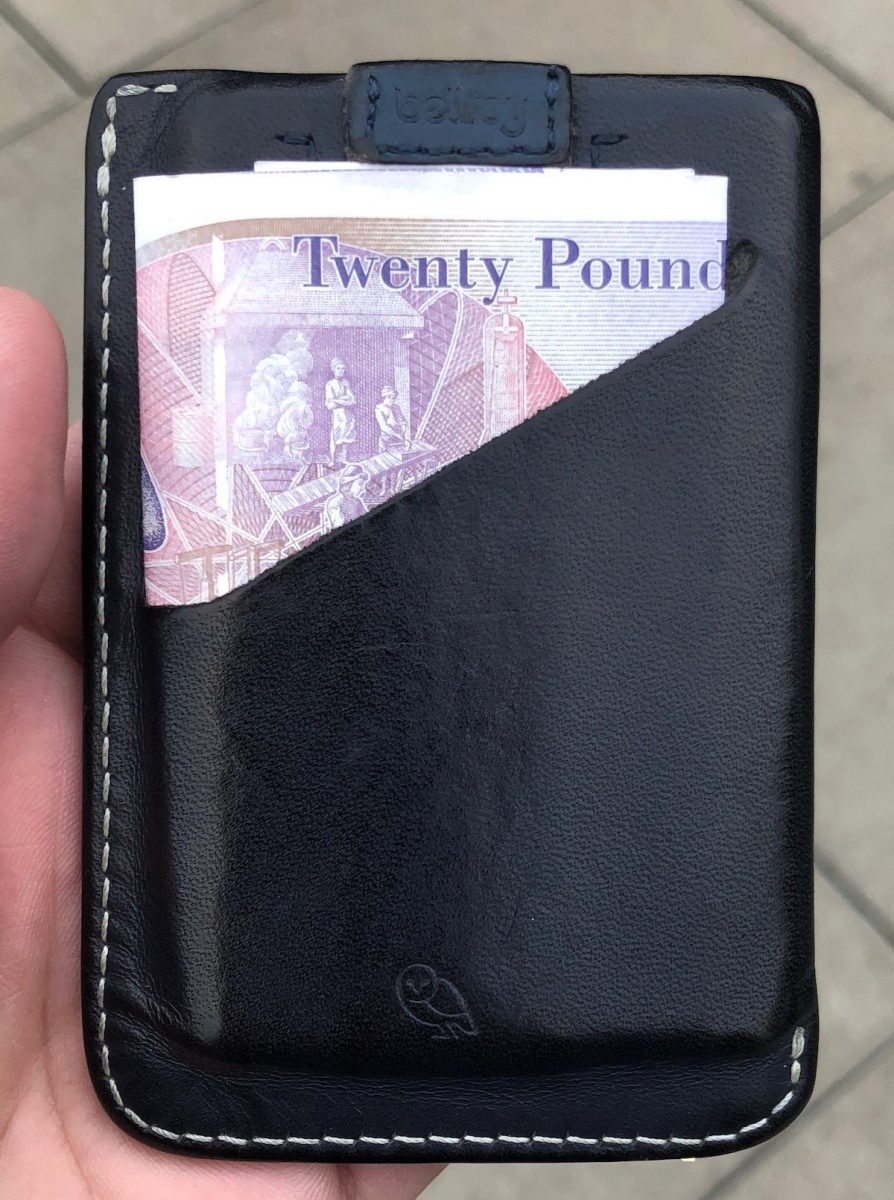
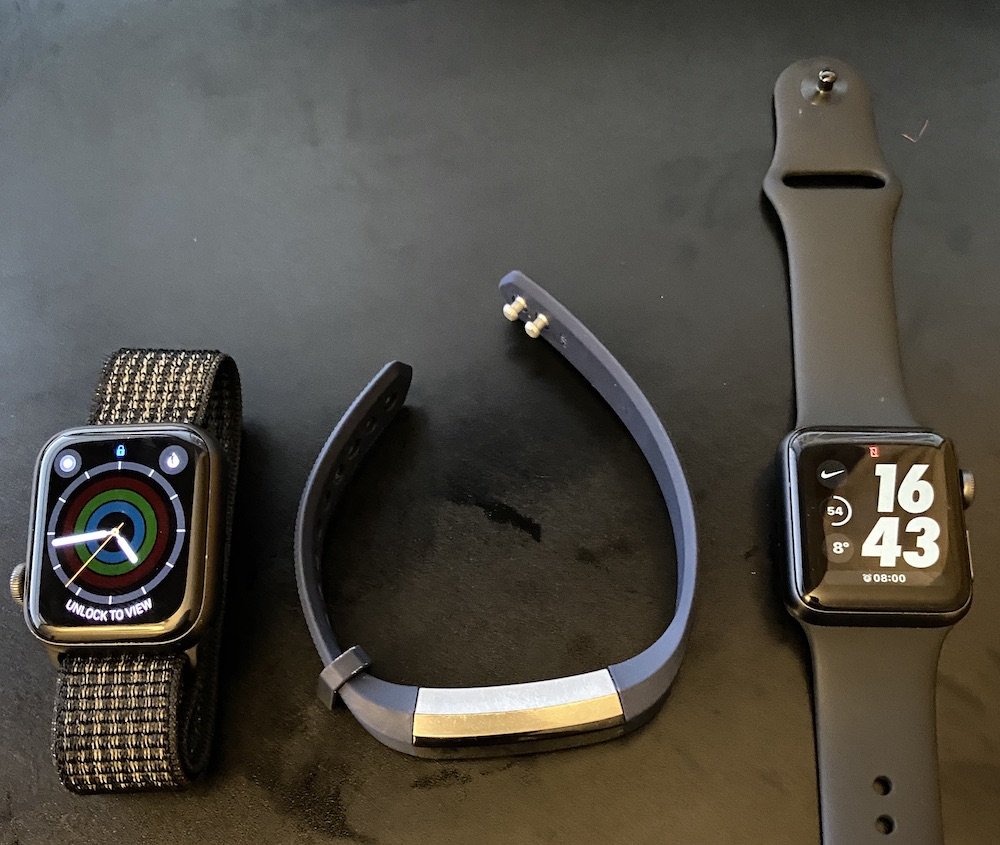
One of the minor advantages to living in England versus the US is the ubiquity of tap to pay. Pretty much anywhere that takes a credit card allows you to use the NFC chip on your credit card or Google/apple pay. The catch has been you can only use it up to £30. After that you need to use the chip and pin. That meant for most day-to-day transactions I was able to use Apple pay on my watch. I kept my belroy slim wallet (pictured) with three credit cards and ID in it along with 20 pounds just in case I needed to spend more than £30.

In late August I read a newsgroup thread talking about how merchant terminals were no longer limiting Apple pay to £30 per transaction. That made sense to me since I bought stuff in the Apple Store for way more than £30 and they didn’t seem to have a limit. What I didn’t realize immediately was I was reading about a change to the banking laws that was coming into effect in mid-September so the terminals were changing their requirements

After September 17 or so there’s no longer a hard limit on how much you can spend with tap to pay. Apple and Google Pay offer 2nd factor authentication already. It’s my face or fingerprint on my phone so there in theory is no additional validation or limit on using my phone or watch to make purchases.

Using a physical card with a NFC chip need to reauthorize with the PIN every hundred pounds or so. This change in theory makes it possible for me to not have to carry a wallet. It also means in theory that using Apple pay is more convenient/better than using an actual physical card.

At the time of writing this it’s been at least two months since this came into effect. Since then i only once had to use a physical card at one merchant. Since this is still an experiment I leave my wallet with an emergency card or two in my bag hidden away. It still also has an emergency £20 note. You know for that rare time I need cash. So far the experiment has been fantastic. Even the one case that i did need my physical card i think the terminal was having issues. Even with the physical card the system had to try twice to make the transaction go through.

Here is to hoping I don’t need to carry a wallet ever again. Well at least in the UK.

The State of My Private Cloud in 2019

I have been maintaining my private cloud network powered by Resilio Sync for a few years now. I have talked about it before. See this search for all those posts. When I built the original version of my private cloud the intentions were for it to provide a 321 backup solution for my stuff. The effort involved in maintaining the system turned out to be more time involvement than I would like. Overall even with more work than i thought it still has been largely a success for me.

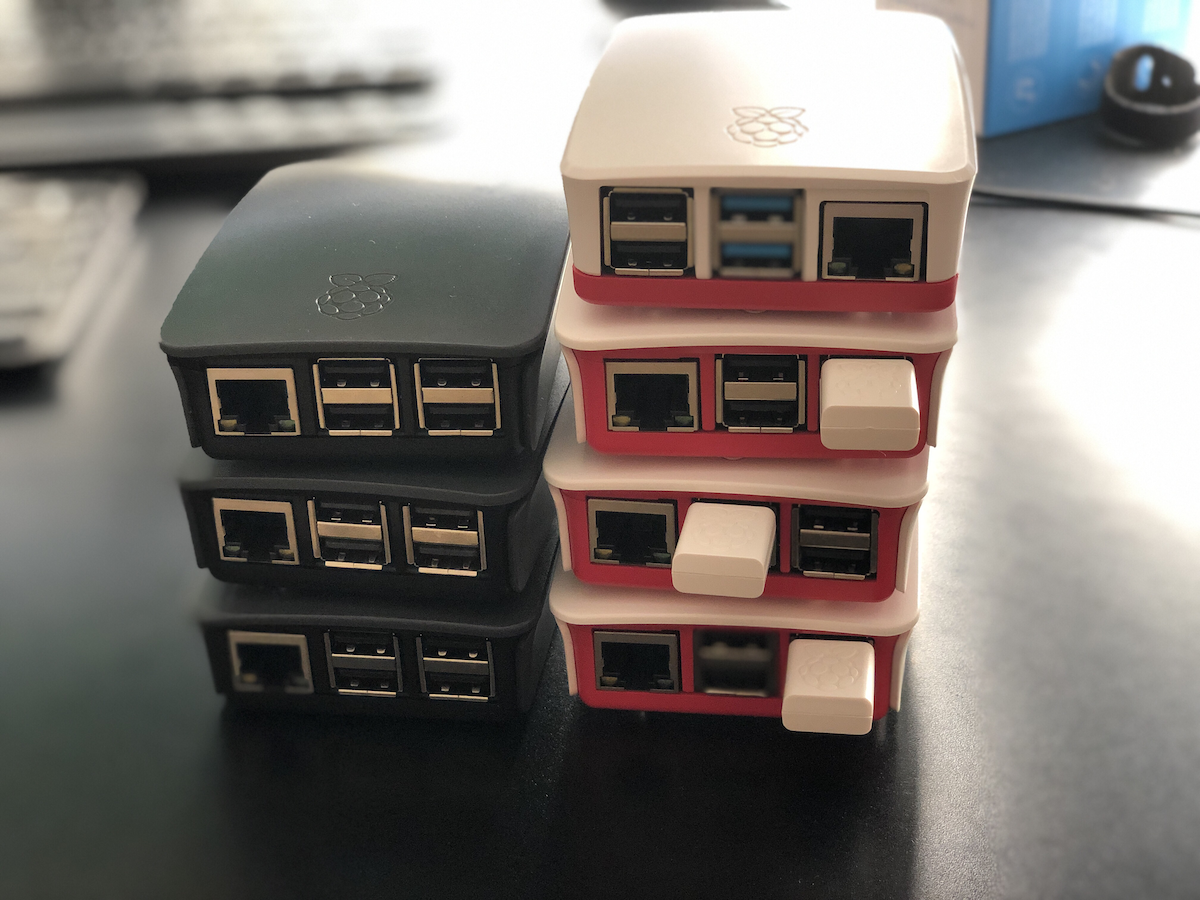
At the time when I built the network my intention was to use Raspberry PI’s as my remote nodes. As my use of the system evolved that stopped being a viable solution. One of my first Raspberry Pi remote nodes had to be replaced. The drive i deployed just wasn’t big enough. That wasn’t a Pi specific issue. The next thing that happened was I ran into significant challenges around the amount of memory available on the a Pi II. Resilio would crash the Raspberry Pi. The reason was the app would consume all of the available memory until the OS froze. I had the same challenge on my Synology disk station at one point. That was fixable with a $15 4 gig memory upgrade. I was not able to do anything like that with the raspberry pi II.

To work around the limitations of the Raspberry Pi 2 was that I bought more powerful and thus more expensive computers. The two remote machines that I had running were fanless zotac z-boxes. They were great. The only downside was the cost that was significantly more than a pi. I bought a low-end Celeron version of the Zotac for around $150 plus memory and drives. The costs were about 4 times as much as a similar Pi 2 setup. At the time I had no good alternatives.

Then someone at work put me onto buying a Hardkernel ODROID-HC1 that was designed as a personal cloud type machine. It came with a case to put an internal hard drive in. The beauty of these machines were they had two gigs of memory and were not that much more expensive than a Pi 2 at around $50. I think I maybe spent $70 including memory card etc, not counting the hard drive. The hard drive was an internal one so cost to get one was cheaper than using an external one for the PI.

I purchased two ODROID’s within a year. One was at a friends house. The other was replicating data at home. I had problems with what I think was corruption of the OS on the SD card on both machines. The remote host had to be rebuilt twice. By the 3rd time it had a problem I gave up. I just didn’t want to spend the time troubleshooting it. I’m not sure why they continued to get corrupted. I still have one of them at home that has been pretty stable this year. I gave the remote one to my friend who hosted it for me. He was going to see if he could use it for something. The ODROID was a good idea however it did not turn into a long-term solution for me.

When I first started this private cloud project the public or consumer file storage services did not really offer zero knowledge encryption. The only service at the time that was financially viable for me to use was MEGA. I tried that out and it wasn’t seamless for me so I abandon a public cloud solution. I went with my private cloud. Today there are a few service providers that cater to people looking for zero knowledge encryption for remote storage. There still aren’t a lot of them however I was glad to see the landscape had evolved since I started this project.

I’m not sure what triggered my research into public clouds again. I started looking at what the cost benefit would be to go with a zero knowledge encryption public cloud provider instead of continuing to build my own network over last summer. I found a provider I liked, Tresorit. They ticked all the boxes for me on what I was looking for. The challenge was for 2 TB monthly cost over £20 a month. There only cheaper solution was not enough space for my needs.

When calculating the lifecycle of the hardware I buy for my own private cloud network versus the service costs of the provider it’s probably cheaper to keep doing it myself. Originally that was not true. From when I started this investigation in moving to a service provider until today there was a change in what kit was availible. The Raspberry Pi 4 came out. Having a need to replace the ODROID and possibly one Zotac at a minimum in the next 3 years would have been several hundred pounds. The Pi 4 was clocks in for the 4gig model at around £60 for the computer and all the accessories I needed minus a hard drive. I am recycling a hard drive so there is no additional cost there. When they announced the latest pi4 I immediately put in order for one of the 4gb models. My hopes were that it would perform well enough to use in my private cloud network. On paper it solves the memory usage issue of the Pi 2 & 3.

At the time of writing this I have had my first Pi 4 running in “production” for almost 3 months. The software has been pretty stable. I am running it within a docker container on a Pi 4. So far the system is consuming way less than 50% of memory. Ussually somewhere between 1 to 1.5 gig. One of the other clean up things i did was consolidate the many shares I had into 5 total shares. The Pi replicates 4 of them.

With the extra space i have on a remote node can also take local copies of the replicated data on that remote machine. That should complete my 321 backup strategy. Since I want to add extra resiliency into my plan I will continue to take annual point in time offline copies of most of my data.

Since I am reusing hard drives right now (i over bought on size I needed on the last upgrade and the drives are great) that means i can get another Pi 4 for £60 pounds and have a refreshed pair of remote nodes. I continue to use my Synology, my laptop, and a Linux server for the other nodes at home.

My costs this year are on target to be £60-£120. That is half the price of one year of cloud storage service. The new machines should give me 2 to 3 years of service easily. Especially since I’m deploying them with 5 TB drives and I’m only using about 1.3 TB for what I’m backing up today.

I am pleased that the build my own system is cheaper and continuing to work out vs the public cloud option. As long as maintaining the system is not a lot of trouble I picked the right option.

The Story of My Holiday Travel Tech

By the time this posts we will have returned from our Summer holiday. We went to NY for a month. I worked for two weeks out of the office in Times Square while M and the kids stayed at my mother and father in laws. I went up for the weekends. Then it was off to my mom’s for two weeks while i had off. I cannot tell you if I had a good time or not. Since i am writing this while still on the flight to NY. I assume it was a fantastic trip. This post isn’t about the holiday itself anyway. It is about the Tech used for this holiday.

FIrst and foremost in my mind when planning what to bring on this trip was how were we going to stay connected. Connectivity (Data, Video, Voice probably in that order) is scarily important in this day and age. It turns out for mobile phones we were pretty set already. M has a 3 PAYG SIM. I never got her on a contact. The cost of what she uses isn’t worth it on a pay monthly plan on EE or 3. In the end she stayed on the 3 PAYG she got when we first arrived. It has been fine. What i like about it is their roaming. The have the best roaming of any provider i have found in either country. With M’s regular plan she can roam in Europe or the US with no extra fee. In the US she can use her voice, text and data like she is in the UK. For data that is great. For texting that works since she uses apple messaging or whatsapp and doesn’t truely send texts often. Voice calls is the only oddity. She can make and receive calls in the US just like she was in the UK. That means in practical sense that she can call friends in the UK with her included minutes. If she wanted to call a US number it would be an international call just like if she was in the US. That’s annoying but not the end of the world. We have a voip provider for those people who don’t have FaceTime or WhatsApp.

For me i was worried i would have a problem. I do not use 3. I went with EE after a few months of being in the UK. I found their data network to be faster and more reliable. They did not have a roaming deal for the US as nice as 3. Their Europe roaming was good. After a bit of research and a call to EE support they told me that i could buy roaming in the US and Canada for £10 a month. I get all my data as well as texting and calling to the US. I haven’t tested this yet however if what they say is right for the £10 i spent i can make calls to US or UK numbers with my minutes. The only downside is people calling me from the US would still have to make an international call. I do have my voip provider with my old US mobile so that shouldn’t be a major issue.

To mitigate any issues receiving calls (if there is any) i did buy a US SIM card for the month. After some research i actually settled on Google Fi. I may not have written about it yet however i purchased a Motorola G7 so i could use its dual SIM function on this trip. I doubt i will keep Google Fi after the trip however i can cancel anytime. And the price was really good. Stress dreams aside from my use of Google services and their collection of everything i do when i use it. Seriously i had one. I will write about that another time. For the month i am in the states i figured i would try it.

Other tech I brought with us is lots of US adapters. Luckily we use mainly apple products so i had a bunch of US power plugs from our devices when we moved. I kept a bunch of them for this exact situation.

Another must is my Bose noise cancelling headphones. Great for the plane or when working in a noisy office.

For WiFi and other connectivity both parents houses are covered.

I also brought my Sony Alpha 8000 (i think its an 8000) mirrorless camera. I do not use it as much as i should since i am lazy and use my iPhone. However on a trip like this i will want it for some days. I am still amazed at how awesome the pictures it takes are.

I traveled heavy with other tech. I was working for two weeks so i needed my MacBook. It’s associated charges and adapters. I also brought a 5tb he’d with a backup of my data on it just in case. I also had to bring a USB headset for all the phone calls i will be on for work.

For personal use i brought my iPad Pro 11”. That is what i am typing on right now. It is basically my goto device for personal use now a days. I also had to bring my iPad Mini. One of the girls uses it on the plane flights. The Amazon Kindle Fires they had broke. Both in the span of a month of each other. We got a handful of trips out of them. They lasted a year and a half. For the $100 i spent on both of them it wasn’t a bad investment. I am not sure if i will get new ones. We have been surviving the past two trips with my iPad mini and M’s iPad. For now there is no plans to replace the much lower end tablets since the iPads work fine for the kids limited use case.

I packed one of my Raspberry Pi’s for the trip. I am not sure what / if anything i will do with it. I may need it as a VPN host somewhere. That is another blog topic on its own that i hope to get to. Either way the Pi was so small that i figured why not pack it. I just had room for it with my chargers and other adapters.

The last big bit of tech i would note is M and my 20,000 mili-amp batteries. I bought one for the family when we traveled. I also got each of us small 5,000 milk-amp ones for day to day use. M found she wanted/needed the bigger one so i started not having it in my weekend bag. I then got her one so she could always have one and so could i. So far this 7 hour flight has 48 minutes left and i used it to charge both my Moto G7 and my iPhone, plus my iPad Pro. The battery still has about 50% of its charge left in it. That is why i carry it. Well worth the £20 for it.

Newish Challenges To Moving to a New Phone

It used to be all I had to do to set up a new phone was say restore from backup. I have many services tied to two factor authentication. I use several apps on my phone for that.

Nowadays that means before I can switch phones I have to remember to install the 2FA applications and configure them prior to wiping out the old phone. The challenge is that most of these apps do not restore when you restore from backup. That’s actually a good thing for security reasons however it is a gotcha I need to remember to pay attention to.

I was reminded of this when I got my iPhone XS Max for a few days last year before I decided to return it and keep my iPhone X.

Now I hope that I remember this critical step when I do eventually replace my iPhone.

Is This Use of an iPad Too Much?

If you have read any of this blog at all or know me you will know I am a fan of technology. I think it can be used for great stuff. Recently on holiday in Copenhagen and Stockholm I had to wonder is there a too far in use of consumer electronics? The Square terminal with an iPad just seemed to fit when I first saw it. This I wasn’t sure.

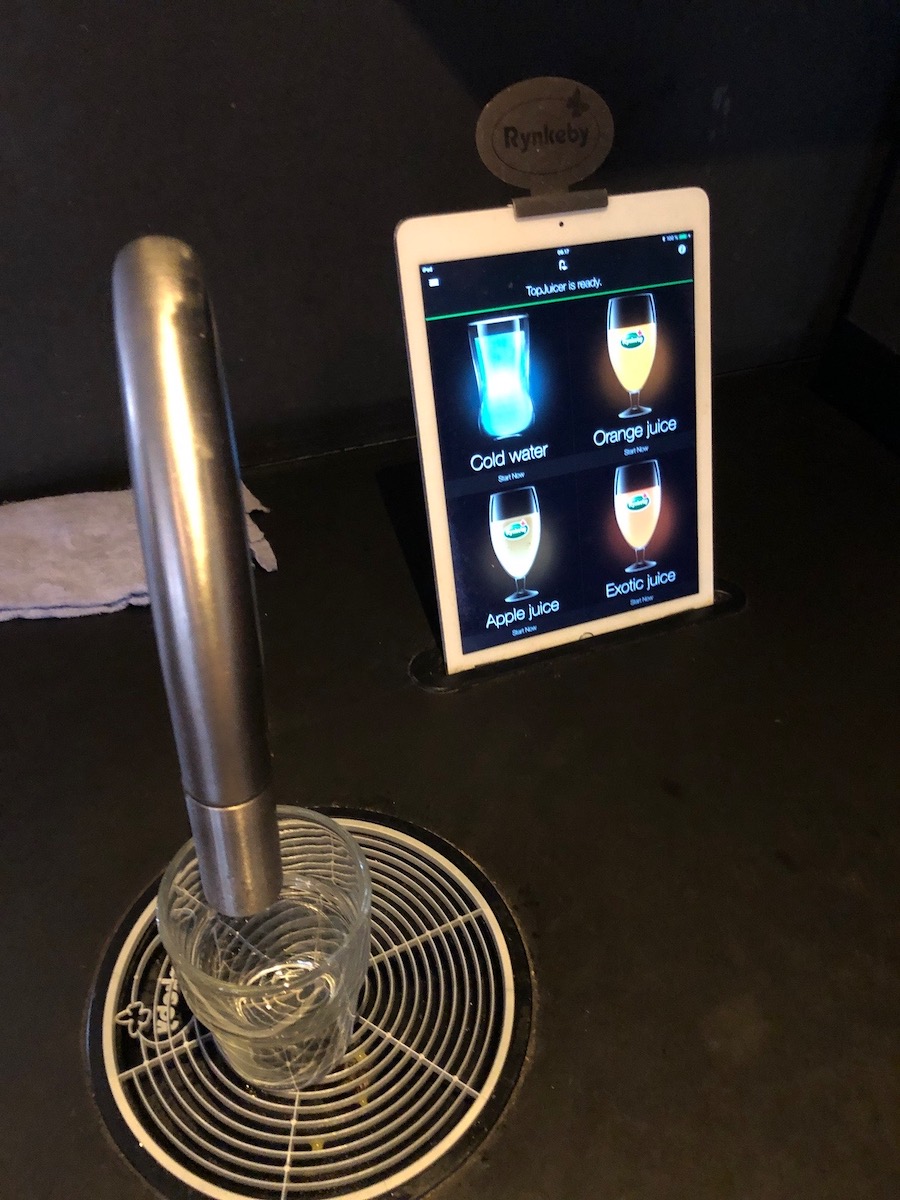
In two different hotels in two different countries we saw a beverage dispenser that used an iPad as the interface for it. On the surface it seems pretty ridiculous right? That was my first thought. Then I remembered something I read a while back about the power of these devices. Basically the argument is that lots of devices that once had to be custom designed using embedded chips or custom software could now be done using a commodity device like the iPad and some sensors or add on accessories. In this case the iPad was plugged into a beverage dispensing system. I don’t know how much that rig cost versus an old style machine with a few hard coded buttons. It makes sense that it may actually be cheaper. The iPad is a pretty powerful computer.

Seeing this setup to me seemed ridiculous. I had to try it out. After thinking about it I now have a new perspective and think it may actually be an odd looking but good evolution of the technologies uses.

The Story Of My New Improved Internet Connection at Home

This sat in drafts for ages since I originally discussed my internet being down on the 28thof Octobe.   As a follow on to that my DSL provider sent me a new router to install. Between the time they said they would send a new router and when it showed up my internet link started going up and down. At first it was down for 36 hours. Then it came back online however the speed was horrible. I rebooted the router and then it was down again. It came back again after another 30 some hours.  It was still not performing well so I gave up till I got the new router.

On Monday I was supposed to receive the replacement router however it did not show up. It arrived on Tuesday.  I’ve talked about that this DSL line has been flaky from the beginning. It was just generally an annoyance. When I tried to get help the hoops I had to go through weren’t worth the time since if it would go down it would only be down for a minute or two.

Talking with my neighbors they said they had Virgin Media. They also said that the speed was really good. With Cable internet you need to be sure that your specific area isn’t oversubscribed. All the neighbors I checked with were in technology and I trust their usage pattern is is close enough to mine to be happy that Virgin might work. So Saturday after my Internet was down I ordered Virgin cable.

The package arrived Tuesday. In recent memory it was the easiest set up I’ve had to deal with. They sent me a text and said to reply with “go” when I was ready for them to turn on my service. Within five minutes I got a response saying my service should be up. I plugged all the cables in the modem just worked. It wasn’t even screw in coal act cables. It was pushed in. That little feature alone made me happy.

Another added feature for me is that I turned the virgin router into motor mode only. That allowed me to plug in my Asus router be up and running. That switch was flawless.  I now get faster speeds, plus the custom Tomato router I wanted.  It is the ideal setup for now.  Thankfully the switch and setup was straight forward.  I will give my old provider credit also.  Their canceling process was pretty simply.  Now all that has to happen is the line gets canceled without any snags.

Tech Thursday: VOIP To Replace Our US Mobile Numbers

I wrote this months ago and haven’t gotten around to posting it.  I have a few more tech move discussions I would like to get to.  Hope to make time to write them.

As part of our planning to move to London we had to figure out how we were going to keep in touch with people in the States. That meant what level of the presence we were keeping in the United States while we were gone.

We didn’t have a home phone number that we shared with anyone so keeping that wasn’t an issue. It was really just for our intercom in our apartment. Once we moved we were able to grid it.

M and I used our mobile numbers for texting and calls so we wanted to keep them. We were going to push as many people to use Apple Messenger, WhatsApp, Telegram, and similar apps however for those that do not have access to (or know how to use) those systems we wanted our old US mobiles.

M’s use case was really to keep her number only in case people wanted to call. For me I also wanted to be able to keep the accounts open that require a mobile phone for verification.

I spent a lot of time researching what the cheapest most reliable option for us to use to simply keep in touch with everyone in cases they do not have

For the simply keeping in touch with people after we leave I did a lot of research and ended up with a voice over IP service I’ve been using for years. I simply took both of our mobile numbers and ported them over to VOIP.MS. our quasi-home phone was a DID on the service for years. I also had other numbers for various things on the service. Sending and receiving calls have been pretty seamless over the years. Their price is also super cheap since you can get a pay-as-you-go plan. Each number is about one dollar per month plus usage.

The porting process to VOIP.MS took a few weeks. That is the porting system’s issue not theirs.  Other than how long it took the process was seamless for both numbers. I ported mine over in December right before we left. I kept using my work mobile during the few days there was a gap when my service ended and the number moved to VOIP.MS. for M since she did not have a work phone we ported her number in January. The hardest part about this whole process was porting her number since T-Mobile made us jump through hoops to unlock the number for porting. Even though we had paid off her iPhone a year ago they still kept phone locks and we didn’t figure that out until after we ported the number away from T-Mobile and tried to use a local Sim card in the UK.

The only challenging part of staying in touch using these US numbers is texting.  People that have iPhones can keep texting us if they know our email addresses.  Anyone who only had our number or use Android would have that message turned into an email now.  We don’t really see them so basically texting to those old numbers are useless. So basically we can receive phone calls. It’s been a minor annoyance every once in a while when someone tries to contact me hasn’t updated my contact details that I sent out listing my local number. For me that hasn’t been a major issue. For M I don’t think it has been a problem at all or she’s just not realizing people are trying to get her.

Slightly more complicated a problem is having a number that receives SMS short codes. This is required for services like Google or your bank to send you verification codes. What I learned is most voice over IP providers do not support them very well. After a lot of research I found one company Line2 who supported them. They published a list of all the codes they know to be working okay into their system. They also said they would work with you if you had a problem with another provider that’s not listed. A brief search of their list showed me that they covered most if not all of the companies that I would receive SMS’s from. Unlike VOIP.MS they are not cheap. One line costs $10 a month. With that plan however I did get unlimited calls and texts. Not that I use it. It feels expensive however in the end it was cheaper than buying the cheapest mobile phone plan and simply not use it except for verifications.

I kept two numbers for me. One for personal communication and one for the SMS short code verifications. That was deliberate. VOIP.MS is very flexible in how I can route calls so I keep my personal number with them. The client I use will allow me to do call recording, change my caller id, route to different places with a lot of granular control.  Line 2 the provider I use for SMS short codes only lets you use their client or a basic call forwarding.

Overall i am very pleased with both serviced. Line2 is relitivly expensive however it was cheaper than some other service providers i looked at. Their recievibg SMS Short codde options also seems better than most other solutions out there. i would (and have) reconend either provisers to anyone looking.

The Story of Yet Another Android Phone I Wont Have For Long

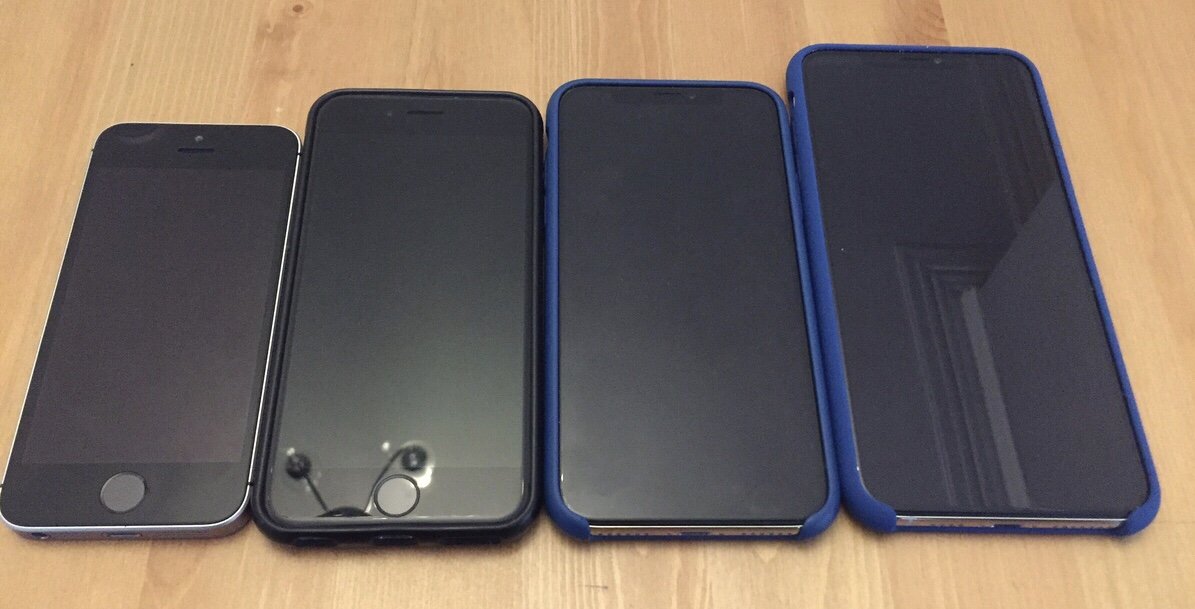
In late July I went to the car phone warehouse in the mall at Canary wharf and bought a new Nokia 6.1 android phone. I have been on and off again if I wanted to purchase another android phone. A month or so ago I was in the same store and opted not to buy something. At the time I was convinced history would repeat itself and I would buy a phone simply to return it or sell it in a few months. That is what i have tended to do with Android phones. That may still be the case with this phone. My motivation this time around was I wanted a pretty big screen compared to the iPhone SE that I got from work.

The intention is to use this phone for work and have it be the only device i have the work management apps on. I am trying to keep the annoying work management applications off my personal iPhone X. The challenges the iPhone that I get from work has a tiny screen then I can’t really see any more. Instead of spending huge amounts of money out of my own pocket on work phone I figured I would splurge on an entry level android phone with the big screen to use for work applications.

I won’t use android for personal use due to my security concerns that I’ve outlined previously. I’m a little concerned about using it at all however for work applications I am less worried. Yes for those die hard people reading this i know that my location will be leaked to google and a whole bunch of other things issues with data collection they may have on me. For now I am not ok with it but willing to try the phone anyway. It’s like i know that cup cake is bad for me or that Amazon Echo in my office is bad for me. I eat it and have it but know i will likely have to deal with it somehow later.

My goal is to uninstall the work management application on my personal number. I have been lazy so having it on my personal phone has been nice. The final straw for me was my company switched management applications a few months ago. The new one requires you to change your PIN code frequently. It’s annoying and unnecessary and certificates and email application.

I started debating about purchasing an android phone a few months ago. At the time I opted to avoid android and see if I can make it work with the smaller screen iPhone for work. Recently I’ve been reconsidering my decision so I started researching options. I narrowed my options down to the Moto G6 plus for the new Nokia 6.1. Both phones reviewed very well. The Moto G6 plus seemed to come out on top in every review I read.. In any event it was close. I opted for the Nokia because it offers android one and a pretty plain-vanilla OS experience. That means in theory quicker upgrades to the operating system. For me that was a bigger selling point than all the other minor advantages the Moto G6 plus had. All reviews complained about the Moto reputation for slow operating system upgrades. That is a no no for me.

My first impressions of the phone are generally positive, for an android phone. The build quality seems pretty good. It’s a metal and glass phone. Some reviews questioned the screen quality. I don’t need super high density screens because I have enough trouble seeing things. This room is big bright and clear for me. For what I’m going to use it for it’s been perfectly fine so far. As expected my biggest issues with the phone are really with the android operating system and nothing with the hardware.

The android OS as always has been experience for me feels more customizable however clunkier to use than iOS. Using android phone means the trade-off that I cannot get texts from my personal number on this phone since I cannot use Apple messages.

Other annoyances with the operating system android ecosystem more specific is that my play store account can only be one region time. I can only change the region or country once every year. I thought Apple handled multicountry options poorly. At least Apple lets me switch between two accounts. Not sure if I can do the same with my play account. I have to try the same with the google play store.

I do like how the management app segregates the work apps from the personal ones. Is that and the bigger screen worth the security trade offs i know i am making by just carrying the phone? I am not sure. I like it however part of me already regrets having it. I am going to give myself a month at minimum to see if i use it and like it before deciding if it goes onto eBay.

The Story of The Great Internet Outage of 2018

This weekend will forever be known as the great internet outage of 2018. My DSL went down and the provider ended up thinking its my router. Problem is my DLS goes down on average 3 times a day. I have the up and down notification emails to prove it. The provider is highly rated and I like them for their no filtering and no throttling approach to internet providing. The issue is this constant mini outages. Usually lasting a few minutes. This time it has been down for a day. It looks like it will be down till at least tomorrow when my new router shows up.

This incident has finally gotten me to decide to switch providers and sign up for Virgin. Two other families on my block have it and say the speed is pretty good. Reviews say depending on the block you may be good or bad. I opted for the high end 300+meg plan. It only has about 25mb upload but that is around what i get with DSL. On DSL my download is theoretical maximum of 70 something mb. This change should be significant. I am also happy since i didn’t realize i have a virgin cable jack already installed right by my media center where the BT jack is in the entry to my house and thus everything is a wireless connection.

I have about a month left on my DLS contract. If i cannot cancel it before the contract runs out the one month extra cost will be worth it to have a stable connection. M is suffering with a data connection on her phone and no iPad. I at least have some data on my ipad. I had to get some work done earlier and had to tether my laptop to my mobile.