BitTorrent Syncy Network Phase II

Since around the new year and trying to figure out what next phase of my private cloud backup network would look like. The design was originally leveraging several raspberry pi’s however practice only one remains at a remote location. The remaining remote locations I’m using old Mac Minis. Even the one Pi I do have deployed is inoperable and needs to be rebuilt. I’m not sure if it’s the Rasbian version of BitTorrent Sync are generally anyone expelled for sync but I had several problems with the Rasbian  installs losing their license identity. What happens is I then have to re-add the BitTorrent Sync pro license and reindex all my shares on that node. It’s annoying and I’m concerned though because option at some point.

At the same time I’ve been looking at ways to better secure the remote data. All of my systems are at friends and families houses so endpoint security’s been less of a concern then on the network security however when BitTorrent Sync announced encrypted folders I was extremely curious. After playing around with it for a while I have opted not to use the encrypted folders however it’s something I’m still thinking about for the future.

On a side note I’ve been contemplating a Lenox desktop to complement my Mac. I shopped around and found a nice inexpensive Zotak. I picked one up and put a 120gig SSD and eight gigs of RAM in it. I wasn’t sure if I was use it as a desktop or to replace my BitTorrent Sync Pi. Right now I’m having keep a replica copy of my data at home to test it out. I’m currently running go to 14.04. It’s been running pretty well however I did have one or two anomalies with sync folders so I am not yet ready to deploy it in the wild. My goal in a long-term is to replace all the minis with something like the Zotak. The new boot to install also increases that new to 4 TB of storage versus the raspberry Pi I have deployed with a 1 TB hard drive.

As part of my incremental upgrades I have put a 4 TB drive in one of the remote minis and the other has a 2 TB drive. That gives me some headroom since fully seated backup is around a terabyte.

Holding off on any additional drive upgrades until I can confirm that the Ubuntu based Zotak is working well. If it is I hope to pick up another one two.

The raspberry Pi’s are not going to go to waste. I’m using one of them has an extra replica copy at home for BitTorrent Sync. I have a higher tolerance for failure for that since it’s an extra copy at home of my data. I’m installing some applications on another one. Future projects for the remaining ones include a possible reverse proxy, Wi-Fi hotspot and or WebCam. I just need to find the time for all these projects. For now just want to finish my backup solution upgrade.

And if you’re reading all this thinking yourself do I really need a four node private cloud network the answer is of course not. The other answer is it’s really six nodes if you count the three I’m running at home. In the end I didn’t save the money using a private cloud  since even though a lot of the equipment was lying around there was some upfront costs that I won’t realize unless I use the system for 2 to 3 years. The reason to do it however was more because I can and because I wanted control over my information. I’m glad I’m continuing to tinker with this since I’m learning a lot and a lot of fun.

Pi Net Upgraded

I have been challaged with figuring out an easy way to upgrade the Bittorrent Sync software I use to replicate my files on my Raspberry Pi’s.  The upgrade process on my mac is super easy.  The upgrade process on Raspbian should be easy however the person who has been maintaining the easy to upgrade package hasn’t updated his package in 9 months.

The internet is a small world.  Every single how to i find on the internet about installing Bittorrent Sync on a Pi (I found at least a half a dozen) point to this one repo.  I found instructions on how to setup everything manually however it was not a simple process.  Right as I was reviewing the steps to do the manual install I stumbled accross someone who forked the original package and is maintaining the latest update of the sync software.

After testing the install process on a clean Pi, I ran an upgrade on one of the two Pi’s I currently have at home.  The upgrade worked great.  I just ran the upgrade on the other local Pi and then on the remote units with no major issues.  This new repo says they are in sync with Bittorrent Sync’s release schedule by about 24 hours.  Hopefully I will be able to stay up to date from now on.

I am hoping my upgrade (from 2.0.94 to 2.2.7) solves some minor bugs I have been experiencing with one location.

This was the first major upgrade to all my nodes on my private cloud.  I was a bit cautious however in the end the system didn’t get corrupted and functioned as it should.

Next up I am thinking about another remote node location.

Pi Net Back to Full Power

After a few weeks of running in a degraded state I have all my Sync nodes back online.  Some very basic maintenance at my parents for thanksgiving got me working with my problem node.  I ended up swapping out the Pi at my parents place for a Mac Mini that I stopped using after I got my latest Apple TV.  That mini had a replica copy on a larger hard drive so the swap out was less about any issues with the Pi vs I took the opportunity to upgrade while i was there.

I need to call my sync network something other than Pi Net since right now the majority of the nodes are not Raspberry Pi’s.

Pi Net is Live

At 19:28 Local time today My Pi Net node Epsilon came online at my friends house and started syncing with the rest of the network.  This is the first remote node in my private cloud network. This note was built using a raspberry pi 2 and a 1 TB USB hard drive that I had lying around. For my data replication I am using BitTorrent Sync 2.x. In order to get the Pi working I had to learn a bit of Linux. This is the first major milestone in my project to ensure my personal data is backed up offsite from my apartment using a secured private cloud and not leveraging any potentially insecure public clouds.

Next up in building out this network will be a second off-site location. I need to finish setting up second Pi and have that node live to have the network be complete.

Raspberry Pi Cloud Node Prototype

The first phase of my BitTorrent Sync project is mainly complete.  I now have the Sync software running on my Diskstation, Mac Mini desktop and my Macbook Pro laptop.  I have replaced my Sinology Cloud Station app and all files are kept up to date using BitTorrent Sync.  That change gets me to a point were I was before with Cloud Station.  I have access to all my files everywhere however I do not have a complete backup solution since most of the data is only current in two places.  Those places are 15 feet from each other and not really giving me much disaster recovery.

The next phase of my backup / cloud strategy is to have offsite copies of my data or large parts of my data in case of anything happening at home.  I originally planned to do this with a 2nd Sinology Diskstation somewhere.  The costs were very high and that solution limited me to one other location.  When I was thinking of using Cloud Station software from Sinology that solution made sense, however now that I got BitTorrent Sync to work I have other options.
Raspberry Pi & Drive

is bit torrent sync my answer to sync situation

Rasplex

IMG_2941After I setup my Raspberry Pi 2 Saturday I did some research on media center options for the Pi.  My primary objective with my Pi was to setup my own media center set top box to replace my aging Google TV.  I was never a fan of the Google TV however at the time it was the only device that would let me run Plex with a UI that looked any good.  The Roku was horrible and still isn’t so good.  Apple TV I used for a while but keep having trouble with the Jailbreak.  A few simple searches lead me to Rasplex.  Resplex looked easy enough and appeared to have everything I want in Plex client.

Saturday night when I checked my mail I also saw my Pi 2 case had arrived.  The Pi 2 case looked much nicer than the original aftermarket clear case I got for my original Pi.

I used nap time Sunday to attempt to set it up.  The install was even quicker than my plain vanilla Raspberry Pi install.  I had my media content running on my Pi in very quickly.  I didn’t get a chance to try out the software more than a few minutes but I liked what I saw enough to move onto the next challenge using a Pi as a media center brings me.

I do not want to use my mini keyboard to control the Pi.  I set out to find a Pi compatible IR receiver so I can use my Logitech Harmony One remote with it.  That was something I cannot do with my Sony Google TV.  It annoys me and MC doesn’t like two remotes.  I found a USB IR receiver that what appears to be the perfect solution for me.  I also bought a bluetooth USB adapter for the Pi.  With those two additional adapters I think I have all the accessories I need to leverage the Pi as my media center.

Once I am able to program my Harmony One to use with the Pi I will give it a test run.  All in my costs will be nearly $90.  For that price I could have gone out and bought an Android TV device or an Kindle Fire TV.  I could also have continued to use my Google TV with no extra cost however I have been actively trying to avoid using google products.  The Google TV is the last thing I rely on from Google for my personal use.  That is another reason to hope the Pi suits my personal needs.

I am also interested in some additional configurations I can try on the Pi.  For example I would like to try out OSMC a Kodi variant for the Pi.  All I need to do is swap out the memory card and I have a completely different config without messing up my Rasplex setup.  I would also like to investigate some music and video streaming options, however OSMC is up first after I bake in the Plex setup.

Building My First Raspberry Pi

I have owned a Raspberry Pi for about a year.  I had high hopes for it but never got around to building anything with it.  A few weeks ago I saw that there was an official Raspberry Pi 2 case and I got to thinking about all the things I wanted to do with my original Pi.  My mind then went wandering that since there was a newer version out and a shinny new case that goes with it I wanted to get the upgraded kit and check it out.  I ordered the Pi 2 and a wifi adapter from Amazon for under $50.  The case is on its way from a different vendor for $10.  All in a computer for less than $60 is not bad.

My new Pi 2 and wireless adapter arrived earlier this week.  Today was the first day that I finally had the time to sit down and install an OS on the Pi 2.  Amelia was napping and MC was at a party with Teagan.  My inlays were visiting but my father in law was relaxing on the couch and was interested in what I was working on so there was plenty of time to tinker.

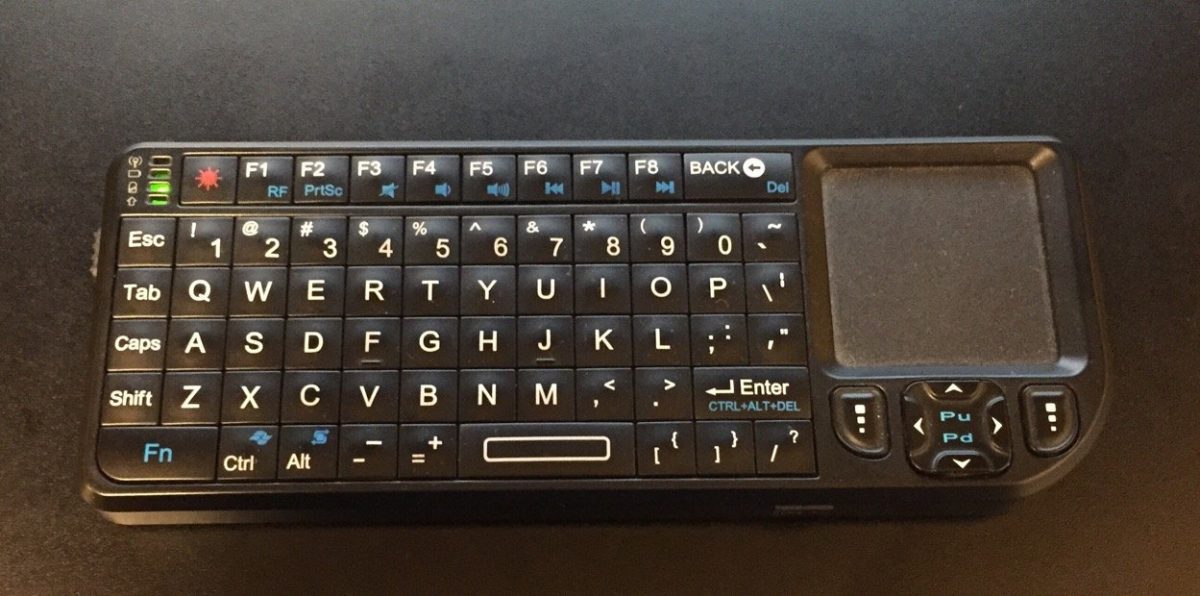
It took some digging for me to to find a Micro SD card that had enough space on it that would work with the Pi lying around.  It only took a few minutes to download and prep the SD card and get the install going.  I was happy that i still had my old mini keyboard and trackpad that i bought when i was using my Mac Mini as a media center.  I was plugged in and installing the OS in only a few minutes.  The Pi only takes HDMI video input.  I have an HDMI to DVI adapter however I do not have any normal monitors in my apartment.  My desktop computer setup uses an Apple Cinema Display and the only other monitor I have is a USB DisplayPort powered 15″ LCD I sometimes use in the bedroom when working from home.  That meant I had to use the TV to setup the Pi.  Not a big deal and the OS setup and wireless configuration only took a few minutes.

I had some minor challenges getting a VNC server setup but once that was done I had a completely working Pi with remote access running.

My next steps is to see what media center options I have.