Containerizing My Media Center

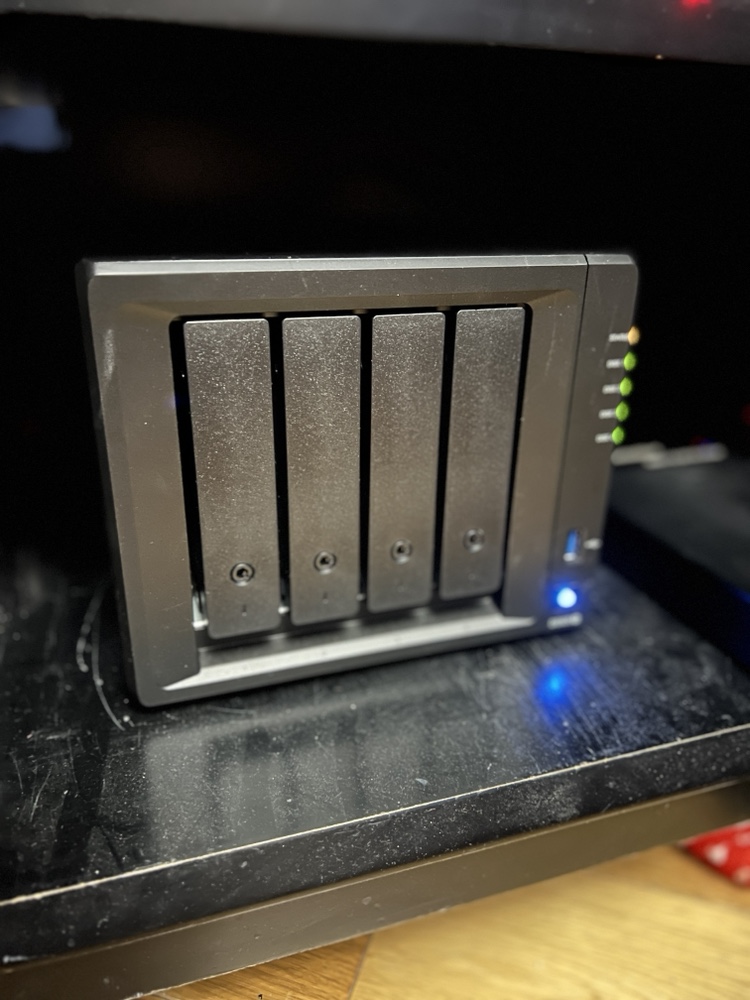
Back in February when my family went on vacation I spent a lot of time playing around with Docker. I converted several applications I was running on raspberry pi’s to run in Docker containers on my Synology Diskstation.

The challenge I gave myself was could I set up the containers to run on the NAS (The Diskstation) while at the same time being able to run them on my Mac mini as a backup in case there was any problems. That meant I needed to figure out how to replicate the configuration information between the devices.

I solve that challenge by setting up a new Resilio Sync folder for all of my Docker config’s. In most cases there was little to no reconfiguration needed to have those config files work on the NAS or the Mac mini. It wasn’t a super elegant solution since it did require human intervention however switching between systems was not something I intended to do often.

I did run into problems getting Plex to run as a container. I was having performance issues in general running Plex on my NAS. My solution was to setup Plex on my Mac mini as a native app. At some point I want to go back and figure out how to get Plex working in a container. Even when I do that I will still need to build a new machine to host it on. The Diskstation just doesn’t have the power to run Plex and my sync application at the same time anymore.  Even with the 4gig I upgraded the disk station to a year or so ago is now not enough.. For now I can continue to use Plex on my Mac. Longer-term I have bought components to build myself a Linux application server to host all of my containers so I can make my disk station just host files.

The Time I Had To Nuke The Site From Orbit

Back in mid July I noticed something odd with my Mac Mini.  It turned out that At some point in the past few months my chrome browser on my Mac Mini at home was compromised. I’m not sure if it was malware or a configuration hack on the browser.

The problem may have existed for some time. I do not normally use chrome on my home Mac. What I noticed that was odd behavior  after I launched chrome to log into my Google account. Whenever I use my Google account I always login via chrome. Call me paranoid but I do not want Google possibly tracking activities via my login on Safari that I use as my daily browser. When I attempted to log in I noticed that after clicking on login from Google.com  I got some fake message about my Google account being compromised. The funny thing was I never actually gave it my login credentials and the screen that was displayed didn’t look at all like standard page on any Google site I have been on.

My first reaction was to clear all the settings on the browser like it was a brand-new set up. I then tried again however the problem persisted. That was concerning to me.

My next step was to completely delete the Chrome browser from my Mac and download a fresh copy from Google.com using a different browser. That worked and once I installed the new version everything seemed okay. The lingering question I had was how contained was the problem I had? I some confidence but not enough that  issue was purely within chrome.   I had no definitive evidence to back myself up. 

To be safe in the immortal words of Riply from the movie Aliens  “nuked the site from orbit”. I created a carbon copy cloner image of my OS drive and then deregistered any application I needed to associated with this computer and wiped it. That was the only way to be sure that there was no ongoing compromise to my system.

The rebuild process was slightly challenging and took more time than I’d hoped. As I was trying to reformat the drive in recovery mode the computer kept crashing. I am not sure why.  That forced me to start to do a network boot and download the original operating system that came with this Mac bypassing the step on my local hard drive that was crashing. The machine is from 2012 so that meant at least three OS upgrades to get me to the latest. By the time I completed the original OS install I was able to download El Capitan on my MacBook Pro and create a boot USB key. The USB key worked so I was able to save a significant amount of time and jump right to El Capitan.  I was handful I did not need to complete several more upgrades. The parallel efforts paid off of trying to create the sub key boot disk from my laptop paid off.

Once I had my base install done I was able to patch the system and install the standard applications that I typically use. Because I use Bittorrent Sync for replicating my data restoring most of the system was as simple as reseeding my data on this machine. It took several days for the data to replicate however when it was done everything was fine.

Weeks later there are still some applications I haven’t finished setting up yet. Of course that means I don’t use them that often so it’s a minor inconvenience. The main applications I use already set up and working perfectly fine.

For me the moral of this story is my data replication set up works. I also confirmed what I already knew that no matter how diligent I am I can still be compromised. I think the problem is existed for a while however have no way to prove it. Recently I have started compartmentalizing some of my web browser to prevent such exploits. That I hope will mitigate risk for the future however nothing is 100% safe. That Compartmentalizing effort in and of itself is a blog entry I’m working on.

BitTorrent Syncy Network Phase II

Since around the new year and trying to figure out what next phase of my private cloud backup network would look like. The design was originally leveraging several raspberry pi’s however practice only one remains at a remote location. The remaining remote locations I’m using old Mac Minis. Even the one Pi I do have deployed is inoperable and needs to be rebuilt. I’m not sure if it’s the Rasbian version of BitTorrent Sync are generally anyone expelled for sync but I had several problems with the Rasbian  installs losing their license identity. What happens is I then have to re-add the BitTorrent Sync pro license and reindex all my shares on that node. It’s annoying and I’m concerned though because option at some point.

At the same time I’ve been looking at ways to better secure the remote data. All of my systems are at friends and families houses so endpoint security’s been less of a concern then on the network security however when BitTorrent Sync announced encrypted folders I was extremely curious. After playing around with it for a while I have opted not to use the encrypted folders however it’s something I’m still thinking about for the future.

On a side note I’ve been contemplating a Lenox desktop to complement my Mac. I shopped around and found a nice inexpensive Zotak. I picked one up and put a 120gig SSD and eight gigs of RAM in it. I wasn’t sure if I was use it as a desktop or to replace my BitTorrent Sync Pi. Right now I’m having keep a replica copy of my data at home to test it out. I’m currently running go to 14.04. It’s been running pretty well however I did have one or two anomalies with sync folders so I am not yet ready to deploy it in the wild. My goal in a long-term is to replace all the minis with something like the Zotak. The new boot to install also increases that new to 4 TB of storage versus the raspberry Pi I have deployed with a 1 TB hard drive.

As part of my incremental upgrades I have put a 4 TB drive in one of the remote minis and the other has a 2 TB drive. That gives me some headroom since fully seated backup is around a terabyte.

Holding off on any additional drive upgrades until I can confirm that the Ubuntu based Zotak is working well. If it is I hope to pick up another one two.

The raspberry Pi’s are not going to go to waste. I’m using one of them has an extra replica copy at home for BitTorrent Sync. I have a higher tolerance for failure for that since it’s an extra copy at home of my data. I’m installing some applications on another one. Future projects for the remaining ones include a possible reverse proxy, Wi-Fi hotspot and or WebCam. I just need to find the time for all these projects. For now just want to finish my backup solution upgrade.

And if you’re reading all this thinking yourself do I really need a four node private cloud network the answer is of course not. The other answer is it’s really six nodes if you count the three I’m running at home. In the end I didn’t save the money using a private cloud  since even though a lot of the equipment was lying around there was some upfront costs that I won’t realize unless I use the system for 2 to 3 years. The reason to do it however was more because I can and because I wanted control over my information. I’m glad I’m continuing to tinker with this since I’m learning a lot and a lot of fun.

Pi Net Upgraded

I have been challaged with figuring out an easy way to upgrade the Bittorrent Sync software I use to replicate my files on my Raspberry Pi’s.  The upgrade process on my mac is super easy.  The upgrade process on Raspbian should be easy however the person who has been maintaining the easy to upgrade package hasn’t updated his package in 9 months.

The internet is a small world.  Every single how to i find on the internet about installing Bittorrent Sync on a Pi (I found at least a half a dozen) point to this one repo.  I found instructions on how to setup everything manually however it was not a simple process.  Right as I was reviewing the steps to do the manual install I stumbled accross someone who forked the original package and is maintaining the latest update of the sync software.

After testing the install process on a clean Pi, I ran an upgrade on one of the two Pi’s I currently have at home.  The upgrade worked great.  I just ran the upgrade on the other local Pi and then on the remote units with no major issues.  This new repo says they are in sync with Bittorrent Sync’s release schedule by about 24 hours.  Hopefully I will be able to stay up to date from now on.

I am hoping my upgrade (from 2.0.94 to 2.2.7) solves some minor bugs I have been experiencing with one location.

This was the first major upgrade to all my nodes on my private cloud.  I was a bit cautious however in the end the system didn’t get corrupted and functioned as it should.

Next up I am thinking about another remote node location.

Pi Net Back to Full Power

After a few weeks of running in a degraded state I have all my Sync nodes back online.  Some very basic maintenance at my parents for thanksgiving got me working with my problem node.  I ended up swapping out the Pi at my parents place for a Mac Mini that I stopped using after I got my latest Apple TV.  That mini had a replica copy on a larger hard drive so the swap out was less about any issues with the Pi vs I took the opportunity to upgrade while i was there.

I need to call my sync network something other than Pi Net since right now the majority of the nodes are not Raspberry Pi’s.

Pi Net is Live

At 19:28 Local time today My Pi Net node Epsilon came online at my friends house and started syncing with the rest of the network.  This is the first remote node in my private cloud network. This note was built using a raspberry pi 2 and a 1 TB USB hard drive that I had lying around. For my data replication I am using BitTorrent Sync 2.x. In order to get the Pi working I had to learn a bit of Linux. This is the first major milestone in my project to ensure my personal data is backed up offsite from my apartment using a secured private cloud and not leveraging any potentially insecure public clouds.

Next up in building out this network will be a second off-site location. I need to finish setting up second Pi and have that node live to have the network be complete.

My Personal Private vs Public Cloud Debate

I have been pondering my 321 Backup strategy for several months now.  Even before I had a near catastrophic issue with my Sinology DiskStation back in April I knew I wanted a more robust data management plan for my personal files.  I had been using the Sinology Cloud Station software but in my original configuration I was limited since all my data centered around my apartment.  This is convenient but not the safest approach.  I also only really had 2 copies of most of my data.  A really rock solid strategy has 3 copies across 2 sites, and if possible different media types.  I knew i wasn’t doing things good enough.

One solution I toyed around with was BitTorrent Sync.  Back in March I tried it out and had big problems with the UI on my desktop and the web interface on my DiskStation not loading regularly.  I didn’t feel the solution was ready for me to use yet.  I wasn’t confident in the Cloud Station software anymore since I ran into a data integrity issue with it in March.  I had uploaded photos I took in march and noticed that they hadn’t gotten to my Diskstation when they were saying they were syncing off my Desktop.  To make things more confusing the files were syncing to my laptop but not the Diskstation.

That problem lead me to the BitTorrent Sync option and the decision to upgrade to a beta version of the Synology software.  That in turn lead me to some problems I had an my near fatal event with the Diskstation.  So basically in a mission to solve my backup strategy problem i caused an event that a better backup strategy would have solved.

My near loss of all my data on the DiskStation was my wake up call that I needed to really figure some working solution out.  After I recovered (barely) from that incident I focused large amounts of time on solving data strategy.

After my trust was shaken with the Cloud Station data integrity problems I experienced I began to look at public cloud solutions.  I am very concerned about security so I discounted many public cloud providers.  Dropbox, and pretty much any American based solution is just not trustworthy with todays laws.  Dropbox employee’s can even get into your files if they need to regardless of the safeguards they claim to have I do not want anyone being able to get into my stuff unless I let them in.  That security concern lead me to MEGA.  They weren’t US based and they don’t have a way into your data.  Their plans were more expensive than most cloud providers however their 2TB plan more than covered my needs.

One downside was that MEGA didn’t have any built in backup solution for the Diskstation.  That meant I could backup my data to the cloud but the Diskstation wouldn’t be my main data source.  I could still use it as a home server but not the home of my data.  I wasn’t really pleased about that however I couldn’t really find an alternative that worked.  So earlier this spring I jumped into using MEGA as my cloud sync / backup solution.  It had a lot of what i wanted but it wasn’t perfect. It was the best of what was available that worked for me.

I spend a few weeks seeding and confirming my data was correct in MEGA before trying to make a sync copy onto my Laptop.  That was when I ran into issues.  What i noticed was after a while syncing files I would get to a point were the MEGA agent would freeze.  Sometimes after only 70-100 files downloaded.  I would restart the agent and it would do the same thing and copy a few more files and then stop.  I couldn’t really figure it out.  I tried reinstalling, putting the agent on another machine, checking their online help but i was unsuccessful at finding a solution.  This was an issue on top of a general annoyance I had were it would take 5-10 minutes for my admin page on the MEGA site to load.  I don’t know what it was doing but in any browser (chrome, firefox, or safari) i would have the same issue.  that wasn’t a show stopper however add to it that i can’t download a replica of my data onto my laptop I was very concerned.

After a week of tinkering I gave up and had no choice but to revert my decision and go back to Cloud Station software by Synology.  I didn’t want to bother calling MEGA.  I had a confidence issue and even if they could fix the issue in 10 minutes with my level of technical knowledge and online tools i should be able to figure it out.  If i can’t i have concerns about their service.  It wasnt like my problem was complex.  The system just stopped syncing data after a few files.

I wasn’t pleased however MEGA was never the perfect solution for me.  I knew that going into it but thought i could make it work.  In the end I couldn’t so I went back to Diskstation as my primary data store and used Cloud Station to sync.  I kept an eye on the data i synced to make sure i didnt have a repeat issue.  My plan to build another DiskStation and leave it with a friend was back on the table.  That was until about a week ago.

I don’t know what got me to look at BitTorrent Sync again however I installed it again.  I knew they were actively releasing newer versions so I had hoped that what happened the last time was an issue that was solved after a few months.  I was pleasantly surprised to see after some brief testing that the UI display issues appeared to be solved.  I slowly over a few days turned off syncing via Cloud Station and enabled BitTorrent Sync.  I made backups before my changes just in case.  The UI consistently worked on the desktop.  For the web interface on the DiskStation what i learned was first safari wasn’t so great for it.  Second that clearing my cookies for the site typically solved the issue.  With that issue resolved I moved most of my shares over to the BitTorrent Sync app within a week.  I was originally going to try out the system for 30 days and then decide if i wanted to pay for the Pro version.  After going over the 10 share limit for the trial i opted to pay for the 1 year Pro for $39.

As of right now I have my desktop, DiskStation NAS and laptop all replicating data with the new Sync software.  I am at a steady state like were i was back in March.  This steady state took a lot of research and trial and error however now is the harder part.  Now I need to finish this project and meet my objective of a true private cloud with data located in multiple locations.

Using BitTorrent Sync gives me a few options I didn’t have with the Synology centric Cloud Station.  My remote backup locations do not need to have a DiskStation.  I have two old Mac Mini’s that I could provision with external hard drives and drop them in remote locations.  That was my original idea at least. Now I am thinking bolder and cheaper.  If I am successful I will have a prototype to talk about soon.

Raspberry Pi Cloud Node Prototype

The first phase of my BitTorrent Sync project is mainly complete.  I now have the Sync software running on my Diskstation, Mac Mini desktop and my Macbook Pro laptop.  I have replaced my Sinology Cloud Station app and all files are kept up to date using BitTorrent Sync.  That change gets me to a point were I was before with Cloud Station.  I have access to all my files everywhere however I do not have a complete backup solution since most of the data is only current in two places.  Those places are 15 feet from each other and not really giving me much disaster recovery.

The next phase of my backup / cloud strategy is to have offsite copies of my data or large parts of my data in case of anything happening at home.  I originally planned to do this with a 2nd Sinology Diskstation somewhere.  The costs were very high and that solution limited me to one other location.  When I was thinking of using Cloud Station software from Sinology that solution made sense, however now that I got BitTorrent Sync to work I have other options.
Raspberry Pi & Drive

is bit torrent sync my answer to sync situation