My MacBook Pro Repair

Even before the lockdown in March I was working from home a lot. It was cold, i was sick on and off in the early winter, etc. That meant that my MacBook Pro was almost always plugged into my desk monitor. One day a few weeks ago I unplugged reboot it and do something on the native keyboard and not use the bluetooth one I usually do. When i did i noticed that the lid did not close all the way correctly. The bottom bulged out a bit as well and did not sit flush with the table. I had a bad feeling something was wrong with the battery.

Once lockdown was lifted enough i wanted to bring the laptop into the Apple store. problem was all appointments seemed to be booked up. After days of trying i saw an appointment open up for mid week on the week i was on holiday. Turns out i was right and the battery likely had an issue. Luckily work had apple care on it with support left for over a year. I hopefully get it back within a week. To Apple’s credit I got a call/email 6 days later saying the computer was ready. I wasn’t able to get out of work early so I picked it up the next morning. Exactly a week after I dropped it off.

I am thankful that I setup a Windows 10 machine at home that I was playing around with. I was able to use it for the 2 work days that the MacBook was out at repair.

Sad Fishing

I know fishing is a big problem. I got this text today. It is like they are not even trying. The URL isn’t even a true paypal URL. They did not eve spell multiple correctly.

All kidding aside I assume people still fall victim of this. Simple rule, do not click on links in email unless are epxecting it. Even then never let your guard down.

Monitor Arms Makes My Desk Better

When I lived in New York and was single I had a rather large L-shaped desk. On one part of the desk I had a heavy duty monitor arm that held a 30 inch HP display. On the smaller part of the L I had another monitor arm with a 23 or 24 inch display that I used when I work from home. When I moved into M’s apartment I had to get rid of the smaller part of the desk and the L bracket that joined the two pieces together. There just wasn’t enough room for it all. I had bought of modular desk and added to it over time. When it came time to move all I took was the main base of the desk. It is what I’ve had ever since. I love that desk. By the time I had moved I switched to an Apple Cinnema display instead of the 30″ monitor so the big arm went away. The other one did too when I got rid of the smaller part of the desk.

For years my setup remained an Apple Cinema Display plugged into either a desktop or laptop. Since I’ve been in London I bought a second Dell 27 inch monitor. That way I can have my work laptop on one screen and my home computer on and other at the same time. It made for an extremely cluttered desk. It did not leave me a lot of surface area to do anything. With all this extra working from home this season and now the indefinite working from home due to the virus it finally dawned on me to take some sort of action.

I did some research and found a relatively inexpensive well reviewed dual monitor on arm. The review said it would hold the weight of my Apple Cinema Display even though the specs in the product description were unclear. The arm arrived early this week. It was trivial enough to mount my Dell monitor to it. Mounting an Apple Display is another story. It needed a special mounting bracket to do so. Since Amazon and Apple no longer carried the Apple VESA mount adapter kit I picked up one new on eBay. It arrived a few days later and after a little bit of fussing I got the adapter on the monitor. Mounting on the alarm was again pretty easy after that. I learned immediately after I put the monitor on the arm that this setup was not going to work. This particular monitor arm really would not hold the weight of an Apple Cinema Display.

My Apple Cinema display is easily 10 years old. It still works pretty well however it showing its age. I almost had to replace it a few months ago when the power cable was starting to fray and all the wires were exposed. A bunch of electrical tape later it’s still working. The only way use my work computer with it is with a special thunderbolt to USB C adapter. I’ve been pondering buying a new one for a while. With my monitor arm plans foiled I started researching other monitors. I settled for the newer version of a Dell 27 inch display I already had. The weight is about the same or lighter then what I already have so mounting wasn’t an issue. What I bought also looks pretty similar to what I have so there’s some symmetry there. Yes that actually matters a little to me.

When the new Dell monitor arrived it was pretty trivial to get it mounted on the arm like the first Dell I had. Once that was done I wrapped the cables coming from the monitor in the innerduct I had lying around. Yes I have innerduck I bought and had lying around for the exact purpose of wrapping cables in. The innerduct made it look nicer. Once it was all put together I was pretty pleased with the end result. The only thing I forgot was I needed to plug in a WebCam on the monitor that replaced the Apple Cinema Display. I do video calls with work and it slipped my mind that the new monitor did not have a camera. Luckily I had one to use.

Now that I’ve finished the new setup and the desk is reconfigured I don’t know what took me so long to do it in the first place. It looks much better and is more functional than the old setup. The extra space i can get by easily moving the monitors up and out of the way is nice!

Using a From Email Address as Validation is Not a Security Measure

I have been on a mission as of late to migrate all of my login details for account’s I use email from one domain name I have to another. I decided to stop using the main domain name I have been using for years. One of the main drivers was cost. It’s pretty expensive each year to own it. It is a country specific one and not cheap like a .com. It is also no longer as relevant for me.  I  loved its simplicity. It just didn’t make sense to keep having it long term.  It is paid for through 2021 or something. I have time to confirm I’ve captured every account and moved it.

In the process of doing this I am also closing accounts I don’t need anymore. It’s a great spring cleaning in the autumn. I originally wrote this in the fall of 2019.

When I attempted to change the email address I used with NordVPN I realized they do not have an option to do that in their online portal. I have  come across this issue a bunch of times going through this change process. Eventhough it’s annoying I typically open a case to request a change and its done pretty quickly.

For my own security reasons I use a unique email address for every account that I create online. This allows me to know when my information is being sold or if an email is authentic. It also protects me if one provider is compromised and the account details are sold or published online. There’s lots of times where I recieve a message that looks semi-legitimate. It is only when I look and see it’s going to a completely different email address than I gave them that I know it’s fake.

This setup makes things more secure from fishing or other exploits. The downside is it is not so straight forward to get a message via one of these aliases I setup and reply back easly.  That is because my email provider Protonmail charges for each alias you use.  To get around that I use their catchall feature.  I can have unlimited inbound email addresses. The catch is I can only reply back coming from only 5 of them. Most of the mail I get other than personal mail I don’t really need to reply to. The trade off is worth it for me most of the time.

In this instance with NordVPN I was asked to reply to the support case via email. Ussually in this situation what I typically do is I have an email program that allows me to send outbound mail and I can edit an alias to match the email address I’m using with that vendor. It’s slightly annoying however if I don’t have to do it often it’s not that big of a deal.

There were challenges in validating my account with the NordVPN. That required several emails back and forth. In one instance when I was away from my desk I got lazy and just replied from my generic catchall address. That exposed my default address to the vendor. I wasn’t that concerned about revealing that address to them however it was sloppy for me. What was silly was their reply. After two more rounds of back-and-forth I was told I need to send a response from the original email address since that was the one on file with them.

What seems silly to me is this company was relying on an email “from address” as some sort of security validation? Whenever I do send them mail  I’m literally cutting and pasting the contents to a new message and spoofing the address. Anyone can do that. Yet somehow they feel that if I  recieve their message it isn’t enough. In my case i am spoofing an address of my own so thats not bad.  What is bad is mail spoofing is super easy and this company somehow thinks its a securty function to get mail from a specific address.

If you are going to insist on a security measure why are they not having a secure ticket portal that my login to their service gets me into?  Or a built in chat system within their app amoung other things that are more secure than email.

I found this whole experience dealing with this VPN provider to be very frustrating. I am only writting about it because of the hypocritical things they said.  Do not tell me you are a security company and then rely on a “reply to” as a validation you are speaking to the right person.  Another thing they did was they wanted me to send old credit card details in cleartext email.  Yes the card was 2 years old however still dont say you are a security company and ask for PII in a clear text email.

The situations been sorted. I have updated my email address eventually. I’ve been using NordVPN provider for years. This extremely poor experience has left me looking for a new provider when this one runs out. It’s partly due to just the bad communication back and forth. And part of it is the hypocrisy of claiming that they are a security company and doing some of the most unsecure methods to communicate.

UPDATE: Just as I started to write this post in late 2019 it came out that NordVPN had two seperate public incidents where they were compromised. That along with this story got me to move providers 4 months before my contract term ended with NordVPN.

It’s Not You Fitbit, it’s Google, So I Guess it is You

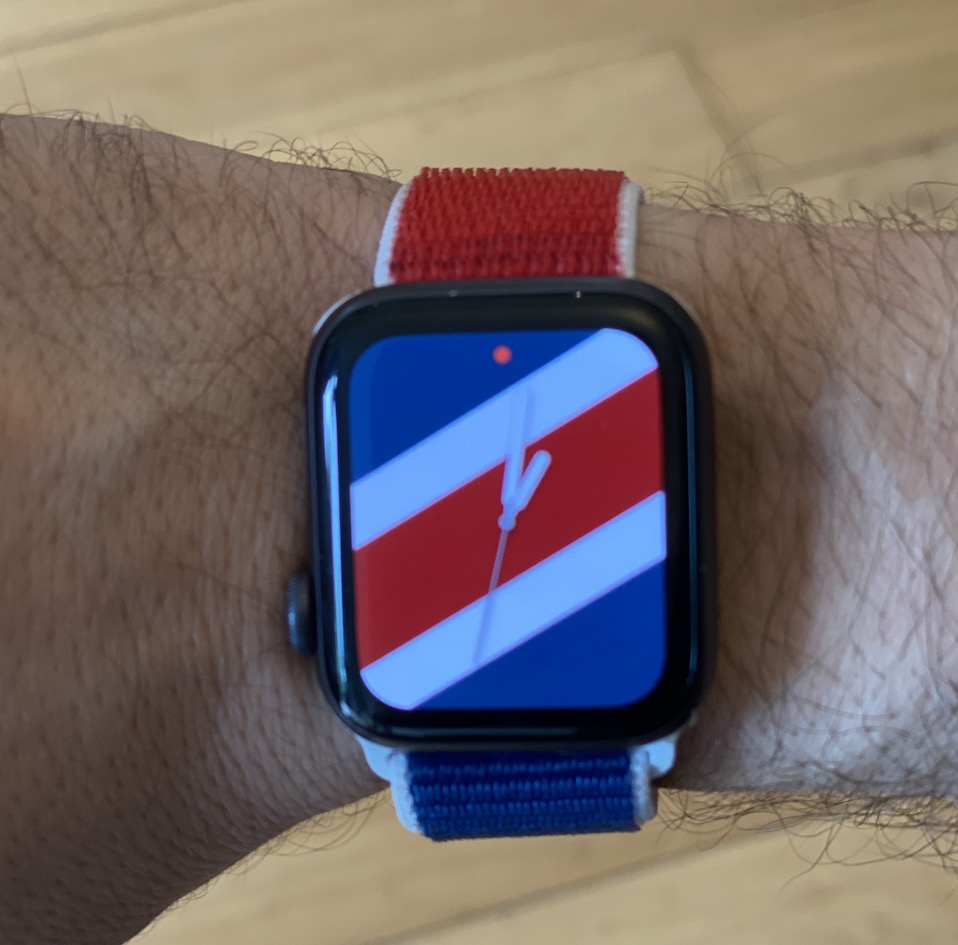
When I last wrote about my Apple Watch Series 3 I thought I solved the challenge around using the smart watch versus a regular watch. The solution was to use both. Since then I’ve continued to use the Apple Watch as just a data device on my right wrist. I wear the regular one on the other. Surprisingly not many people even notice I am doing it. After a while I got used to it and it second nature now.

When the Apple Watch Series 4 came out the upgrade didn’t seem compelling enough for me to upgrade. I was tempted with the bigger screen but not enouhg to buy a new one for that reason alone. When the series 5 came out I was intrigued. The always on face was the single biggest issue I had previously with Apple Watches. Now that I can look at it and the time is always visible without having to lift it to my wrist and wait for it to light up. The always on plus the bigger screen on the smaller model was enough to make a compelling case for an upgrade. I treated myself to the 40 mm version.

When I bought my Series 5, the plan was to sell my Series 3 on eBay. I always try to make some of my purchase price back. One of my friends at work suggested using the Series III as a sleep tracker. I have been using my Fitbit for that. Until then I was happy with that solution. Then right around the time I was thinking about the new watch Google announced they were buying Fitbit. That immediately got me wanting to find a replacement for my Fitbit. I want to minimize as much Google exposure as possible. The thought of them having my health data was not cool.

The Fitbit sale development got me wanting to try my friends suggestion about using the watch as a sleep tracker. My issue was I did not want to use the same watch I used during the day, then all night. I was afraid I would forget to charge it right before bed and again in the morning. I would need to do both in order to get a full day and night sleep out of it.

I hesistated to waste potential extra money by not selling the Series III. That was until I tried to trade it in. The research I did said if I was lucky I would get hundred pounds out of it. If I wanted the dedicated sleep tracker I probably have to spend around that amount of money anyway. I wasnt sure of a good Fitbit alternative either. I opted to keep the Apple Watch Series 3 and see if it would work as a sleep watch.

I did a bunch of research on apps for tracking sleep like the Fitbit would. It turns out there were several options. I settled on Sleepmatic. Compared to the Fitbit I’m not sure how accurate it is. Its supposed to be pretty close. From what I can tell it’s good enough for my use. I was worried the bigger watch on my wrist at night wound not be comforatable. I was also worried about turning on the screen or pressing other functions while I slept. Neither in the end was a problem. I disabled the raise to turn on function. I do not recall having any issues with pressing anything by mistake after that.

By the time I wrote this post I had been using the Series III as a sleep tracker for several months. Overall I’m generally pretty happy with the switch. I’m extremely happy that I deleted my Fitbit account as well. As a side benefit I can use the watch regularly as a silent alarm. I was able to do the same thing with Fitbit however it required going onto the app on my phone to adjust anytime I needed to. User experience on that was mixed. For that reason I did not always use it. Making changes on the Apple Watch is trivial. Now I use it all the time.

Overall I’m happy with series 5 for everyday use and my new “sleep” tracker. Lastly I will note that I offered my wife the Series 3 before I used it. She declined. I would have liked that also since if we did that we would have had push to talk option!

Random Finds From America

Last week we were in Florida before and after a cruise. While at a 7-Eleven outside Orlando Florida I saw a Redbox. My first question was do these really still exist? Then it dawned on me people may still actually use DVD’s. Even though I remember my DVD collection I thought the idea of DVD’s in 2020 to be pretty old school. Then again the term “old school” may be dating me.

The Last remnant of My Google Presence is Finally Swept Away

As of 9-September 2019 I have deleted my last Google account. I have not actively used Google services other than ocasuonally an android phone here or there in years. Up until now I kept my original Gmail account in case I need it. That was mainly for nostalgia reasons. I barely ever log into it. I haven’t used it actively in over a decade. After my abrupt stopping use of my Motorola G7 (see my post on that) I finally decided to take the final step in purge my entire Google presence.

Since I have deleted other accounts before the entire process was pretty easy to back up and delete everything. I have absolutely no regrets. More importantly its not even a nuisance (so far) that i don’t have an account. Every so often i want to save a YouTube video for referencing later. Pocket or Trello is great for capturing that stuff so my designer to have functionality google offers is fleeting.

Now all I need to do is nudge M a little bit to finish moving off of her Gmail account. I’m proud that on her own she asked me to set up a new domain name and email address for her somewhere else. We’ve been down this road before so we’ll see if she finishes migrating.

Jacket Firmware Upgrade

I never thought I would talk about the fact that today I updated the firmware on my jacket. Yes you read that correctly I said my jacket had a firmware upgrade. That statement and the specific jacket in particular provides my wife endless amusement in making fun of me for having it.

Years ago I found Ministry of Supply as a kickstarter for some socks. After supporting them I started looking into the company. I noticed they had dress shirts and trowsers as well as socks. The history behind the company sounded interesting and what they offered seemed perfect for me. I bought a shirt and have been buying their stuff ever since.

In 2018 when they announced a kickstarter for a smart jacket I was intrigued. The discount on backing the project was pretty good as well. I ended up supporting the project. I got the jacket last winter. I really like it. I haven’t needed it this season yet until today. Since the girls were at a birthday party I had some time so I finally followed their instructions to update the firmware on the jacket.

What makes this jacket “smart” is it has a heating element throughout the jacket. It pairs with your phone and adjusts the temperature of the jacket depending on your temperature and activity. Initially the smart part of the jacket did not really work. It would simply heat you based on manual adjusting the app. That in and of itself is pretty cool and worked on cold commute days. This firmware upgrade should fix some connectivity problems and allow for true automatic “smart” heating.

An auto adjusting heated jacket is not really a necessity. It is pretty cool. The jacket itself is actually pretty nice. I would like to even get one without the heating stuff in it so I can travel with it. Overall a great buy for me. The firmware upgrade even went off without a hitch. Even if it was probably more complex than most people would have wanted to deal with.

The Great No Wallet Experiment

One of the minor advantages to living in England versus the US is the ubiquity of tap to pay. Pretty much anywhere that takes a credit card allows you to use the NFC chip on your credit card or Google/apple pay. The catch has been you can only use it up to £30. After that you need to use the chip and pin. That meant for most day-to-day transactions I was able to use Apple pay on my watch. I kept my belroy slim wallet (pictured) with three credit cards and ID in it along with 20 pounds just in case I needed to spend more than £30.

In late August I read a newsgroup thread talking about how merchant terminals were no longer limiting Apple pay to £30 per transaction. That made sense to me since I bought stuff in the Apple Store for way more than £30 and they didn’t seem to have a limit. What I didn’t realize immediately was I was reading about a change to the banking laws that was coming into effect in mid-September so the terminals were changing their requirements

After September 17 or so there’s no longer a hard limit on how much you can spend with tap to pay. Apple and Google Pay offer 2nd factor authentication already. It’s my face or fingerprint on my phone so there in theory is no additional validation or limit on using my phone or watch to make purchases.

Using a physical card with a NFC chip need to reauthorize with the PIN every hundred pounds or so. This change in theory makes it possible for me to not have to carry a wallet. It also means in theory that using Apple pay is more convenient/better than using an actual physical card.

At the time of writing this it’s been at least two months since this came into effect. Since then i only once had to use a physical card at one merchant. Since this is still an experiment I leave my wallet with an emergency card or two in my bag hidden away. It still also has an emergency £20 note. You know for that rare time I need cash. So far the experiment has been fantastic. Even the one case that i did need my physical card i think the terminal was having issues. Even with the physical card the system had to try twice to make the transaction go through.

Here is to hoping I don’t need to carry a wallet ever again. Well at least in the UK.

The State of My Private Cloud in 2019

I have been maintaining my private cloud network powered by Resilio Sync for a few years now. I have talked about it before. See this search for all those posts. When I built the original version of my private cloud the intentions were for it to provide a 321 backup solution for my stuff. The effort involved in maintaining the system turned out to be more time involvement than I would like. Overall even with more work than i thought it still has been largely a success for me.

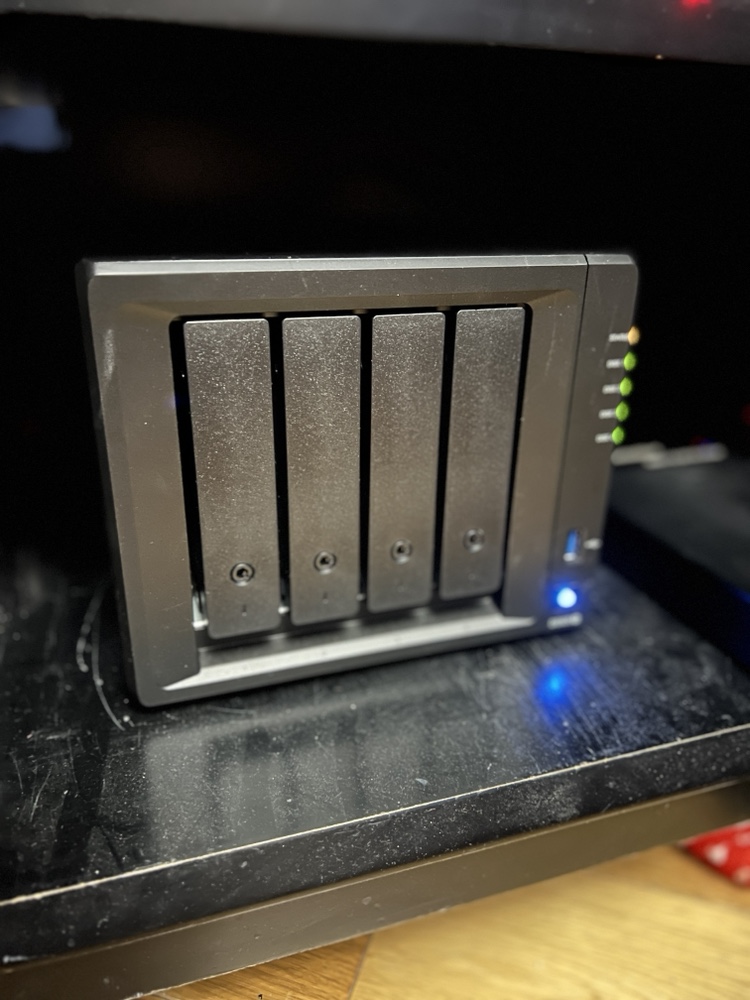
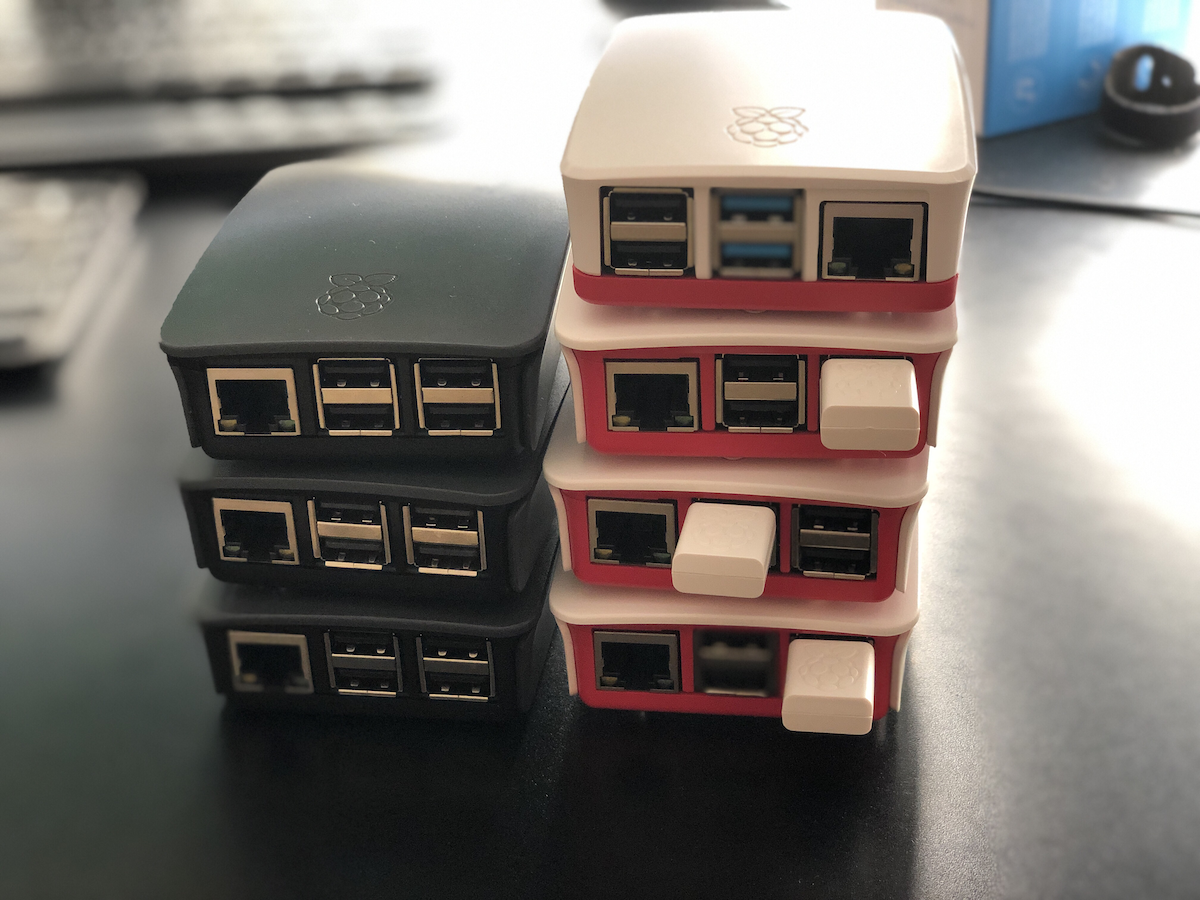
At the time when I built the network my intention was to use Raspberry PI’s as my remote nodes. As my use of the system evolved that stopped being a viable solution. One of my first Raspberry Pi remote nodes had to be replaced. The drive i deployed just wasn’t big enough. That wasn’t a Pi specific issue. The next thing that happened was I ran into significant challenges around the amount of memory available on the a Pi II. Resilio would crash the Raspberry Pi. The reason was the app would consume all of the available memory until the OS froze. I had the same challenge on my Synology disk station at one point. That was fixable with a $15 4 gig memory upgrade. I was not able to do anything like that with the raspberry pi II.

To work around the limitations of the Raspberry Pi 2 was that I bought more powerful and thus more expensive computers. The two remote machines that I had running were fanless zotac z-boxes. They were great. The only downside was the cost that was significantly more than a pi. I bought a low-end Celeron version of the Zotac for around $150 plus memory and drives. The costs were about 4 times as much as a similar Pi 2 setup. At the time I had no good alternatives.

Then someone at work put me onto buying a Hardkernel ODROID-HC1 that was designed as a personal cloud type machine. It came with a case to put an internal hard drive in. The beauty of these machines were they had two gigs of memory and were not that much more expensive than a Pi 2 at around $50. I think I maybe spent $70 including memory card etc, not counting the hard drive. The hard drive was an internal one so cost to get one was cheaper than using an external one for the PI.

I purchased two ODROID’s within a year. One was at a friends house. The other was replicating data at home. I had problems with what I think was corruption of the OS on the SD card on both machines. The remote host had to be rebuilt twice. By the 3rd time it had a problem I gave up. I just didn’t want to spend the time troubleshooting it. I’m not sure why they continued to get corrupted. I still have one of them at home that has been pretty stable this year. I gave the remote one to my friend who hosted it for me. He was going to see if he could use it for something. The ODROID was a good idea however it did not turn into a long-term solution for me.

When I first started this private cloud project the public or consumer file storage services did not really offer zero knowledge encryption. The only service at the time that was financially viable for me to use was MEGA. I tried that out and it wasn’t seamless for me so I abandon a public cloud solution. I went with my private cloud. Today there are a few service providers that cater to people looking for zero knowledge encryption for remote storage. There still aren’t a lot of them however I was glad to see the landscape had evolved since I started this project.

I’m not sure what triggered my research into public clouds again. I started looking at what the cost benefit would be to go with a zero knowledge encryption public cloud provider instead of continuing to build my own network over last summer. I found a provider I liked, Tresorit. They ticked all the boxes for me on what I was looking for. The challenge was for 2 TB monthly cost over £20 a month. There only cheaper solution was not enough space for my needs.

When calculating the lifecycle of the hardware I buy for my own private cloud network versus the service costs of the provider it’s probably cheaper to keep doing it myself. Originally that was not true. From when I started this investigation in moving to a service provider until today there was a change in what kit was availible. The Raspberry Pi 4 came out. Having a need to replace the ODROID and possibly one Zotac at a minimum in the next 3 years would have been several hundred pounds. The Pi 4 was clocks in for the 4gig model at around £60 for the computer and all the accessories I needed minus a hard drive. I am recycling a hard drive so there is no additional cost there. When they announced the latest pi4 I immediately put in order for one of the 4gb models. My hopes were that it would perform well enough to use in my private cloud network. On paper it solves the memory usage issue of the Pi 2 & 3.

At the time of writing this I have had my first Pi 4 running in “production” for almost 3 months. The software has been pretty stable. I am running it within a docker container on a Pi 4. So far the system is consuming way less than 50% of memory. Ussually somewhere between 1 to 1.5 gig. One of the other clean up things i did was consolidate the many shares I had into 5 total shares. The Pi replicates 4 of them.

With the extra space i have on a remote node can also take local copies of the replicated data on that remote machine. That should complete my 321 backup strategy. Since I want to add extra resiliency into my plan I will continue to take annual point in time offline copies of most of my data.

Since I am reusing hard drives right now (i over bought on size I needed on the last upgrade and the drives are great) that means i can get another Pi 4 for £60 pounds and have a refreshed pair of remote nodes. I continue to use my Synology, my laptop, and a Linux server for the other nodes at home.

My costs this year are on target to be £60-£120. That is half the price of one year of cloud storage service. The new machines should give me 2 to 3 years of service easily. Especially since I’m deploying them with 5 TB drives and I’m only using about 1.3 TB for what I’m backing up today.

I am pleased that the build my own system is cheaper and continuing to work out vs the public cloud option. As long as maintaining the system is not a lot of trouble I picked the right option.