All I Want Is A Dumb TV

We got a new television back in October 2022. As much as I try to stay up on the trends in technology, purchasing televisions has always made me apprehensive. When I bought the television in our living room nine years ago, I remember spending a lot of time researching and still not being 100% sure what I was getting was just right. The time before that, when I got my first LCD TV, was just as stressful. There are so many features that I really don’t know if having them matters. Even when reviewers say you need 240 Hz or whatever is the thing to get, I question whether it’s really worth the extra money when M doesn’t really care and my eyes aren’t exactly perfect anyway. I digress. I just want to talk about one bell and whistle in TVs today that you cannot avoid: the smart in smart TVs.

When I bought my last television in 2013, it was pretty hard, if not impossible, to get a decent TV without smart software. I didn’t like it then. I only used the Wi-Fi on our other television a few times to update firmware. That turned out to be a great decision on my part. The Vizio TV we had was one of the models where they were caught up spying on their customers. I forget exactly what they were doing, but I think it was either using the microphone to listen in or to see what advertisements people were interacting with. Either way, it was creepy and illegal. It didn’t impact me since my Wi-Fi on the TV was off, so there was no way for the TV to communicate with the vendor.

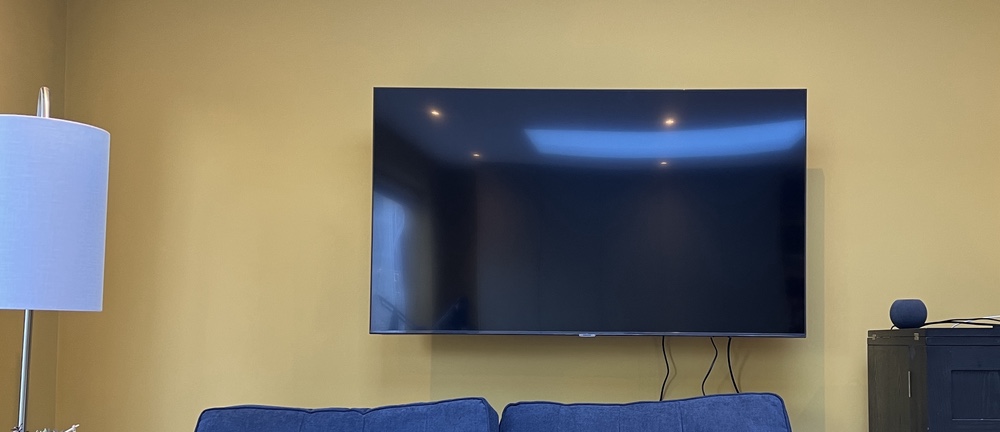
When I received our new TV, the folks from John Lewis went to set it up for me (it was part of the deal of mounting it on the wall). They asked what my Wi-Fi details were. I told them they didn’t need to do anything and that the television would never join my Wi-Fi network. It turns out, however, that I was incorrect. I tried to keep the television off the Wi-Fi network, but if I did that, I got a warning that remained on the screen until I connected it to the Wi-Fi. I guess the TV was smarter than I thought! 😂

Full disclosure I took the original complete blog entry I wrote previously and ran it through Microsoft Copilot, because why not. The results were not far from what I wrote but just better enough that for fun I am posting it!
The Story of Plex Back on my DiskStation

My Intel NUC i5 inexplicably died in late February 2022. I am not sure if it was the main board or the power supply. I got a new power supply on eBay and that did not fix the issue so it was an internal component. I was not sure if the computer is fried or it’s an easy fix. So after procrastinating a bunch I just gave up on it. It was likely a lot of effort to fix or just toast anyway.

Until I can either replace or fix the NUC I needed somewhere to run my Plex Media Server. As luck would have it I already had an instance of Plex running on a Raspberry Pi 4. It couldn’t transcode but it worked ok. It was not a real replacement for the NUC.

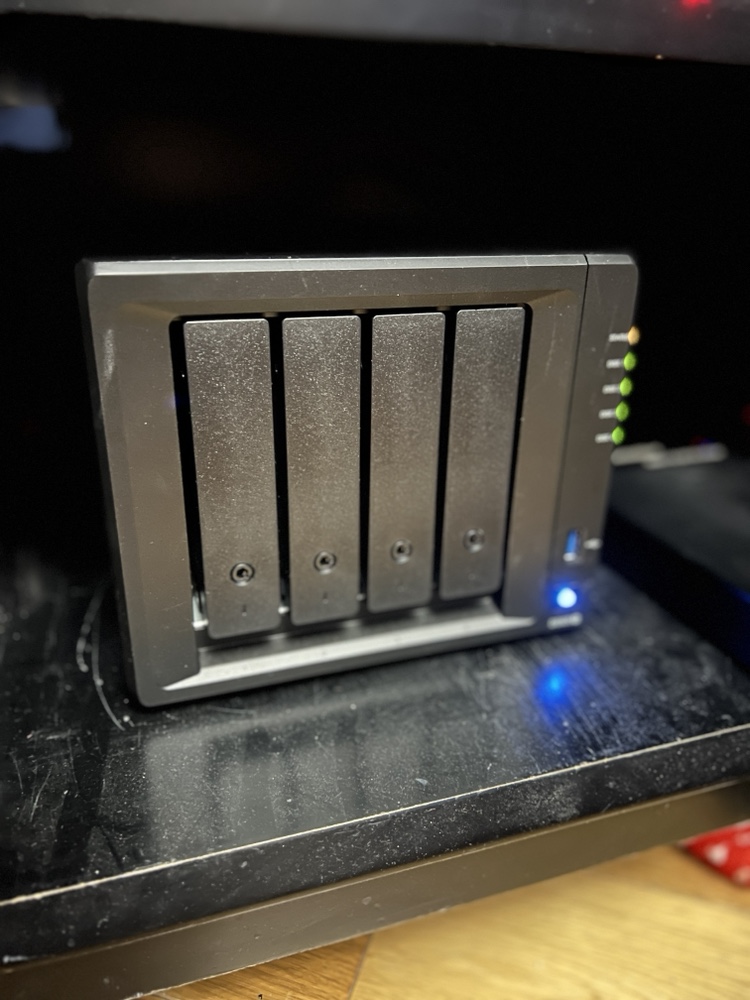
Instead I installed Plex (again) on my Synology Diskstation. I hadn’t run Plex on my Diskstation in years. The main reason was both my backup software Resilio & Plex running on my Synologu DS422+ at the same time would crash it with out of memory errors. After some testing I was not able to replicate the failed state with both software now. I am not sure what I am doing differently or if one or both apps improved memory management. I was able to get them to coexist. For now that means my Plex lived on my diskstation.

Then in October my Synology Diskstation DS412+ had a power failure. The array was degraded. The Diskstation was over 10 years old by then. I made the decision to upgrade to a new Diskstation DS920+. I also upgraded drives to give myself approximately 35tb vs the 10 I had previously. Luckily the array was degraded on the DS412+ however not totally destroyed. I was able to mount 3 of the 4 original drives in the new Diskstation and then over a few weeks one by one replace and expand the array with the new bigger drives.

I have been running on the new Diskstation for a few months now with no issue. The Dikstation with all the apps I use only averages 25% CPU, and with 8 gig RAM only on average is using about 1/3 of that. I can go bigger on the RAM if I want to so I have some room to grow. The hardware transcoding on the DS920+ is why I chose that NAS over others. I have not been disappointed so far. The only annoyance was less than a week after I bought the DS920+ the DS923+ came out. I had waited so long to buy a new one in the first place hoping the new model would come out only to finally get one after giving up on the 22 models then have a new one come out straight away. A small consolation is the reviews of the new device are mixed so I may have been lucky to get the old one.

Containerizing My Media Center

Back in February when my family went on vacation I spent a lot of time playing around with Docker. I converted several applications I was running on raspberry pi’s to run in Docker containers on my Synology Diskstation.

The challenge I gave myself was could I set up the containers to run on the NAS (The Diskstation) while at the same time being able to run them on my Mac mini as a backup in case there was any problems. That meant I needed to figure out how to replicate the configuration information between the devices.

I solve that challenge by setting up a new Resilio Sync folder for all of my Docker config’s. In most cases there was little to no reconfiguration needed to have those config files work on the NAS or the Mac mini. It wasn’t a super elegant solution since it did require human intervention however switching between systems was not something I intended to do often.

I did run into problems getting Plex to run as a container. I was having performance issues in general running Plex on my NAS. My solution was to setup Plex on my Mac mini as a native app. At some point I want to go back and figure out how to get Plex working in a container. Even when I do that I will still need to build a new machine to host it on. The Diskstation just doesn’t have the power to run Plex and my sync application at the same time anymore.  Even with the 4gig I upgraded the disk station to a year or so ago is now not enough.. For now I can continue to use Plex on my Mac. Longer-term I have bought components to build myself a Linux application server to host all of my containers so I can make my disk station just host files.

I Can Finally Stop Tinkering With my Media Center, For Now…

I make a conscious effort to limit what personal family details I post however I do enjoy writing this blog. That means I typically focus my writing around technology. I find tech interesting and it’s a huge part of my life. Not the largest part however big enough that there are plenty of topics to write about. Looking back at my blog posts over the past few months I thought I talked extensively about my media center setup challanges. I was surprised then to realize that I haven’t written about my evolving use of my Apple TV 4 since I purchased it late last year: My New Apple TV.

I was happy that on day one the new Apple TV ran the latest version of the Plex app. The challenge I had was that Plex is only half of my media center/TV watching set up. Content purchased from the iTunes store makes up part of the other half of my use case. Live TV takes up the rest. The big roadblock after I got my Apple TV was it couldn’t stream live TV. I have a HDHome Run from Silicon Dust that takes my cable card and streams my cable TV to any networked device that can receive it. The Apple TV does not natively support this. Silicon dust does not have their own app for the Apple TV (yet anyway). Initially that was extremely frustrating. It required me to maintain other device just so we can watch live TV. That complicated media center use for my wife. Ease-of-use is critical for her and I. For her she just wanted it to work reliably. For me I don’t want to get frantic calls or texts that my daughters can’t watch curious George because something hokey is going on.

Luckily for me after the new year I stumbled across not one but two applications in the Apple TV app store that supported streaming TV from an HDHome Run. I got into the beta program of one app however there were some challenges with the audio being out of sync with the video. That was a problem that I had with my Kodi Media Center on my Raspberry Pi. I then found the second app which cost about $15 buy however it was out of beta and it looked too promising not to try it. I am so glad I did. It worked perfectly. Now I was able to have Plex, iTunes, and live TV all on my Apple TV. That enabled me to simplify the media center substantially and thus make it easier to use.

The streaming TV app works pretty flawlessly. I was able to clean up the cables and devices in my media Center when I no longer needed my android TV, Raspberry Pi OSMC, and Mac Mini running Plex. All those devices at one time or another were testbeds that failed in one way or another. I still have one Raspberry Pi plugged into an HDMI cable in my media Center however that is usually just for when I’m building something. My media center experience is not dependent on it though.

Experimenting and finding the most optimal set up for us for TV/media consumption took a pretty long time. I am glad the technology caught up to to the requirements that I was looking for. The setup has been pretty stable for the past several months. I haven’t made any major changes to it since getting the T streaming app. I have been adding additional apps to the Apple TV however the basic configuration doesn’t change. I do want to try getting a game controller and seeing if there are any good games on the Apple TV.  I no longer have an Xbox 360 so at present nomgaming platform of any kind. Of course I haven’t played an Xbox game in four years don’t miss it all that much most of the time.

Suck it Indiana Jones

Suck it Indiana Jones.  I too have found the holy grail.  Well the Holly Grail for me in relation to my media center experience.  After searching for a solution that works that includes all my requirements I finally think I have it in one device.  My Apple TV 4.

That device in and of itself maybe was 1/3 of the solution.  For me a Media Center is not complete without my media library accessible via Plex or Kodi.  I prefer Plex since that is what I use as my server however I would have settled for Kodi.  Plex turned out to be available on the new Apple TV on day one.  It worked great.  The main other piece of the puzzle missing was the ability to watch live TV.

To save $20 a month I dropped my TiVo a few months ago.  I was just not using it enough to justify the expense.  MC loves her live TV thought so I needed a solution.  I bought a HDHomeRun Prime.  The problem has been I haven’t been able to find a good live TV streaming client that seamlessly worked on any device other than my old Sony Google TV.  My home built OSMC didn’t work very well.  It was very choppy video.  The Kodi setup I built on my Mac Mini worked ok for the live TV however it didn’t play my Plex content very well.  It also required switching HDMI inputs to get to my iTunes content.  That was a challenge when the HDMI switcher didn’t work and MC couldn’t get the girls their 15 minutes of Seasami Street sometimes in the morning.

I had been using the new Apple TV with the Sony Google TV as an overlay on the Apple TV.  I did something similar with the Google TV when I had my TiVo.  It still required two devices and two remotes to work.  It did work but is not very elegant.  I also want to rid myself of all Google devices so having to rely on the old Sony Google TV is an annoyance.

Today however everything seems to have changed for me. Yesterday I got an invite for a beta program of one app that will allow me to use the live TV stream from my HDHome Run natively on my Apple TV.  I setup the app today to give it a try.  It worked but it is clear that the app is still beta.  I am hopeful that this app will flesh out their issues and will work well.

In the mean time however as luck would have it I found another app in the Apple TV App Store that I hadn’t seen the last 3 or 4 times I browsed the store for live TV streaming Apps.  This time I found “Channels”.  For $15 it claimed to do everything I wanted in live TV native in the Apple TV.  I figured I would give it a try.  After some drama related to two step authentication and my Apple ID I was able to purchase the app and give it a test drive.  From the 15 minutes of playing around with it I am pretty impressed.  It doesn’t have the audio / video out of sync issues that have experienced on several platforms.

With this app if it continues to be functional I am able to par down my media center to just my Apple TV the front end, Plex running on my Synolog as my back end along with my Silicone Dust HDHomeRun for TV streaming (using a cable card).

Getting to this setup has been a multi year process of trial and error.  If it proves to be reliable I will be very pleased and hopefully the configuration will be simplified enough that MC and soon the girls won’t have any problems using it.

For now I am pleased with the turn of events that gave me my holy grail of media centers!

My New Apple TV

Just in time for me to give up on my Mac Mini running Kodi the new Apple TV arrived.  It doesn’t solve all my media center problems however it is a step in the right direction since it now runs Plex.  The setup is much more reliable than what I was experiencing with my Kodi build.

The main issue i have with the Apple TV is i cannot currently run HDHomerun to watch live TV streaming from my cable card HDHomerun device.  My current work around is using my old Google TV.  Thankfully that device has an app that runs the live tv streaming.  It isn’t the greatest but it is reliable.  I plug the Google TV into the Apple TV and it can run as an overlay on the Apple TV.  The benifit of that is I don’t need to change the TV inputs to watch live TV.  that is a big win since switching TV inputs with the Logitech Harmony has been less than reliable recently.

I am hoping an app comes out on the Apple TV that solves the limitation however until then I at least have a reliable if not clunky (too many remotes ) solution.

Rasplex

IMG_2941After I setup my Raspberry Pi 2 Saturday I did some research on media center options for the Pi.  My primary objective with my Pi was to setup my own media center set top box to replace my aging Google TV.  I was never a fan of the Google TV however at the time it was the only device that would let me run Plex with a UI that looked any good.  The Roku was horrible and still isn’t so good.  Apple TV I used for a while but keep having trouble with the Jailbreak.  A few simple searches lead me to Rasplex.  Resplex looked easy enough and appeared to have everything I want in Plex client.

Saturday night when I checked my mail I also saw my Pi 2 case had arrived.  The Pi 2 case looked much nicer than the original aftermarket clear case I got for my original Pi.

I used nap time Sunday to attempt to set it up.  The install was even quicker than my plain vanilla Raspberry Pi install.  I had my media content running on my Pi in very quickly.  I didn’t get a chance to try out the software more than a few minutes but I liked what I saw enough to move onto the next challenge using a Pi as a media center brings me.

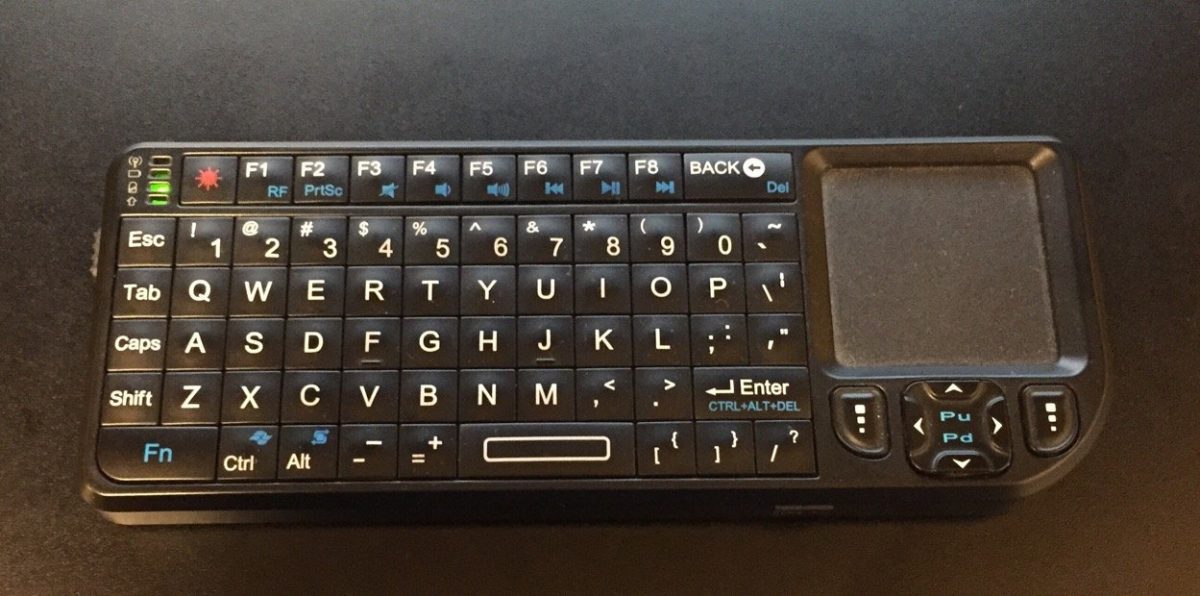
I do not want to use my mini keyboard to control the Pi.  I set out to find a Pi compatible IR receiver so I can use my Logitech Harmony One remote with it.  That was something I cannot do with my Sony Google TV.  It annoys me and MC doesn’t like two remotes.  I found a USB IR receiver that what appears to be the perfect solution for me.  I also bought a bluetooth USB adapter for the Pi.  With those two additional adapters I think I have all the accessories I need to leverage the Pi as my media center.

Once I am able to program my Harmony One to use with the Pi I will give it a test run.  All in my costs will be nearly $90.  For that price I could have gone out and bought an Android TV device or an Kindle Fire TV.  I could also have continued to use my Google TV with no extra cost however I have been actively trying to avoid using google products.  The Google TV is the last thing I rely on from Google for my personal use.  That is another reason to hope the Pi suits my personal needs.

I am also interested in some additional configurations I can try on the Pi.  For example I would like to try out OSMC a Kodi variant for the Pi.  All I need to do is swap out the memory card and I have a completely different config without messing up my Rasplex setup.  I would also like to investigate some music and video streaming options, however OSMC is up first after I bake in the Plex setup.

Building My First Raspberry Pi

I have owned a Raspberry Pi for about a year.  I had high hopes for it but never got around to building anything with it.  A few weeks ago I saw that there was an official Raspberry Pi 2 case and I got to thinking about all the things I wanted to do with my original Pi.  My mind then went wandering that since there was a newer version out and a shinny new case that goes with it I wanted to get the upgraded kit and check it out.  I ordered the Pi 2 and a wifi adapter from Amazon for under $50.  The case is on its way from a different vendor for $10.  All in a computer for less than $60 is not bad.

My new Pi 2 and wireless adapter arrived earlier this week.  Today was the first day that I finally had the time to sit down and install an OS on the Pi 2.  Amelia was napping and MC was at a party with Teagan.  My inlays were visiting but my father in law was relaxing on the couch and was interested in what I was working on so there was plenty of time to tinker.

It took some digging for me to to find a Micro SD card that had enough space on it that would work with the Pi lying around.  It only took a few minutes to download and prep the SD card and get the install going.  I was happy that i still had my old mini keyboard and trackpad that i bought when i was using my Mac Mini as a media center.  I was plugged in and installing the OS in only a few minutes.  The Pi only takes HDMI video input.  I have an HDMI to DVI adapter however I do not have any normal monitors in my apartment.  My desktop computer setup uses an Apple Cinema Display and the only other monitor I have is a USB DisplayPort powered 15″ LCD I sometimes use in the bedroom when working from home.  That meant I had to use the TV to setup the Pi.  Not a big deal and the OS setup and wireless configuration only took a few minutes.

I had some minor challenges getting a VNC server setup but once that was done I had a completely working Pi with remote access running.

My next steps is to see what media center options I have.

A New Media Center Unit

Today I put together furniture for the media center.  When we found out we were haivng a baby we knew that part of baby proofing would require us to replace my old media center.  What I had was open and had glass shelves.  We bought a new unit with drawers.  I was able to put the power strips and everything inside the unit so only a few wires go out of it into the outlets.  We can also get baby proofing stuff to lock the doors on the front of it.

We hoped to have this built sooner but when we got it the base piece was broken.  Crate and Barrel was really cool and sent us the replacement part with little hassle.  We spent most of Teagan’s nap assembling it.  MC then played with Teagan as I moved all our electronic gear to the new enclosure.  I am very pleased with the results!

Now all I need to do is finally order my new TV so I can get it mounted on the wall above this unit.

Bose Cinnemate Speakers

For a while now I have know I need to get rid of my stereo. It is a great stereo. I probably wrote about it before but aren’t 100% sure. Either way I love it and it has served me well for years. The problem is with Teagan getting ready to crawl we know we want to get rid of it. At first I was looking to get a sound bar speaker “system” since it is one speaker and a subwoofer. The idea has been to get rid of all the wires and speaker stands that are all over our living room right now.

Several months ago I picked out a decent sound bar but wasn’t 100% convinced to buy it. Flash forward to today and that system is now not available and comparable ones are more money than I thought was appropriate for the quality I would get. I know what I have (an Onkyo 5.1 receiver and speakers) is overkill for our apartment but i also knew how much a downgrade the sound bar was. When i found a well reviewed sound bar in the $250 price range i thought that was good. Then when that wasn’t available a decent one was more money and the reviews weren’t as good. At that point my friend Jayson convinced me to go and get a Bose Cinnemate II system. It was much more than i wanted but the reviews were much better than any of the cheaper sound bars. I know many people have polarizing opinions of Bose but i have had good luck with them in the past, so I went to buy them. As luck would have it they were marked down in price. The higher end version was around the price of the lower end ones, and the lower end ones were marked down even more. I opted for the higher end model and just got them.

I have been happy so far, but the real test will be when I get my new TV that i have been planning on getting for a while and put on a good movie!