The ISP That Operates Like a Tech Person Designed It

When I was building out my OPNsense router, I had a decision to make. Keep running Pi-hole for DNS and DHCP, or switch over to the built-in AdGuard on the router itself.

I’d been using Pi-hole for a while and the functionality was genuinely compelling. But if I was critical of my own uses, I wasn’t really using most of it. The main thing I got out of the Pi-Hole was ad blocking at the DNS level, and I can get that from a privacy-focused DNS provider like Mullvad anyway. So I made the call to consolidate everything onto the router.

Turns out that decision had a nice side effect.

My ISP is Andrews & Arnold, and they give me an IPv6 block along with a dedicated IPv4 address for my router. There were some limitations with Pi-hole when it came to properly handing out public IPv6 addresses to devices on the network. Could be a Pi-hole thing. Could be me never having quite sorted it. I am not really sure. Either way, moving everything to the router cleared it up. Now every device on my network gets its own real, internet-facing IPv6 address.

Do I need this? Absolutely not. But the network engineer version of me from the early 2000s would have been beside himself.

Which brings me to Andrews & Arnold, because I don’t think I’ve written about them directly before and they are pretty awesome. Also it feels like they are a bit unique in terms of internet providers.

I first used them when we moved to the UK and I needed a DSL connection. They were great, but the Openreach copper line quality at the time was a problem and the speeds weren’t there, so I ended up switching to Virgin for a few years just to get something faster. Then Openreach rolled out FTTP to our neighbourhood and I went straight back to A&A.

They are not outrageous, but they are noticeably more expensive than the value options out there. When I first signed up for FTTP I had to pick a usage tier, which I have a moral objection to on principle, and I ended up needing to go above the one terabyte plan pretty quickly. To their credit they’ve since moved their higher tier to unlimited, so that’s sorted itself out eventually.

But here’s why I pay it. Their documentation literally has sections like “want to run your own DNS server? Go ahead, we don’t mind.” When you place an order you have to acknowledge that you’re getting completely unfiltered internet access. Your static IP address comes on a little plastic card in the box like a hotel key, which I know is just a piece of plastic, but the confidence of that gesture still lands.

I was at a talk a while back where someone was explaining the steps they’d gone through to get their own IPv6 block registered in their own name rather than their ISP’s. They they went on to discuss their ISP assigning it for their use at their house. The process sounded painful and involved. I could tell from the context it was a UK audience, and I quietly suspected I knew which ISP they were using. Afterwards I asked the guy. Yep, Andrews & Arnold.

I priced out EE recently for comparable or even higher bandwidth plans. Substantially cheaper. But online the answers about what restrictions they actually impose are, charitably, murky. With Andrews & Arnold I know exactly what I’m getting. And what I’m getting is an ISP that operates like a tech person designed it. From what I have read that is because it was founded by tech people.

Still well worth the money.

Please Take My Money: Shake Shack Edition

Fresh off writing about Outback, I was reminded that I have another entry for the Please Take My Money series. Because the other day I was at Shake Shack in Stratford with the girls.

Spoiler: they struggle to take my money.

The food is great, that’s probably a whole separate post. But the checkout experience is not great.

Shake Shack has kiosks now. You walk up, place your order, sounds fantastic. In practice, not so much. On at least two occasions I’ve started an order at the kiosk, gotten partway through, and then hit a wall where they want so much personal information that I just gave up and found a human instead.

I can’t remember every specific field, but it was well past the point of reasonable. Honestly, even asking for a phone number is too much. You have screens. Put my name on them. That’s all you need. But they wanted more than just a name, enough more that I stopped, abandoned the kiosk, and got in line.

Which brings me to the other problem. There isn’t really a line anymore. Because they want everyone using the kiosks. So the first time this happened I had to stand there and get someone’s attention, which took about ten minutes. And yes, I feel that strongly about this that I waited that long. To be fair, I didn’t think it was going to take that long when I started waiting. Then the sunk time kicked in and there I was, committed.

Yesterday wasn’t quite that bad. I flagged someone down and they came over reasonably quickly. But I still had to flag someone down, which shouldn’t be necessary if your kiosk wasn’t demanding my personal information just to sell me a burger.

Once I was actually at the point of paying it was fine. Tap, done. That part works. It’s everything before it that’s the problem.

I like Shake Shack. I genuinely enjoy their food. That’s exactly why this is frustrating. Just let me order and pay. You don’t need my data to do that.

Low marks, Shake Shack. Do better.

Stars, Stripes, and a Screaming Eagle

In December 2017, right before we moved to London, my brother in law Michael gave M and me matching American flag t-shirts.

These weren’t subtle. They were stars, stripes, and a giant screaming eagle plastered across the front and back. The kind of shirt that announces your citizenship from three blocks away. A reminder of where we came from, he said.

There’s exactly one photo of M and me wearing them together. That’s because M wore hers once, for the photo, and never again. Too ridiculous, she said.

I agreed completely. Which is why I decided to wear mine every 4th of July. And Thanksgiving. And any other vaguely American holiday I could justify.

When I started going into the office regularly, I’d wear it on the 4th. People would see me and say, “You wore that to work?” And I’d say, “I didn’t wear it on the tube. I changed into it when I got here.” Which was true. I’m not completely insane.

But once I was in the office? Full patriotic regalia. At weekend barbecues? All day. Sometimes I’d put it on while getting ready for Thanksgiving dinner, though I’d usually swap it out before sitting down. Even I have limits.

It was supposed to be a gag gift. A one-time laugh. But eight years later, I still pull it out of the drawer and think, yeah, today’s the day.

I love that shirt. In a creepy sort of way. I miss you Michael.

Photo from the BBQ last year

Goodbye London Mug V5

A moment of silence, please.

London Mug version five is gone. It broke on my birthday, which feels like the universe has a sense of humor.

It was sitting in the cupboard, perfectly safe. Or so I thought. I opened the cupboard and out it fell, because A hadn’t put it in quite right. Happy birthday to me. To her credit, she felt really bad about it.

So now I’m on London Mug version six. Well, M is on London Mug version six. I ordered versions seven and eight as backups after all this happened, which tells you everything you need to know about where we are as a family.

If you haven’t been following the ongoing London Mug sagathis is not a new problem. Back in 2012 I bought a mug in London. It has a graphic of London on it. We have since proceeded to break many versions of it, with every member of this family, at one point or another, being responsible for a London Mug casualty. Grogu has also been implicated. Nobody is innocent.

A couple of versions ago I was smart enough to buy two at once. One broke, I used the spare. I felt like a genius. Then this one broke and took out my last spare with it. No backup. Back to zero.

Fortunately, I saved the link to the place that makes them. They’ve been at it for something like 14 or 15 years now and it’s still in their standard collection, which is genuinely impressive. I ordered two more. Because I know us by now.

My rational, or possibly irrational, fear is that one day I’m going to go back to that link and I’m not going to be able to get it anymore. The mug stops being made, the shop disappears, and that’s it. That day will be a dark one.

But today is not that day. Today we are on V6 with two more in reserve and cautious optimism.

Rest in peace, V5. You were good to us, mostly.

Collecting AI Models Like It’s a Hobby

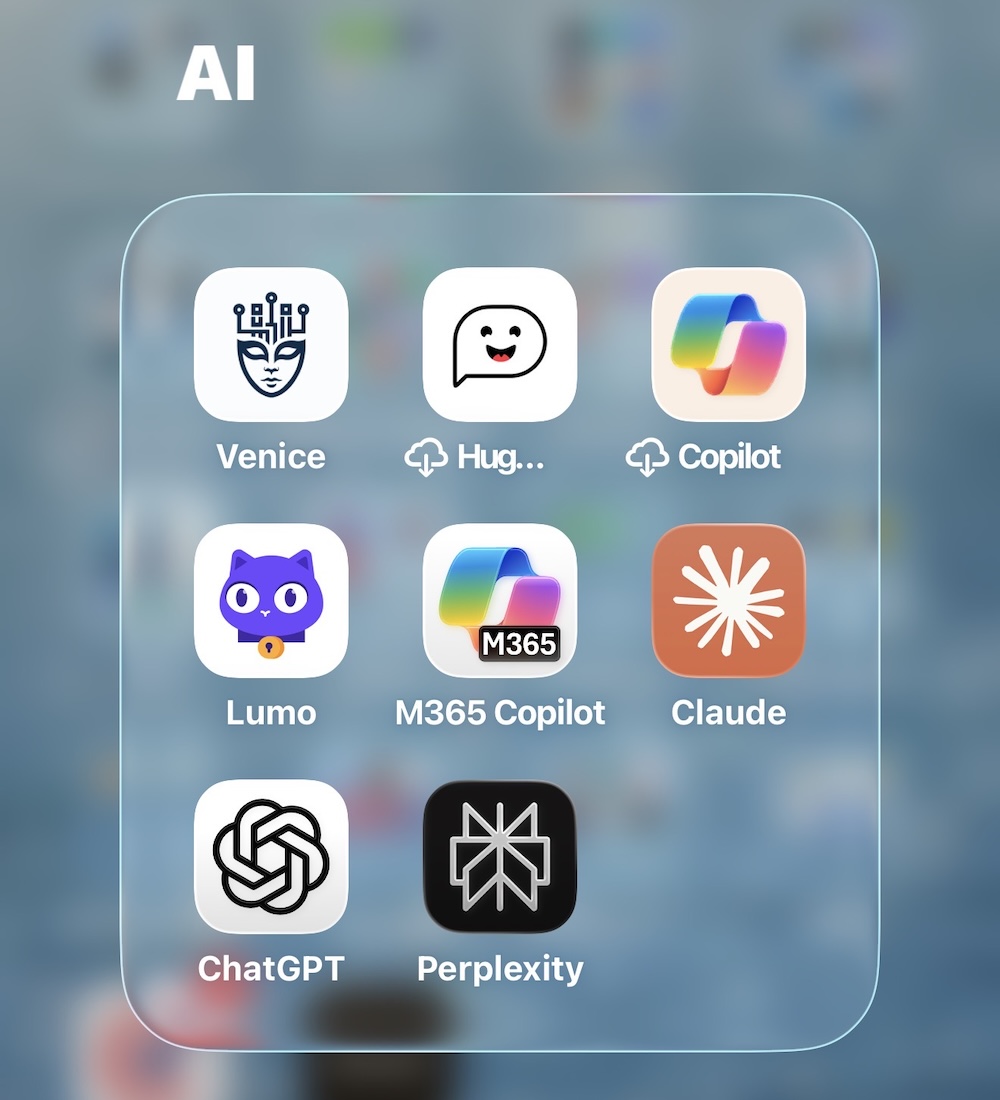
It’s almost like I collect AI models and providers. Each one has its own use case, and I probably could consolidate. But in some situations it’s not even worth the effort to do it.

As of writing this in early May 2026, and I mention the date because I usually have a backlog of a couple of months before things go live, my main tool is Claude. Well worth the money and then some.

But in addition to that I’m paying for Venice.AI as my privacy AI. Very cheap per year, limited use case, but for what it does it’s worth every penny.

Then there’s Lumo from Proton. I’m about one week into an experiment of not using it to see if I actually miss it. The honest answer is probably not, because I’m now running local models on my new MacBook Air with 32 gigs of RAM, which I got specifically to be able to do this. I’ve been running Mistral 3 3B locally and early results suggest it might actually be more private and more capable than Lumo for what I need it for. So that £120 a year might be on its way out.

I also have Perplexity Pro, which I don’t actually pay for directly. It comes bundled with another subscription I have. It’s slightly better than the others for web search type queries so I use it for that. Would I pay for it separately? Probably not. But I have it so I use it.

And then there’s ChatGPT. I touched on this in the last post but I’m currently trialling whether running Claude Code and ChatGPT’s Codex side by side is actually cheaper than paying for the next Claude tier up. The overages on Claude Code have been real, and the maths might just work out. Still figuring that one out.

So yes, I have more models and services than I probably need. Lumo is the obvious cut. Beyond that I’m genuinely not sure. The ecosystem as a whole is delivering value right now, even if it’s a bit sprawling.

What I do know is that two years in, I’m using these tools in ways I couldn’t have imagined when I first paid for Copilot on a 30 day trial just to see what would happen. And the people I talk to who haven’t really dug in yet, I get it, it can feel overwhelming. But the gap between what you can do with these tools and what most people are doing with them is pretty wide right now. And that gap is only going to get wider.

Levelling Up to Claude Code

So I mentioned at the end of my last post about AI that switching to Claude unlocked a new level of what I was doing with it.

It started small. Someone at work mentioned they’d been using Claude Code to build actual apps, and they’re not a developer either. Just someone with ideas and enough curiosity to see what happens. That stuck with me.

I had a specific problem I wanted to solve. I have some VoIP numbers through my internet provider, actual UK mobile numbers I can receive texts on. Useful for giving out to LinkedIn contacts or anyone I don’t want having my main number. The problem was sending replies meant logging into a clunky website every time. Nobody wants to do that.

So I asked Claude about it. One thing led to another and it said it could help me build a web app for that. When I asked if we could run it in Docker it said of course. I already run Docker on a few systems at home so that made sense. It built me a container, I ran it on my Synology, got it working for one number, cloned it for a second. Then I thought, wait, can we just have one container with a dropdown to switch between numbers? Of course we can. And it did it.

That was the moment I thought, if it can build me an app with this level of input and time, what else can it really do?

So I set up Claude Code properly, gave it access to my Raspberry Pi setup, and had it take the SMS app further. It interrogated my existing config, made some enhancements, deployed everything from the command line. Straightforward, but impressive.

From there I got more ambitious. My blog had been running on YunoHost, which is a self-service VPS platform. Decent enough, but it’s always on an older version of Debian because the open source volunteers take what feels like a long time to update it, and if an app isn’t in their package store you’re out of luck. I’d always wanted to run my own properly configured stack but never wanted to deal with the time to care and feed it.

I had a spare VPS sitting around doing nothing. So I asked Claude, can we design and build my entire website on this thing. WordPress in Docker, proper backups, the works. It said yes.

First I designed the whole thing with Claude, got a proper design document together, then imported that into Claude Code and let it build. About $25 to $40 in API costs later I had a website. And not just a website. Automated daily backups following a daily, weekly, monthly cadence with pruning built in, all replicating to a second location with an immutable copy at the end. Backup infrastructure honestly better than some hosting providers I’ve heard about. I then migrated my site over to it, wiped the old setup, and migrated it back again just to prove I could restore it. All worked.

Then I got bold. I had the spare VPS now freed up, so I used it to build a set of personal tools I’d always wanted but never had the time to set up properly. An open source SSO system with passkey authentication for me and my wife. A Searx search instance sitting behind the SSO. Network monitoring. I didn’t even know I could set up my own SSO until Claude walked me through it. Some API costs and an afternoon later it was running.

Around the same time I set up a proper monitoring stack. My external VPS now watches my home internet connection and my main Raspberry Pi, and sends push notifications to my phone if anything goes down. Not email, because I’m not going to look at an email. An actual push notification. I also have a speed test running every hour on a gigabit ethernet connection straight into the router, and my internet provider, who I’ve never had a bad word to say about, is consistently delivering around 305 megabit on a 350 megabit plan. Seeing that graphed over time is genuinely satisfying.

All of that cost me some API charges, probably a couple of dollars worth, and £4 for a push notification app I now own outright. Not a subscription. Just mine.

Then I built a router.

I’d looked at this before. A router is basically just a computer with extra network cards, and I’d used open source router software in the past. But I’d always bought the manufacturer’s hardware because I didn’t want to deal with building and maintaining my own. This time I asked Claude to help me design and deploy it, and then help me maintain it going forward.

Of course It said yes. It can be a yes man/lady/person a lot.

I researched the hardware with Claude’s help and landed on a Protectli VP2430, a fanless little box with four 2.5 gigabit network ports and an Intel N150 processor. 16 gigs of RAM and a 256 gig SSD. Overkill for a router, which means it’ll last a long time. Then I designed the whole OpnSense configuration with Claude before touching any hardware.

Deployment was more painful than I expected. The biggest issue was needing the new router connected to my laptop while also needing live internet on the same laptop to use Claude to programme it. The address space decisions I’d made complicated things further. I spent six hours one evening and an entire Saturday on it before rolling back. Then I realised what was in the end the hurdle that had stopped me, made one design adjustment, tried again the following week, and had it running in about two hours. It’s been stable since.

I’m not a software developer. But I’ve spent years building and supporting data centres, call centres, and large scale applications, so I understand enough to know when something looks wrong and push back on it. I understand some scripting and basic fundamentals. What I can do is explain what I want clearly, spot when the output doesn’t smell right, and interrogate it until it does. That combination, it turns out, is enough to build some pretty serious stuff.

The things I’ve been able to do aren’t things I couldn’t have done before in theory. But the time to care and feed a self-hosted setup was always more than I was willing to put in. Now I have AI that helps me design it right, build it right, and fix it when something goes wrong. The barrier that used to stop me isn’t really there anymore.

So now I’m looking at what’s next. I have mockups for a couple of actual apps I want to build. Things I want for myself that don’t exist quite the way I want them. A colleague at work just builds whatever he thinks of now. I’m getting there.

The biggest current headache is cost. Claude Code API charges add up fast when you’re doing serious work, and last month I had enough overages that I’m now trialling whether running both Claude Code and ChatGPT’s Codex together is actually cheaper than paying for the next Claude tier up. Early signs are interesting.

And separately, with my new MacBook Air running 32 gigs of RAM, I’m finally in a position to run proper local models. I’ve started downloading and testing, and the early results suggest I might be able to replace some of what I’m using Lumo for with a local model that’s actually more private and possibly better. That’s an ongoing experiment.

It’s a lot. But honestly, talking to people now, whether friends, colleagues, or people in the industry, so many are either just scratching the surface or not looking at it at all. I was over a year late getting serious about this. I don’t think I’m late anymore.


Switching to Claude

I’ve been on this AI journey for a while now, and for most of it ChatGPT was my main tool. But in February 2026 that changed.

Someone whose opinion I trust recommended I give Claude a try after voicing my frustrations with ChatGPT. When I actually sat down to evaluate it I did something that in hindsight was pretty funny. I asked Claude directly why I should use Claude over ChatGPT.

It told me not to.

Based on what I told Claude I wanted, it said I’d probably get better results from ChatGPT. So naturally I didn’t trust that answer and kept pushing. As I interrogated it further it started explaining that it was slower and more thoughtful, and from its previous read of what I was looking for, it figured I wanted fast straight answers. And that’s when something clicked for me.

One of my biggest frustrations with ChatGPT was exactly that. I’d ask it something and it would just fire back an answer. Fast, confident, and often not what I actually asked for. Like if I asked for specific instructions on how to do something on an Apple product, it would give me generic steps that didn’t even exist in the actual interface. I’d have to stop it and say don’t give me fluff, give me the actual thing. Then it would have to go look it up and either admit it didn’t know or finally give me something useful.

What Claude was describing as a weakness, slower and more considered, was exactly what I wanted. So I signed up and started using both in parallel.

Early on I was genuinely impressed with what was coming out of Claude. I was using Sonnet, the middle tier model, and the difference in output quality was noticeable pretty quickly. The concern then was whether I’d end up paying for two services. I was already paying for Venice and Lumo on the privacy side and the last thing I wanted was more sprawl.

But it became clear fairly fast that Claude was where I wanted to be. Which meant I had to migrate everything I’d built in ChatGPT over the previous six months or so. Custom GPTs, saved prompts, all of it. I had to extract everything, make sure I had backups, build a little text based database of all my prompts, and systematically move it all across.

I got it done within a month and managed to avoid paying for both services at the same time for more than one month. Then I downgraded ChatGPT to the free tier and haven’t looked back.

From a reliability standpoint Claude is better. Not perfect, and everything I said in the last post about not trusting it still applies. But it’s a meaningful improvement. And honestly, switching to it unlocked a whole new level of what I started doing with AI. Which is what the next post is about.

Use AI Like It’s Lying To You, Because It Is

I’ve touched on this in passing across a few posts now, but it deserves its own space. Because as useful as AI has been for me, it is not sunshine and rainbows.

AI is a great tool. I genuinely believe that. But I also think the future gets pretty dystopian if people don’t use these tools with their eyes open. And right now, a lot of people aren’t.

One thing I read recently that stuck with me: it can do super advanced calculations but it can’t tell time right. That sounds like a joke but it isn’t. Some of the things I’ve asked it, it will be absolutely insistent it’s correct. You interrogate it because something smells off, and eventually it folds. Oh yeah, you’re right, I was wrong. I’ve had situations where I knew it was wrong, kept pushing, and it took a surprisingly long time before it admitted it.

So what I tell people, my kids, colleagues at work, is this. Use it. But do not trust it. Assume it’s going to lie to you. If you go in with that mindset and you scrutinise the output, it can be really good. But you have to be able to scrutinise it. That’s the part people skip.

That’s also the part that makes it genuinely dangerous in the wrong hands. I can ask it something about cybersecurity and I’ll know pretty quickly if the answer looks right or completely off. But I can’t ask it to do my taxes. I don’t know tax law. So if it tells me I can do something, I have no idea if it’s true. That’s a problem. And it’s why you see things like lawyers submitting court filings with citations that don’t exist because a judge caught them using AI and not checking the output. People just throw stuff in and take whatever comes out.

I ran into this myself about a year or so ago when I was doing some budget planning. Nothing super sensitive, just the savings pots I set aside for predictable expenses throughout the year so I’m not hit with an inconsistent spend later. I do it all in a spreadsheet and it gets involved. I figured let me see if AI can handle it.

It did it, and then it didn’t. The numbers were inconsistent. Flat out wrong in places. I tried for a few months and I just could not rely on it. So I stopped and went back to my spreadsheet.

More recently I tried again with a different model, and I’ll get into that in the next post. But it’s actually working now. Two months in and the output is consistently accurate. I’ve also gotten smarter about how I prompt it, asking it to show its work and export the data in a way I can verify. So it’s a combination of the models improving and me getting better at using them.

But the overall lesson hasn’t changed. The reading of the tea leaves is the hard part. Sometimes the output is exactly what you wanted and better than you could have done yourself. Sometimes it’s close but slightly off in a way that’s easy to miss. And sometimes it’s just wrong and completely confident about it.

The tool is getting better. That’s real. But so is the risk of people treating it like it’s infallible. It isn’t. Not even close.

Please Take My Money: Outback Steakhouse Edition

We were visiting my mom in April and one of the things on the agenda was Outback. I wanted my annual Bloomin’ Onion fix. One of my daughters wanted a a steak. My other daughter wanted anything cheese, Mac n cheese, grilled cheese, whatever.

But that’s not actually what I want to talk about.

This is a new entry in my ongoing Please Take My Money series, where I chronicle the seemingly rare occasions when a company makes it genuinely easy for me to give them money or when they make it really really difficult to do so. This time the subject is Outback Steakhouse.

Outback has tablets at the tables now. Let’s face it I have lived in London for over 8 years. Even though I have been back to Outback a few times since moving I do not recall when they put these things in. For all I know it’s been years. The are little battery powered things on stands. You can play games on them apparently, which I find mildly annoying. I don’t love screens at restaurants. But whatever, we ordered normally, the waiter came by, we talked, it was fine.

When dessert came around he kind of gestured at the tablet and said just order from there whenever you’re ready. So we did. Took our time, browsed, ordered. Completely seamless.

Then came the real test. Paying.

Paying at restaurants in the US is a whole production vs the UK or Europe. You get the bill. You give them your card. They disappear with your card. They come back. You add the tip. You sign. They take the bill and everything with it. You wait for the receipt. The charge your card again for the new total. The whole thing has like six or seven steps and your credit card is out of your possession for half of them, which from a security standpoint is not great. Europe figured this out a long time ago with chip and pin. You never hand your card to anyone.

So I was curious how the tablet checkout would go, half expecting to hit the usual wall. You know, they could make it easy. They sell you on how quick and easy it is and then you get there and it wants you to create an account. Enter your email. Set a password. Agree to marketing emails. All of that. None of it for your benefit.

Thankfully Outback went with customer convenience over their data collection. The screen showed the bill, everything itemized. Tap to pay. I tapped. It asked if I wanted a receipt by email or text, or not at all. That was it. Done. I get they can get your email or phone number by getting the receipt. I prefer that since it doesn’t stop me from paying. I also have no problem giving an email with no account creation since I have disposable emails give out for situations like this.

This was genuinely one of the smoothest restaurant checkouts I’ve had in the States in years. So good on you, Outback. You make a solid steak and apparently you also understand that sometimes people just want to pay and leave.

On my please take my money scale Outback got top marks.

What I Actually Started Using AI For

I’ve been writing about my AI journey for a few posts now, and I’ve talked a lot about which tools I use and how much I trust them. But I haven’t really gotten into what I’m actually doing with them day to day. That’s what this one is about.

Trip planning was one of the first things that clicked. When you’re searching for flights and hotels, every website limits what details you can give it. With AI I could be hyper specific. If I’m flying with just the kids it’s this configuration. If my wife is with us it’s that one. These are the types of hotels we like, these are the amenities we need. It could actually hold all of that and work with it.

It didn’t book anything, but it helped me build out exactly what we were looking for and where to go look for it.

Then it evolved. I used to use Trello boards to track trips day by day, reservations, what we were doing when. Now I do all of that inside the AI itself. It exports as a YAML file I can save and reload if I need to start a fresh chat. Since privacy matters to me I’ll delete a chat when I’m done with it, but the file means I don’t lose anything. I have a general preferences file I keep updating, and then a separate file for each trip. It works really well.

I did something similar for days out with the kids. I took a week off last August and it was just me and the girls. I built out a history file of things we’d done and liked, threw in our preferences, and used it to plan the week. On Tuesday we have this, I need to figure out Wednesday, here’s a restaurant nearby that fits. I’d already been doing some of that in a neglected Trello board, but this way it was all queryable and easy to update.

Date nights with my wife got the same treatment. I’d go through our preferences, confirm them with her, and then present her with suggestions. I’ll be honest, I wasn’t exactly hiding where the ideas came from. More like, hey, I told the magic box what we like and this is what it came up with. Sometimes it was completely off. Sometimes it was genuinely spot on.

More recently it’s been helping with meal planning for the kids. Mine are picky eaters, so it was a lot of back and forth on what might actually work. It helped me land on a couple of new meals and then built a schedule to track them. Basic stuff on the surface, but genuinely useful in practice.

One that I found unexpectedly cool was using it to wrangle my Trello data. I have boards for things to watch and books to read. When I tried to pull that data into an AI the file was massive. So I had the AI help me write some scripts to strip out everything I didn’t need, took a two meg file down to about 50K, and then I could actually work with it.

Which brings me to audiobook recommendations. I was a little cautious about feeding it my reading history since it builds up a fairly personal picture of you. But I write about what I read anyway, so it felt like a reasonable trade. I’d give it what I read, when I read it, what I thought of it, and ask for recommendations.

Hit or miss, honestly. Some suggestions were weird and when I pushed back on them it would just fold immediately. That should always give you pause. But when it got it right it was actually pretty useful, and interrogating the reasoning often got me somewhere interesting even when the initial answer was off.

Which is a good lead in to something I want to dig into a bit more. It does some genuinely impressive things, but it’s far from perfect, and that part matters too.