Backup Network Version Number I Forget

I’ve been writing a lot about my tech setup lately because I’ve done quite a bit of work on it. I’ve been meaning to share my current private cloud backup setup for a while now.

The backbone of my private cloud network is still Resilio Sync. While I rely on it a bit less these days, it remains a core part of my strategy.

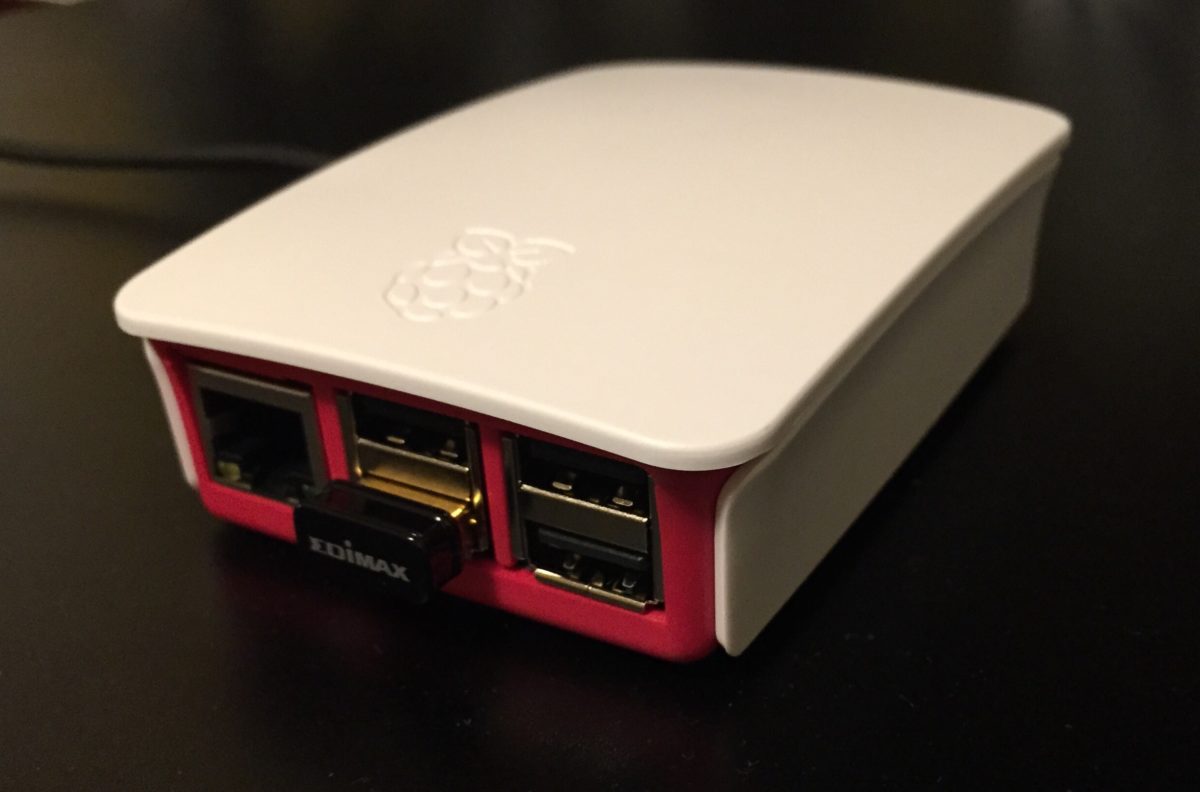
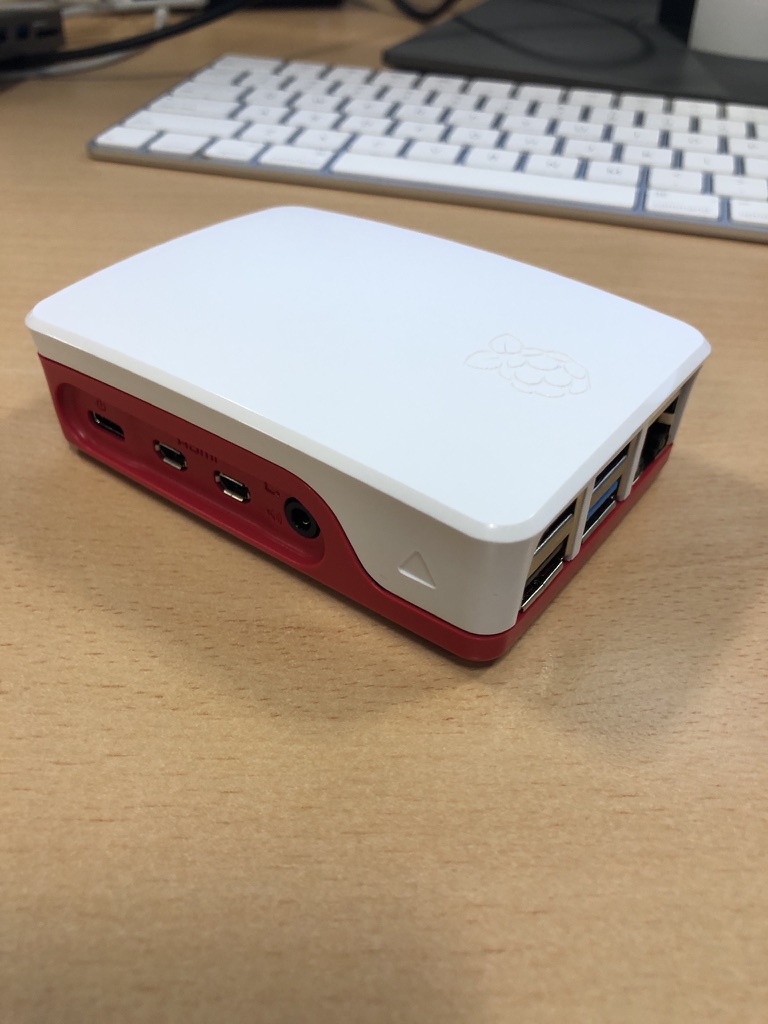
Right now, I’m using Resilio to replicate a full set of data from my Synology DiskStation to a Raspberry Pi 4. I also replicate a subset of this data—everything except the media center—to an SSD on my laptop. Soon, I plan to set up another Pi 4 as a backup for the same subset of data I have on my laptop.

At this point, I no longer keep any replica data at friends’ houses. I probably should, but when my last setup failed, my friend had to bring the device back to me when he visited from the States. Ultimately, it wasn’t worth buying new gear just to ship it back to him. Instead, I signed up for Amazon Glacier Deep Archive (or whatever they’re calling it now). It’s a cheap, long-term storage option where data is locked in for six months without modification or deletion options. My Synology DiskStation has a built-in client that made it easy to set up a backup of my personal data to Glacier. I still need to test a restore, but for now, I see Glacier as my remote storage solution. At about $1 per terabyte per month, nothing else comes close to that price. Setting up another Pi with a friend would cost around $150–$200, which makes Glacier far more cost-effective over a three-year period.

Because I’m still a bit unsure about restoring from Glacier, I’ve also started using Proton Drive for critical data, including my entire family photo and video library. Once I’ve uploaded the photos, that dataset stays pretty static, so Proton Drive makes sense. With our 3TB plan, I can gradually copy large, mostly unchanging files that I want securely backed up. Since there’s no automated way to sync this, it’s not my primary backup, but it adds another layer of protection.

Recently, with T in high school (or middle school if we were in the States), she’s been using the computer more often. It made sense to subscribe to the family plan of Office 365, which gives each of us 1TB of storage on OneDrive. I’m experimenting with Cryptomator encryption to securely store a subset of our backups on OneDrive. I still need to fully implement this, but it’s something I plan to sort out soon.

In addition to these replica copies, I take monthly RSYNC snapshots to a separate directory on my DiskStation. I have two scripts—one for odd months and one for even months—so I always have two recent copies. I also keep an annual copy of everything. It’s a bit less automated, but it works.

I’m also considering setting up another Pi as a remote Resilio node. Another option is to get a storage VPS again. The previous deal I had expired, so I canceled it last year. That’s partly why I’ve been relying less on remote Resilio replicas. When I got rid of my last remote Pi, I switched to a VPS running Resilio. Now, I’m debating whether it’s worth setting up another VPS instead of piecing together backups the way I have been. At around $80 per year for 2TB, it’s an option I’m keeping open.

Overall, the system works. When I had a catastrophic failure on my DiskStation before upgrading to my current one, I was able to verify that all my data was backed up somewhere. In the end, I didn’t need to restore because I managed to salvage the array on the DiskStation, but it was a valuable exercise to go through.

UPDATE: I wrote this before Christmas. Since then I have built a new Pi with a 2TB SSD and need to deploy it somewhere other than our house as a backup. I have also found a new cheap(ish) VPS storage provider. I have a 2TB VPS in Germany were I am now replicating my main Reslio shares to. I have stopped using Glacial since i haven’t been able to properly test it.  It is still by far the cheapest backup option out there however without being able to verify it works to easily fully recover i was a bit concerned.  The new VPS i have is a few pounds more per month but not outrageously expensive.
The Story of My Upgrade Partially Pi Powered Backup Network

I have written a few posts on using Resilio Sync to replicate my personal data as a backup network. Currently I have several nodes running at home on various devices. I have one remote nodes running. It is on a VPS that I may write about in more detail separately. I had another remote Pi at a friends house for years. With the cost of the VPS being so cheap and easier to manage remotely I gave up on the extra node with my friend.

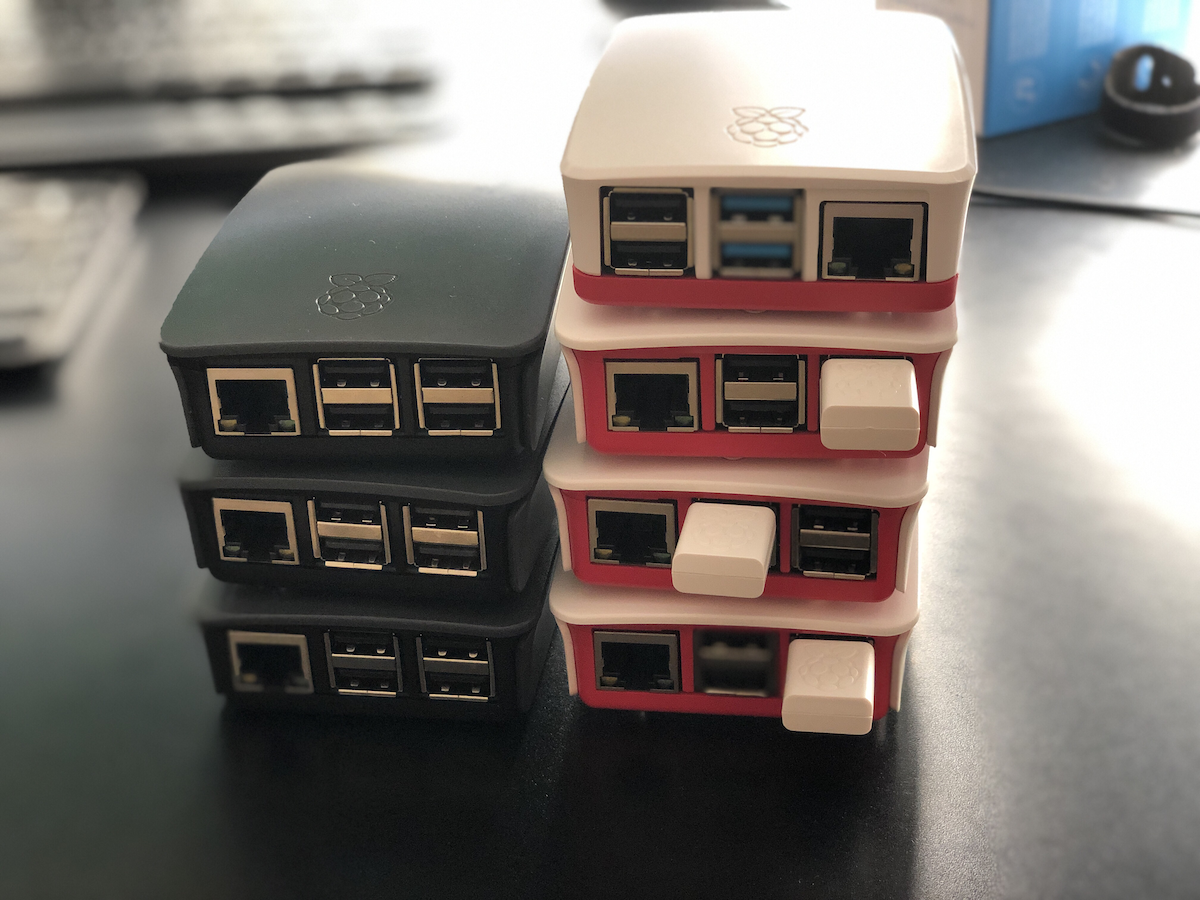
Instead I have 2 Pi’s running Resilio at home. In addition to a ODROID HC2 and instances on my laptop and NAS. Every device does not have all the data on it except for the NAS. Some of the shares are so big I had to shard them out. Only the NAS has all the data. However all of my data is replicated at least twice in the house. All, but my videos are replicated to the VPS.

I also started using Amazon Glacial Deep Freeze to backup (approx $1 per tb) some shares. Deep Freeze is so cheap my intention is to add bigger shares to backup. I just have not gotten around to it yet.

The Raspberry Pi’s photographed are the Pi 2’s (white cases) and Pi 3’s (Grey cases). The current generation of Pi’s I am running are two Pi 4’s. One with four gigs of RAM and the other with eight. I have a third Pi 4 with four gigs of RAM that I am playing around with alternative configurations on. I still have the second and third generation Pi’s. I use the third-generation ones periodically. Most recently one was a dedicated Pi-hole, however I recently stopped using it.

Pull disclosure, pictured is the older P2 and P3’s.

A Test of The HorcruxNet

When explaining my Resilio personal cloud setup to someone at work they replied that i have my own personal Horcrux minus the killing.  I liked the idea so I think i am naming my Resilio backup setup HorcruxNet.

The network is having its biggest test this week in its 3 or so years of existance.  I am moving.  Movers are packing up our stuff tomorrow.  That means i am putting my electronics into “Cleaning Lady Safe Mode”.  it is what i used to have to do when our cleaning lady showed up.  I would unplug everything so she didn’t mess stuff up.  She did a few times.

I have expanded my network to have replica or partial replica copies on my laptop.  I also have 3 working remote sites thanks to friends and family hosting some nodes.  While we move and my two primary full nodes (my Synology) and mac mini) will be offline for about 4-5 weeks.  During that time my remote hosts will hopefully keep humming along.  With my home network offline i doubt there will be much changes however since my laptop has a partial replica if i do make changes it will propagate out.

I love a nice well configured computer system if I do say so myself.

Securing Email Isn’t Only For Spies, Dissidents, & Journalists, Right?

Over the past year and a half I have been taking lots of steps to secure my digital life. I’ve written a lot about the different aspects of that. My migration from Google mail and other services to more secured options.

One thing I’ve known has been a concern that I’ve not yet addressed the quantity of data online. For example even though I moved my mail to a Swiss based provider I still had my entire email archive available. I have mail going back as far as 1997 I believe. I have been wanting to take that archive off-line and out my email provider’s servers. Over the years I’ve had the packrat mentality where I want to keep all of my messages. Recently I’ve grown to not want many of the messages I received. I’ve been deleting stuff that are unnecessary however there are still things that I get a do want to keep. In general I would like to keep the archive, especially my personal correspondence.

The challenge that I have is that I’m growing less trustworthy of any service provider. Even though my email hosting company is in Switzerland they take no extraordinary security precaution so the system is just as susceptible to hacking as most. That means my mail at rest is in the clear, unencrypted. But I want to do is take my mail and store it off-line so I have more control over it. I currently plan on keeping it in a local archive on my Mac at home. I will also have it backed up on my bit torrent sync network.

The first step in this process was for me to copy all of my mail to a local application. For my purposes I found the built-in Mac mail application to work the best. Once I had a downloaded copy of all the mail I was able to export it to an mBox formatted archive. At the same time I took the opportunity to recategorized how I organized my mail. In the past when I was using Google I had been using tags extensively. When I exported out of Google I went back to a folder structure where each high-level tag was its own folder where I put received mail. When I exported the mail to a local folder I put all sent mail in one folder and all received mail and another. Using mail tags I was able to continue to tag and make smart queries of the male if I ever needed to get a hold of the categories that I used in the past.

Once I had the off-line mBox files I put them in an archive on my BitTorrent Sync network. I kept the live copy in my Mac mail on my computer in case I need to search for and email in the archive. Over the past few weeks after I’ve done this I’m surprised how often I do go back and reference old emails for things like key codes or when did I buy something. After I was satisfied that the mail was backed up I deleted it from my hosting provider.I did leave this calendar year’s mail on my hosting provider. I figured that was a good round number to keep online. I can annually do an archive. Having to be at home or to remote into my home computer to perform mail queries has become a slight inconvenience however it hasn’t been the end of the world.

In addition to moving my entire mail archive off-line I want go further and start using a secured email provider like proton mail that takes extraordinary steps to encrypt the data at rest.I do not need that level of security for all my mail however does come in handy for some of it. There’s been several messages I’ve been hesitant to send or had no choice but to send that contain sensitive information such as bank information or Social Security numbers in the past that I would prefer not to use via email. And of course that’s not my paranoia security experts say never do that. Having a secured provider that encrypts the mail at rest and also has mechanism for sending secured mail to others could be useful. Really what he secure mail is doing is it sending email to the recipient with a link back to the website that secured that contains the actual message. I need to provide a password hint in the body of the mail I send. It’s not perfect however in most cases it will solve the problem of sending outbound secured man.

One of the challenges in a system such as proton mail is that at present there is no mechanism to import or export mail. That means anything I receive is locked into that system. On day one that’s not a problem however I like to have data portability. Protonmail says they are working on that function however who knows when or if it will ever come to pass. I may still use them for some correspondence only and in essence had two private email addresses one for security and one for unsecured messages. That way I can route one I want secured to the encrypted system.

I’ve also been looking at Tutanota as an alternative to proton mail. It appears to have the same import and export limitations however otherwise seems like a very similar and comparable option. Both systems offer a free tier.I signed up for both services to play around with them. I’ve since signed up for a month-to-month service with both of them and them in the process of pointing in unused email domain to Mutant, while I’ve already completed setting up proton mail. Protonmail so far seems like a slightly better option in terms of usability however it is significantly more money per month than Tutanota. The only reason I signed up for the paid version of Tutanota after I signed up for Protonmail was because it was less than two dollars a month.I hope to give both services try for a month or two before settling on one or the other.

For now the combination of moving my mail off-line and having a encrypted provider as needed suits my needs. These changes are all still pretty new so I will see how things pan out over the next month or two before I decide to make any tweaks or to let the situation be as is for the time being.

Pi Net is Live

At 19:28 Local time today My Pi Net node Epsilon came online at my friends house and started syncing with the rest of the network.  This is the first remote node in my private cloud network. This note was built using a raspberry pi 2 and a 1 TB USB hard drive that I had lying around. For my data replication I am using BitTorrent Sync 2.x. In order to get the Pi working I had to learn a bit of Linux. This is the first major milestone in my project to ensure my personal data is backed up offsite from my apartment using a secured private cloud and not leveraging any potentially insecure public clouds.

Next up in building out this network will be a second off-site location. I need to finish setting up second Pi and have that node live to have the network be complete.