Pi Net Back to Full Power

After a few weeks of running in a degraded state I have all my Sync nodes back online.  Some very basic maintenance at my parents for thanksgiving got me working with my problem node.  I ended up swapping out the Pi at my parents place for a Mac Mini that I stopped using after I got my latest Apple TV.  That mini had a replica copy on a larger hard drive so the swap out was less about any issues with the Pi vs I took the opportunity to upgrade while i was there.

I need to call my sync network something other than Pi Net since right now the majority of the nodes are not Raspberry Pi’s.

Pi Net is Live

At 19:28 Local time today My Pi Net node Epsilon came online at my friends house and started syncing with the rest of the network.  This is the first remote node in my private cloud network. This note was built using a raspberry pi 2 and a 1 TB USB hard drive that I had lying around. For my data replication I am using BitTorrent Sync 2.x. In order to get the Pi working I had to learn a bit of Linux. This is the first major milestone in my project to ensure my personal data is backed up offsite from my apartment using a secured private cloud and not leveraging any potentially insecure public clouds.

Next up in building out this network will be a second off-site location. I need to finish setting up second Pi and have that node live to have the network be complete.

Raspberry Pi Cloud Node Prototype

The first phase of my BitTorrent Sync project is mainly complete.  I now have the Sync software running on my Diskstation, Mac Mini desktop and my Macbook Pro laptop.  I have replaced my Sinology Cloud Station app and all files are kept up to date using BitTorrent Sync.  That change gets me to a point were I was before with Cloud Station.  I have access to all my files everywhere however I do not have a complete backup solution since most of the data is only current in two places.  Those places are 15 feet from each other and not really giving me much disaster recovery.

The next phase of my backup / cloud strategy is to have offsite copies of my data or large parts of my data in case of anything happening at home.  I originally planned to do this with a 2nd Sinology Diskstation somewhere.  The costs were very high and that solution limited me to one other location.  When I was thinking of using Cloud Station software from Sinology that solution made sense, however now that I got BitTorrent Sync to work I have other options.
Raspberry Pi & Drive

is bit torrent sync my answer to sync situation

Rasplex

IMG_2941After I setup my Raspberry Pi 2 Saturday I did some research on media center options for the Pi.  My primary objective with my Pi was to setup my own media center set top box to replace my aging Google TV.  I was never a fan of the Google TV however at the time it was the only device that would let me run Plex with a UI that looked any good.  The Roku was horrible and still isn’t so good.  Apple TV I used for a while but keep having trouble with the Jailbreak.  A few simple searches lead me to Rasplex.  Resplex looked easy enough and appeared to have everything I want in Plex client.

Saturday night when I checked my mail I also saw my Pi 2 case had arrived.  The Pi 2 case looked much nicer than the original aftermarket clear case I got for my original Pi.

I used nap time Sunday to attempt to set it up.  The install was even quicker than my plain vanilla Raspberry Pi install.  I had my media content running on my Pi in very quickly.  I didn’t get a chance to try out the software more than a few minutes but I liked what I saw enough to move onto the next challenge using a Pi as a media center brings me.

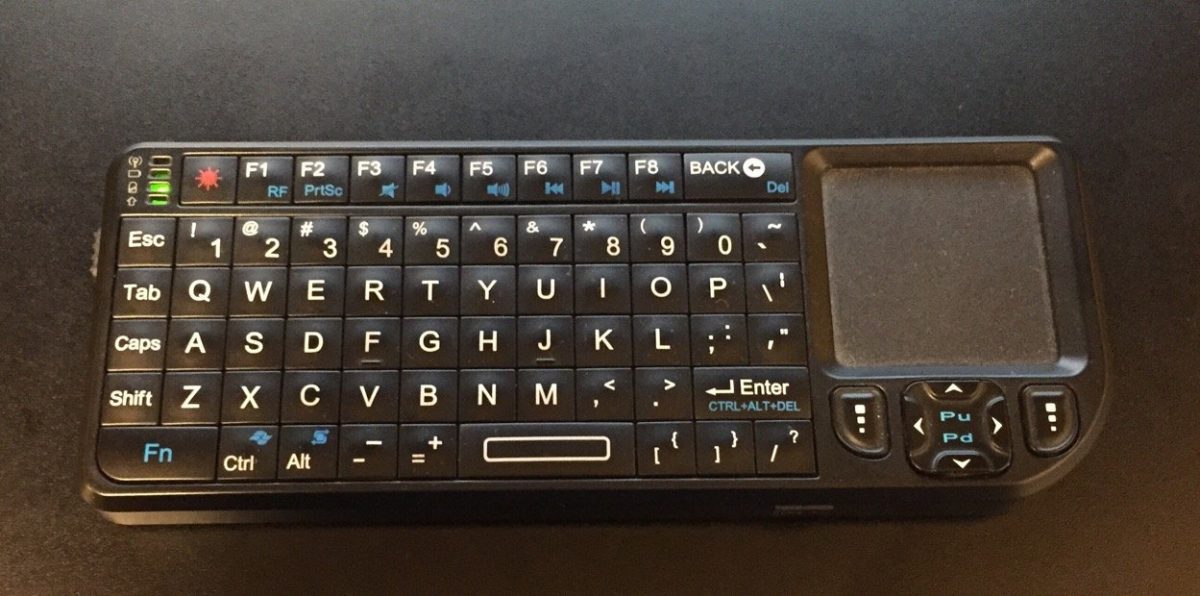
I do not want to use my mini keyboard to control the Pi.  I set out to find a Pi compatible IR receiver so I can use my Logitech Harmony One remote with it.  That was something I cannot do with my Sony Google TV.  It annoys me and MC doesn’t like two remotes.  I found a USB IR receiver that what appears to be the perfect solution for me.  I also bought a bluetooth USB adapter for the Pi.  With those two additional adapters I think I have all the accessories I need to leverage the Pi as my media center.

Once I am able to program my Harmony One to use with the Pi I will give it a test run.  All in my costs will be nearly $90.  For that price I could have gone out and bought an Android TV device or an Kindle Fire TV.  I could also have continued to use my Google TV with no extra cost however I have been actively trying to avoid using google products.  The Google TV is the last thing I rely on from Google for my personal use.  That is another reason to hope the Pi suits my personal needs.

I am also interested in some additional configurations I can try on the Pi.  For example I would like to try out OSMC a Kodi variant for the Pi.  All I need to do is swap out the memory card and I have a completely different config without messing up my Rasplex setup.  I would also like to investigate some music and video streaming options, however OSMC is up first after I bake in the Plex setup.

Building My First Raspberry Pi

I have owned a Raspberry Pi for about a year.  I had high hopes for it but never got around to building anything with it.  A few weeks ago I saw that there was an official Raspberry Pi 2 case and I got to thinking about all the things I wanted to do with my original Pi.  My mind then went wandering that since there was a newer version out and a shinny new case that goes with it I wanted to get the upgraded kit and check it out.  I ordered the Pi 2 and a wifi adapter from Amazon for under $50.  The case is on its way from a different vendor for $10.  All in a computer for less than $60 is not bad.

My new Pi 2 and wireless adapter arrived earlier this week.  Today was the first day that I finally had the time to sit down and install an OS on the Pi 2.  Amelia was napping and MC was at a party with Teagan.  My inlays were visiting but my father in law was relaxing on the couch and was interested in what I was working on so there was plenty of time to tinker.

It took some digging for me to to find a Micro SD card that had enough space on it that would work with the Pi lying around.  It only took a few minutes to download and prep the SD card and get the install going.  I was happy that i still had my old mini keyboard and trackpad that i bought when i was using my Mac Mini as a media center.  I was plugged in and installing the OS in only a few minutes.  The Pi only takes HDMI video input.  I have an HDMI to DVI adapter however I do not have any normal monitors in my apartment.  My desktop computer setup uses an Apple Cinema Display and the only other monitor I have is a USB DisplayPort powered 15″ LCD I sometimes use in the bedroom when working from home.  That meant I had to use the TV to setup the Pi.  Not a big deal and the OS setup and wireless configuration only took a few minutes.

I had some minor challenges getting a VNC server setup but once that was done I had a completely working Pi with remote access running.

My next steps is to see what media center options I have.