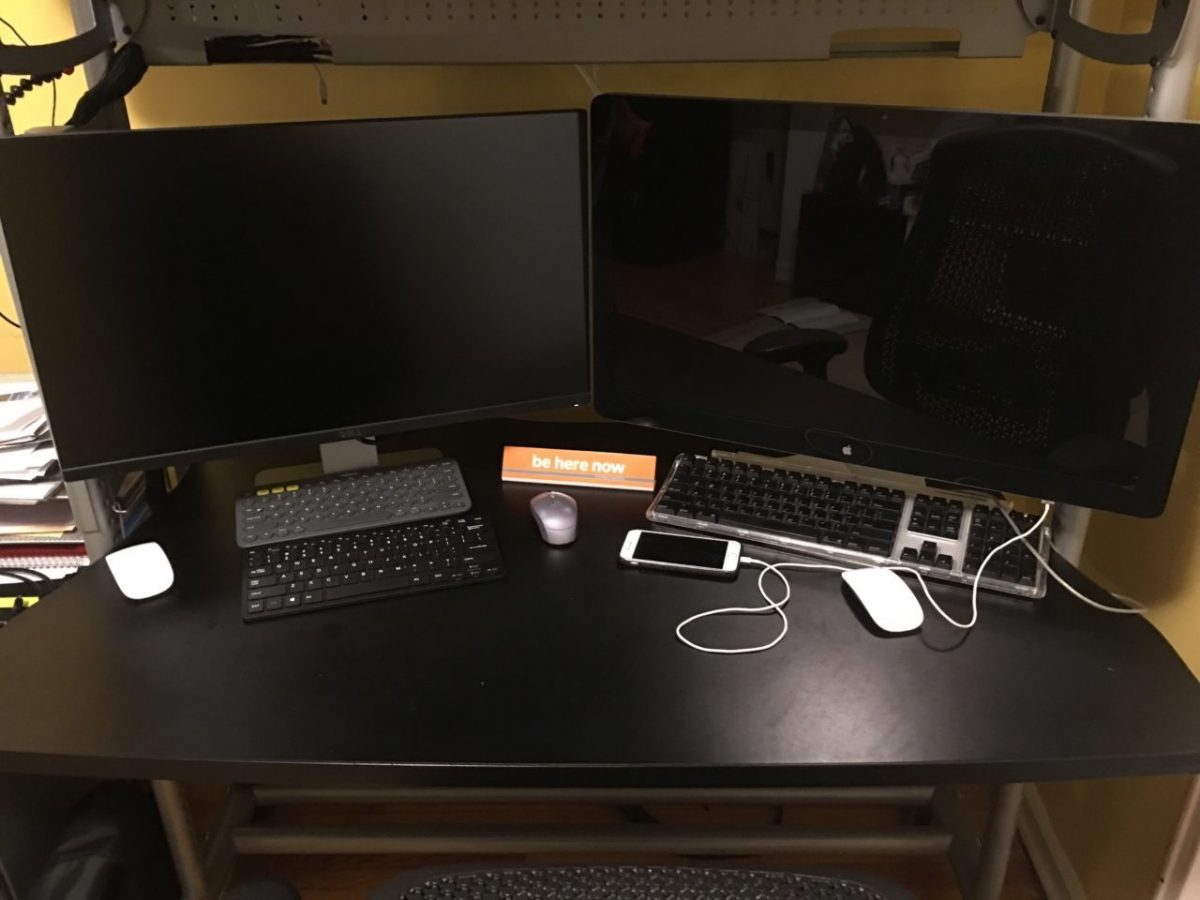
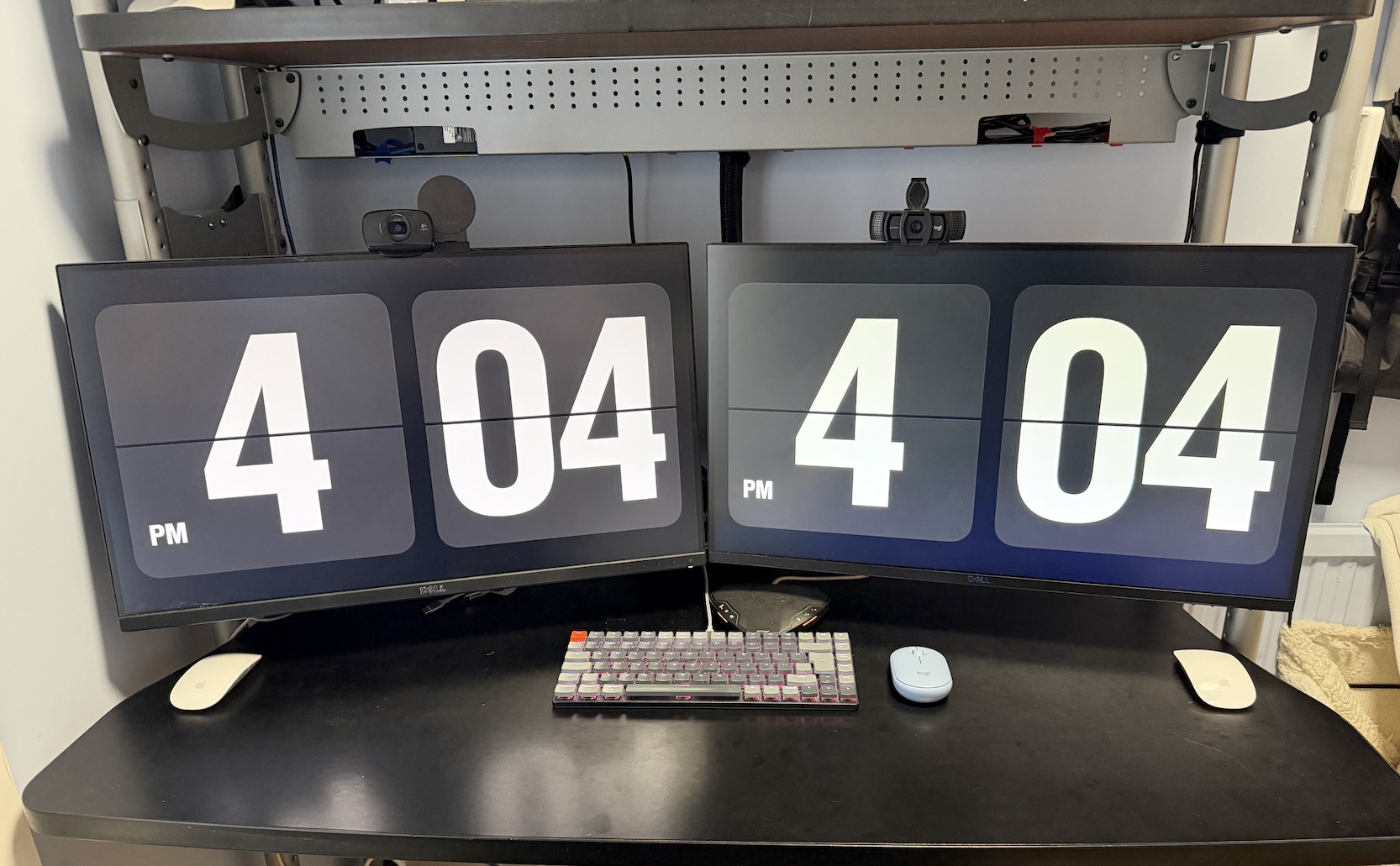
I’ve had dual monitors on my desk for as long as I can remember. There was even a stretch when I was single and had more space where I ran three. It’s the same desk I have today, but back then it had a bridge section making the corner, with an L of extra desk where a third monitor lived. It was nice. A computer for one thing, a computer for another. I peripherate on computers. Back then it was the server, the laptop, the work laptop. Now it’s really just personal and work.
The thing is, I’ve almost always run individual setups. One monitor, one machine. Pivot between the two as needed. Lately though I’ve been eyeing a bigger monitor, partly because the ones at work are genuinely nice. Slightly curved, something in the 30-plus range, not as big as I want, but really nice. I also like the idea of a cleaner desk. In the past I used software to move keyboard and mouse across two computers using two monitors and one mouse and keyboard, but my work machine is locked down tight enough, rightfully so, that I can’t install anything like that. So it’s been two keyboards and two mice, physically. Even with an Ergotron monitor arms keeping both screens off the desk, between the monitors, the keyboards, and the speakerphone, it gets cluttered fast.
So I’ve been paused on the bigger monitor for a while. Partly because the one I actually want, the largest decent one that fits my space, costs more than my last computer. I’m hoping the price comes down, or I talk myself into something cheaper, but that’s only part of it. The bigger part is that because it’s so expensive, I don’t want to just pull the trigger and end up unhappy. Unhappy in the sense of: do I actually want single-computer focus, or do I want the ability to pivot between two things running at once? Historically I’ve always liked the pivot. I’ve had KVMs around for probably 25 years, going back to a four-port one on part of my desk at work and a dual one on another when I was building systems. Not something I do now, but clearly that’s foreshadowing where this goes. My kids actually asked me about all this while I was setting it up, which was a fun tangent.
So the thinking became: if I’m not sure the big single monitor is worth it yet, is it worth getting a proper KVM instead and using both monitors I already have, just switching computers on the fly? I’ve tried the manual version of this before, switching monitor inputs by hand between the two computers, and it’s a nuisance. Not fast. Basically a one-time decision each morning (this monitor goes to work, that one stays put) rather than something you casually flip back and forth on, because you’re waiting a minute or two for the input to catch up every time. A KVM is just press a button and it switches. That was the appeal: I don’t need both computers live and visible constantly, but if I need ten seconds on the other one, I can jump over and jump back.
I did the research (with some help from Claude, since I had a pretty specific use case) because both computers are MacBooks with different video requirements: a MacBook Air at home, a MacBook Pro for work. I’ve also got two docks in play, a Dell Thunderbolt Dock WD19TBS for my personal machine, plus a USB-C extender with HDMI I’d been using, and an old Dell D6000 dock from work I could put back into service. I had to give the AI very specific details on exactly what hardware I had, and whether it would actually work together. It came back saying one of my docking stations might be problematic and flagged some KVM models and brands worth looking at. I settled on a TESmart DKS202-MC24, found an open-box unit on eBay about £120 cheaper than new, and also picked up a used Dell WD22TB4 dock, a newer generation than what I had, on the theory it would fix a potential DisplayPort driver issue with my existing setup.
Everything arrived last week and I set it up. The MacBook Air side gave me trouble right away: instead of extending across both monitors, it just mirrored them, which isn’t how it’s supposed to behave. Not entirely sure if that’s on the docking station itself or something about how the KVM sits in between it and the Mac. Either way, the fix was to stop routing that monitor through the dock. That port wasn’t actually spare, I had a mini YubiKey plugged into it, so I moved that over to the dock to free it up, then ran a Thunderbolt to DisplayPort cable I already had lying around straight from the KVM to that monitor instead. Now I’m running two cables: one to the dock, one direct. Not elegant, but it works.
Side tangent I keep circling: I’ve been wondering if I actually want a Mac mini instead of the MacBook Air, even though the Air is fairly new. I’ve been using my iPad more, and I’d rather have a fixed machine at the desk for the remote AI sessions and similar work, which points toward a mini rather than a laptop I’m not really using as a laptop. If something happened to it, we do have an older M1 MacBook Air the family keeps around that my wife barely touches and the kids ignore in favor of their iPads, so there’s a fallback. But that’s getting ahead of myself. For now, the Air setup functionally works. If I went with the Mini I wouldn’t have this dock in the middle of the configuration.
The work side had its own flakiness. Even with the newer WD22TB4, the second monitor doesn’t always get picked up. Same fix: I plugged one monitor directly into the MacBook Pro instead of routing it through the dock. The Pro has more ports to spare, and I wasn’t using that second one anyway, so it’s a reasonable cheat. Both monitors work now. The WD22TB4 kept being just flaky enough, though, that I eventually gave up on it entirely and went back to the D6000 as my daily work dock, with the WD22TB4 sitting unused for now.
Even without any special software, the keyboard plugged straight into the KVM switches between the two computers with a keyboard shortcut, seamlessly. I’m using a Keychron K3 Version 2 wireless keyboard, UK ISO layout, but I’ve got it wired in for this to work, which mildly annoys me since the whole point of that keyboard is Bluetooth. Except this isn’t actually new: even in the old two-computers-two-monitors setup I just left, I had two of these same keyboards wired into each computer anyway, because Bluetooth took too long to wake up whenever I came back to the desk. So wired was always the practical answer, I just needed two cables for it instead of one. Now there’s exactly one keyboard cable on the desk instead of two, which is basically the only real cable left.
Mice are messier. I like Apple’s Magic Mouse, but they pair directly to a computer over Bluetooth, which won’t work with a KVM. I’ve got a Logitech Pebble mouse that does switch between the two machines through the KVM via USB, but I’m not a fan of how the scrolling feels on it. So for now I’m still running two mice on the desk and slowly trying to wean myself onto the Pebble full time.
The end result, though, is pretty good. I’ve been living with the dual-monitor-plus-KVM setup for both work and personal use over the past couple of days. It takes some adjustment, figuring out the habit of what lives on which screen. But so far, so good. I’m hopeful enough about it that I still picture eventually moving to a single unified monitor, which would simplify all of this considerably.
The catch there is that as much as I’d want the monitors closer, they’re honestly already too close because of the metal shelf poles running above my desk. It’s all one unit, so if I pushed the monitors back to give myself more room, the poles would start blocking the view. The monitor I’ve been eyeing, which is by no means the biggest one I actually want, just the biggest that fits my space, would fix some of that and let me adjust things properly. I’d originally wanted something that matched the exact real estate of my two current 27 inch monitors combined, but that simply won’t fit on the desk. And now that I’m actually living with these two side by side, I’m realizing I don’t really use the outer quarter of either screen anyway, since it means pivoting my whole body to see it. So the smaller monitor I’m looking at, and by smaller I mean still around 40 inches, is probably plenty. That’s a topic for another day, if I actually pull the trigger.
For now, so far so good on the dual monitor KVM setup.
And if you read this far the time of 404 was not at all intentional.