The Story of My Mac Mini M1

I had been waiting for Apple to come out with a new Mac Mini that I can upgrade to for a long time. I even wrote about it as far back as 2016. By then it had been two years since Apple had released anything new in the Mac Mini models. I had the 2012 model at the time. They had came out with a 2014 model however by 2016 when I wanted a new computer it was not worth spending money on a two year old computer model that is only slightly better than the one I already own. The challenge was what I owned was four years old and really needing a replacement.

It would be another two years before the mini was refreshed in 2018. At that point I was prepared to buy a new one. I may have even had an order ready to go. However on reflection the differences between what I had that was six years old in the 2018 variant wasn’t hugely different and the amount of money was not insignificant. At the time I past on an upgrade and just used a laptop as my desktop. I also purchased A significantly cheaper Intel Nuc with better specifications that I put Linux on.

Even after coming up with an alternative plan I still really wanted a Mac Mini. I just couldn’t justify the price for what it was getting me. Flash forward to fall of 2020 and I was excited to pre-order a M1 Mac Mini. I did in fact have an order placed and it was on backorder for about six weeks. After a little while though I talked myself out of getting it and continue to use my old laptop. It was not until this winter then I finally decide the time was right to make a purchase. For the money the mini was a pretty nice computer with the M one chip in it. I also had a 12 inch iPad Pro that are used around the house and out and about like a laptop. It’s not a laptop replacement however someone said the perfect quote that it’s about 90% of our computer replacement. For when I’m not at my desk having the iPad Pro is perfectly fine. For when I sit at my desk having a desktop computer works better than a laptop docked to a monitor.

After literally over four years of waiting I finally got my new mini. Was it worth the wait, I won’t say that. It is a pretty nice computer though. my 2012 mini stop being functional as my main computer about three or four years ago. I used it for a while with Debian on it. At this point it is a paper weight.

I was so slow to write this post that a funny thing happened after a few months with my Mini. I started missing a personal laptop or the freedom that being undocked from a stationary position. Even if it was rare that i did it, the flexibility was nice. I went out and got the stock 8Gig M1 MacBook Air. I was worried that the base configuration was not going to be powerful enough. I was wrong. It has been perfectly fine. After having the MacBook Air a while i can say that i do not use it away from my desk often. When i do it is worth the flexibility. I do see the iPad Pro 12” getting flexible enough that i may change that decision over time.

As great as the Mini was, after about a year I had sold it on eBay in favour of the MacBook Air. I still miss a desktop now and again but the laptop is way more flexible.
My MacBook Pro Repair

Even before the lockdown in March I was working from home a lot. It was cold, i was sick on and off in the early winter, etc. That meant that my MacBook Pro was almost always plugged into my desk monitor. One day a few weeks ago I unplugged reboot it and do something on the native keyboard and not use the bluetooth one I usually do. When i did i noticed that the lid did not close all the way correctly. The bottom bulged out a bit as well and did not sit flush with the table. I had a bad feeling something was wrong with the battery.

Once lockdown was lifted enough i wanted to bring the laptop into the Apple store. problem was all appointments seemed to be booked up. After days of trying i saw an appointment open up for mid week on the week i was on holiday. Turns out i was right and the battery likely had an issue. Luckily work had apple care on it with support left for over a year. I hopefully get it back within a week. To Apple’s credit I got a call/email 6 days later saying the computer was ready. I wasn’t able to get out of work early so I picked it up the next morning. Exactly a week after I dropped it off.

I am thankful that I setup a Windows 10 machine at home that I was playing around with. I was able to use it for the 2 work days that the MacBook was out at repair.

My New New New MacBook Pro

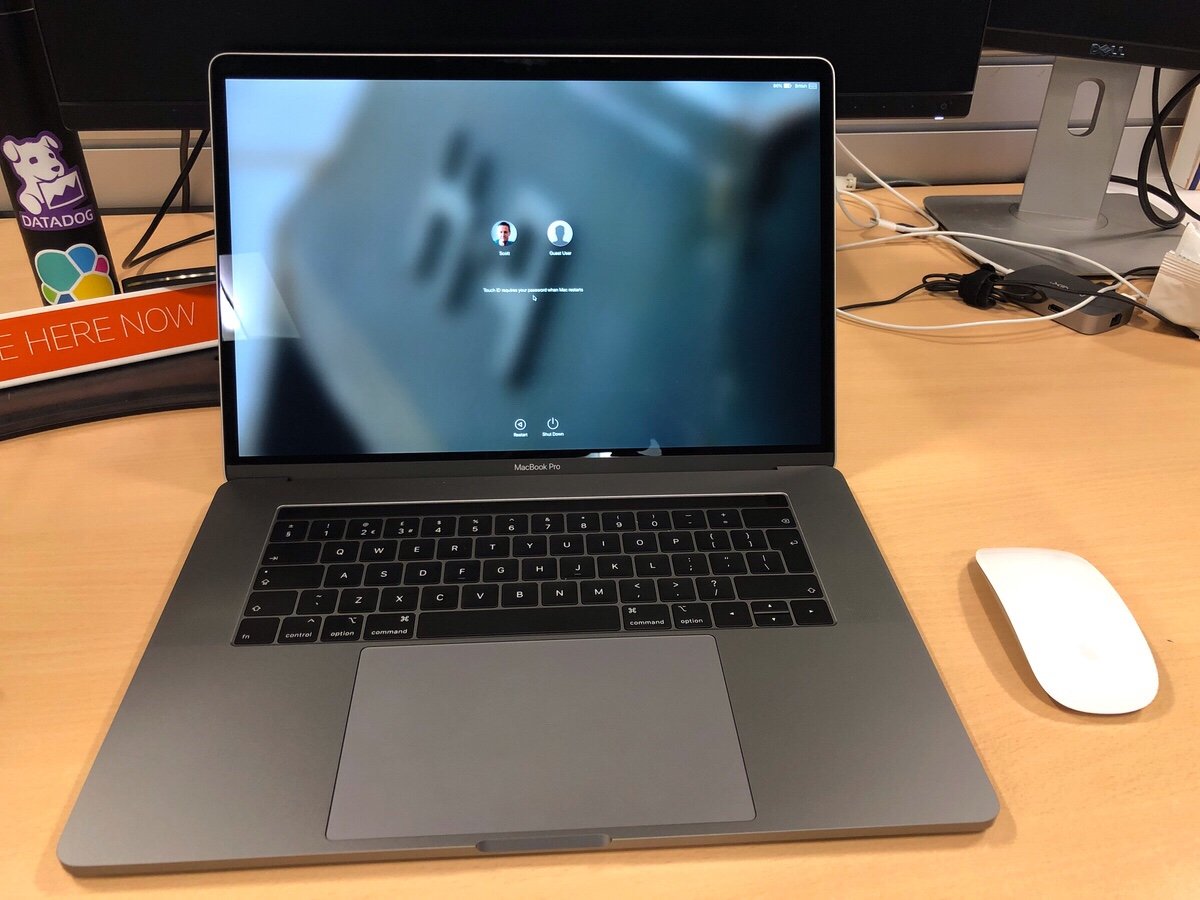
Yesterday (as of writing not publishing this) I got my new MacBook Pro for work. I requested it in May and due to several factors I only received it in late August. The good news about living through a huge lead time was that after the new model was announced I got automatically switched over get that one since they couldn’t source the old one. Turns out they will order you a new computer when the battery starts bulging on the old one to the point where it won’t lie flat on the desk anymore. On top of the fact that it was out of warranty.

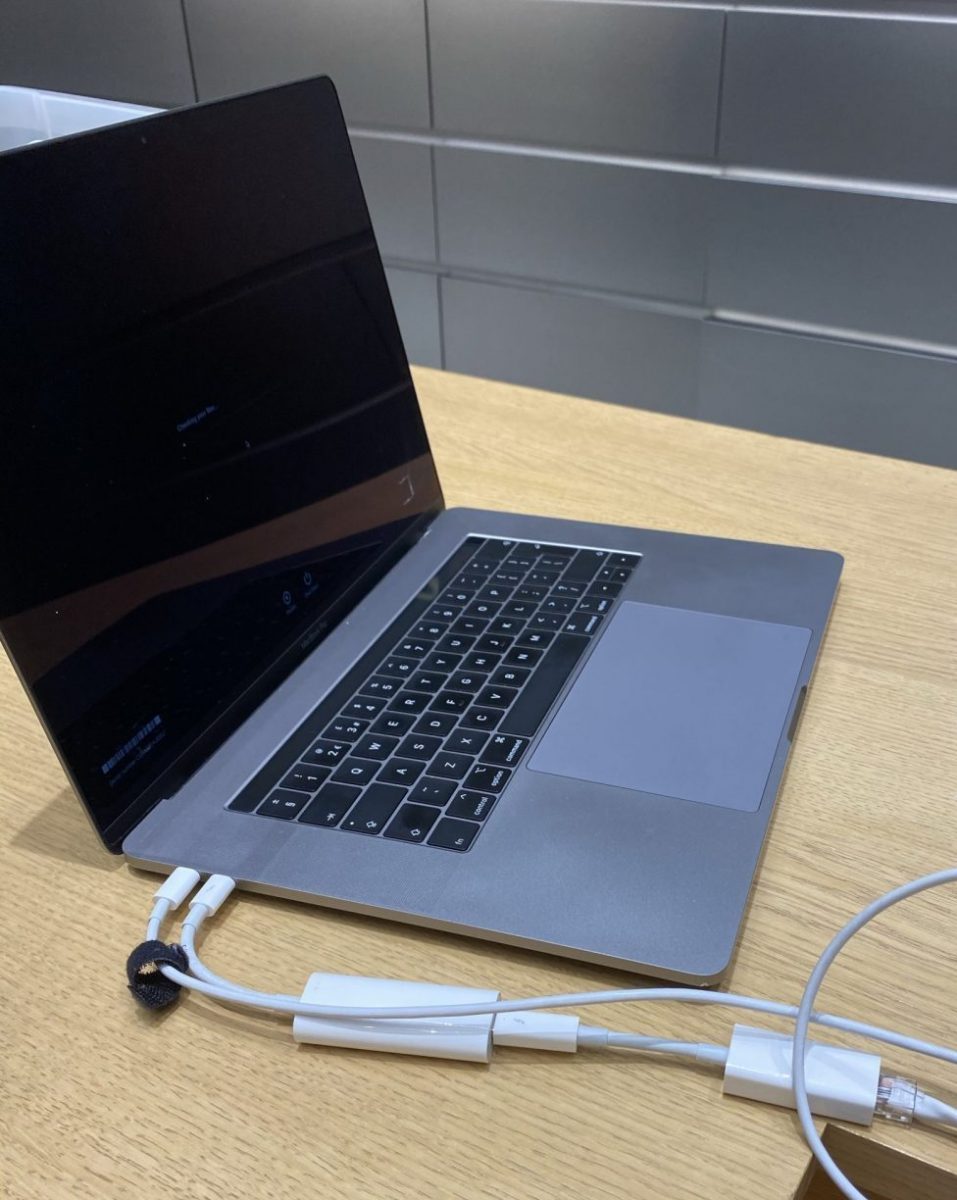
Thew new MacBook Pro is pretty nice. It is a well-equipped 15″ touch bar in space gray. I spent all of my spare time over the past two days including last night on my couch trying to set it up. In many ways this computer is more powerful than the 2015 13 inch pro I have. In others it’s not. It has the same amount of RAM. It also comes with the same SSD size. The processor is several generations newer. There is a discrete graphics card in it and it is the same weight as my old 13″ model since prior generations made the machines lighter.

The biggest first world problem I have with it is that it’s a 15″ machine. It doesn’t fit into the bag I have and love. It may be the same weight as what I had previously but compared to a new 13″ model it is a pound heavier. One of the reasons I opted for the larger one is that a lot of time I work from an office that I am not officially based out of that is nearby. I don’t always have the opportunity to get a desk with a monitor. Working off a 13 inch screen with my eyes isn’t the most fun thing to do in the world. The 15″ is a bit better but still not obviously the same thing as sitting in front of a 24″ or 27″ monitor.

The decision I had to make was what has become the typical laptop trade-off question. Do I go for size at the detriment of performance? Or do I go for the bigger much more powerful machine? In my case I yin-yang and went with the larger MacBook. The final deciding factor was simplicity. The size and configuration I ended up with is a standard offering. The smaller 13″ MacBook would have to be a special order and thus take more time. The feedback I got from friends who tried it said just buy the 15 inch and be happy with it. So I did the opposite of what I did several years ago when I went from a 15″ to 13″. I went from small to big. My reasoning changed because my situation changed.

One of the huge downsides of the new Macbook’s are the fact that they require USB C. Since most devices are not USB C I need dongle’s. I have two USB to USB C adapters in my bag. A USB C to DVI adapter in my bag. On top of that I have a small dock in the office I travel to and a full dock at my regular office. Hopefully more USB C native devices will come out however its been a few years since these models were launched and its not much better than it was when they first came out.

Next up is getting my stickers on it…

My Sort of First Mac, Again

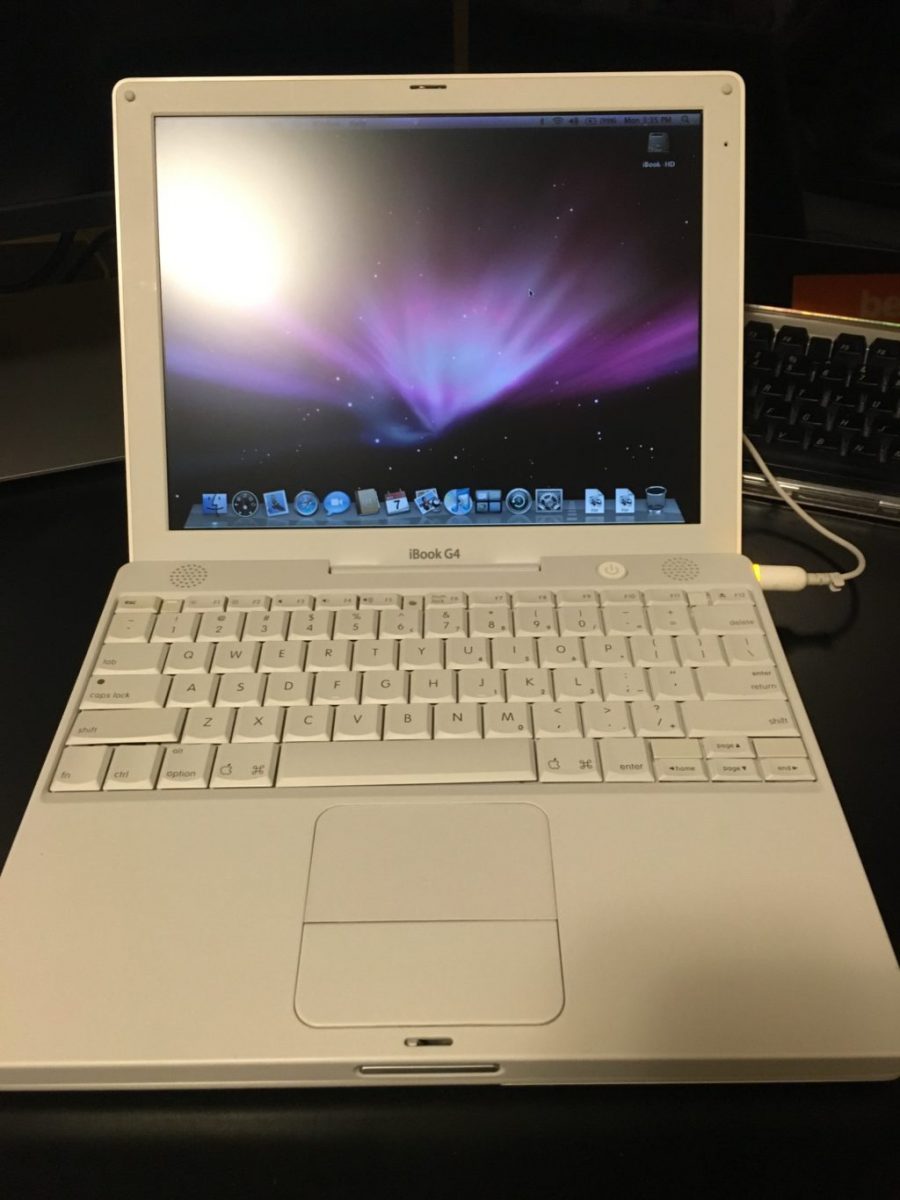
Back in November while I was searching for the iBook G3 clamshell I got curious and was looking up other Mac’s that I might be interested in. I immediately was drawn to  the first Mac that I ever bought, the iBook G3 12 inch in white. I was pleasantly surprised to see this model plentiful on eBay and also relatively inexpensive at about $50-$75 depending on condition. For that price I kind of wanted to buy one. What I ended up searching for and buying was not the exact model that I owned. That was because the advice I was given was that model is prone to issues. So I stayed away from the G3 polycarbonate white and got the last version made in that body type that was a G4. It was harder than I thought to find one that did not look visibly beat up. After a while I did find one in order to.

After getting the laptop the screen feels a little washed out however I’m not sure if it’s this particular computer or if I just don’t remember the screen being like that on those older computers. It’s still very usable and I was happy to see that the keyboard and hand rest was in good shape. I purchased some headlight cleaner from a recommendation that is perfect for cleaning polycarbonate. I haven’t yet however I intend to clean the shell of the computer to get looking in better shape.

As with the G3 clamshell I have specific plans in mind for this computer. It is not just an impulse by to sit around. Now that I have them however I’m not sure if I’m going to swap what I intended them to do or not. I might end up just keeping the clamshell G3 for show since it looks awesome. I would then use the polycarbonate white G4 to do what I wanted to with the G3. Use it as an educational computer for the girls. I have my eyes on my favorite PowerBook of all time. The 12 inch PowerBook that I owned three or four different versions of over the years. If I do get that I would use it as my off-line writing computer that the polycarbonate white computer would have been used for.

As I am slowly preparing to install software on these computers I’m surprised at how much software I saved that is in my backup archive of Mac software that will run on the later variance of OS 10 at work on the PowerPC chips. There is a bunch of things that I’m missing from my latest backup that I have online. I need to go to some off-line hard drives with backups circa 2009 or so to get a few more applications. In any event I should be able to easily do what I want to do with this computer.

Now all I have to do is find time to work on this and other projects I would like to take on.

My Sort of New Vintage Keyboard

In addition to the vintage computers I picked up I also bought an Apple Pro keyboard from the early 2000’s. Over the summer when I bought my wireless Bluetooth mechanical keyboard I did so because I thought fondly of my old black Apple Pro mechanical keyboard. As I was shopping for vintage Mac laptops I started to look for how much a pro keyboard would cost me. Most of the ones I found were pretty dirty shape. The going price was somewhere in the range of $30. I searched around and want to bid on one that looked pretty decent. With shipping I think I paid less than $40. For a good mechanical keyboard that’s not so bad.

When I got it I was eager to tried out. It typed as I remember it did. After using it a bit I did realize that my new Matais mechanical keyboard based on the same movement typed nicer. I found myself able to type faster and more comfortably on that one however the old Pro keyboard is still pretty slick.

I was using the Pro keyboard on my second computer set up for a while at home. A few weeks ago I decided to bring it into the office to use so I can bring home the Matais keyboard. The computer it’s plugged into I delight amounts of typing on however having the mechanical keyboard on it has been an improvement over the newer white and silver Bluetooth Apple keyboard that I had.

My experience with the Pro keyboard versus the Bluetooth Matais makes me want to get a new wired mechanical keyboard. The only issue I have with the Matais is it loses its Bluetooth connection with my laptop much more frequently than I would like. I had many more problems with it than I do with my Mac keyboards. That was one of the reasons why I took it home.

I Bought a Classic iBook G3 Clamshell Laptop

One of the guys at work has been talking about some of the old computers he’s been buying and reconfiguring or restoring to get working. It’s fascinating to talk to him about it partly because he’s very passionate around the topic. Also it’s something that I have thought about doing with one or two computers but never had the space or time to want to do it.

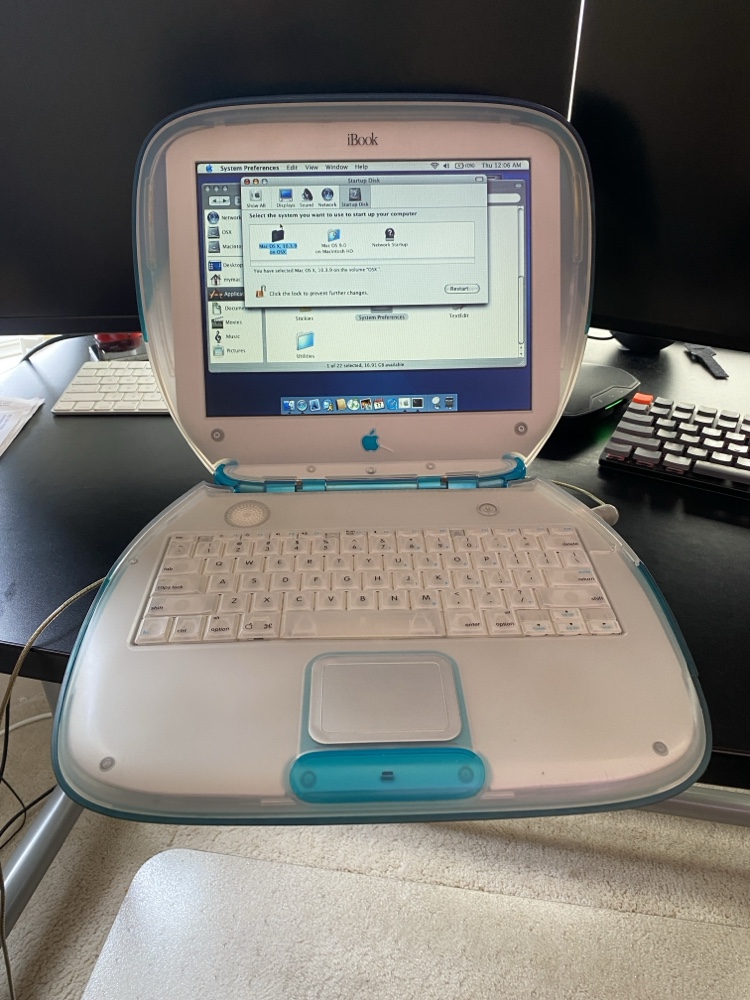
I’m finding it very funny that for some time now I have wanted a classic iBook G3 Clamshell laptop circa 1999. I never owned one however they always did look pretty cool. I personally did not get into Max until the G4 around 2002. I’ve also wanted a lampshade iMac. For some reason I keep thinking about the 15 inch version although the 17 inch is better and the same physical footprint. I owned a 20 inch version of that computer and loved it. I was reminded of my desire to want the iMac when I was at my sister-in-law’s I saw that she had one and she commented about oh that old thing or something like that. I told her I’m jealous since I actually want one.

The final straw for me was when my friend was talking about how he bought and restored and upgraded the G3 iBook. I started asking questions around how we found a good one and how much it costs. He gave me a bunch of pointers on what to look for on eBay and I started to search. The prices weren’t too bad however I was surprised that a 18-year-old computer was worth even that much. It goes to show you that this particular model was in demand. I found a blue G3 that had its internals upgraded to slightly better variant that did not come in blue. It also had an SSD instead of an IDE hard drive. Even had a new power brick.

I was ex cited get the laptop however when I got it I realized there was something wrong with it. The LCD backlight was out. The seller on eBay was extremely accommodating and I sent back the laptop. He fixed it and send it back to me. I had a choice of a full refund or options on a different model but after I got the laptop it was in perfect shape other than the backlight and one hairline crack in the case. The crack was visible in the auction pictures even though I didn’t see it myself the first time. The computer was still functionally fine with the crack and he barely noticed it so I was happy to keep this particular computer if he could get the LCD to work. Thankfully he was and shipped it back the same day he got it after fixing it.

The girls wanted to play with it. Originally that was my idea to get it working with some educational software for the girls to use. Now that I have it however not so sure I want them playing with a vintage laptop. Just because it’s so cool I don’t want them to break it. It’s very heavy I’m not sure other than the LCD if they could break it but I don’t want to chance it. I do have a few use cases in mind for it.

My friend needs to own up and take responsibility for all the money I spent since knowingly or not he gave me the idea to go out and buy this laptop. I was just following is very bad/very good footsteps regarding vintage computers.

The Time I Had To Nuke The Site From Orbit

Back in mid July I noticed something odd with my Mac Mini.  It turned out that At some point in the past few months my chrome browser on my Mac Mini at home was compromised. I’m not sure if it was malware or a configuration hack on the browser.

The problem may have existed for some time. I do not normally use chrome on my home Mac. What I noticed that was odd behavior  after I launched chrome to log into my Google account. Whenever I use my Google account I always login via chrome. Call me paranoid but I do not want Google possibly tracking activities via my login on Safari that I use as my daily browser. When I attempted to log in I noticed that after clicking on login from Google.com  I got some fake message about my Google account being compromised. The funny thing was I never actually gave it my login credentials and the screen that was displayed didn’t look at all like standard page on any Google site I have been on.

My first reaction was to clear all the settings on the browser like it was a brand-new set up. I then tried again however the problem persisted. That was concerning to me.

My next step was to completely delete the Chrome browser from my Mac and download a fresh copy from Google.com using a different browser. That worked and once I installed the new version everything seemed okay. The lingering question I had was how contained was the problem I had? I some confidence but not enough that  issue was purely within chrome.   I had no definitive evidence to back myself up. 

To be safe in the immortal words of Riply from the movie Aliens  “nuked the site from orbit”. I created a carbon copy cloner image of my OS drive and then deregistered any application I needed to associated with this computer and wiped it. That was the only way to be sure that there was no ongoing compromise to my system.

The rebuild process was slightly challenging and took more time than I’d hoped. As I was trying to reformat the drive in recovery mode the computer kept crashing. I am not sure why.  That forced me to start to do a network boot and download the original operating system that came with this Mac bypassing the step on my local hard drive that was crashing. The machine is from 2012 so that meant at least three OS upgrades to get me to the latest. By the time I completed the original OS install I was able to download El Capitan on my MacBook Pro and create a boot USB key. The USB key worked so I was able to save a significant amount of time and jump right to El Capitan.  I was handful I did not need to complete several more upgrades. The parallel efforts paid off of trying to create the sub key boot disk from my laptop paid off.

Once I had my base install done I was able to patch the system and install the standard applications that I typically use. Because I use Bittorrent Sync for replicating my data restoring most of the system was as simple as reseeding my data on this machine. It took several days for the data to replicate however when it was done everything was fine.

Weeks later there are still some applications I haven’t finished setting up yet. Of course that means I don’t use them that often so it’s a minor inconvenience. The main applications I use already set up and working perfectly fine.

For me the moral of this story is my data replication set up works. I also confirmed what I already knew that no matter how diligent I am I can still be compromised. I think the problem is existed for a while however have no way to prove it. Recently I have started compartmentalizing some of my web browser to prevent such exploits. That I hope will mitigate risk for the future however nothing is 100% safe. That Compartmentalizing effort in and of itself is a blog entry I’m working on.

My New Mechanical Keyboard

I am finding it pretty funny that society in many cases has conditioned us to think new and shiny stuff is better. A few years ago I started reading about getting shaves the old-fashioned soap and a brush. That led me to buying old school one blade safety razors for a time. Since then I’ve evolved to a more expensive and more modern twin blade. My point though is the technology from the middle of last century for me works better than any of the modern stuff. Today I get a better experience with the twin blade and shaving soap and a brush then I ever did with a fancy Mach 3,4, or 5.

Taking that lesson learned I should have come to the same realization on certain technologies. About 9 or 10 years ago Apple released their new style keyboards. It mimics for had a similar movement to keyboards on their laptops. At the time I thought that was the coolest idea that we give me seem typing experience when I work directly on my laptop or when I worked at my desk. The new keyboards were nice and shiny white. The best part was they had a small wireless version was pretty nice size compared to previous wireless keyboards.

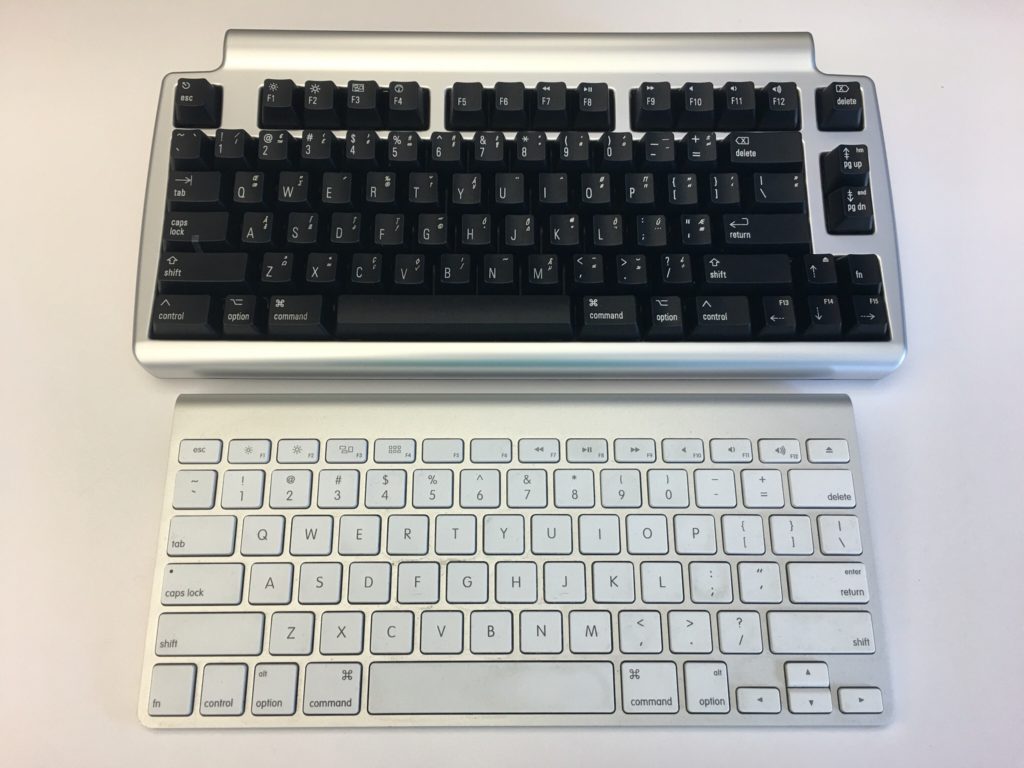
At that time I had been using a White Apple Keyboard 109 Keys A1048.  I wasn’t that impressed with those keyboards and I’m not really sure why I got rid of my prior keyboard the Apple Pro Keyboard (M7803). Those were really good. I think it was related to the fact that at the time I was using an iMac and they came with the white 109 key keyboard. I likely would’ve sold the Pro keyboard when getting rid of a PowerBook. Looking back that was probably a huge mistake. At the time I thought the upgrade to the laptop like sleek mobile keyboard would be a smart move for me.  Even after I had the new keyboards for years I was relatively happy with them.  Flash forward nine years and I saw an article talking about the highlights of a Bluetooth wireless mechanical keyboard that also muffles mechanical movement sound (the Matias Laptop Pro Keyboard for Mac). Even though I was interested, I thought that at the time that I was generally happy with what I had so it wasn’t worth the money.

The idea of the keyboard was still pretty cool yet I was still interested in trying to help my hands make it through the day of typing. I have had repetitive stress issues with my hands on and off for a while. Well I think that’s what it is. Let’s be honest the one Tyler brought up to my doctor he said just rushed her hands and you’ll be fine since the issue seemed very mild.  That being said on some days towards the end of the day my hands feel really tired from the typing. That has been a major driving factor for me to use the dictation.

A few weeks ago the topic came up with someone at work. I think we were either discussing wrist pain or that he was building a vintage computer that the discussion on old-school mechanical keyboards came up. As it turns out he had done a lot of research on the topic and was able to geek out with me on the different mechanical movements of old-school keyboards. I showed him the link to the Matias and we did some basic research on it. Turns out the Matias is based on the same Alpine mechanism that the Apple Pro keyboards were that I liked so much. With that knowledge and a renewed focus on my typing comfort I splurged on the keyboard.

When I first got it I was concerned that it would take me some time to adjust. I’m always worried that during that adjustment. I’ll get set up and just not like it. That leads to returning or not using the device in question. With the Matias keyboard however within an hour or so I realized its value. It felt that I could type faster with it then I was on my old one. It also immediately felt comfortable to use. On both counts I was extremely pleased.

The only drawback I’ve noticed is that I have to tell it to connect to my laptop every morning. It’s more of a minor inconvenience than anything else. There were one or two days in the past month where it didn’t connect and I needed to go into Bluetooth settings and reset it. The only other issue I’ve had is only once or twice there was some lag from when I typed something to when it went on the computer screen. Reviews of the Bluetooth keyboard reported similar issues however it’s not a major problem for me at this point. I like a wireless keyboard over a wired one however if I need to buy another one might pick up the wired version.

Since I do most of my typing at work this keyboard home at present is in my office. It is so much nicer to use this mechanical keyboard versus the new Apple rechargeable wireless keyboard that I have at my desk at home. I bought one of the rechargeable keyboards and it came out since using or chargeable batteries in the old blue two keyboards were pain. They weren’t keeping charges. I was also curious at the time if the new keyboards would be more comfortable to use then the old ones. It wasn’t. I was surprised at how much worse the new one felt to type on. At this point I think I’m gonna save and buy another one for home.

If this was a product review I would likely give it five stars.

A New Mac Mini Please…

My desktop computer at home is a 2012 Apple Mac mini. At the time I got the slightly upgraded version with the fusion drive and 16 gigs of RAM. Four years later it is starting to show its age. For most people it would probably still be a perfectly good computer however there are certain functions I’m noticing I need more power.

I would love to retire this Mini and relegated to act as a backup node on my Bittorrent Sync network. The challenge that I have is that the current Mac Mini model is from 2014. I cannot justify myself to buy a brand-new computer with technology that’s two years old to replace a four-year-old computer. My choices then are either purchasing iMac, build myself a Windows 10 or a Linux machine. My only other option is to wait for the mini to be refreshed.

For me Windows is not practical. I haven’t used Windows as my primary computer for work or professional life in years. I use a Windows computer when I need to at work and I have virtual machines for when I need it however living on one at home day in and day out just doesn’t seem like something I want to do. I have been wanting to build a Linux desktop however today it doesn’t offer me all the software I would need to replace my Mac. The iMac is compelling however I have not been a fan of the all in one computers. I’ve owned several iMacs and had challenges with some of them. Every time I think man those are cool I remember my burn in issues I had on to back to back iMac’s. Other reasons to avoid an iMac is I have been eyeing a bigger monitor than my current 27 inch. I would love a 34 inch widescreen however the current mini I have cannot support the resolution for one. If I do end up getting a second desktop running Linux I would want to plug it into the same monitor. I’m trying to stay is future proof on whatever I buy now as possible.

Since I haven’t been able to come up with a solution I am happy with I continue to wait. Every Apple announcement I hope they will refresh the Mac Mini and then sadly they don’t.

I know the one last option I have that I didn’t mention prior since it is super expensive is the full Mac Pro desktop. The cost alone is a nonstarter for me. Add to that it has not been refreshed as long or longer than the mini makes it not a viable option for me.

As Tom Petty says the waiting is the hardest part. Now I wait some more…

Mac Quicken Update

I’ve been using Quicken 2016 on my Mac for a few weeks now. I have had less issues regarding duplicate transactions than I did with Bankify. That’s the good news. There are some growing pains however. Not everything works as well as I would like. There’s one stock that the system won’t find so I have to manually updated if I want to get the correct values.

I haven’t had as much problems with reconciling my accounts as I did with Bankify however it hasn’t been all roses and rainbows. I’m not sure if it’s just issues I didn’t catch in the migration or issues in downloading of the data. It is definitely easier to reconcile however than the old system. So my main objective has been successful.

Other challenges I’ve had with finding things. Editing a payee or category wasn’t a straightforward as I thought it would be. There is no menu option to go to payees. You have to start typing in a payee and then click on the edit button to bring you up all of the payees in window to edit them. If you don’t know that it’s frustrating. The iOS app didn’t seem that useful however I haven’t played with it that much. Of course I haven’t played with that much because it didn’t seem that useful.


All in all I’m hoping Quicken improves with a new Quicken 2017 soon however my challenges are not enough to want me to go back to Bankify. I’ll see how things are going in another month or so.