
Containerizing My Media Center

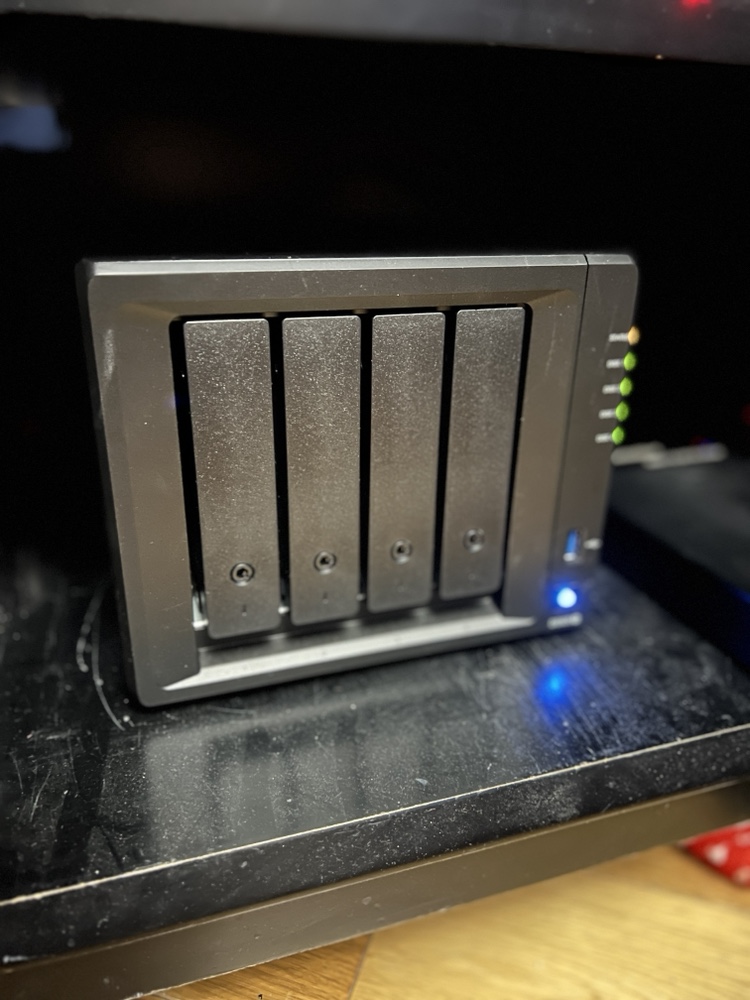
Back in February when my family went on vacation I spent a lot of time playing around with Docker. I converted several applications I was running on raspberry pi’s to run in Docker containers on my Synology Diskstation.

The challenge I gave myself was could I set up the containers to run on the NAS (The Diskstation) while at the same time being able to run them on my Mac mini as a backup in case there was any problems. That meant I needed to figure out how to replicate the configuration information between the devices.

I solve that challenge by setting up a new Resilio Sync folder for all of my Docker config’s. In most cases there was little to no reconfiguration needed to have those config files work on the NAS or the Mac mini. It wasn’t a super elegant solution since it did require human intervention however switching between systems was not something I intended to do often.

I did run into problems getting Plex to run as a container. I was having performance issues in general running Plex on my NAS. My solution was to setup Plex on my Mac mini as a native app. At some point I want to go back and figure out how to get Plex working in a container. Even when I do that I will still need to build a new machine to host it on. The Diskstation just doesn’t have the power to run Plex and my sync application at the same time anymore.  Even with the 4gig I upgraded the disk station to a year or so ago is now not enough.. For now I can continue to use Plex on my Mac. Longer-term I have bought components to build myself a Linux application server to host all of my containers so I can make my disk station just host files.

That Time Were My Security Paranoi Might Pay Off in a Real World personal Scenario

In a recent post I wrote about how I had to wipe my Mac Mini at home due to a potential compromise in my chrome browser. The ironic thing with that issue was for months I’ve already started taking steps to minimize the chance of such an exploit. The problem likely began months earlier and didn’t present itself until recently however the damage was already done. It just justifies the extreme measures I am taking taking in regards to securing my web browsing.

At a high-level my approach is isolating some but not yet all of my browser traffic to Linux virtual machine. I know that theoretically a virtual machine is not 100% isolated. I’m willing to chance using the virtual machine over booting into TAILS using a USB key. That level of inconvenience is not something I typically want to be bothered with and I feel that my current solution will be good enough.

Within the virtual machine I installed Firefox and chrome browsers as well as the TOR browser. I also configured open VPN to use my VPN provider. I then set up a visual cue i.e. a distinct background of the virtual machine to note that when I am using it I am in a semi-isolated system.

To protect the virtual machine from most exploits I take a snapshot about every month that includes the latest patch level for all the applications in the operating system. I do not ever use the virtual machine prior to that snapshot to do anything other thank update software or make base OS and application configuration changes I want to be persistent. Once a snapshot is taken I will use the virtual machine and then when I’m done I will revert back to that clean snapshot. I might not revert back to the clean snapshot after each use however I try to do it as often as possible. At minimum when I go to update the virtual machine I will revert back to the last known good “clean” snapshot and upgrade that. Then I’ll take another snapshot.

Late last year I implemented this solution using an Ubuntu 14.04 virtual machine. In April I built new ones using Ubuntu 16.04. Because I own a copy of VMware Fusion for personal use and a work copy of Parallels I have both virtual machine flavors of the operating system image. Other than a few minor tweaks with the new image the 16.04 version is mainly an operating system upgrade. I now have a “secured virtual machine” on all the main computers that I use day-to-day.

The solution isn’t perfect however as a first pass at this I feel that it gives me the best trade-off between additional security and ease of use. The VPN gives me some anonymity. TOR And VPN gives me more. The snapshot of the virtual machine decreases the chance that the system can be infected.

Longer term I want to build a dedicated machine for TAILS or Quibs. That solution would only work at home since I need a dedicated computer setup for it.  For now I will settle for the VM solution I have implemented until I am comfortable using it and able to accept the extra effort involved in a dedicated machine configuration.
What’s interesting or disturbing to me is some corporate executives and even government representatives (NSA labels Linux Journal readers and Tor and Tails users as extremists

A New Mac Mini Please…

My desktop computer at home is a 2012 Apple Mac mini. At the time I got the slightly upgraded version with the fusion drive and 16 gigs of RAM. Four years later it is starting to show its age. For most people it would probably still be a perfectly good computer however there are certain functions I’m noticing I need more power.

I would love to retire this Mini and relegated to act as a backup node on my Bittorrent Sync network. The challenge that I have is that the current Mac Mini model is from 2014. I cannot justify myself to buy a brand-new computer with technology that’s two years old to replace a four-year-old computer. My choices then are either purchasing iMac, build myself a Windows 10 or a Linux machine. My only other option is to wait for the mini to be refreshed.

For me Windows is not practical. I haven’t used Windows as my primary computer for work or professional life in years. I use a Windows computer when I need to at work and I have virtual machines for when I need it however living on one at home day in and day out just doesn’t seem like something I want to do. I have been wanting to build a Linux desktop however today it doesn’t offer me all the software I would need to replace my Mac. The iMac is compelling however I have not been a fan of the all in one computers. I’ve owned several iMacs and had challenges with some of them. Every time I think man those are cool I remember my burn in issues I had on to back to back iMac’s. Other reasons to avoid an iMac is I have been eyeing a bigger monitor than my current 27 inch. I would love a 34 inch widescreen however the current mini I have cannot support the resolution for one. If I do end up getting a second desktop running Linux I would want to plug it into the same monitor. I’m trying to stay is future proof on whatever I buy now as possible.

Since I haven’t been able to come up with a solution I am happy with I continue to wait. Every Apple announcement I hope they will refresh the Mac Mini and then sadly they don’t.

I know the one last option I have that I didn’t mention prior since it is super expensive is the full Mac Pro desktop. The cost alone is a nonstarter for me. Add to that it has not been refreshed as long or longer than the mini makes it not a viable option for me.

As Tom Petty says the waiting is the hardest part. Now I wait some more…

Apache, Moveable type lives! IIS, Frontpage are on life support!!!

Ok, after less trouble than I though (but with some problems) I am now hosting my own blog on a linux server running moveabletype and apache. My boss was awesome in giving up time to help me configure this. I had alot done by myself, but it still didn’t work right. So I called the man who knows linux. this is the same person forcing me to learn it, but I needed the swift kick in the ass to do that. Thanks, enough but kissing since I know he reads this!

The nity gritty of it all is I installed Red Hat 9.0 on an old dell desktop I have. Pumped 380+ megs of ram into it first of course. and then downloaded movabletype. that program kicks ass. I just finished importing all my old blogger.com entries into the new system. All I have to do is figure out how to properly back this thing up. I also got the offline posting app on my powerbook to work. I am writing on it right now. It is Kung-Log. I also downloaded w.bloggar to do the same thing on my XP box if I need to.

The next major step is to port my website over from IIS & frontpage to apache. that may be time consuming. I did have a copy of my site running on a win32 install of apache a few weeks ago as a test. seemed to display the current pages fine. I will just have problems with the indexing and other frontpage centric features.

As much as it was painful I actually enjoyed tinkering with red hat. I have ton’s to learn, but I learned it is not impossible to do.

Now that the technical stuff about this setup is written I can write about the past few days in the next post!