The W Sisters and the Assorted Stories From 19-August

Having a 2 1/2 & almost 4 year old makes for great entertainment.  I like to say they are our entertainment budget.  I have been making a more active effort to journal the funny things they do and say.  Up till last week I didn’t take the time to clean up the writing to make it more “presentable” for public posting.  I am going to keep trying to do that because it is funny stuff (at least for me so I want to share) and it contrasts the geeky technical stuff I typically post.

This post is a collection of a few brief stories from 19-August 2016.  Some of this stuff wouldn’t be as amusing if it wasn’t for the fact they were from a 2 12 and almost 4 year old.  It amused me anyway.

While I was changing Amelia into pajamas Teagan was by my computer.  Both girls like to watch the photo slide show that plays as a scream saver. Teagan must’ve seen something that she wanted to show Amelia so Teagan called out to Amelia to come see. From across the apartment  on the changing table. Amelia replied “I’m busy right now”

A few minutes after finishing changing her when I put Amelia down on the floor she slapped my arm a couple of times. It was playful and didn’t hurt however I cautioned her that hands are not for hitting since we do not want her hitting even if playing around. Her response was crying out “I don’t want to hit the couch”. I assumed that was something she was told to try when she wants to hit someone.  I later confirmed with MC that was correct. I asked her then what she wanted to hit if not the couch. Instead and she told me her Dee Dee (Paddington Bear).  I gave her Paddington bear and she proceeded to lightly slap it two times and walked out of the room.

Later that day playing with he really big Legos that are bigger than the duplo Legos the girls were arguing. Teagan wanted to walk out of the room. As she was walking out Teagan asked me to keep an eye on Amelia. I said okay and glanced at Amelia for a second and continue cleaning in the kitchen.  I was trying to complete cleaning all the 30+ year old lego so the girls could play with them. Teagan then looked at me again as she was walking to her room and scolded me and said I need to look at  Amelia.  She continued to insist that i keep eyes on her the whole time.  For an almost 4 year old it was pretty persistent.2016-08_kids_selfie

I Played iOS 10 Beta Roulette and I Lost

When Apple announced that the public betas for iOS was available I thought about trying it out. I then remembered Beta one of iOS and how I had to quickly remove it from my phone even though it wasn’t a phone I relied on day-to-day. This year I waited. Last year around now I felt it was safe enough to try the beta on a phone and generally was okay playing with it through the official launch of the operating system.

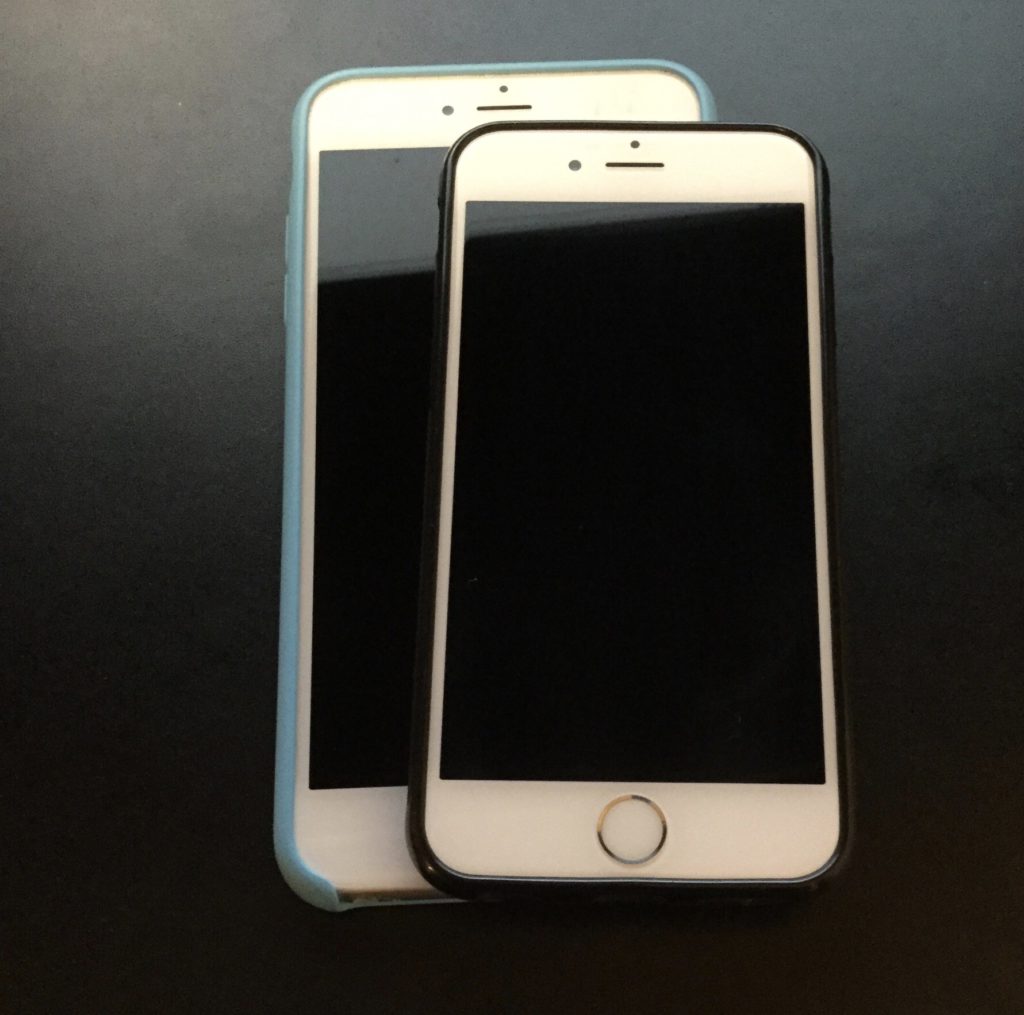
Since as of this writing it is late August (22-August and not sure when this post will be scheduled to post) and the launch date for the final version of iOS 10 is close enough I finally installed the latest public beta of iOS 10 on my iPhone 6S Sunday. So far I haven’t noticed much difference. It feels like all his bedding features I was looking for a not yet enabled class apps are written to support them. I am talking about features like unified call log and chat messages in messages from my VOIP applications. Or Siri application integration.

One function that does work is facial identification in photos.I was able to tag some photos with the correct names of people however when I miss tagged one photo I was not able to remove the linkage. There’s definitely some work that needs to be done however so far it looked pretty cool.

Other than the notification pop-ups looking different I haven’t really experienced much change so far. Our plus side most of the apps I’ve tried to use including my dictation app seemed to work without problem. I was concerned about the beta breaking stuff. That is why I waited until late August to try a beta. I am also only testing on one phone that if I ran into a problem I don’t have to rely on.

UPDATE

I wrote the initial part of this post over the weekend and scheduled it to publish on Friday, 26 August. Between the time I wrote it and Wednesday night I had a change of heart. There did not seem to be anything fundamentally wrong with iOS 10. I’m eager to see some of the new functions working when applications are updated to support them however feature wise the beta was just not that compelling to keep using it. The trade-off to using it was flaky network connections where I would have to put the phone in airplane mode and then turn it off every time I came out of the subway. To my dictation app, Dragon Anywhere not syncing correctly even know it mostly worked. I don’t rely on this phone that’s running the beta however it was more nuisance than it was worth.

In the end there wasn’t anything majorly compelling to use the beta or to get rid of it. I took the short term hit of time to do a full restore last night and will eagerly upgrade when the final version comes out.

The W Sisters and the Story of Watching Star Wars For The First Time

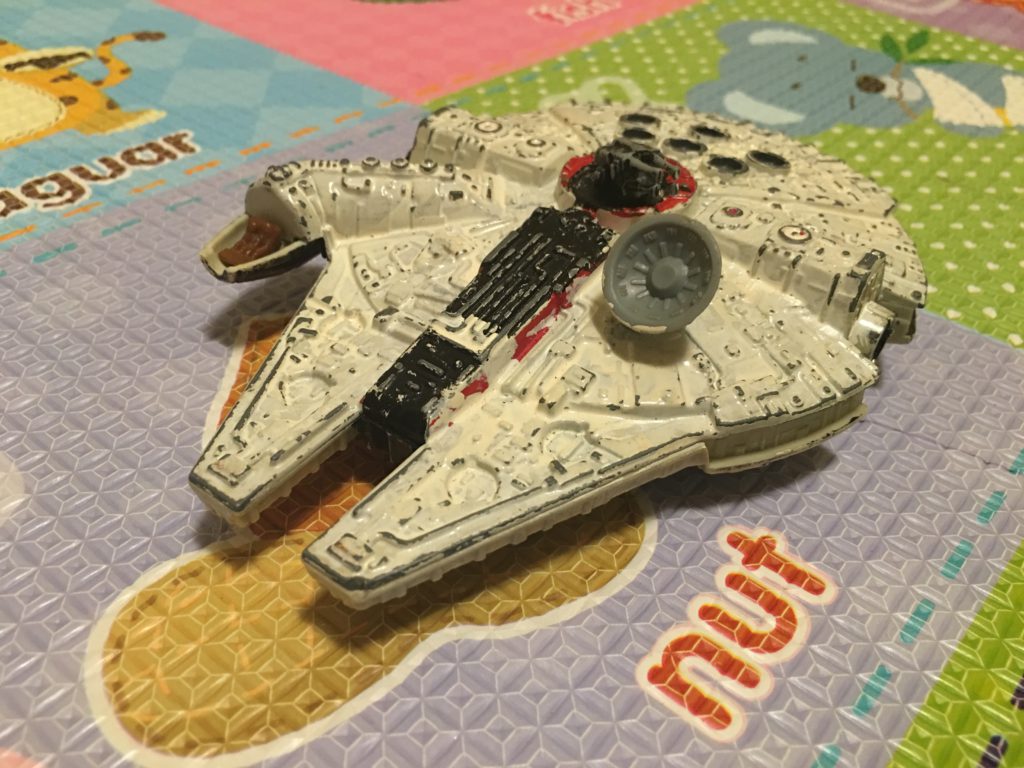
Saturday I got a box of old toys from my mom that she had been storing for me.  Now that she gave me my lego’s earlier in the week she wanted to clean house and give me the rest of the toys she had of mine.  I was happy to take them.  Last night I started introducing some of them to the girls. There were some new matchbox cars as well as some small matchbox car sized fighter jets. Among the stuff was also my old metal star destroyer and the millennium falcon. I explained that the millennium falcon is the ship that Chewbacca flies in.  The girls are both into Chewbacca so that got some interest.

Yesterday morning the girls were talking about either the millennium falcon or Chewbacca when MC suggested I watch Star Wars with them.  We needed a distraction while she cleaned a bit around the house. I had wanted to introduce them to star wars the actual movies for a few weeks now. I had previously showed them the trailers of most of the movies and we read the little golden books a bunch of times.  That is how they started liking Chewbacca so much.

As a purest we started off watching A New Hope. We watched about half of the movie. We stopped when they found out the princess was in the Death Star with Han & Luke. That was over an hour for them and it was plenty. I was glad that neither of them got too scared.  There were some scenes that Teagan got a little bit scared but handled it a lot better than she did with finding Nemo last year.  The asked a bunch of questions like they do with any video or book however I think they liked it.  Teagan did continue to mention Star Destroyers periodically throughout the day so that is a good sign.

Next up is to finish the movie and then hopefully move on through the first trilogy.  After that I need to figure out how to introduce them to Doctor Who without scaring them.

The Time I Had To Nuke The Site From Orbit

Back in mid July I noticed something odd with my Mac Mini.  It turned out that At some point in the past few months my chrome browser on my Mac Mini at home was compromised. I’m not sure if it was malware or a configuration hack on the browser.

The problem may have existed for some time. I do not normally use chrome on my home Mac. What I noticed that was odd behavior  after I launched chrome to log into my Google account. Whenever I use my Google account I always login via chrome. Call me paranoid but I do not want Google possibly tracking activities via my login on Safari that I use as my daily browser. When I attempted to log in I noticed that after clicking on login from Google.com  I got some fake message about my Google account being compromised. The funny thing was I never actually gave it my login credentials and the screen that was displayed didn’t look at all like standard page on any Google site I have been on.

My first reaction was to clear all the settings on the browser like it was a brand-new set up. I then tried again however the problem persisted. That was concerning to me.

My next step was to completely delete the Chrome browser from my Mac and download a fresh copy from Google.com using a different browser. That worked and once I installed the new version everything seemed okay. The lingering question I had was how contained was the problem I had? I some confidence but not enough that  issue was purely within chrome.   I had no definitive evidence to back myself up. 

To be safe in the immortal words of Riply from the movie Aliens  “nuked the site from orbit”. I created a carbon copy cloner image of my OS drive and then deregistered any application I needed to associated with this computer and wiped it. That was the only way to be sure that there was no ongoing compromise to my system.

The rebuild process was slightly challenging and took more time than I’d hoped. As I was trying to reformat the drive in recovery mode the computer kept crashing. I am not sure why.  That forced me to start to do a network boot and download the original operating system that came with this Mac bypassing the step on my local hard drive that was crashing. The machine is from 2012 so that meant at least three OS upgrades to get me to the latest. By the time I completed the original OS install I was able to download El Capitan on my MacBook Pro and create a boot USB key. The USB key worked so I was able to save a significant amount of time and jump right to El Capitan.  I was handful I did not need to complete several more upgrades. The parallel efforts paid off of trying to create the sub key boot disk from my laptop paid off.

Once I had my base install done I was able to patch the system and install the standard applications that I typically use. Because I use Bittorrent Sync for replicating my data restoring most of the system was as simple as reseeding my data on this machine. It took several days for the data to replicate however when it was done everything was fine.

Weeks later there are still some applications I haven’t finished setting up yet. Of course that means I don’t use them that often so it’s a minor inconvenience. The main applications I use already set up and working perfectly fine.

For me the moral of this story is my data replication set up works. I also confirmed what I already knew that no matter how diligent I am I can still be compromised. I think the problem is existed for a while however have no way to prove it. Recently I have started compartmentalizing some of my web browser to prevent such exploits. That I hope will mitigate risk for the future however nothing is 100% safe. That Compartmentalizing effort in and of itself is a blog entry I’m working on.

The W Sisters and the Story of The Bedtime Sing a Long

Last night after putting the girls down for bed I could hear on the baby monitor Amelia leading Teagan in singing “if you’re happy and you know it clap your hands”. Teagan sang along for a while until she started singing some other song on her own. Amelia wanted none of that and went back to singing if you happy and you know it. After a while Teagan responded back to Amelia with something like “stop singing that song”.

Sometimes bedtime routine Canby extremely frustrating if they’re jumping on the bed or running around.  Other times it’s very hard to keep a straight face if I have to walk in there to have them stop doing something. Tonight at least I didn’t have to go in there and talk to them about their singing.I did have to go in half a dozen times for other stuff though. The challenge of them sharing a room is on supervise bedtime.

Continuing to Instill a Coffee Ritual in Toddlers But Not Really Because That Would Be Bad

As far back as Teagan being able to hold her head up and able to be held by me upright we have been making coffee together. At first it was just me holding her and her watching me. Then it was Teagan pressing the button on the Nespresso machine for me. Next evolved into her helping me put the cartridge in the machine and press the button to make the espresso.

Nowadays Teagan and Amelia both can put the cartridge in by themselves. The only help the need is closing the container. It’s pretty cute to see both of them bring over their chairs to stand up tall enough by the counter help make my coffee.

I’ve blogged about it before since it is something so simple yet something that makes me smile every time I think about the coffee ritual we do together.

I don’t use the espresso maker very often anymore. Maybe once or twice a week I’ll have a shot or two of decaf after work. I rarely make it on the weekends. Instead I have moved on to a French press cup of coffee. I will use the Nespresso machine when I want to make an Americano. The price of the pods are significantly more than the price of coffee for the French press.

After I have lost my weight a few years ago I do not make cappuccino’s as often as I used to. Because of that the lore of the espresso machine is diminished. I still like Americano probably more than the French press however the cost just makes it prohibitive in the French press is not that bad.

I do however have used for the milk frother. That is because Teagan always asks me to make her coffee. What she really means is that I froth her up some milk. Since I used to take spoonfuls of my cappuccino milk that wasn’t touched by coffee and feed it to her as a baby I find it cute she likes to do that. She’s been asking me rather consistently in recent weeks to make it for her. Usually she asks when I get home from work and it’s late. I tell her to remind me on the weekends when I’m up to make her and Amelia breakfast. Then when she asks the three of us will make a batch of milk together and the girls will share.

I find it adorable that they sit on their chairs with the mug of frothed milk and eat it like yogurt or ice cream.

That Time I Spent Way Too Much Time Reasearhing and Buying a Divers Watch

In June I read an article that was comparing to classic style diving watches. One from Seiko and one from Citizen. I have been thinking about getting relatively inexpensive watch to use when I’m at the beach or doing outdoor stuff. I don’t always want to be out using my Omega’s. I have almost done damage to my X-33 a few times. Especially in water, the pool or the ocean.

I liked the classic look of both the Seiko & Citizen in the review. I read the article thoroughly and had recalled that I have seen many people have the Seiko as part of their “EDC” everyday carry. Seperatly I have been reading a blog where people submit what they carry on them every day. It’s interesting to see what other people consider essential for their day to day lives. I’ve gotten a few ideas of accessories to get from that blog. I kept seeing the Seiko diver watch and to some smaller extent the citizen one and was curious. They are in the general style of the Rolex Submariner so it catches my eye.

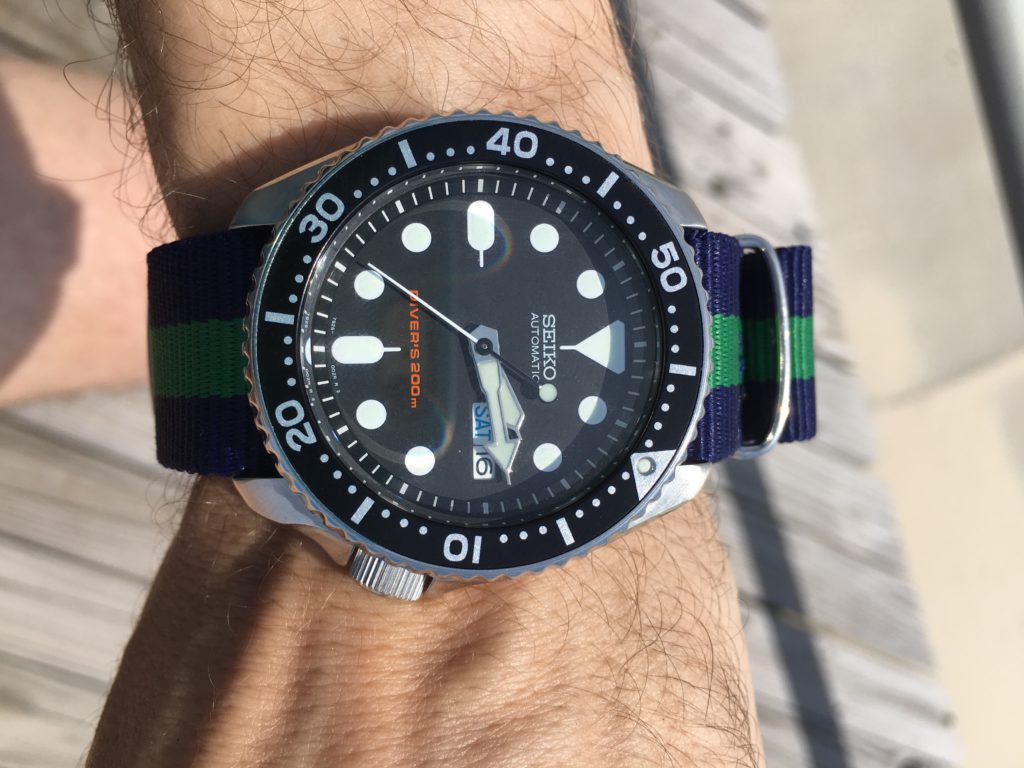
After reading the article I did some more research on the Seiko SKX007. There was a newer model available (SKX009K) however the older SKX007K was more reasonably priced and exceedingly popular. I decided if I wanted an everyday watch that I could take to the beach this diver watch would fit the bill perfectly.

The challenge I had was finding the specific  Seiko SKX007K or even the newer 009K to see in person. I went to the only Seiko boutique in New York and they didn’t have it. Macy’s had some similar models but they weren’t what I was looking for exactly and they were more money. I found out later that the reason I couldn’t find the exact model number is the 007K & 009K are manufactured for everywhere in the world except North America. I ended up finding someone selling the SKX007K on Amazon Marketplace and bought it there. Even before my trek to the store I knew I could get it on Amazon but I really wanted to see it in person if i could first. I also bought a tool to change the watchband out. I bought a 22mm NATO strap and intend to use NATO straps with this watch like I am doing with my other ones.

In my teens and 20s I had cheap Casio digital watches and never understood why anyone would want a nice mechanical watch. Now here I am with the budding watch collection.

I have owned the Seiko SKX007K for a few weeks now. Overall it was a great purchase especially for the money.  Not quite a negitive however something I need to get more used to is that it is pretty heavy even with a nylon NATO strap and not a metal one. Compared to both my Speedmaster and the titanium X-33 I am not used to that extra weight on my wrist. It has done its job though while at the beach and as a general watch I can beat up.  I wore it basically all vacation since we were at the beach most days and I was happy with it the entire time.  I didn’t go diving however timing when we put sun tan lotion on the girls was easy enough with the bezel.  I am happy with it as a solid beat up watch.  Right now it is not likely i would wear it to work often though.

Beyond wearing the new Seiko at the beach, I am also wearing it when I get home from work so I can wind it since it is an automatic movement. I need to buy a watch winding device however I haven’t yet so wearing it for couple of hours when I get home helps me not have to manually wind it.

I am debating expanding my collection further. Next up for me would be something a little bit nicer.

My New Mechanical Keyboard

I am finding it pretty funny that society in many cases has conditioned us to think new and shiny stuff is better. A few years ago I started reading about getting shaves the old-fashioned soap and a brush. That led me to buying old school one blade safety razors for a time. Since then I’ve evolved to a more expensive and more modern twin blade. My point though is the technology from the middle of last century for me works better than any of the modern stuff. Today I get a better experience with the twin blade and shaving soap and a brush then I ever did with a fancy Mach 3,4, or 5.

Taking that lesson learned I should have come to the same realization on certain technologies. About 9 or 10 years ago Apple released their new style keyboards. It mimics for had a similar movement to keyboards on their laptops. At the time I thought that was the coolest idea that we give me seem typing experience when I work directly on my laptop or when I worked at my desk. The new keyboards were nice and shiny white. The best part was they had a small wireless version was pretty nice size compared to previous wireless keyboards.

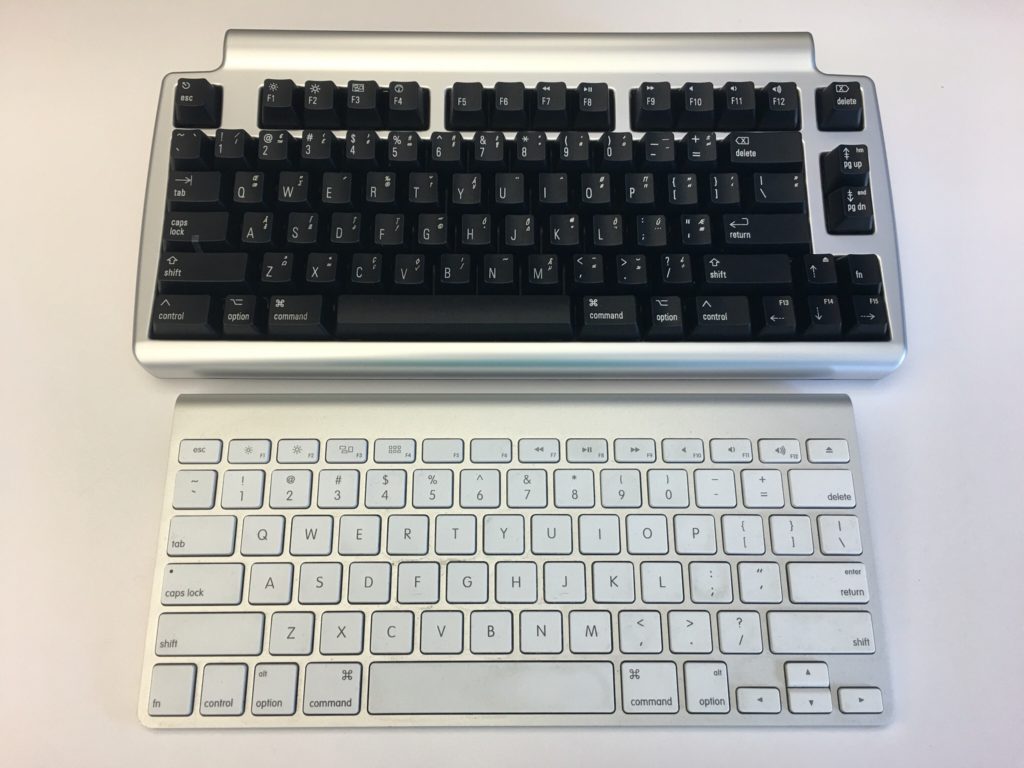
At that time I had been using a White Apple Keyboard 109 Keys A1048.  I wasn’t that impressed with those keyboards and I’m not really sure why I got rid of my prior keyboard the Apple Pro Keyboard (M7803). Those were really good. I think it was related to the fact that at the time I was using an iMac and they came with the white 109 key keyboard. I likely would’ve sold the Pro keyboard when getting rid of a PowerBook. Looking back that was probably a huge mistake. At the time I thought the upgrade to the laptop like sleek mobile keyboard would be a smart move for me.  Even after I had the new keyboards for years I was relatively happy with them.  Flash forward nine years and I saw an article talking about the highlights of a Bluetooth wireless mechanical keyboard that also muffles mechanical movement sound (the Matias Laptop Pro Keyboard for Mac). Even though I was interested, I thought that at the time that I was generally happy with what I had so it wasn’t worth the money.

The idea of the keyboard was still pretty cool yet I was still interested in trying to help my hands make it through the day of typing. I have had repetitive stress issues with my hands on and off for a while. Well I think that’s what it is. Let’s be honest the one Tyler brought up to my doctor he said just rushed her hands and you’ll be fine since the issue seemed very mild.  That being said on some days towards the end of the day my hands feel really tired from the typing. That has been a major driving factor for me to use the dictation.

A few weeks ago the topic came up with someone at work. I think we were either discussing wrist pain or that he was building a vintage computer that the discussion on old-school mechanical keyboards came up. As it turns out he had done a lot of research on the topic and was able to geek out with me on the different mechanical movements of old-school keyboards. I showed him the link to the Matias and we did some basic research on it. Turns out the Matias is based on the same Alpine mechanism that the Apple Pro keyboards were that I liked so much. With that knowledge and a renewed focus on my typing comfort I splurged on the keyboard.

When I first got it I was concerned that it would take me some time to adjust. I’m always worried that during that adjustment. I’ll get set up and just not like it. That leads to returning or not using the device in question. With the Matias keyboard however within an hour or so I realized its value. It felt that I could type faster with it then I was on my old one. It also immediately felt comfortable to use. On both counts I was extremely pleased.

The only drawback I’ve noticed is that I have to tell it to connect to my laptop every morning. It’s more of a minor inconvenience than anything else. There were one or two days in the past month where it didn’t connect and I needed to go into Bluetooth settings and reset it. The only other issue I’ve had is only once or twice there was some lag from when I typed something to when it went on the computer screen. Reviews of the Bluetooth keyboard reported similar issues however it’s not a major problem for me at this point. I like a wireless keyboard over a wired one however if I need to buy another one might pick up the wired version.

Since I do most of my typing at work this keyboard home at present is in my office. It is so much nicer to use this mechanical keyboard versus the new Apple rechargeable wireless keyboard that I have at my desk at home. I bought one of the rechargeable keyboards and it came out since using or chargeable batteries in the old blue two keyboards were pain. They weren’t keeping charges. I was also curious at the time if the new keyboards would be more comfortable to use then the old ones. It wasn’t. I was surprised at how much worse the new one felt to type on. At this point I think I’m gonna save and buy another one for home.

If this was a product review I would likely give it five stars.

I Can Finally Stop Tinkering With my Media Center, For Now…

I make a conscious effort to limit what personal family details I post however I do enjoy writing this blog. That means I typically focus my writing around technology. I find tech interesting and it’s a huge part of my life. Not the largest part however big enough that there are plenty of topics to write about. Looking back at my blog posts over the past few months I thought I talked extensively about my media center setup challanges. I was surprised then to realize that I haven’t written about my evolving use of my Apple TV 4 since I purchased it late last year: My New Apple TV.

I was happy that on day one the new Apple TV ran the latest version of the Plex app. The challenge I had was that Plex is only half of my media center/TV watching set up. Content purchased from the iTunes store makes up part of the other half of my use case. Live TV takes up the rest. The big roadblock after I got my Apple TV was it couldn’t stream live TV. I have a HDHome Run from Silicon Dust that takes my cable card and streams my cable TV to any networked device that can receive it. The Apple TV does not natively support this. Silicon dust does not have their own app for the Apple TV (yet anyway). Initially that was extremely frustrating. It required me to maintain other device just so we can watch live TV. That complicated media center use for my wife. Ease-of-use is critical for her and I. For her she just wanted it to work reliably. For me I don’t want to get frantic calls or texts that my daughters can’t watch curious George because something hokey is going on.

Luckily for me after the new year I stumbled across not one but two applications in the Apple TV app store that supported streaming TV from an HDHome Run. I got into the beta program of one app however there were some challenges with the audio being out of sync with the video. That was a problem that I had with my Kodi Media Center on my Raspberry Pi. I then found the second app which cost about $15 buy however it was out of beta and it looked too promising not to try it. I am so glad I did. It worked perfectly. Now I was able to have Plex, iTunes, and live TV all on my Apple TV. That enabled me to simplify the media center substantially and thus make it easier to use.

The streaming TV app works pretty flawlessly. I was able to clean up the cables and devices in my media Center when I no longer needed my android TV, Raspberry Pi OSMC, and Mac Mini running Plex. All those devices at one time or another were testbeds that failed in one way or another. I still have one Raspberry Pi plugged into an HDMI cable in my media Center however that is usually just for when I’m building something. My media center experience is not dependent on it though.

Experimenting and finding the most optimal set up for us for TV/media consumption took a pretty long time. I am glad the technology caught up to to the requirements that I was looking for. The setup has been pretty stable for the past several months. I haven’t made any major changes to it since getting the T streaming app. I have been adding additional apps to the Apple TV however the basic configuration doesn’t change. I do want to try getting a game controller and seeing if there are any good games on the Apple TV.  I no longer have an Xbox 360 so at present nomgaming platform of any kind. Of course I haven’t played an Xbox game in four years don’t miss it all that much most of the time.

A New Mac Mini Please…

My desktop computer at home is a 2012 Apple Mac mini. At the time I got the slightly upgraded version with the fusion drive and 16 gigs of RAM. Four years later it is starting to show its age. For most people it would probably still be a perfectly good computer however there are certain functions I’m noticing I need more power.

I would love to retire this Mini and relegated to act as a backup node on my Bittorrent Sync network. The challenge that I have is that the current Mac Mini model is from 2014. I cannot justify myself to buy a brand-new computer with technology that’s two years old to replace a four-year-old computer. My choices then are either purchasing iMac, build myself a Windows 10 or a Linux machine. My only other option is to wait for the mini to be refreshed.

For me Windows is not practical. I haven’t used Windows as my primary computer for work or professional life in years. I use a Windows computer when I need to at work and I have virtual machines for when I need it however living on one at home day in and day out just doesn’t seem like something I want to do. I have been wanting to build a Linux desktop however today it doesn’t offer me all the software I would need to replace my Mac. The iMac is compelling however I have not been a fan of the all in one computers. I’ve owned several iMacs and had challenges with some of them. Every time I think man those are cool I remember my burn in issues I had on to back to back iMac’s. Other reasons to avoid an iMac is I have been eyeing a bigger monitor than my current 27 inch. I would love a 34 inch widescreen however the current mini I have cannot support the resolution for one. If I do end up getting a second desktop running Linux I would want to plug it into the same monitor. I’m trying to stay is future proof on whatever I buy now as possible.

Since I haven’t been able to come up with a solution I am happy with I continue to wait. Every Apple announcement I hope they will refresh the Mac Mini and then sadly they don’t.

I know the one last option I have that I didn’t mention prior since it is super expensive is the full Mac Pro desktop. The cost alone is a nonstarter for me. Add to that it has not been refreshed as long or longer than the mini makes it not a viable option for me.

As Tom Petty says the waiting is the hardest part. Now I wait some more…