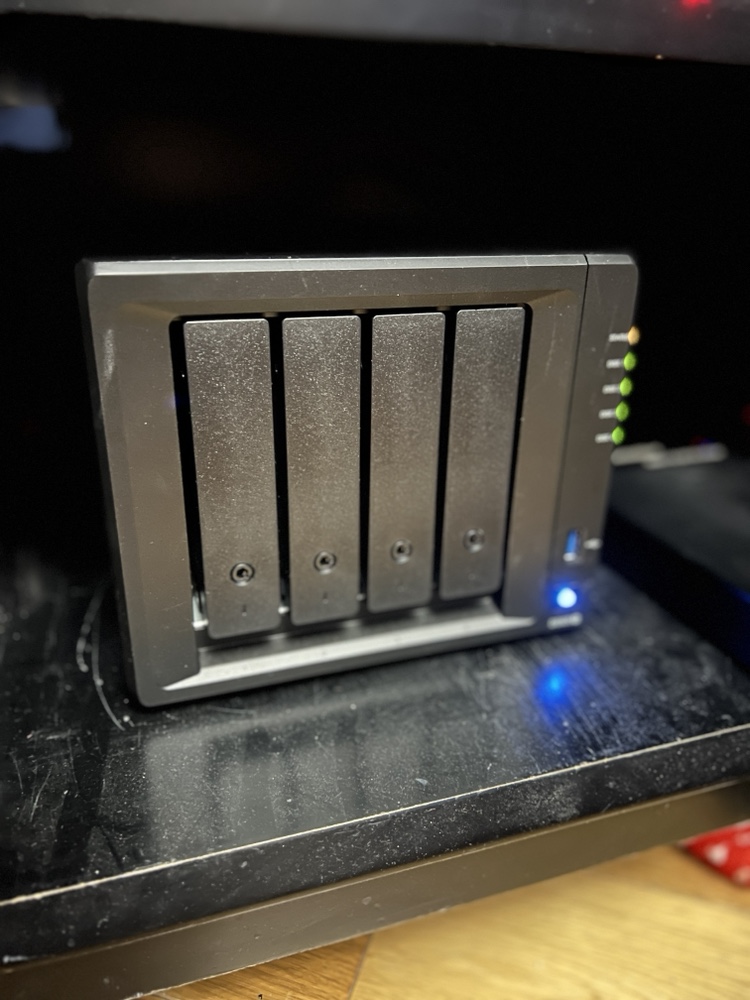
I have been pondering my 321 Backup strategy for several months now. Even before I had a near catastrophic issue with my Sinology DiskStation back in April I knew I wanted a more robust data management plan for my personal files. I had been using the Sinology Cloud Station software but in my original configuration I was limited since all my data centered around my apartment. This is convenient but not the safest approach. I also only really had 2 copies of most of my data. A really rock solid strategy has 3 copies across 2 sites, and if possible different media types. I knew i wasn’t doing things good enough.
One solution I toyed around with was BitTorrent Sync. Back in March I tried it out and had big problems with the UI on my desktop and the web interface on my DiskStation not loading regularly. I didn’t feel the solution was ready for me to use yet. I wasn’t confident in the Cloud Station software anymore since I ran into a data integrity issue with it in March. I had uploaded photos I took in march and noticed that they hadn’t gotten to my Diskstation when they were saying they were syncing off my Desktop. To make things more confusing the files were syncing to my laptop but not the Diskstation.
That problem lead me to the BitTorrent Sync option and the decision to upgrade to a beta version of the Synology software. That in turn lead me to some problems I had an my near fatal event with the Diskstation. So basically in a mission to solve my backup strategy problem i caused an event that a better backup strategy would have solved.
My near loss of all my data on the DiskStation was my wake up call that I needed to really figure some working solution out. After I recovered (barely) from that incident I focused large amounts of time on solving data strategy.
After my trust was shaken with the Cloud Station data integrity problems I experienced I began to look at public cloud solutions. I am very concerned about security so I discounted many public cloud providers. Dropbox, and pretty much any American based solution is just not trustworthy with todays laws. Dropbox employee’s can even get into your files if they need to regardless of the safeguards they claim to have I do not want anyone being able to get into my stuff unless I let them in. That security concern lead me to MEGA. They weren’t US based and they don’t have a way into your data. Their plans were more expensive than most cloud providers however their 2TB plan more than covered my needs.
One downside was that MEGA didn’t have any built in backup solution for the Diskstation. That meant I could backup my data to the cloud but the Diskstation wouldn’t be my main data source. I could still use it as a home server but not the home of my data. I wasn’t really pleased about that however I couldn’t really find an alternative that worked. So earlier this spring I jumped into using MEGA as my cloud sync / backup solution. It had a lot of what i wanted but it wasn’t perfect. It was the best of what was available that worked for me.
I spend a few weeks seeding and confirming my data was correct in MEGA before trying to make a sync copy onto my Laptop. That was when I ran into issues. What i noticed was after a while syncing files I would get to a point were the MEGA agent would freeze. Sometimes after only 70-100 files downloaded. I would restart the agent and it would do the same thing and copy a few more files and then stop. I couldn’t really figure it out. I tried reinstalling, putting the agent on another machine, checking their online help but i was unsuccessful at finding a solution. This was an issue on top of a general annoyance I had were it would take 5-10 minutes for my admin page on the MEGA site to load. I don’t know what it was doing but in any browser (chrome, firefox, or safari) i would have the same issue. that wasn’t a show stopper however add to it that i can’t download a replica of my data onto my laptop I was very concerned.
After a week of tinkering I gave up and had no choice but to revert my decision and go back to Cloud Station software by Synology. I didn’t want to bother calling MEGA. I had a confidence issue and even if they could fix the issue in 10 minutes with my level of technical knowledge and online tools i should be able to figure it out. If i can’t i have concerns about their service. It wasnt like my problem was complex. The system just stopped syncing data after a few files.
I wasn’t pleased however MEGA was never the perfect solution for me. I knew that going into it but thought i could make it work. In the end I couldn’t so I went back to Diskstation as my primary data store and used Cloud Station to sync. I kept an eye on the data i synced to make sure i didnt have a repeat issue. My plan to build another DiskStation and leave it with a friend was back on the table. That was until about a week ago.
I don’t know what got me to look at BitTorrent Sync again however I installed it again. I knew they were actively releasing newer versions so I had hoped that what happened the last time was an issue that was solved after a few months. I was pleasantly surprised to see after some brief testing that the UI display issues appeared to be solved. I slowly over a few days turned off syncing via Cloud Station and enabled BitTorrent Sync. I made backups before my changes just in case. The UI consistently worked on the desktop. For the web interface on the DiskStation what i learned was first safari wasn’t so great for it. Second that clearing my cookies for the site typically solved the issue. With that issue resolved I moved most of my shares over to the BitTorrent Sync app within a week. I was originally going to try out the system for 30 days and then decide if i wanted to pay for the Pro version. After going over the 10 share limit for the trial i opted to pay for the 1 year Pro for $39.
As of right now I have my desktop, DiskStation NAS and laptop all replicating data with the new Sync software. I am at a steady state like were i was back in March. This steady state took a lot of research and trial and error however now is the harder part. Now I need to finish this project and meet my objective of a true private cloud with data located in multiple locations.
Using BitTorrent Sync gives me a few options I didn’t have with the Synology centric Cloud Station. My remote backup locations do not need to have a DiskStation. I have two old Mac Mini’s that I could provision with external hard drives and drop them in remote locations. That was my original idea at least. Now I am thinking bolder and cheaper. If I am successful I will have a prototype to talk about soon.