Containerizing My Media Center

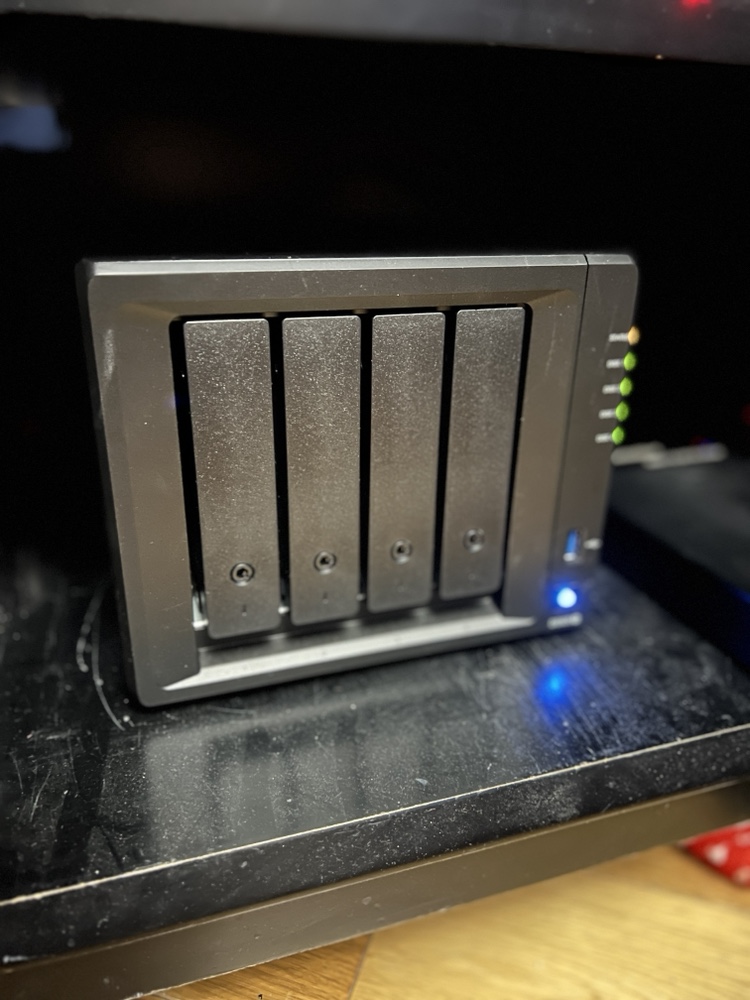
Back in February when my family went on vacation I spent a lot of time playing around with Docker. I converted several applications I was running on raspberry pi’s to run in Docker containers on my Synology Diskstation.

The challenge I gave myself was could I set up the containers to run on the NAS (The Diskstation) while at the same time being able to run them on my Mac mini as a backup in case there was any problems. That meant I needed to figure out how to replicate the configuration information between the devices.

I solve that challenge by setting up a new Resilio Sync folder for all of my Docker config’s. In most cases there was little to no reconfiguration needed to have those config files work on the NAS or the Mac mini. It wasn’t a super elegant solution since it did require human intervention however switching between systems was not something I intended to do often.

I did run into problems getting Plex to run as a container. I was having performance issues in general running Plex on my NAS. My solution was to setup Plex on my Mac mini as a native app. At some point I want to go back and figure out how to get Plex working in a container. Even when I do that I will still need to build a new machine to host it on. The Diskstation just doesn’t have the power to run Plex and my sync application at the same time anymore.  Even with the 4gig I upgraded the disk station to a year or so ago is now not enough.. For now I can continue to use Plex on my Mac. Longer-term I have bought components to build myself a Linux application server to host all of my containers so I can make my disk station just host files.

Encrypting Email, It’s Not Just For Criminals

In March I blogged about my “almost disposable email“. I still have improvements to make  when dealing with external sites and services.  Overall that model works pretty well.

When thinking about my personal email, my dilemma changes a bit. Unlike most people who use the Internet send and receive email for personal use I have changed my address multiple times over the years. Friends and family of mine have commented about the fact that I change probably too often. In reality it’s only once every 3 or 4  years. That apparently is to much for most people. Of course some the people commenting may still be using AOL addresses from the 90s.

In 2014 I blogged about My sudden allergic reaction to all things Google.  In that post I wrote about migrating from Google hosted mail to a hosting provider in Switzerland. The Swiss-based provider I selected offers much greater privacy protection vs a US-based company. For what I was looking for the price difference was nominal. By moving to a Swiss-based provider wasn’t a magic bullet. All my data on my website and email stored on their servers is still not encrypted at rest.  In other words I am still exposed just less likely to get snooped on by a government.  Even that statement has caveat. Let’s say I am better off than before.  I still have much to do.

With my mail being hosted in Switzerland I have relatively good level of privacy protection. That means if someone wants to get a hold of my mail they would need some sort of court order.  The fact that there is a request should be disclosed to me. That is unlike US hosting providers that would not need to inform me if they were asked to spy on me. To go a step further and make it impossible for anyone to get my email on the mail server I would need to   encrypted my email at rest with the hosting provider having no knowledge of the encryption keys. The reality is this is important however not my threat model. I’m more concerned about personal details being intercepted via an unsecured network.

To address both of these problems I have been investigating two different secure email providers. Protonmail & Tutanota. Both in theory provide the same service. They allow you to encrypt email and send it. They also encrypt email at rest on their systems and have no knowledge of how to decrypt. Email sent between two people on let’s say proton mail has the email encrypted completely. If however I am on protonmail and I send an email to someone not using that system messages secure however there is a caveat. What really happens is an email is sent to the recipient telling them that there is a secured message waiting for them and it provides a link to that message. I can send along a password hint if I want as well. The recipient can then click on the link and read and respond to the email. It secure however not super user-friendly to what most people are use to. I experienced similar systems when I briefly worked at a health benefits organization that had to comply with HIPPA rules in the US.

My threat model concerns sending and receiving of secured information via email.  I do realize that the use case is not required for most emails i send. In most cases what I’m sending can go “in the clear”. Having the ability to encrypt as needed is the big value to me.

Having stored mail encrypted at rest with the provider having no knowledge of the decrypt keys also makes me feel more comfortable when I am not hosting the data. ProtonMail & Tutanota both offer this fundamental security feature.  The challenge with both providers that neither currently have a way to import or export email. I am a person who has most if not all of my mail going back to 1996. For years I was proud to have that stash of mail.  I also have gone back to really old messages for information.  In today’s world however having that much personal data sitting on a typical mail server is too big of a potential risk and a major liability.  

I no longer keep that archive of mail on a live mail server.  Instead it is encrypted on a personal computer in a database.  At least I still have it. To use ProtonMail or Tutanota would mean I would no longer have correspondence that goes into the system. That limitation is given me a little bit of pause. Since I started playing around with the system late last year proton mail has announced they will be launching a secured IMAP option. I am assuming that will enable me to offload mail from their system. That would make their solution much more viable for me.

As I continue to play around with both systems I have been favoring ProtonMail over Tutanota. I’ve not yet jumped into using one for my personal mail however I am leaning towards protonmail. One of the hesitations I have is that protonmail is not cheap.  It costs about half of a full hosting package I have per year. Tutanota is as cheap as one dollar a month per user. Protonmail is around five dollars per month for what I initially need it for. Protonmail also does not allow me to move my entire family using a specific email domain onto an account unless I use a much more expensive account than the five dollars per month plan. Tutanota will let me set up multiple family mailboxes for one dollar per mailbox per month. That makes Tutanota an option if I wanted to continue using the same email domain I currently use for my personal email.

The solution to this issue is for me to switch domain names i use.  I have a few other ones I own i can start to use however that brings me back to how I started off this post.  I don’t want to change my address, however it is a price i am willing to pay if other factors are positive.

I could make my life easy and just use Tutanota and move my family over to it also. The challenge is I like protonmail much better. The UI is nicer on both the web and iOS app. The iOS app loads faster. It has a few more nifty features versus Tutanota such as tagging. Overall I just get a better feeling about it.

Knowing myself what I likely will end up doing is change my personal email so I can use a different domain name that I have that isn’t being used for anything else and point that the proton mail. I would then leave my existing mail domain where it is and allow my other family members to continue using it.

For now I’m still waffling a bit on what to do. If your friend or family member of mine and you are reading this, you know why in a few months you might get a notice that I changed my mail address yet again.  Of course if you read this far kudos to you.

I Have Given Up (Sort of) On Activity Bands

Ever since before I decided to lose it weight I was tracking my activity. Originally I used a Jawbone Up. I went through several versions of them and then I try to Fitbit for a while. I ended up going back to jawbone and then again back to Fitbit. For about a year I have been using a Fitbit Alta.

That was until last month I stopped using an activity tracker during the day. The annoying clanking of the band against my watch finally drove me to stop using an activity band altogether during the day. I did some basic research and I found that the accelerometer on my iPhone is relatively comparable four step count to a wristband activity tracker. The downside I read were you don’t always have your phone with you so the phone doesn’t always capture your total activity. For me I generally do carry the phone with me most of the time and the level of accuracy the phone would give me versus wristband was worth the trade-off.

Several weeks into this change my step count seems pretty consistent. I still use my Fitbit to track sleep however I stopped wearing it during the day. Generally pretty happy about that decision since having my watch and a wristband was always annoying. It was worth it when there was an alternative however now that I found a decent one I don’t see going back to wearing a dedicated wristband with the feature set that are currently offered.

Yes Your Internet Provider Can and Might Be Spying on You

In late March Congress repealed regulation that the FCC set up that prevented Internet service providers from collecting and selling information about their customers without their consent. Rightfully many people are pretty upset over this. Security blogger Brian Krebs points out that this repeal changes nothing day today. That is because as of right now the rules that were repealed never actually took effect yet. I would go a step further and say if someone is only now concerned about this issue they likely won’t take the right steps to protect themselves anyway. 

I applaud people’s concerns. They should be concerned. That being said several people have recently asked me questions about VPN setups. That might solve issues regarding your ISP collecting data about you however it does not prevent all the other companies that are collecting data about you.

When I talk about this topic with anyone I always recommend that they watch the documentary Terms and Conditions May Apply. I’m not sure how many of my friends had actually seen the documentary. It’s a disturbingly fascinating view of how your information is being collected. Thanks to my friend Andrew who pointed his documentary out to me last year.

I just finished reading The Art of Invisibility by Kevin Mitnick. I previously wrote his book the art of deception and liked it a lot. In the art of invisibility Kevin goes over the details of what you would need to do to become invisible online. In the end there’s no way I’m going to take all the steps necessary to do that. It was disturbing just to read the extent of what you would have to do in order to become truly invisible. For me I outlined in a previous post some of the steps I do to minimize my exposure.

When people ask me about what VPN provider to get or some other way to secure themselves online the question I usually ask is what is their threat model? What’s the problem they’re trying to solve specifically? I have  a few threat models depending on the situation for my online behaviors. I know that I am light years ahead of what most people do however I’m also aware there are several key improvements I need to make in how I use the Internet.

I use a VPN however I don’t use it as often as I would like to. When out of my apartment I try to use it all the time unless I’m at work on my work equipment. At home I have set up my router to tunnel everything through the VPN. The challenge is I don’t use it. I have a consumer router running an open source firmware. It suffers from the same problem all other consumer routers do, it has a relatively lightweight CPU. When I run a VPN client from a computer of mine I may get near line speed of what I would get without the VPN. When I run the VPN the my router I was getting 4-8 times slower connection. This is all due to CPU constraints on the router. 

To solve this problem I need to either by a commercial grade router or build my own using a computer. I’m going opt to use a low-end Zotak fanless  computer and build my own router. One of the guys at work pfsense. It looks pretty good and I’m going to give it a try. Now I need to just find the time to work on it.

My recommendation to my friends is yes get a VPN. Preferably one incorporated outside of the US.  I personally have been using NordVPN for over a year and have been pretty happy with it. I have recently been trying out AirVPN.. They have less options for entry points in the US however they offer some unique features with their VPN client. I also like  the history of the organization and why they became a VPN provider.

I also recommend if you’re serious about your privacy to read one of the books I suggested or just watch the movie. Most people understand that stuff they’re doing online is being tracked however I don’t feel like most of my friends or the general public truly understands the extent at which you are being tracked.

Almost Disposable Email

In a previous post I discussed my overall approach to personal information stored on websites. That post spent a lot of time discussing personal details such as my name address and credit card information. First and foremost any website you deal with nowadays requires an email address.

In the past I had generic email addresses for specific topics. I had traveling at, shopping at, web services at, etc. I have been doing that for almost 18 years now. The value that gave me was if I received a message from for example my domain registrar to an email address I use for traveling I would know it’s a fake address. You’d be surprised how often that would happen.

For two or three years I have been creating disposable email addresses that I rotate every quarter. Those were for websites that required an email address but I never really plan on using it again. The challenge there was if I used one of these disposable addresses and then change my mind and wanted to keep using the site I would have to go and make a change to my settings update the address on file. This method worked most of the time.

For years I had the challenge where one website would sell my details and then I would get spanned so my entire shopping email address would be tainted by one vendor. That scenario was a nuisance however I never really addressed it. Recently when I started doing a threat model regarding my entire online presence I decided that I needed to change my approach in regards to email addresses. Instead of having generic grouped addresses and some disposable group that addresses I needed to have more unique dresses per site. That meant new websites needed a unique address that I continue to use or delete as needed. Sites that I already had I needed to go back and create dedicated email addresses for.

With the mail system I’m using the process was very manual. I did go into the admin tool and create each alias I wanted. Then I had to go to each website and update the address on file and document the change in my password management application. The solution is pretty comprehensive for my needs however going back and applying it to all of the sites I currently use is taking time. It is not something I’m doing in mass. Anytime I go to a site and it’s using an old address I’m making the change. This approach is slow however I don’t want to  block off large amounts of time to complete this all at once.

The Ever Increasing Complexity of Securing My Personal Information Online

Do you know how many online accounts you’ve created? How many of those have personal information that could be exploited or sold? According to lastpass I have approximately 350 Online account profiles created. The exact number of those that have personal identifying information such as my name, address, email, or even credit card I’m not sure. I am guessing out of all those maybe 1/3 to 1/2 of those sites require a physical address and maybe a credit card or some sort of payment information. In this day and age when Yahoo has at least two or more compromises to their security I personally cannot trust random institutions on the Internet to keep my information safe.

I’ve had this conversation with many people and depending on the audience i am considered a tinfoil hat crazy or just a determined realist. Either way the state of the Internet today where many sites require registration is such that I am concerned about the level of personal information I’m trusting with people that frankly don’t deserve or have not earned that trust.

There is no one simple fix to this challenge. I have taken a multileveled approach to addressing the situation depending on my use of a particular website.

For websites requiring a name and email address I simply provide an alternative name as well as either a unique email address I can destroy as needed for generic email address that I periodically destroy. If I create a unique address I can simply destroy the address when I no longer need that website. The process of creating an address does take a few minutes however so for one off sites that I need to register with and don’t intend to use again addresses that I delete every few months. That helps me reduce any spam.

The above solution only works for websites that do not require payments of any kind. Things get complicated when you start dealing with websites requiring some sort of payment method. To limit exposure I’ve used a few different options depending on the situation.

The simplest solution is when I have a service provider for a website that provides digital goods and they accept Bitcoin. In this scenario I would need to provide any personal information or any reasonable payment information. The challenge here is the number of websites that offer Bitcoin payment options are limited. One example of this use case would be my VPN provider.

The next area would be a website that does not offer bitcoin however I still need to pay for services that do not require shipping anything to me. In this case I would look to use PayPal when possible since none of my personal information are stored with the website only on PayPal systems. If that’s not possible I will use a real credit card. For recurrent purchases as of now I’m currently stuck and need to continue to provide my real information and a credit card. For nonrecurring services I will use blur. Blur is a service that allows me to buy prepaid credit card. What is unique about this service is that it allows me to use their address and any name you want on the virtual card. It’s also completely virtual so you can use it as a one-off disposable credit card number. I’m trying to go back to websites where they require credit for details however I don’t shop with them at all anymore or often. I replace any valid credit cards with one of the disposable ones from Blur. It requires a lot of effort however update the site or two here and there when I think I have a few minutes to spare.

One of the challenges with blur is that in some cases I have had issues validating the credit card. It’s hit or miss so I’d like it to be more reliable however it’s still a good choice to use I no longer want my personal detail shared however the account on the site cannot be canceled. At that point filling in details not specific to my personal information is useful.

The most complicated scenario is when I need a real physical address to have something shipped to me. In those scenarios Apple pay, or PayPal is preferred. That way my details are not stored on a any websites systems. In recent months I’ve been surprised how many services do you offer PayPal however the majority of times it feels like I do need to provide my credit card information. In cases where I do have to give my real credit card details I will try to not create an account on the site. Many websites force you to do that however. In those cases I try to remember afterwards to go back and provide non-identifiable information in my profile. That way if the site is hacked all the have is my purchasing history and identifiable information that cannot be tied to me. I’m not as consistent in doing that as I would like to be however the past year and more diligent about cleaning who has personal identifiable information.

Within that last group of sites there are some that I frequently reuse. Under those circumstances I don’t have a choice at this time other than to maintain my personal information including credit card details with that website. In the case of someone like an Amazon I use two factor authentication however does not prevent them from being hacked in their database stolen. At present maintaining information on these sites is a risk I have to take if I want to use the Internet. All of what I described previously enables me to minimize the number of sites I have to trust with this information.

Even with all of these actions I’m not where I want to be with regards to personal information exposure online. I’m probably better off than 99% of the population however I know what specific actions I need to do to secure myself further. Now it’s just a matter of finding the time to go through the list of sites I’ve recorded that I’m registered with and make necessary updates. At the time of writing this I’m about 60 to 70% done. The challenges it only takes one site like the Yahoo breach to have bad things happen.

My Sort of First Mac, Again

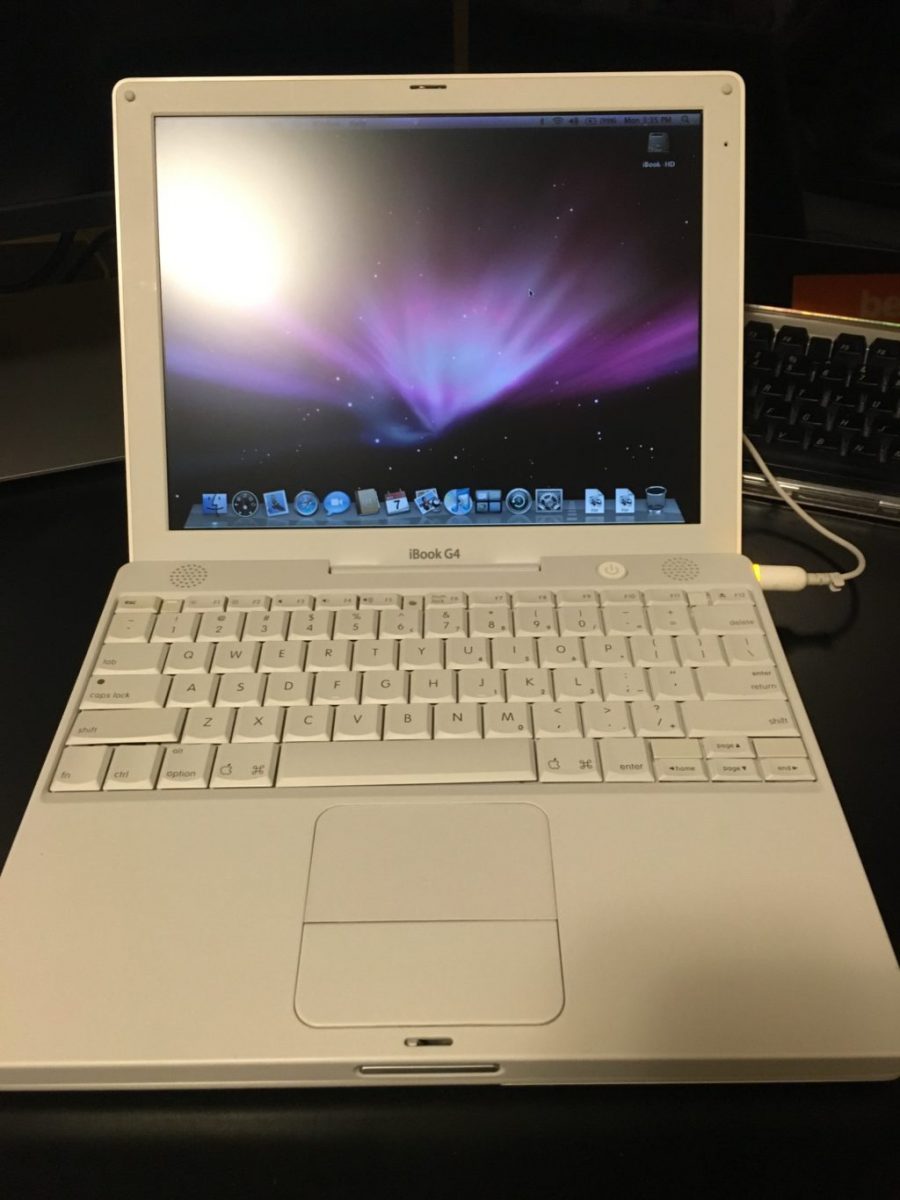
Back in November while I was searching for the iBook G3 clamshell I got curious and was looking up other Mac’s that I might be interested in. I immediately was drawn to  the first Mac that I ever bought, the iBook G3 12 inch in white. I was pleasantly surprised to see this model plentiful on eBay and also relatively inexpensive at about $50-$75 depending on condition. For that price I kind of wanted to buy one. What I ended up searching for and buying was not the exact model that I owned. That was because the advice I was given was that model is prone to issues. So I stayed away from the G3 polycarbonate white and got the last version made in that body type that was a G4. It was harder than I thought to find one that did not look visibly beat up. After a while I did find one in order to.

After getting the laptop the screen feels a little washed out however I’m not sure if it’s this particular computer or if I just don’t remember the screen being like that on those older computers. It’s still very usable and I was happy to see that the keyboard and hand rest was in good shape. I purchased some headlight cleaner from a recommendation that is perfect for cleaning polycarbonate. I haven’t yet however I intend to clean the shell of the computer to get looking in better shape.

As with the G3 clamshell I have specific plans in mind for this computer. It is not just an impulse by to sit around. Now that I have them however I’m not sure if I’m going to swap what I intended them to do or not. I might end up just keeping the clamshell G3 for show since it looks awesome. I would then use the polycarbonate white G4 to do what I wanted to with the G3. Use it as an educational computer for the girls. I have my eyes on my favorite PowerBook of all time. The 12 inch PowerBook that I owned three or four different versions of over the years. If I do get that I would use it as my off-line writing computer that the polycarbonate white computer would have been used for.

As I am slowly preparing to install software on these computers I’m surprised at how much software I saved that is in my backup archive of Mac software that will run on the later variance of OS 10 at work on the PowerPC chips. There is a bunch of things that I’m missing from my latest backup that I have online. I need to go to some off-line hard drives with backups circa 2009 or so to get a few more applications. In any event I should be able to easily do what I want to do with this computer.

Now all I have to do is find time to work on this and other projects I would like to take on.

My Sort of New Vintage Keyboard

In addition to the vintage computers I picked up I also bought an Apple Pro keyboard from the early 2000’s. Over the summer when I bought my wireless Bluetooth mechanical keyboard I did so because I thought fondly of my old black Apple Pro mechanical keyboard. As I was shopping for vintage Mac laptops I started to look for how much a pro keyboard would cost me. Most of the ones I found were pretty dirty shape. The going price was somewhere in the range of $30. I searched around and want to bid on one that looked pretty decent. With shipping I think I paid less than $40. For a good mechanical keyboard that’s not so bad.

When I got it I was eager to tried out. It typed as I remember it did. After using it a bit I did realize that my new Matais mechanical keyboard based on the same movement typed nicer. I found myself able to type faster and more comfortably on that one however the old Pro keyboard is still pretty slick.

I was using the Pro keyboard on my second computer set up for a while at home. A few weeks ago I decided to bring it into the office to use so I can bring home the Matais keyboard. The computer it’s plugged into I delight amounts of typing on however having the mechanical keyboard on it has been an improvement over the newer white and silver Bluetooth Apple keyboard that I had.

My experience with the Pro keyboard versus the Bluetooth Matais makes me want to get a new wired mechanical keyboard. The only issue I have with the Matais is it loses its Bluetooth connection with my laptop much more frequently than I would like. I had many more problems with it than I do with my Mac keyboards. That was one of the reasons why I took it home.

I Figured Out My Problem With The Apple Watch

Back in early October I was curious enough to pick up and other Apple Watch. I bought a series 138 mm. I felt the 30 mm was better fit on my wrist even though my other watches are larger. From what I read series 1 was as fast as the series to and should solve all the problems that I felt I had with what is now called the series 0. As much as the series 1 wasn’t super cheap, it wasn’t that expensive. At present it’s actually the most expensive watch I own since my Seiko was slightly more.

Since I bought the Apple watch for the second time I’ve been using it exclusively. I like it. Functionality wise I’ve been pleased with it. I haven’t had major frustrations with the speed of anything that it does like I did with the series 0.  I find myself telling the watch to set the timer or an alarm often. I also like the ability to see how much times less than the timer instead of having to go to my phone. Other advantages of the Apple watch for me has been the fact that I do not need to wear my Fitbit. Seeing and sometimes replying to texts on the phone has been useful however I don’t do it often. Also the ability to answer the phone and talk on speakerphone briefly from the watch is something I don’t do often but I’ve done it and it’s been helpful at those times.

Right after I bought the series 1 I regretted not having the waterproof series 2. The series 1 was available immediately when I ordered it whereas the series 2 I would’ve had to wait almost a month for. When I bought it I didn’t think I really cared much about the waterproof. I had some buyers remorse and thought about returning it within the two week period I get from Apple to make a return. In the end I opted to keep the cheaper version of the watch did not think the waterproof would come in handy for me.

Until Friday of this week I’d worn the watch every day since I got. Recently however I missed the nicer looking watches I own. I contemplated switching back however i was concerned about the loss of functionality if I stopped using a “smart watch”. Friday for some reason I decided to put on my X-33 and where that instead. What I found was a few times during the day I went to look at the watch to see the date. I also went to set the timer and after two seconds I put my arm down and reached for my phone to do it instead. Other than that I didn’t really miss the smartwatch. I had to get used to the fact that the X-33  was noticeably heavier then the Apple Watch. It makes sense that it was heavier however I am use to my titanium X-33 being the lightest thing I wear.

When I first started wearing my jawbone Up several years ago I wanted to encourage myself to be more active. Nowadays I’m pretty knowledgeable in knowing what I do and how active that makes me. I learned a lot from four or more years of wearing an activity band. Friday when I put the Fitbit on since I wasn’t going to be having the Apple Watch I immediately took off the Fitbit. I did not want to wear the extra weight or hear the clanking of the Fitbit against my Omega. The loss of the standup notifications in my activity tracking was slightly noticeable however I was pretty okay with it.

We are traveling this weekend and at first I packed the charger for the Apple Watch so I can bring it with me. Before we left however I put it away and unpacked all the gear I needed for it and just put on my Speedmaster instead. Yesterday I again went to my wrist for a few things that the  Apple watch does for me before I realized I didn’t have it. Other than that I don’t really miss it day-to-day. I miss the idea of it and how cool I think doing electronic stuff on my wrist sounds like. In practice however I don’t miss it. I also like how my mechanical watches look significantly better than the smartwatch.I feel like that sums it all up for me and why I’m not so sure if I’ll wear the smartwatch again.

Unfortunately I know myself and I’ll sell something and not have it for a while and little get updated and I’ll feel like hey this major issue I had with it is solved I should get it again. That’s why I got the series 1 in the first place. I’m glad I did because it was an improvement however when you boil it down I just don’t feel like I need it. I do waffle about this stuff so it doesn’t mean that I don’t want it sometimes however functional speaking I don’t miss it.

I Bought a Classic iBook G3 Clamshell Laptop

One of the guys at work has been talking about some of the old computers he’s been buying and reconfiguring or restoring to get working. It’s fascinating to talk to him about it partly because he’s very passionate around the topic. Also it’s something that I have thought about doing with one or two computers but never had the space or time to want to do it.

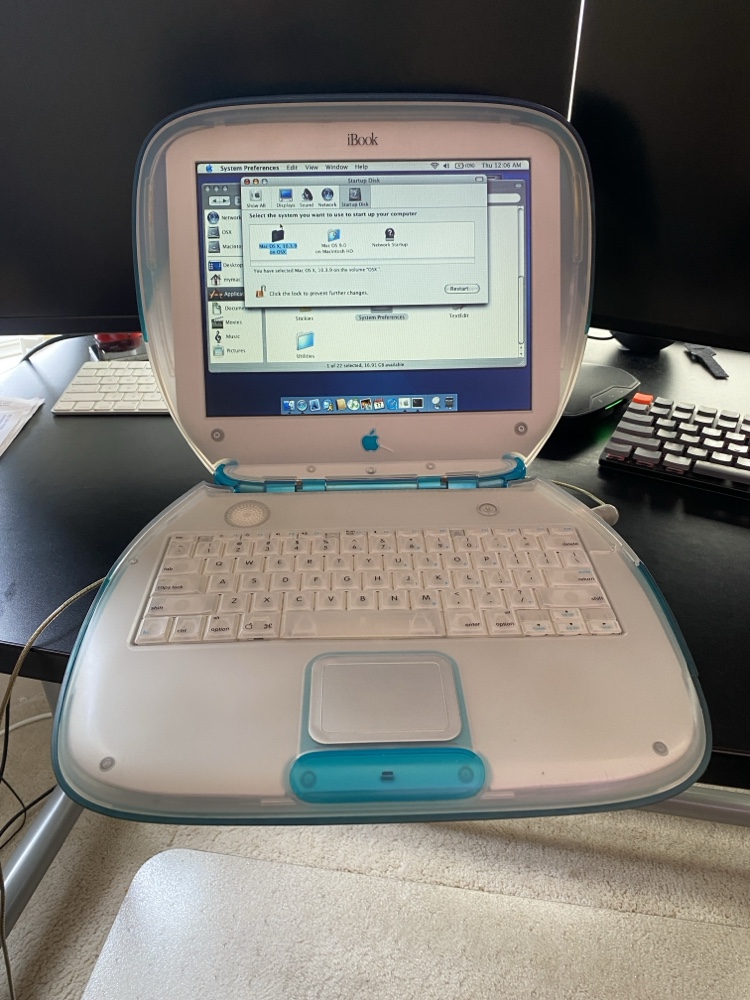
I’m finding it very funny that for some time now I have wanted a classic iBook G3 Clamshell laptop circa 1999. I never owned one however they always did look pretty cool. I personally did not get into Max until the G4 around 2002. I’ve also wanted a lampshade iMac. For some reason I keep thinking about the 15 inch version although the 17 inch is better and the same physical footprint. I owned a 20 inch version of that computer and loved it. I was reminded of my desire to want the iMac when I was at my sister-in-law’s I saw that she had one and she commented about oh that old thing or something like that. I told her I’m jealous since I actually want one.

The final straw for me was when my friend was talking about how he bought and restored and upgraded the G3 iBook. I started asking questions around how we found a good one and how much it costs. He gave me a bunch of pointers on what to look for on eBay and I started to search. The prices weren’t too bad however I was surprised that a 18-year-old computer was worth even that much. It goes to show you that this particular model was in demand. I found a blue G3 that had its internals upgraded to slightly better variant that did not come in blue. It also had an SSD instead of an IDE hard drive. Even had a new power brick.

I was ex cited get the laptop however when I got it I realized there was something wrong with it. The LCD backlight was out. The seller on eBay was extremely accommodating and I sent back the laptop. He fixed it and send it back to me. I had a choice of a full refund or options on a different model but after I got the laptop it was in perfect shape other than the backlight and one hairline crack in the case. The crack was visible in the auction pictures even though I didn’t see it myself the first time. The computer was still functionally fine with the crack and he barely noticed it so I was happy to keep this particular computer if he could get the LCD to work. Thankfully he was and shipped it back the same day he got it after fixing it.

The girls wanted to play with it. Originally that was my idea to get it working with some educational software for the girls to use. Now that I have it however not so sure I want them playing with a vintage laptop. Just because it’s so cool I don’t want them to break it. It’s very heavy I’m not sure other than the LCD if they could break it but I don’t want to chance it. I do have a few use cases in mind for it.

My friend needs to own up and take responsibility for all the money I spent since knowingly or not he gave me the idea to go out and buy this laptop. I was just following is very bad/very good footsteps regarding vintage computers.