My New New New MacBook Pro

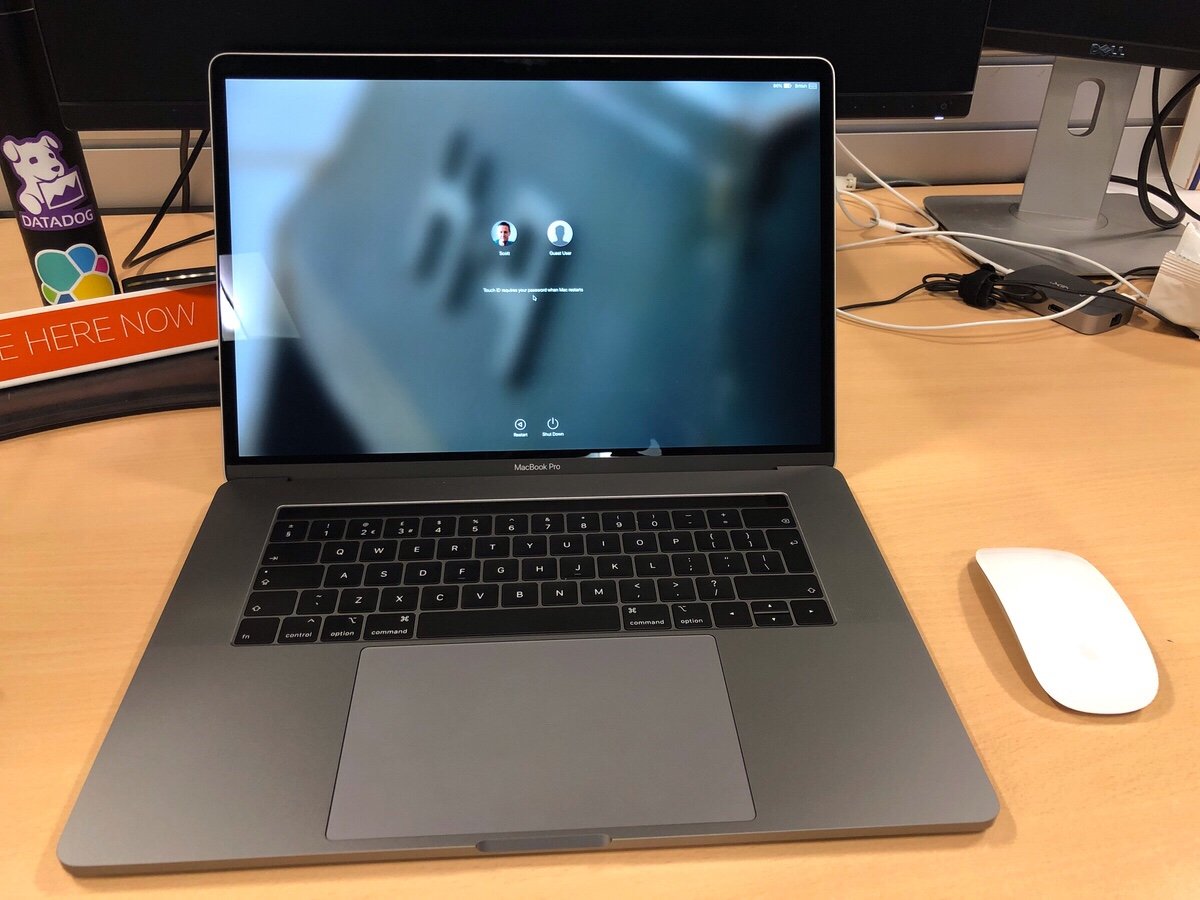
Yesterday (as of writing not publishing this) I got my new MacBook Pro for work. I requested it in May and due to several factors I only received it in late August. The good news about living through a huge lead time was that after the new model was announced I got automatically switched over get that one since they couldn’t source the old one. Turns out they will order you a new computer when the battery starts bulging on the old one to the point where it won’t lie flat on the desk anymore. On top of the fact that it was out of warranty.

Thew new MacBook Pro is pretty nice. It is a well-equipped 15″ touch bar in space gray. I spent all of my spare time over the past two days including last night on my couch trying to set it up. In many ways this computer is more powerful than the 2015 13 inch pro I have. In others it’s not. It has the same amount of RAM. It also comes with the same SSD size. The processor is several generations newer. There is a discrete graphics card in it and it is the same weight as my old 13″ model since prior generations made the machines lighter.

The biggest first world problem I have with it is that it’s a 15″ machine. It doesn’t fit into the bag I have and love. It may be the same weight as what I had previously but compared to a new 13″ model it is a pound heavier. One of the reasons I opted for the larger one is that a lot of time I work from an office that I am not officially based out of that is nearby. I don’t always have the opportunity to get a desk with a monitor. Working off a 13 inch screen with my eyes isn’t the most fun thing to do in the world. The 15″ is a bit better but still not obviously the same thing as sitting in front of a 24″ or 27″ monitor.

The decision I had to make was what has become the typical laptop trade-off question. Do I go for size at the detriment of performance? Or do I go for the bigger much more powerful machine? In my case I yin-yang and went with the larger MacBook. The final deciding factor was simplicity. The size and configuration I ended up with is a standard offering. The smaller 13″ MacBook would have to be a special order and thus take more time. The feedback I got from friends who tried it said just buy the 15 inch and be happy with it. So I did the opposite of what I did several years ago when I went from a 15″ to 13″. I went from small to big. My reasoning changed because my situation changed.

One of the huge downsides of the new Macbook’s are the fact that they require USB C. Since most devices are not USB C I need dongle’s. I have two USB to USB C adapters in my bag. A USB C to DVI adapter in my bag. On top of that I have a small dock in the office I travel to and a full dock at my regular office. Hopefully more USB C native devices will come out however its been a few years since these models were launched and its not much better than it was when they first came out.

Next up is getting my stickers on it…

The Best Way to Make Something a Permanent Solution is…

The best way to make something a permanent solution is to call it a temporary one. That is one of my motto’s at work.

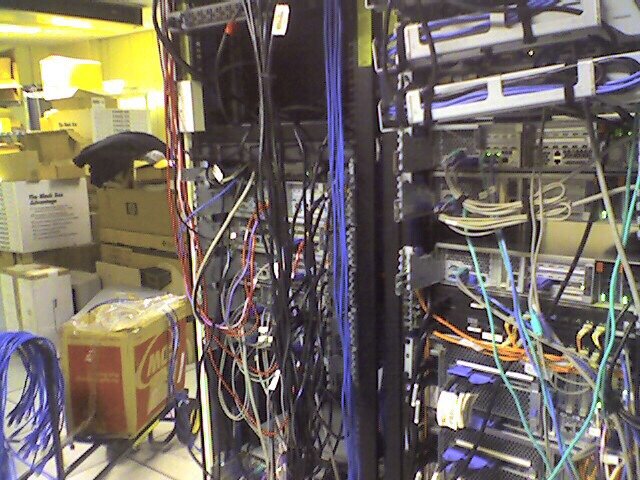
Note that is not any data center at my company.  Although I did used to walk by a desktop computer in a hallway that had a big sign on it that said do not shut off, production.  Production for what i had no idea nor did i want to ever find out.

My Third Apple Watch

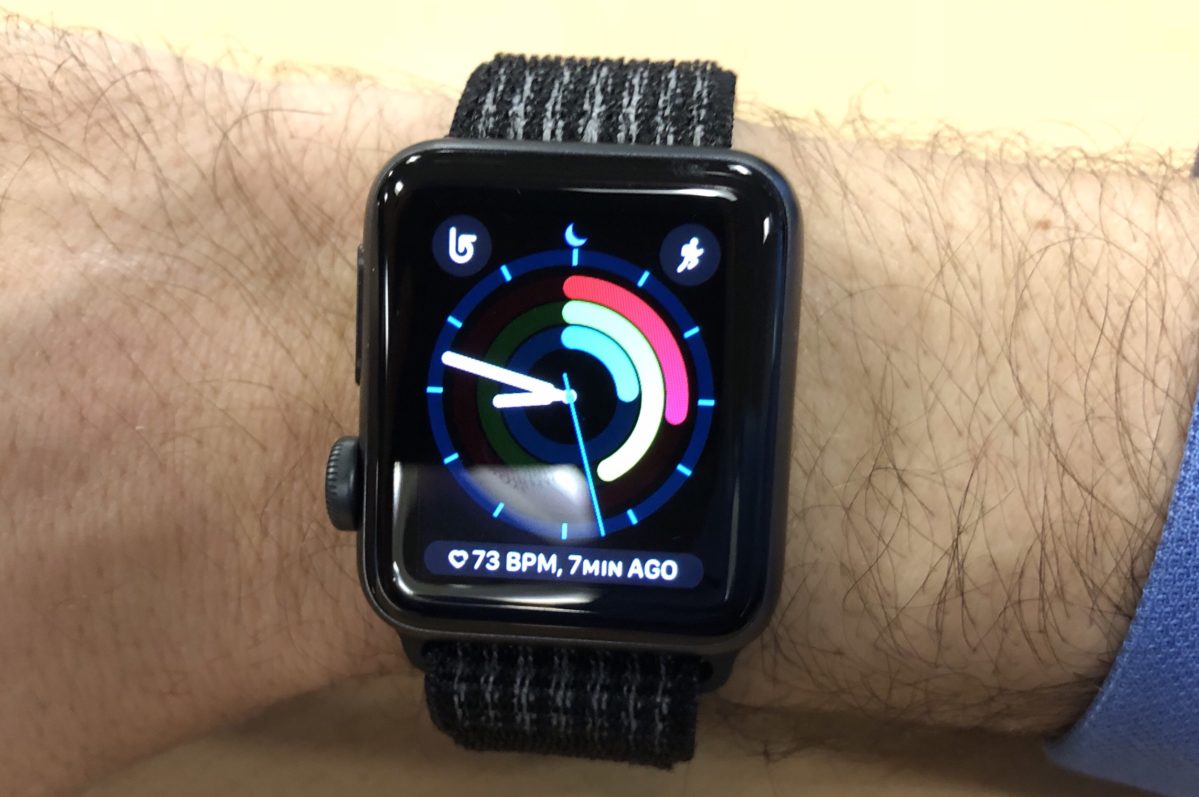
I have previously written a lot about my experiences with the Apple Watch(s). I have had a 42mm Stainless Steal original Apple Watch. I sold that after a while.  When the Series 1 & 2’s came out I decided to give it another try. At the time I bought a Series 1 38mm. I wrote about my reasons for selling the original Series 0 and why I bought a Series 1 back in Dec 2016. I had the Series 1 for a while again and decided it still wasn’t for me as my main watch. Selling that Series 1 justified to me that I am still an old school watch person and I bought a Submariner that i was thinking about for several years.

Another year, another shinny new thing from Apple.  This time its the Series 3.  The Apple Watch Series 3 has been out for a while. I didn’t give it much notice since i was happy with my analog watches. I previously wrote about all the reasons for having a smart watch. Telling time, notifications and as an activity tracker. Both times I owned Apple Watches either failed or were simply ok in all three categories. As a watch they were too slow for me to show the time when i lifted my wrist. The notifications were ok but not earth shattering. The activity tracker was nice however I used a Fitbit for sleep so I was wearing it when i wore the Apple Watch anyway so to me i didn’t care much about the activity stuff it did.

Then a few things changed that gave me different perspective. After having my Submariner for a few months i stopped using the Fitbit every day for activity tracking. I didn’t like the Fitbit banging into my watch. For some reason with the Submariner it was much more noticeable than with my other watches. I started to use my iPhone to track activity. I carry it with me most of the day so it was pretty accurate and the reviews said the same about it. For years i have been very big on tracking data points about my activity and health.

One guy at work I noticed had an Apple Watch on one wrist and a regular watch on the other. I asked about it and he liked the activity sensors and notification however was a nice watch guy. I didn’t think wearing a watch or anything for that matter on my dominant wrist so I didn’t give it any more thought. Then a few weeks later I realized I wanted to track my heart rate. I also rethought my opinion about the phone tracking activity. Since switching to the phone to track activity I was less aware of how much i moved a day. I had the data but it was less in my face. I also was less motivated or gameified to be more active. Going back to a smart watch only was a non starter for me. I then thought about my friend who just had both. I was never one to really care about fashon or what others thought about having two watches. Especially when I wear long sleeves most of the time. The issue came down to would a watch on my dominant wrist be comfortable.

Before spending a not insignificant amount of money on a new Apple Watch I decided to wear my Fitbit for a few days on my right wrist. I wanted to get a feel for if a band on my dominant hand was uncomfortable or a distraction. Initially it was very annoying. Then after a few days it became much less so. I had a feeling about that and that’s why I tried the experiment in the first place. I contemplated just using the Fitbit on my dominant hand going forward. I decided against that since one of the main driving forces for me to buy the Apple Watch was the heartbeat monitoring. The Fitbit was pretty good for step count and sleep however fell a little short.

Those nonscientific findings I went to the Apple Store to pick up a series 3. I was originally going to get the standard sports black 38 mm. I ended up spending the extra 50 pounds and got the cellular version. My justification for the splurge was I really liked the band that came standard on the cellular sport version. Since I’ll be putting the watch on and off with my non dominant hand (the watch will be on my dominant wrist) I have trouble with regular clasps. The Velcro like sport and was nice. I know I could’ve bought one As an accessory. The reason I didn’t was that I did not need to bands and the one that came with the lower end watch I did not like. For a slight difference in price then buying the cheaper  watch and extra band I got the cellular version of the watch and the band I wanted. I’m not currently using or even signed up for cellular plan on it. I’m not even sure if I ever will. I do like options, so having the option to do it later was worth it.

As of writing this post I have had the watch for a few months now. My overall impression of it is positive. I have been using it for exactly what I bought it for. It’s doing its job perfectly fine. I do use it a little bit for notifications however not very much. As an activity tracker it is great. The motivations to get up and move around are very helpful. The semi use of notifications and the heartbeat in my mind does justify the extra cost of getting it versus Fitbit. It was more about wanting and not needing for me. I thought that having something on each wrist would look odd however I haven’t had any issues so far.

The Great Facebook Purge of 2018

With the news in April about a 3rd party company stealing tons of Facebook user data is in the headlines it envouge to delete Facebook accounts.  For me I have limited my Facebook exposure for years.  I deleted my account once a in 2013 and started over with no content.  I have also limited what goes onto the platform.  Prior to deleting my account i looked for a way to purge en mass content.  Facebook suprise doesn’t make it easy for you to do that.  That was why i deleted my account in the first place.

Early last year I stopped looking at and updating Facebook.  Late last year I came back for specific reasons I wrote about here.  Those reasons still are valid so I do not want to go as far as deleting my Facebook account however I have little trust in their motives to collect so much data about me or their ability to safeguard that data.

Instead of deleting my account I found a script that sort of worked to remove content or hide content from the past 6 months. It scrubbed posts, likes, etc.  It is perfect for my use.  It should have worked for my entire timeline however i had issues with it. Thankfully I have been very sparce on my usage of Facebook over the years so cleaning up manually was not too bad. For anyone who used it every day for years may not be able to do the same thing.

What I am now left with is simply posts from my blog that are public on the internet. A few group discussions i took part in and mainly birthday posts from people. What I am not able to get rid of easily is tags of me in posts. I had to settle for manually hiding them from my timeline.

For many what i did in an hour or two would not be possible without significant effort due to the volume o content people post and the fact that Facebook does not let you easily get rid of stuff.

Always Blame The Tools, OK Seriously Do Not Do That

I wrote previously about my motivations or lack of motivations on writing.  With all that I wrote being true an added issue was recently writing was just harder to do.  I do a lot of my writing by dictating to Siri.  Previously to that i was using Dragon Anywhere and Dragon Dictate by Nuance to dictate.

Since I write when i have a spare moment that often is when i am away from my computer.  That means I leveraged Siri a lot.  I wrote about why I went with Siri vs Dragon Anywhere.  For a while before i wrote that post I was really not using Dragon on my phone.  Siri was working great so I couldn’t justify the costs.  I am not sure if it is my location (London wireless is as good or better than NY) or issues with the newer IOS versions however Siri isn’t as good as it was when I wrote that post.

Around mid May I decided to sign up for the Dragon Anywhere trial again.  I was able to blast out the bulk of what would be my first blog post really quick.  I was also able to write a detailed journal entry for the day I downloaded the app.  That was enough for me to be happy to pick up the subscription again (for now).  In the end i could have just used the dam dictation software I pay for on my Mac.  It is much less convinenentq than having it on my phone.  It happens to be better to use.  Just not that much better to make me sit down at a computer worth my while.

With the real or perceived obstacle of not being able to dictate out and about removed I am hopeful I can continue my fledgling writing/dictating streak.

Floor vs iPhone

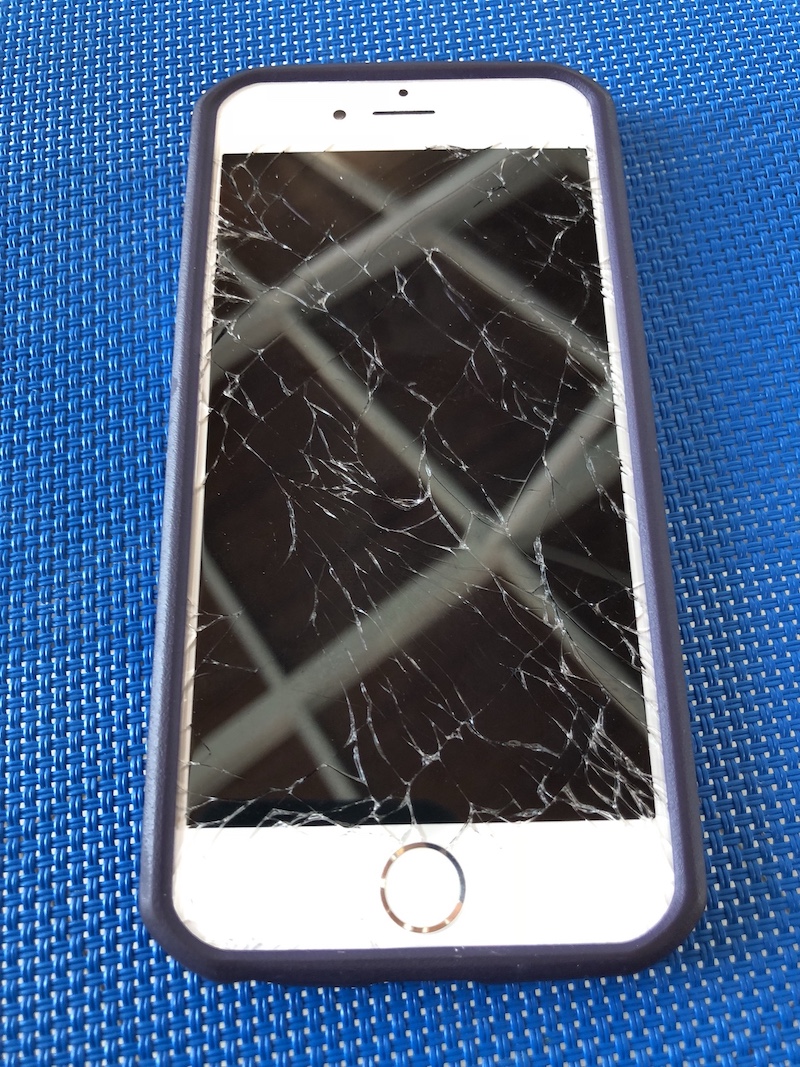
M had a showdown with the floor of the pool vs her iPhone. Her iPhone lost. It happened on day 2 of our vacation so no phone until we can get it looked at.

I am not sure if it is worth the screen replacement cost to fix an iPhone 6 (or 6s, not even sure) that is at least 3 years old and 3-4 generations old by now.

Pi Net Expands

My new Pi 3 B+ arrived today.  All my other Raspberry Pi’s are 2’s so this one should be significantly more powerful.  I didn’t really “need” it however I wanted to play around with it.  I haven’t written longer posts in a while however I now am using a Pi for RetroPi game console, an OSMC (Kodi Open Source Media Center) and two other ones I am trying to setup a docker swarm with.  I hope to write more about my projects later.  Now off to install Rasbian.

IRS Scam

Hi IRS robo-call that sounded like you were from the movie War Games. Here is the thing.  You called on a number I do not think I gave the IRS.  You sounded very threatening.  Good job scaring people however I don’t think the government will do that.  Also how is 2 phone calls all you give to warn people?  The real IRS has reached out to me in the past.  it is several letters, not just two calls.  Nice try.

The best part about this is when I called the number you called me at you answered the phone right away.  Like one ring.  Do you really think i am going to believe that a government agency like the IRS is going to pick up in one ring with no IVR saying hello IRS?  I was tired so I didn’t decide to play with the guy who I got on the other end of the phone but I thought about it before I hung up.

All of that and a simple internet search of the number you used for your caller id: 347-966-5628 comes back with reports of spam. https://www.callercenter.com/347-966-5628.html#complaints

I should be annoyed however I was slightly amused.

My Never Ending Qwest for the Perfect Task App

Some would say i am a pretty organized person. I sometimes it doesn’t feel like that, however most of the time I would say i am generally pretty organized compared to most people I know. My problem has sometimes been my tracking of what i need to do has gotten too complex.

For several years I had been trying (and sometimes succeeding) at following the Getting Things Done approach to taking care of my actions. I had been using a web service called Remember The Milk to do that. I have written about it a few times in the past.  RTM has iPhone and iPad apps that made it easy to take my actions lists with me and edit them offline. I was content using it for several years but sometimes I dabbled with other systems trying to find something better. I never really found anything and always ended up back with RTM.

Back in 2014 I started implementing a kanban approach to some procedures we do at work. Reading up on kanban has gotten me to think adopt some of the concepts to my personal life.  That line of thinking got me to branch out from RTM. A big part of kanban is visualizing your work. RTM just generates basic lists. I tried having several lists to denote different steps on a personal kanban system but it was lacking a lot of the visual element when i couldn’t see all the steps at the same time. I also had challenges with sorting projects in RTM. I could create them but that required a smart list for each project. That caused me to have a ton of different smart lists that i had to look at in order to see my tasks. RTM also had a limitation in that they didn’t offer sub tasks for a task so in order to group several actions together i had to create a project even if it was small and could be represented by one “card” and several sub tasks.

In searching for several different options I came across Trello. After testing and playing around with several similar applications I settled on  moving my work and personal task management to Trello. Since the summer of 2014 my use of Trello has exploded. Not only do I use it for personal and work boards. I track meeting agendas in it. At one point we had a training schedule at work using it. For personal projects such as planning for vacation we use it. I have a board for places we want to try or like to go to for lunch at work. The board I like to show as an example of how to use it when people ask is my Mixology board. There I clipped from the web recipes of mixed drinks that I want to learn or have already mastered creating. I try to share a few family boards with my wife however she is not as big on task organization as I am.

The biggest drawback to Trello originally was the fact that there mobile applications didn’t really handle off-line synchronization. In the past year however they’ve added that functionality so while I’m on the subway I am able to update a board or individual cards and they sync up to the cloud when I get network signal. There are some small limitations to this however not something that has prevented me from using it. Things like checklists don’t load when you open the card without network signal.

I’ve been happy to pay the five dollars or so a month in their Trello Gold subscription. I almost want to pay for the full $15 a month professional plan however no one else I interact with does that so functionality would be limited.

In the several years that I’ve been using Trello (I didn’t realize it has been over 3 already) I have tried to look for alternatives. Not because I’m unhappy, just because I’m always looking for the next great option. Folks at work have used the GIT task board. I have played with Microsoft office 365’s  task boards and neither of them come close to ease-of-use or functionality. So for now Trello it is.  Until at least Atlassian messes it up now that they own it. Here’s to hoping they don’t.