Teaching Alexa New Commands

Tonight I taught my Echo to turn on and off my media center using my Harmony Hub.  I showed MC and she was not impressed.  I am starting to think unless Alexa makes her a full breakfast and delivers it to her in bed she won’t be impressed by what it can do.

I also got the echo to take its own task list items I give it and add it to Trello so it is useful for me.

Next up is integrating smartthings commands.

BitTorrent Syncy Network Phase II

Since around the new year and trying to figure out what next phase of my private cloud backup network would look like. The design was originally leveraging several raspberry pi’s however practice only one remains at a remote location. The remaining remote locations I’m using old Mac Minis. Even the one Pi I do have deployed is inoperable and needs to be rebuilt. I’m not sure if it’s the Rasbian version of BitTorrent Sync are generally anyone expelled for sync but I had several problems with the Rasbian  installs losing their license identity. What happens is I then have to re-add the BitTorrent Sync pro license and reindex all my shares on that node. It’s annoying and I’m concerned though because option at some point.

At the same time I’ve been looking at ways to better secure the remote data. All of my systems are at friends and families houses so endpoint security’s been less of a concern then on the network security however when BitTorrent Sync announced encrypted folders I was extremely curious. After playing around with it for a while I have opted not to use the encrypted folders however it’s something I’m still thinking about for the future.

On a side note I’ve been contemplating a Lenox desktop to complement my Mac. I shopped around and found a nice inexpensive Zotak. I picked one up and put a 120gig SSD and eight gigs of RAM in it. I wasn’t sure if I was use it as a desktop or to replace my BitTorrent Sync Pi. Right now I’m having keep a replica copy of my data at home to test it out. I’m currently running go to 14.04. It’s been running pretty well however I did have one or two anomalies with sync folders so I am not yet ready to deploy it in the wild. My goal in a long-term is to replace all the minis with something like the Zotak. The new boot to install also increases that new to 4 TB of storage versus the raspberry Pi I have deployed with a 1 TB hard drive.

As part of my incremental upgrades I have put a 4 TB drive in one of the remote minis and the other has a 2 TB drive. That gives me some headroom since fully seated backup is around a terabyte.

Holding off on any additional drive upgrades until I can confirm that the Ubuntu based Zotak is working well. If it is I hope to pick up another one two.

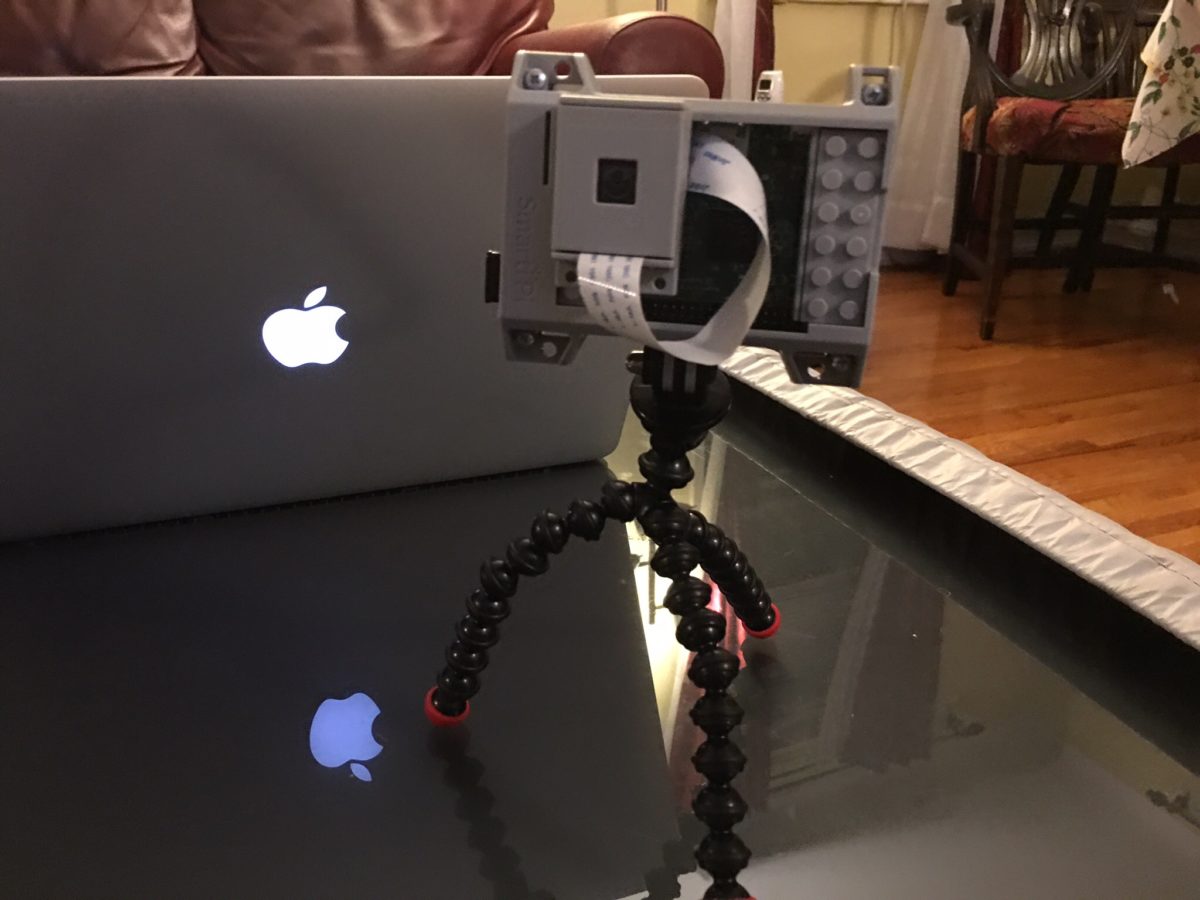
The raspberry Pi’s are not going to go to waste. I’m using one of them has an extra replica copy at home for BitTorrent Sync. I have a higher tolerance for failure for that since it’s an extra copy at home of my data. I’m installing some applications on another one. Future projects for the remaining ones include a possible reverse proxy, Wi-Fi hotspot and or WebCam. I just need to find the time for all these projects. For now just want to finish my backup solution upgrade.

And if you’re reading all this thinking yourself do I really need a four node private cloud network the answer is of course not. The other answer is it’s really six nodes if you count the three I’m running at home. In the end I didn’t save the money using a private cloud  since even though a lot of the equipment was lying around there was some upfront costs that I won’t realize unless I use the system for 2 to 3 years. The reason to do it however was more because I can and because I wanted control over my information. I’m glad I’m continuing to tinker with this since I’m learning a lot and a lot of fun.

iPhone 6S or Not

Ah September.  Fall is almost upon us.  That means iPhone upgrade season.  I admit that typically I have upgraded phones annually.  That ended when when the iPhone 5S came out.  There was just not enough compelling reasons for me to upgrade so I skipped it.  Last year the 6 was significant enough of an upgrade and I needed  new phone so the decision to upgrade was simple.  The harder part was deciding between the 6 or 6 Plus.  The 6 won out.  This year I have to ponder the same issue.

The 6S may not be enough of an upgrade however the force touch does seem nice.  It boils down to I likely do not need to upgrade however I am going to anyway.  I save away money every month with the assumption that I am going to upgrade and I can sell the 6 with enough resale value that I am don’t get sticker shock from the upgrade.

Suck it Indiana Jones

Suck it Indiana Jones.  I too have found the holy grail.  Well the Holly Grail for me in relation to my media center experience.  After searching for a solution that works that includes all my requirements I finally think I have it in one device.  My Apple TV 4.

That device in and of itself maybe was 1/3 of the solution.  For me a Media Center is not complete without my media library accessible via Plex or Kodi.  I prefer Plex since that is what I use as my server however I would have settled for Kodi.  Plex turned out to be available on the new Apple TV on day one.  It worked great.  The main other piece of the puzzle missing was the ability to watch live TV.

To save $20 a month I dropped my TiVo a few months ago.  I was just not using it enough to justify the expense.  MC loves her live TV thought so I needed a solution.  I bought a HDHomeRun Prime.  The problem has been I haven’t been able to find a good live TV streaming client that seamlessly worked on any device other than my old Sony Google TV.  My home built OSMC didn’t work very well.  It was very choppy video.  The Kodi setup I built on my Mac Mini worked ok for the live TV however it didn’t play my Plex content very well.  It also required switching HDMI inputs to get to my iTunes content.  That was a challenge when the HDMI switcher didn’t work and MC couldn’t get the girls their 15 minutes of Seasami Street sometimes in the morning.

I had been using the new Apple TV with the Sony Google TV as an overlay on the Apple TV.  I did something similar with the Google TV when I had my TiVo.  It still required two devices and two remotes to work.  It did work but is not very elegant.  I also want to rid myself of all Google devices so having to rely on the old Sony Google TV is an annoyance.

Today however everything seems to have changed for me. Yesterday I got an invite for a beta program of one app that will allow me to use the live TV stream from my HDHome Run natively on my Apple TV.  I setup the app today to give it a try.  It worked but it is clear that the app is still beta.  I am hopeful that this app will flesh out their issues and will work well.

In the mean time however as luck would have it I found another app in the Apple TV App Store that I hadn’t seen the last 3 or 4 times I browsed the store for live TV streaming Apps.  This time I found “Channels”.  For $15 it claimed to do everything I wanted in live TV native in the Apple TV.  I figured I would give it a try.  After some drama related to two step authentication and my Apple ID I was able to purchase the app and give it a test drive.  From the 15 minutes of playing around with it I am pretty impressed.  It doesn’t have the audio / video out of sync issues that have experienced on several platforms.

With this app if it continues to be functional I am able to par down my media center to just my Apple TV the front end, Plex running on my Synolog as my back end along with my Silicone Dust HDHomeRun for TV streaming (using a cable card).

Getting to this setup has been a multi year process of trial and error.  If it proves to be reliable I will be very pleased and hopefully the configuration will be simplified enough that MC and soon the girls won’t have any problems using it.

For now I am pleased with the turn of events that gave me my holy grail of media centers!

The iPhone 6S Plus

When the iPhone 6+ came out I was intrigued with the bigger size however I opted for the plane old iPhone 6. After about two months I decided to try the 6+ on my work line. I had it for all but a day and returned it. At the time and used to a lot of things one-handed. I tried the galaxy note in the past as well and it was too big. I stuck with my 6. Flash forward to this year and when the 6S came out I opted for it over the plus for the same reasons. I ended up selling my Nexus 6 that I was using for my work line. That was also a big phone but significantly cheaper then the plus. I was using it more as a media device than anything else. As much as I like the device having one device is android among all the others that were iOS didn’t make any sense. For a time I returned to my old iPhone 5 as my work line however the size of that screen was becoming very annoying compared to larger 6. Since I was getting by with the next six as a media device and hearing several people work enjoying the larger phones I decided to take the risk and get another plus for my work line/media device.

After about a day I wanted to give it a try as my main phone. Swapping between phones my Sim card was harder than I thought it would be. It was not as simple as swapping SIM cards. I had to re-associate my iTunes account and phone number to each phone.

Once I started using the plus as my main line I was surprised to find that I liked it. There were still limitations with regards to what I can do one handed. What I realized however was that now that my kids were slightly older I was not as concerned about pushing strollers or carrying a baby in one arm needing to answer the phone. It still uncomfortable to use in some situations because of its size however the advantage of the larger screen in other aspects of day-to-day use have so far been outweighing the downsides. It’s interesting how much a year or two makes your requirements change just enough.


My week using the iPhone 6S plus has my main phone is evolved into indefinitely using it as my primary. I’m curious to see how long I keep it up or if I decide to switch back. I’m hoping to like it and I just sell the 6S. Of course I do that I have to figure out what to use for my work line. The challenge I have is the work upgrade options are pretty paltry so I would have to either get something that’s not so great or pay out-of-pocket for something else.

Apple Pay on a Vending Machine???

I still cannot use Apple Pay or any NFC card at the vast majority of stores yet as I was dropping off T for school today I noticed the vending machine in the lobby of the Y accepted credit cards.  Upon further inspection it flashed the NFC logo and Apple Pay logo that it accepted that too.  I suddenly had to resist the urge to buy a Snickers bar!

Pi Net Upgraded

I have been challaged with figuring out an easy way to upgrade the Bittorrent Sync software I use to replicate my files on my Raspberry Pi’s.  The upgrade process on my mac is super easy.  The upgrade process on Raspbian should be easy however the person who has been maintaining the easy to upgrade package hasn’t updated his package in 9 months.

The internet is a small world.  Every single how to i find on the internet about installing Bittorrent Sync on a Pi (I found at least a half a dozen) point to this one repo.  I found instructions on how to setup everything manually however it was not a simple process.  Right as I was reviewing the steps to do the manual install I stumbled accross someone who forked the original package and is maintaining the latest update of the sync software.

After testing the install process on a clean Pi, I ran an upgrade on one of the two Pi’s I currently have at home.  The upgrade worked great.  I just ran the upgrade on the other local Pi and then on the remote units with no major issues.  This new repo says they are in sync with Bittorrent Sync’s release schedule by about 24 hours.  Hopefully I will be able to stay up to date from now on.

I am hoping my upgrade (from 2.0.94 to 2.2.7) solves some minor bugs I have been experiencing with one location.

This was the first major upgrade to all my nodes on my private cloud.  I was a bit cautious however in the end the system didn’t get corrupted and functioned as it should.

Next up I am thinking about another remote node location.

Pi Net Back to Full Power

After a few weeks of running in a degraded state I have all my Sync nodes back online.  Some very basic maintenance at my parents for thanksgiving got me working with my problem node.  I ended up swapping out the Pi at my parents place for a Mac Mini that I stopped using after I got my latest Apple TV.  That mini had a replica copy on a larger hard drive so the swap out was less about any issues with the Pi vs I took the opportunity to upgrade while i was there.

I need to call my sync network something other than Pi Net since right now the majority of the nodes are not Raspberry Pi’s.