Please Take My Money: Green King

It’s time for another round of Please Take My Money, the ongoing saga of payment systems that either make it ridiculously easy to spend money or somehow turn it into a test of patience and willpower.

Today’s contestant: Green King.

When I think back, I don’t even remember Green King having an online payment system before COVID. Maybe they did, but it certainly wasn’t memorable. Then lockdown happened, and suddenly the idea of ordering from your phone became not just convenient, but essential.

After restrictions lifted, one of the first places we went was our local Green King pub. For the first time, they had an online ordering option. I actually thought that was great. One thing the pandemic got right, if we can say that about anything, is the ability to order food and drinks from your table instead of waiting in line at the bar.

Now, don’t get me wrong, I like the charm of a proper English pub. I don’t mind going up to order a drink. But queuing to order food? Hard pass. So the fact that Green King introduced mobile ordering felt like progress.

Originally you had to register for an account. Nothing kills “convenience” faster than “please create a password.” I get that companies want to collect data and “build loyalty,” but if you’re in the business of selling me a sandwich and a beer, maybe focus on that. I don’t need another account to forget about.

Anyway, once I begrudgingly registered, it worked fine. I could order food, add my table number, and my meal magically appeared without waiting at the bar. That alone put Green King ahead of some others I’ve tried. So let’s call the early days a neutral: annoying sign-up, but decent execution.

Fast forward a few years, and they’ve clearly learned. The app no longer requires you to store your card details. You can just pay with Apple Pay or Google Pay and be done. No extra forms, no saved card nonsense, no trust fall into yet another company’s database.

And that’s the thing. Retailers love to say they “take security seriously.” The reality is that they may not be able to focus on it as deeply as a credit card company or a bank does, which is understandable. So when an app lets me not store my card details, that’s a feature, not an inconvenience. It’s basically zero knowledge in practice. If they ever get hacked, it won’t matter, because my card details were never there to steal in the first place.

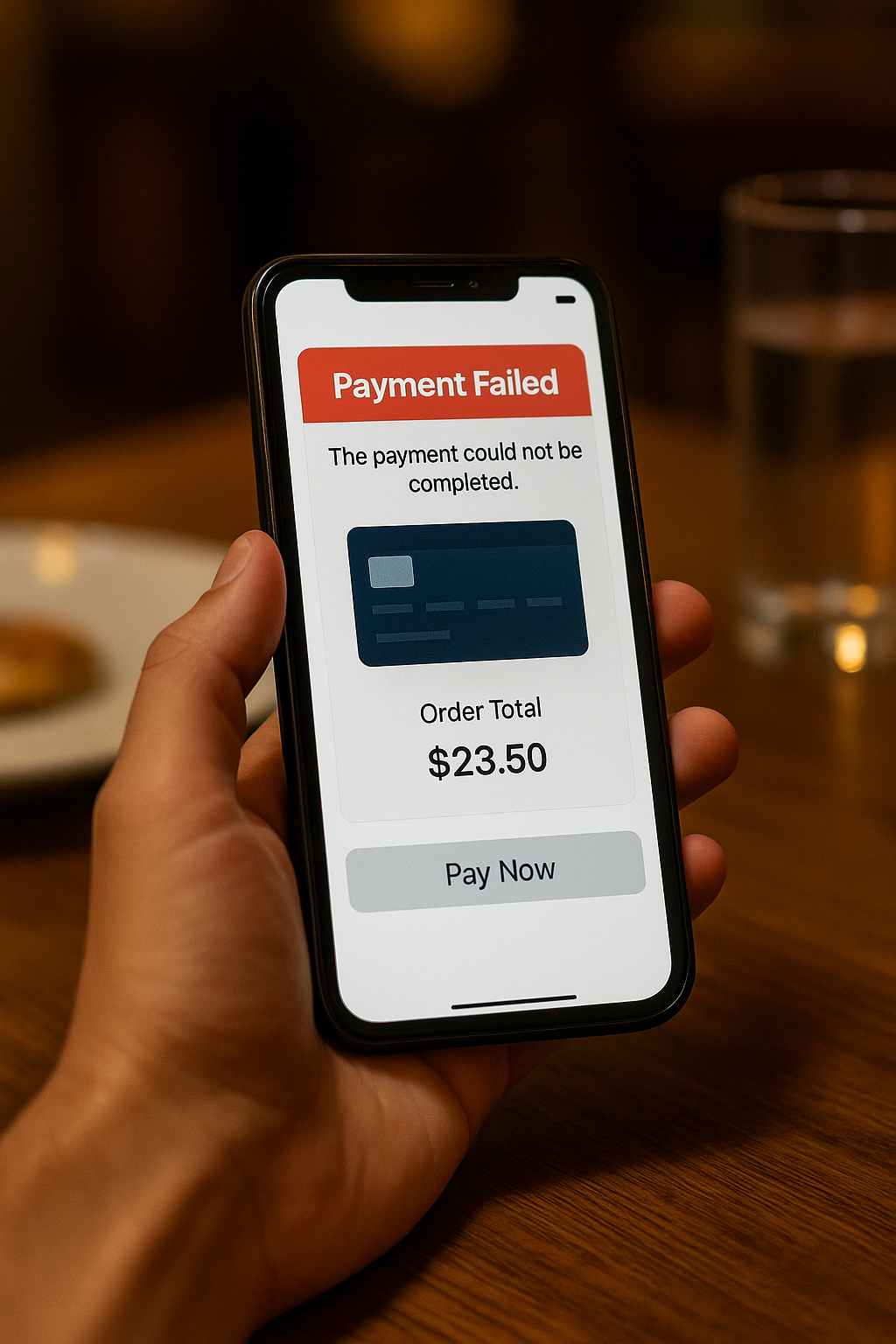
These days, ordering through Green King’s app is smooth. You tap, pay, and your order’s on its way. Seamless. Efficient. Almost enjoyable.

So, after a rocky start, Green King has graduated from “barely tolerable” to “actually pretty great.” They finally figured out the assignment: make it easy for me to give you my money.

The Dot Group Problem

This post is partially channeling my wife’s outrage, but as the household tech support department, I’m equally annoyed.Here’s the story.

The .group top-level domain (TLD) launched in 2015. I know this because I looked it up after dealing with this nonsense. My wife has a personal domain name using .group. It’s short, simple, and sounded nice and professional when we registered it.

We both use a mail service that supports unlimited aliases. Every new website or service gets its own unique email address. That way, when one of them leaks or gets sold, we know exactly who’s responsible for the spam. It’s a great system.

Today, for example, I got an obviously dodgy email pretending to be from a legitimate service provider. It was already flagged as spam, but even if it hadn’t been, I could tell it wasn’t real because it was sent to an alias I’d only ever used for a different service. Case closed.

So yes, that whole “unique email per service” setup works brilliantly. And my wife has adopted it too, with some encouragement from me and a bit of technical assistance.

Now here’s where the outrage begins.

It’s 2025. The .group domain has been around for ten years. There are hundreds of new top-level domains now. And yet, there are still websites out there that refuse to accept an email address ending in .group.

She’ll try to register for something, type in her perfectly valid address, and the site throws back: “Please enter a valid email address.” Excuse me? It is a valid email address. The site’s validation code just isn’t built to handle it.

This drives me absolutely mad. I’ve built and supported web applications for years in e-commerce, corporate systems, and startup products. It’s baffling that companies still don’t invest in maintaining their websites properly. Maybe they don’t know how modern validation should work, or maybe they just haven’t prioritized it. Either way, it’s not a great look in 2025.

Our fix was simple, if slightly irritating: we bought another domain. It’s not quite as clean or memorable as the .group one, but my wife liked it, and it works. It’s a standard .uk domain, which every site on the planet seems to accept without complaint.

Problem solved, more or less. The new domain costs about five pounds a year, which is fine. The annoying part is that the .group domain, the one she can’t use everywhere, is about three times that price. But it’s tied into too many existing services to just drop.

That’s the real downside of using custom domains for email. Once you build your digital life around one, moving away from it is basically impossible.

So now, our workaround is simple. We’re keeping the .group domain active for existing logins and old services but using the new .uk address for anything new.

It’s not the fault of the .group registry. It’s just a side effect of how unevenly the web is maintained. Some companies build things properly, others never update. And here we are, ten years later, still running into “invalid email address” errors for perfectly valid ones.

Please Take My Money, GBK

I don’t know why this topic grabs my attention the way it does. Maybe it’s because I’ve been quietly fascinated by how we pay for things ever since contactless cards appeared. Or maybe it goes back even further to this tech show I watched years ago. It was probably the early 2000s, maybe even before that, and they were covering a guy in Singapore who tried to spend an entire day using only a watch that was linked to the local payment system. It was a test for the show, and he actually pulled it off. He managed to buy food, travel around, and live his normal routine without touching his wallet once. I thought that was the coolest thing.

So when tap to pay and mobile wallets finally arrived, I was ready. It felt like the future was catching up. But over time, I’ve learned that not all of these systems deserve to exist. Some work beautifully. Others are so clumsy they make you nostalgic for exact change.

I’ve written before about those “Please Take My Money” moments, the times when businesses make it weirdly difficult for customers to give them money. This is in that same spirit, just focused on the modern point of sale experience, or really the broader world of how we’re expected to pay for things now. Some places get it right. Others seem to treat usability like a design flaw.

And that’s how we arrive at GBK, Gourmet Burger Kitchen, which manages to turn something simple into a mild endurance test.

GBK: The Anti Convenience Experience

GBK lets you order at the counter or through their app. In theory, that’s flexible. In practice, it’s annoying. When I’m sitting at a table, I don’t want to get up and stand in line like I’m at McDonald’s. GBK isn’t supposed to be that kind of place.

We’ve been to the Stratford location several times, and every time it’s the same story. Between my wife’s Three network, my EE connection, and even my work phone on a different provider, none of us can get a decent signal inside. So you try their free Wi Fi, which of course wants a bunch of personal details before letting you in. It’s not free. It’s just data collection in disguise.

Once you’re connected, the app insists that you register. You can’t just use Apple Pay or Google Pay. You have to create an account, fill in your billing details, and basically hand over your life story before you can order a burger. The irony is that the whole point of tap to pay systems was to skip that kind of nonsense. But GBK wants your information, not your convenience.

After fighting with the app a few times, we gave up and just started ordering at the counter again. The food’s fine, good even, but the ordering system makes the experience harder than it needs to be. It’s like they built a digital wall between customers and the register.

The Bigger Problem

This isn’t just about GBK. It’s about how so many modern payment systems have completely missed the point. They were supposed to make life easier, but in too many cases, they’ve turned into data traps or loyalty funnels. The best systems disappear into the background. You pay, and that’s it. No account, no registration, no email sign up, no exclusive offers. Just pay and eat.

GBK gets a fail from me. I’ll keep writing about more of these experiences because some places do get it right, and others, well, not even close.

So yes, GBK, please take my money. Just stop making me work so hard for it.

The Story of Collecting VPS’s

Back when I was working at Thomson Reuters in New York, maybe eight years ago now, a friend told me about LowEndBox.com and the cheap VPS you could get on subscription. At the time, I was mostly doing my hosting at home, maybe just running this blog, so I filed the info away and didn’t do much with it.

After moving to the UK, I started checking the site periodically, and he wasn’t wrong. They had some wild deals, like a decently powered VPS for under $20 a year if you caught a special. Considering I was used to paying $15 a month for fairly limited hosting, the idea of getting a whole VPS for the cost of one month, but for a full year, was too good to ignore. Most of the big offers came around the holidays such as Black Friday, Christmas, or New Year, but there were deals sprinkled throughout the year too. Eventually, after seeing a Black Friday promotion, I thought: for $20, I waste more on random stuff, why not try this? I grabbed one hosted in the Netherlands and liked it a lot.

That was the start of my little VPS collection. One of them now runs hosting for my blog, set up with YunoHost on Debian. It’s been my favourite self-hosting stack: simple to install WordPress and other apps, stable, easy to back up, restore, and even migrate. I’ve moved my hosting from the Netherlands to Ireland with no real issues.

Since then, I’ve picked up a few more in different places. I’ve got a couple in Texas I’ve been using as VPN endpoints, another one I pay about €8 a month for as a remote node in my backup network with around 2 TB of storage, and a handful of ultra-cheap hosting plans that cost me less than $15 a year. Some of those I don’t even really use anymore, like CPanel hosting for multiple domains, but the VPS setups are still going strong.

At this point I’ve got three or four VPSs running different services, plus a couple of extra hosting plans I may or may not renew when they come up. I’m tempted to add another storage VPS just to play around with Borg backup, though I still keep Resilio running for sync backups. Between the VPN endpoint in the US, my regular hosting, and the backup nodes, I’m definitely collecting VPSs.

Will I pare it down someday? Maybe. But even with all of them, the cost is still half or less than what I used to pay for a single hosting plan ten years ago. Pretty crazy, really.

Watch Costs are Relative

I’ve always found it a little funny when people complain about how expensive an Apple Watch is. For me, the cost has never been the barrier to owning one. Right now I’m wearing a Series 10 46mm. It’s not the cheapest watch I own, but it’s close. The actual cheapest is my Seiko SKX007, which I picked up a couple of summers ago as a knock-around watch for the beach.

I bring this up because my Omega Speedmaster X-33 recently needed a battery replacement. While it was at Omega, they called to say it also needed a full service. Not exactly shocking—I bought it in 2006, so it’s pushing 20 years old, and this is only its second service. It’s had a hard life: I wore it daily for years before I started rotating in other watches, and titanium picks up dings easily. At the last two battery changes they even noted “condition poor” on the paperwork, which felt a little insulting if I’m honest.

So yes, I’ll be glad to have it back shiny and refreshed. What I’m less thrilled about is the price of the service. And yet, it’s not surprising. It’s about what I paid the last time I had another Omega serviced. The kicker? The cost of this service was actually more than what I paid for my Apple Watch.

That’s the point, really: watch costs are relative. The X-33 was the most expensive thing I had ever bought when I got it, and I still love it. But the idea that maintaining one watch can cost more than buying a brand-new Apple Watch puts the whole “Apple Watches are too expensive” complaint into perspective. For now, I’ll just be waiting a few weeks while the work gets done and chuckling at the absurdity of it all.

The photo is of a much younger X-33 right after getting a NATO strap for it, since the titanium band was getting beat up too much.

Building My Own Custom GPTs

With some downtime on the bank holiday Monday, I finally tackled something I’ve been wanting to do for a while: creating several custom LLMs. I’ve been tinkering with agents for work and figured it was time to apply similar customizations for personal use.

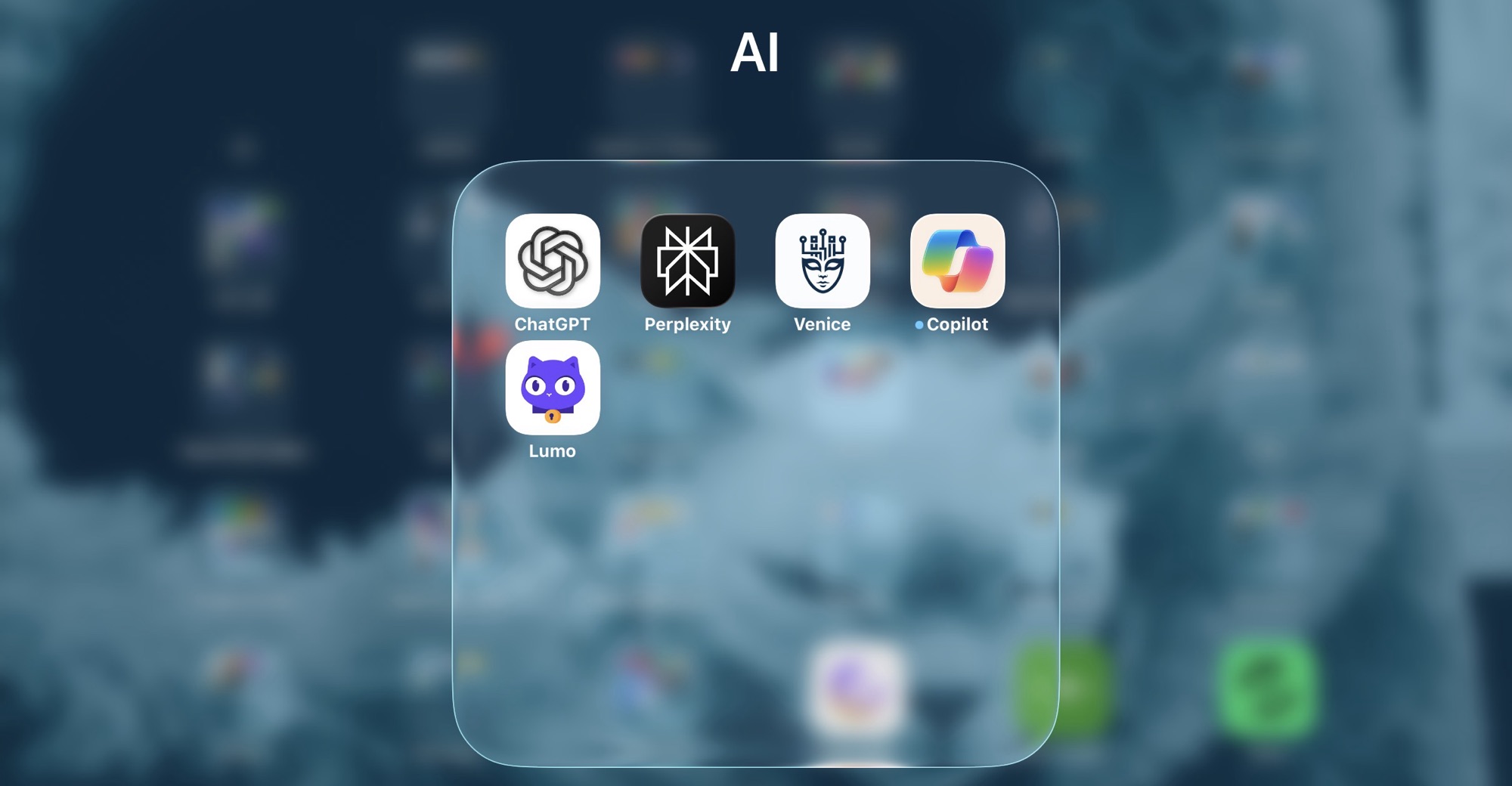
Lately I’ve been bouncing between ChatGPT, Perplexity, Venice.ai, and even the new Proton AI for privacy. ChatGPT now lets you build custom GPTs, so I gave it a try. While we were on holiday, I had jotted down some customization requirements for a handful of GPTs I wanted, and this felt like the right time to build them.

For the past six to eight months, I’ve been planning holidays with different LLMs. The main frustration has been having to restate all my preferences every time I opened a new chat. Starting with a custom GPT just made sense—especially since I’ve got several term breaks to plan for over the next school year. Programming the GPT was straightforward. I haven’t used it to plan a full trip yet, but I’ve got the base built and I’ve started tinkering. High hopes for this one.

I also put together, though haven’t tested, a CISSP study guide helper. I want to sit for the test but don’t have a study buddy, so I figured why not make one?

Then there’s a slightly different use case: a custom GPT for days out with the kids. Same idea as the travel planner, but without flights and hotels—it’s more about what’s going on in London. I’m actively planning a week with the girls now and most of it is set, but I’ll see if this new GPT adds anything useful. The hardest part here was integrating the data I’ve been tracking on a Trello board with all the activities we’ve done or still want to do. I wanted the GPT to be able to use that context, but I’m cautious about sharing too much personal information with ChatGPT. That’s why I also use Venice.ai, which is a privacy-protecting, open-source based AI. Still, I experimented with exporting the Trello data to JSON and importing it into ChatGPT, and after some trial and error I finally got it working. In this case I had to use ChatGPT since I ran into file size limits with Venice.ai.

I’ve got a few more ideas I want to play with, but for now the three or four GPTs I’ve already built will keep me busy. I need to actually use them and see how they perform before I go any further. Early impressions are promising. Even so, as I remind colleagues and my kids, quoting the Doctor from Doctor Who: the AI lies. Don’t ever trust it completely. If you keep questioning it, though, the results can be pretty good.

My Google Pixel 8 Experience And Allergic Reaction to Fingerprinting, The Digital Kind At Least

This blog has been around for 22 years, so there are definitely themes I circle back to. One of them is my strange, recurring relationship with Android phones. Even though I’m primarily an Apple user, I’ve probably owned more Android devices than most self-identified Android fans. The pattern is always the same: I buy one as a secondary device, I use it for a while, then it sits unused, and eventually I sell it. Time passes, I forget why I swore them off, and I start the cycle again. I even wrote a note to Future Scott to warn me away from doing it again.

In principle, I avoid Google services wherever I can. I don’t use Chrome, I don’t use Gmail, and I shut down Google accounts once I’m done with them. And yet, every so often, I’ll find myself picking up a Pixel or some other Android device, which of course requires opening yet another Google account. I tell myself it’s just a dabble, nothing serious.

Late last year I bought a Pixel 8. At first, I was happy enough with it. It was a solid device, smooth to use, and it scratched that itch of trying something different. But right after I bought it, Google announced they were changing how tracking would work on their phones and browsers. Instead of traditional identifiers you could reset or mask, they were moving to device fingerprinting. In plain terms, that means every Google phone and browser gets a permanent, unique tag. You can’t get rid of it, you can’t change it, and you certainly can’t hide from it.

For someone like me, who’s allergic to oversharing by default, the idea of being permanently tagged at the device level was a dealbreaker. It didn’t matter how polished the hardware was; I couldn’t stomach it. I did a bit of threat modeling on my own use case, read up on the details, and then stopped using the Pixel. A few months later I sold it. I should have sold it sooner, but it was only a secondary device and I didn’t feel much urgency. I defaulted back to an older iPhone I had lying around.

Not long after I sold the Pixel, Google partially backtracked on their fingerprinting plans. Sort of. The walk-back wasn’t enough to matter to me. By then I had already closed out my latest Google account, and I’m hoping that’s the end of the cycle. No more Groundhog Day moments of buying another Pixel, dabbling for a bit, and regretting it all over again.

For me, the line was crossed when the tag became something I couldn’t remove. Control matters. Once that was gone, so was my willingness to keep using the phone.

Backup Network Version Number I Forget

I’ve been writing a lot about my tech setup lately because I’ve done quite a bit of work on it. I’ve been meaning to share my current private cloud backup setup for a while now.

The backbone of my private cloud network is still Resilio Sync. While I rely on it a bit less these days, it remains a core part of my strategy.

Right now, I’m using Resilio to replicate a full set of data from my Synology DiskStation to a Raspberry Pi 4. I also replicate a subset of this data—everything except the media center—to an SSD on my laptop. Soon, I plan to set up another Pi 4 as a backup for the same subset of data I have on my laptop.

At this point, I no longer keep any replica data at friends’ houses. I probably should, but when my last setup failed, my friend had to bring the device back to me when he visited from the States. Ultimately, it wasn’t worth buying new gear just to ship it back to him. Instead, I signed up for Amazon Glacier Deep Archive (or whatever they’re calling it now). It’s a cheap, long-term storage option where data is locked in for six months without modification or deletion options. My Synology DiskStation has a built-in client that made it easy to set up a backup of my personal data to Glacier. I still need to test a restore, but for now, I see Glacier as my remote storage solution. At about $1 per terabyte per month, nothing else comes close to that price. Setting up another Pi with a friend would cost around $150–$200, which makes Glacier far more cost-effective over a three-year period.

Because I’m still a bit unsure about restoring from Glacier, I’ve also started using Proton Drive for critical data, including my entire family photo and video library. Once I’ve uploaded the photos, that dataset stays pretty static, so Proton Drive makes sense. With our 3TB plan, I can gradually copy large, mostly unchanging files that I want securely backed up. Since there’s no automated way to sync this, it’s not my primary backup, but it adds another layer of protection.

Recently, with T in high school (or middle school if we were in the States), she’s been using the computer more often. It made sense to subscribe to the family plan of Office 365, which gives each of us 1TB of storage on OneDrive. I’m experimenting with Cryptomator encryption to securely store a subset of our backups on OneDrive. I still need to fully implement this, but it’s something I plan to sort out soon.

In addition to these replica copies, I take monthly RSYNC snapshots to a separate directory on my DiskStation. I have two scripts—one for odd months and one for even months—so I always have two recent copies. I also keep an annual copy of everything. It’s a bit less automated, but it works.

I’m also considering setting up another Pi as a remote Resilio node. Another option is to get a storage VPS again. The previous deal I had expired, so I canceled it last year. That’s partly why I’ve been relying less on remote Resilio replicas. When I got rid of my last remote Pi, I switched to a VPS running Resilio. Now, I’m debating whether it’s worth setting up another VPS instead of piecing together backups the way I have been. At around $80 per year for 2TB, it’s an option I’m keeping open.

Overall, the system works. When I had a catastrophic failure on my DiskStation before upgrading to my current one, I was able to verify that all my data was backed up somewhere. In the end, I didn’t need to restore because I managed to salvage the array on the DiskStation, but it was a valuable exercise to go through.

UPDATE: I wrote this before Christmas. Since then I have built a new Pi with a 2TB SSD and need to deploy it somewhere other than our house as a backup. I have also found a new cheap(ish) VPS storage provider. I have a 2TB VPS in Germany were I am now replicating my main Reslio shares to. I have stopped using Glacial since i haven’t been able to properly test it.  It is still by far the cheapest backup option out there however without being able to verify it works to easily fully recover i was a bit concerned.  The new VPS i have is a few pounds more per month but not outrageously expensive.

Building My Own VPN

I started writing the background of this blog entry. I looked at my own archive and realised I had stopped using remote access software sometime in 2016. I think I got spooked by the changes that logmein did to their free plan or that it got bought by someone.  I forget.  As an alternative I started with remote SSH to remotely manage my growing network of raspberry pi’s. As my setup evolved, I eventually upgraded to OpenVPN for my home network. This way, when I was out with my iPad or laptop, I could connect to my home network and manage my media center.

When WireGuard came along, I switched to that because it was so easy to set up. I’ve been using it ever since for those rare occasions when I need remote access to my house.

Recently, I started experimenting with Tailscale, which is a mesh network implementation of WireGuard. The concept sounded great, and their free plan supports up to 100 devices across three users, which is more than enough for me. I set up Tailscale on my workstation and most of my Raspberry Pis. Now, instead of using WireGuard to connect to my home network when I want to access the media center, I just log my iPad onto the Tailscale mesh network, giving me seamless access to all my services. To make things easier, I use CNAME records with one of my domain names, so I don’t have to remember the cryptic Tailscale-provided domain names. It’s all been working smoothly.

With M and the girls away this week, I’ve had time to play around with Tailscale’s exit nodes. This feature allows me to route all my internet traffic through any Tailscale client I set up as an exit node. I found this intriguing because it lets me browse the internet as if I were at home, even when I’m out. I also experimented with setting up an exit node on my VPS in Texas, so I could route my traffic through there.

I recently noticed Tailscale offers Mullvad VPN exit nodes as an add-on. Mullvad is a solid VPN provider; if I didn’t already have Proton for other services, I’d probably use them. This add-on is essentially a full Mullvad VPN plan for five devices, allowing me to configure Mullvad exit nodes. I’ve been testing it over the past few days, both at home and on the go with my phone and iPad. Like any VPN, there’s a bit of overhead in terms of latency and bandwidth, but I’ve been using the London exit node and haven’t noticed any performance issues.

What’s great about this setup versus a traditional VPN is that I don’t have to toggle anything off to access my home network—my connections just work. This setup is letting me keep a VPN on all the time when I’m out, which I prefer. The Mullvad add-on costs an extra $5 per month on top of the Proton services I already use, but it’s been worth it so far. With a single click, I can switch the exit node to any other Mullvad location or one of my own, like my home network or VPS.

I’m actually so happy with this setup that I’m considering configuring the girls’ iPads to have always-on VPN through Tailscale.

an extra $5 per month on top of the Proton services I already use, but it’s been worth it so far. With a single click, I can switch the exit node to any other Mullvad location or one of my own, like my home network or VPS.

I’m actually so happy with this setup that I’m considering configuring the girls’ iPads to have always-on VPN through Tailscale.

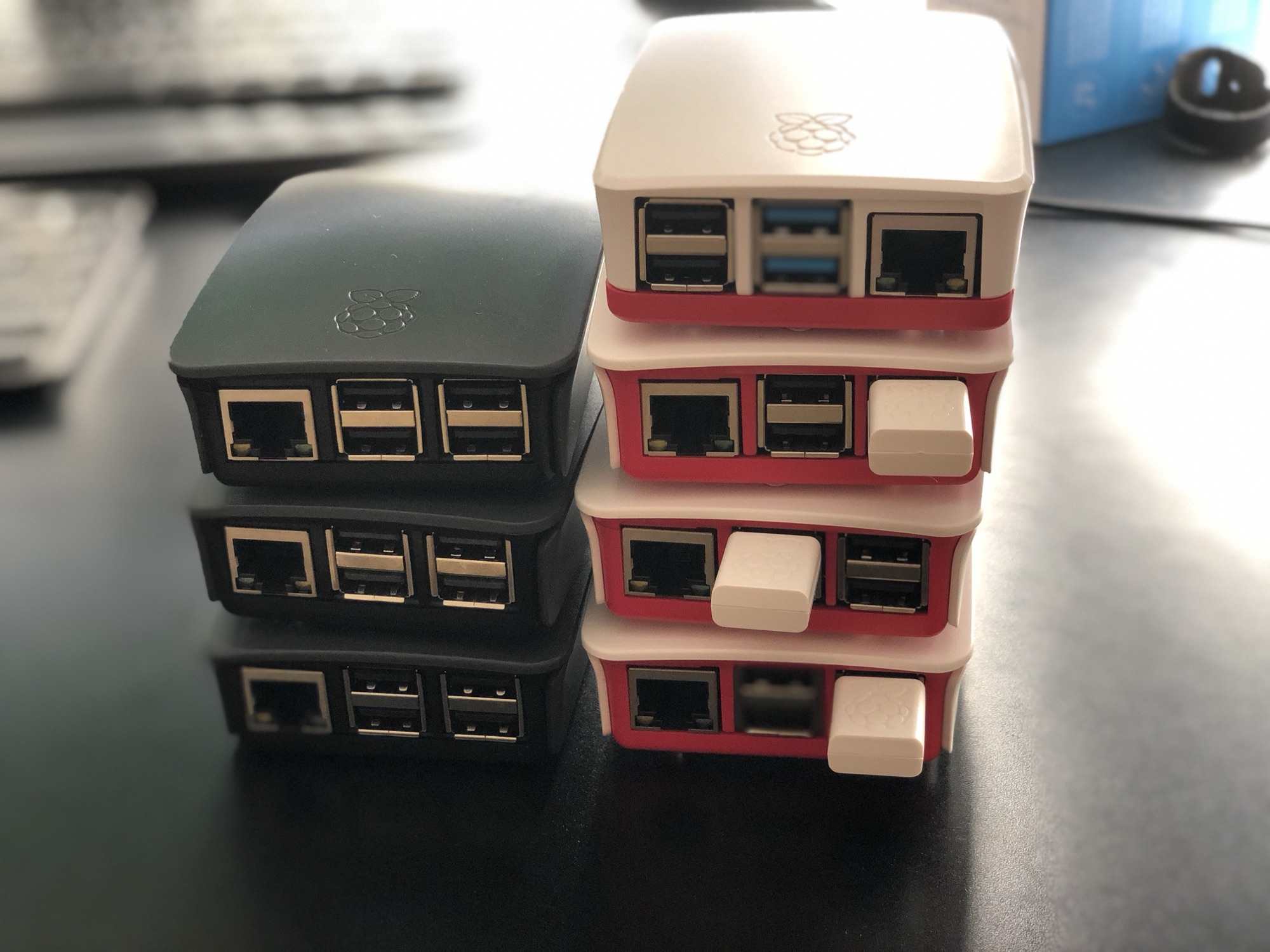
Since I had some extra free time this week, I bought an additional Raspberry Pi 4 specifically as a VPN exit node for the house. I’d been experimenting with an existing Pi 4 as the exit node while it was handling other tasks, but I ran into some routing issues and didn’t want to troubleshoot on a device already in use. So, I spent about £50 on a new Pi and case. I do have a couple of Pi 3s lying around, but I didn’t want to use them due to their 100meg network bandwidth limitations. A Pi 5 seemed like overkill for this purpose, though I did pick one up for another project (which I might write about later).

So far, I’m very pleased with my new mesh VPN setup!

Star Trek PADD’s are not as good as an iPad Mini 6

Years ago, when I was working in New York, I got my hands on one of the first-generation iPads. It was fantastic. Right from the start, I knew this device was going fit a tech gap I didn’t even realise I had until I saw it.

One memorable day, my boss called me into his office. As usual, I grabbed my iPad—I often used it to jot down notes or show something relevant during discussions. Walking into his office, I felt a bit like a character from Star Trek, carrying something essential. I couldn’t resist sharing this thought with him: “I totally feel like Commander Riker walking into Picard’s office to discuss something important.” It earned a good laugh and lightened the mood.

Recently, this memory came back to me while I was thinking about how indispensable my iPad mini has become. It’s with me almost everywhere, serving as a book, a large phone, or a general input device. Comparing the sleek design of the current iPad mini with the clunky Star Trek PADDs from science fiction 30 years ago, I couldn’t help but appreciate how far technology has come. Back then, they only thought about each PADD doing seemingly one thing since people walked around with many of them. 23 century suckers, my iPad mini can multi-task.

Reflecting on these advancements, it’s clear that our modern ‘PADDs’ have far surpassed the sci-fi visions of the past.