

The Story of Saying No to Sushi

The last few years I spent living in New York City and working at Thomson Reuters before moving to England I was part of a team that, for most of my time there, was based in the same office as me. When I first started in NY, that wasn’t the case. I worked in an office where nobody I directly collaborated with was present. Eventually, the team grew, and most of the group ended up in our New York office. Today i am somewhere in the middle with much a the team in London but the people i daily communicate with spread out all over.

Having the team all together brought a lot of positive outcomes. Group meetings were more effective since we were often in person, which was a nice change from the typical phone meetings. One of the best parts was going out for lunch or coffee together. But by the time our lunches became a regular thing, I was trying to be heathier. Going out to eat several times a week didn’t align with my health goals, so I’d often skip lunch outings and opt for a sandwich in the cafeteria instead. However, I made up for it by joining the team for coffee once or twice a day.

The one exception to my lunch rule was sushi. It was relatively healthy, and I enjoyed it. Or it was healthy enough and I rationalised it as being ok. Whenever the team went out for sushi, I would usually join them. Over time, this became a bit of a pattern. I’d ask where they were going for lunch, and if it was anything other than sushi, I’d politely decline and stick to my sandwich. But if it was sushi, I’d think about it and often end up going with them.

That’s when my friend Faisal caught on to my pattern. If I declined to join for lunch, he’d jokingly suggest, “What if we go to sushi?” I’d grumble, and we’d end up at the sushi place. He started doing this more frequently, and I’d tell him they didn’t need to change plans just for me. I really didn’t want them to. But he would insist it was fine because several others loved sushi anyway. So, I’d curse him (playfully, sort of), and off we’d go—rinse and repeat.

It was delicious. Now, my current team is full of great people, and we get along well, but we’re rarely in the same office. Even when we are, it’s so hectic that we don’t have time for lunch outings. In a way, that’s good because I’m not tempted, but I do miss those sushi lunches with my New York team. I did recently get added to a chat group specifically for deciding were to go out for lunch to. I haven’t yet participated but you never know!

Leader

“Na-na-na-na-na-na-na-na Leader!”

The Simpsons The Joy of Sect, Season 9, Episode 13,

This past year the girls have been into the Simpsons recently. I love it because I still quote them often to this day. This quote keeps popping in my head recently.

Building My Own VPN

I started writing the background of this blog entry. I looked at my own archive and realised I had stopped using remote access software sometime in 2016. I think I got spooked by the changes that logmein did to their free plan or that it got bought by someone.  I forget.  As an alternative I started with remote SSH to remotely manage my growing network of raspberry pi’s. As my setup evolved, I eventually upgraded to OpenVPN for my home network. This way, when I was out with my iPad or laptop, I could connect to my home network and manage my media center.

When WireGuard came along, I switched to that because it was so easy to set up. I’ve been using it ever since for those rare occasions when I need remote access to my house.

Recently, I started experimenting with Tailscale, which is a mesh network implementation of WireGuard. The concept sounded great, and their free plan supports up to 100 devices across three users, which is more than enough for me. I set up Tailscale on my workstation and most of my Raspberry Pis. Now, instead of using WireGuard to connect to my home network when I want to access the media center, I just log my iPad onto the Tailscale mesh network, giving me seamless access to all my services. To make things easier, I use CNAME records with one of my domain names, so I don’t have to remember the cryptic Tailscale-provided domain names. It’s all been working smoothly.

With M and the girls away this week, I’ve had time to play around with Tailscale’s exit nodes. This feature allows me to route all my internet traffic through any Tailscale client I set up as an exit node. I found this intriguing because it lets me browse the internet as if I were at home, even when I’m out. I also experimented with setting up an exit node on my VPS in Texas, so I could route my traffic through there.

I recently noticed Tailscale offers Mullvad VPN exit nodes as an add-on. Mullvad is a solid VPN provider; if I didn’t already have Proton for other services, I’d probably use them. This add-on is essentially a full Mullvad VPN plan for five devices, allowing me to configure Mullvad exit nodes. I’ve been testing it over the past few days, both at home and on the go with my phone and iPad. Like any VPN, there’s a bit of overhead in terms of latency and bandwidth, but I’ve been using the London exit node and haven’t noticed any performance issues.

What’s great about this setup versus a traditional VPN is that I don’t have to toggle anything off to access my home network—my connections just work. This setup is letting me keep a VPN on all the time when I’m out, which I prefer. The Mullvad add-on costs an extra $5 per month on top of the Proton services I already use, but it’s been worth it so far. With a single click, I can switch the exit node to any other Mullvad location or one of my own, like my home network or VPS.

I’m actually so happy with this setup that I’m considering configuring the girls’ iPads to have always-on VPN through Tailscale.

an extra $5 per month on top of the Proton services I already use, but it’s been worth it so far. With a single click, I can switch the exit node to any other Mullvad location or one of my own, like my home network or VPS.

I’m actually so happy with this setup that I’m considering configuring the girls’ iPads to have always-on VPN through Tailscale.

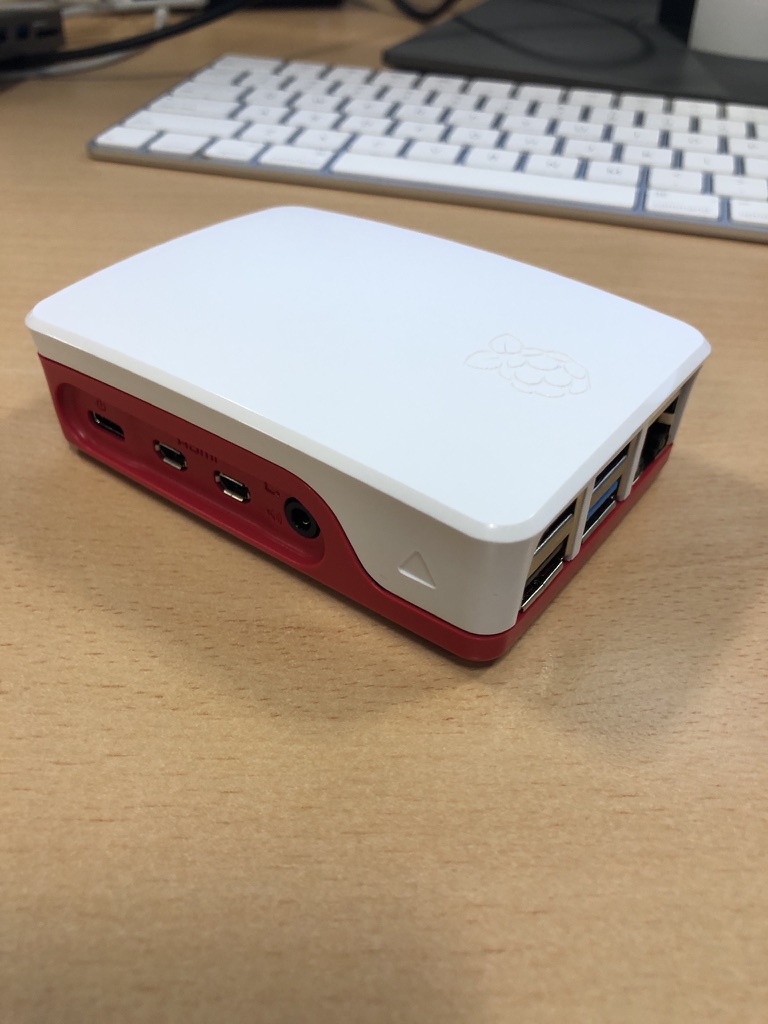
Since I had some extra free time this week, I bought an additional Raspberry Pi 4 specifically as a VPN exit node for the house. I’d been experimenting with an existing Pi 4 as the exit node while it was handling other tasks, but I ran into some routing issues and didn’t want to troubleshoot on a device already in use. So, I spent about £50 on a new Pi and case. I do have a couple of Pi 3s lying around, but I didn’t want to use them due to their 100meg network bandwidth limitations. A Pi 5 seemed like overkill for this purpose, though I did pick one up for another project (which I might write about later).

So far, I’m very pleased with my new mesh VPN setup!