The Dot Group Problem

This post is partially channeling my wife’s outrage, but as the household tech support department, I’m equally annoyed.Here’s the story.

The .group top-level domain (TLD) launched in 2015. I know this because I looked it up after dealing with this nonsense. My wife has a personal domain name using .group. It’s short, simple, and sounded nice and professional when we registered it.

We both use a mail service that supports unlimited aliases. Every new website or service gets its own unique email address. That way, when one of them leaks or gets sold, we know exactly who’s responsible for the spam. It’s a great system.

Today, for example, I got an obviously dodgy email pretending to be from a legitimate service provider. It was already flagged as spam, but even if it hadn’t been, I could tell it wasn’t real because it was sent to an alias I’d only ever used for a different service. Case closed.

So yes, that whole “unique email per service” setup works brilliantly. And my wife has adopted it too, with some encouragement from me and a bit of technical assistance.

Now here’s where the outrage begins.

It’s 2025. The .group domain has been around for ten years. There are hundreds of new top-level domains now. And yet, there are still websites out there that refuse to accept an email address ending in .group.

She’ll try to register for something, type in her perfectly valid address, and the site throws back: “Please enter a valid email address.” Excuse me? It is a valid email address. The site’s validation code just isn’t built to handle it.

This drives me absolutely mad. I’ve built and supported web applications for years in e-commerce, corporate systems, and startup products. It’s baffling that companies still don’t invest in maintaining their websites properly. Maybe they don’t know how modern validation should work, or maybe they just haven’t prioritized it. Either way, it’s not a great look in 2025.

Our fix was simple, if slightly irritating: we bought another domain. It’s not quite as clean or memorable as the .group one, but my wife liked it, and it works. It’s a standard .uk domain, which every site on the planet seems to accept without complaint.

Problem solved, more or less. The new domain costs about five pounds a year, which is fine. The annoying part is that the .group domain, the one she can’t use everywhere, is about three times that price. But it’s tied into too many existing services to just drop.

That’s the real downside of using custom domains for email. Once you build your digital life around one, moving away from it is basically impossible.

So now, our workaround is simple. We’re keeping the .group domain active for existing logins and old services but using the new .uk address for anything new.

It’s not the fault of the .group registry. It’s just a side effect of how unevenly the web is maintained. Some companies build things properly, others never update. And here we are, ten years later, still running into “invalid email address” errors for perfectly valid ones.

Building My Own VPN

I started writing the background of this blog entry. I looked at my own archive and realised I had stopped using remote access software sometime in 2016. I think I got spooked by the changes that logmein did to their free plan or that it got bought by someone.  I forget.  As an alternative I started with remote SSH to remotely manage my growing network of raspberry pi’s. As my setup evolved, I eventually upgraded to OpenVPN for my home network. This way, when I was out with my iPad or laptop, I could connect to my home network and manage my media center.

When WireGuard came along, I switched to that because it was so easy to set up. I’ve been using it ever since for those rare occasions when I need remote access to my house.

Recently, I started experimenting with Tailscale, which is a mesh network implementation of WireGuard. The concept sounded great, and their free plan supports up to 100 devices across three users, which is more than enough for me. I set up Tailscale on my workstation and most of my Raspberry Pis. Now, instead of using WireGuard to connect to my home network when I want to access the media center, I just log my iPad onto the Tailscale mesh network, giving me seamless access to all my services. To make things easier, I use CNAME records with one of my domain names, so I don’t have to remember the cryptic Tailscale-provided domain names. It’s all been working smoothly.

With M and the girls away this week, I’ve had time to play around with Tailscale’s exit nodes. This feature allows me to route all my internet traffic through any Tailscale client I set up as an exit node. I found this intriguing because it lets me browse the internet as if I were at home, even when I’m out. I also experimented with setting up an exit node on my VPS in Texas, so I could route my traffic through there.

I recently noticed Tailscale offers Mullvad VPN exit nodes as an add-on. Mullvad is a solid VPN provider; if I didn’t already have Proton for other services, I’d probably use them. This add-on is essentially a full Mullvad VPN plan for five devices, allowing me to configure Mullvad exit nodes. I’ve been testing it over the past few days, both at home and on the go with my phone and iPad. Like any VPN, there’s a bit of overhead in terms of latency and bandwidth, but I’ve been using the London exit node and haven’t noticed any performance issues.

What’s great about this setup versus a traditional VPN is that I don’t have to toggle anything off to access my home network—my connections just work. This setup is letting me keep a VPN on all the time when I’m out, which I prefer. The Mullvad add-on costs an extra $5 per month on top of the Proton services I already use, but it’s been worth it so far. With a single click, I can switch the exit node to any other Mullvad location or one of my own, like my home network or VPS.

I’m actually so happy with this setup that I’m considering configuring the girls’ iPads to have always-on VPN through Tailscale.

an extra $5 per month on top of the Proton services I already use, but it’s been worth it so far. With a single click, I can switch the exit node to any other Mullvad location or one of my own, like my home network or VPS.

I’m actually so happy with this setup that I’m considering configuring the girls’ iPads to have always-on VPN through Tailscale.

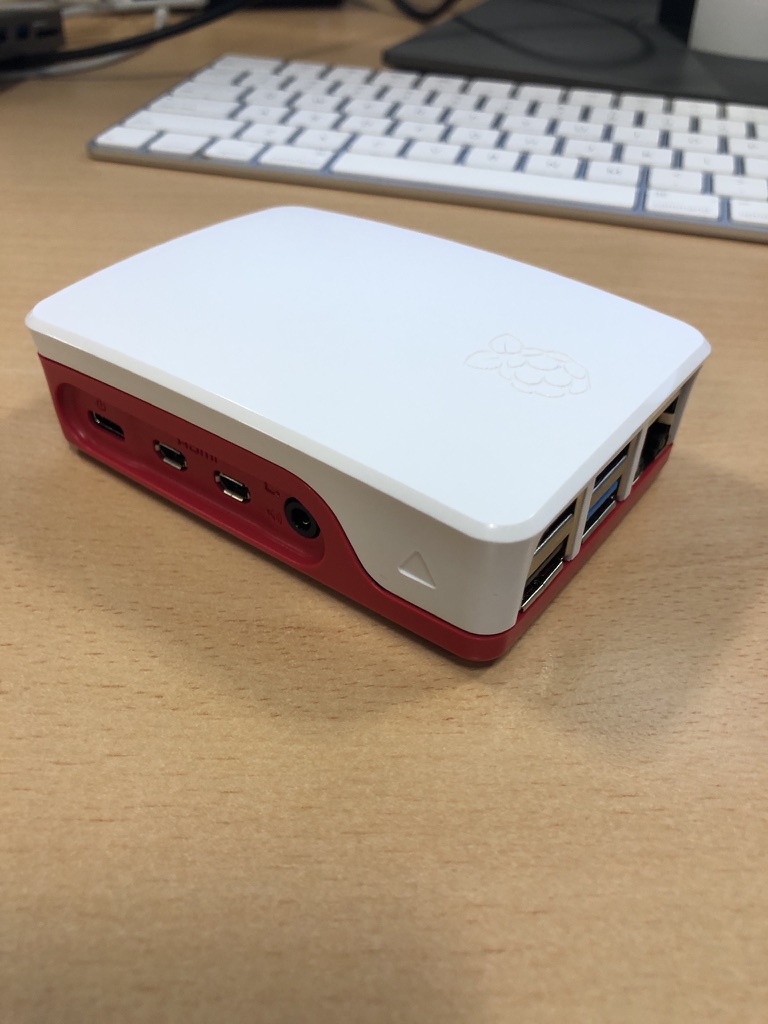
Since I had some extra free time this week, I bought an additional Raspberry Pi 4 specifically as a VPN exit node for the house. I’d been experimenting with an existing Pi 4 as the exit node while it was handling other tasks, but I ran into some routing issues and didn’t want to troubleshoot on a device already in use. So, I spent about £50 on a new Pi and case. I do have a couple of Pi 3s lying around, but I didn’t want to use them due to their 100meg network bandwidth limitations. A Pi 5 seemed like overkill for this purpose, though I did pick one up for another project (which I might write about later).

So far, I’m very pleased with my new mesh VPN setup!

Why Do We Always Have to Choose Between Convenience and Privacy?

It was a bit disturbing how fast using Global Entry got me through Passport Control at JFK today. I did not show my passport at all. I just had my picture taken and then walked by a guy at a terminal and he said my name as I walked by saying I was good to go. Entire process was maybe 2 minutes including the one minute for a kiosk to open up to let me take my photo.

In one way that entire process was right out of several movies. So cool us. On the other hand is having a US government agency have my facial recognition profile on file for a few minutes quicker passport control? I am struggling to answer that after looking at the passport control line as I walked briskly to the exit.

Spoilers, I am in New York for 3 days this weekend. Surprise everyone I did not mention that to. That is not the focus of this post but kind of a tip off that I am in the states going through Global Entry. This trip may spawn some other posts especially since I may have time to write while further traveling.

My Experience With Our School Acceptable Usage Policy For Parents

One of our daughters is moving up into a new school. As part of this transition there is a lot of paperwork to fill out. I could rant that in 2021 why is there 25 pages or more of physical papers i need to fill out instead of some online form. I could however this post isn’t about that. Within that paperwork is a document that I need to sign called the “Acceptable Usage Policy for Parents”. It relates to technology and social media.

In theory i like the idea of the document. It outlines what us as parents should be doing and not doing related to our kids, other kids and the internet. The document is written for people of all levels of technical experience. That is why when i read the section that starts with “I understand that whilst home networks are much less secure than school ones…” i could not stop laughing. I thought it was very cute they thought their network was more secure than most people’s houses. For one thing with so many people and devices coming and going from their network i doubt that statement is true for most people. It is laughable in relation to my home network.

I am not even a network security expert. I know most of my non-tech friends think I am however I am no where even close. The last time i logged onto a firewall that wasn’t my own must have been 2006. Still yeah sorry school that I won’t say its name, no you are not more secure than home networks. I wouldn’t even think of joining your network without a VPN.

Thanks for turning a morning of filling out boring forms into an entertaining blog post though!

Note the photo is unrelated to this post. I needed something “techie” as the default photo for this. I took the photo of my iBook circa 1999 a week or so ago when i powered it up to check it still works. It does.

I wouldn’t

The Story of Coming Full Circle With Amazon Alexa

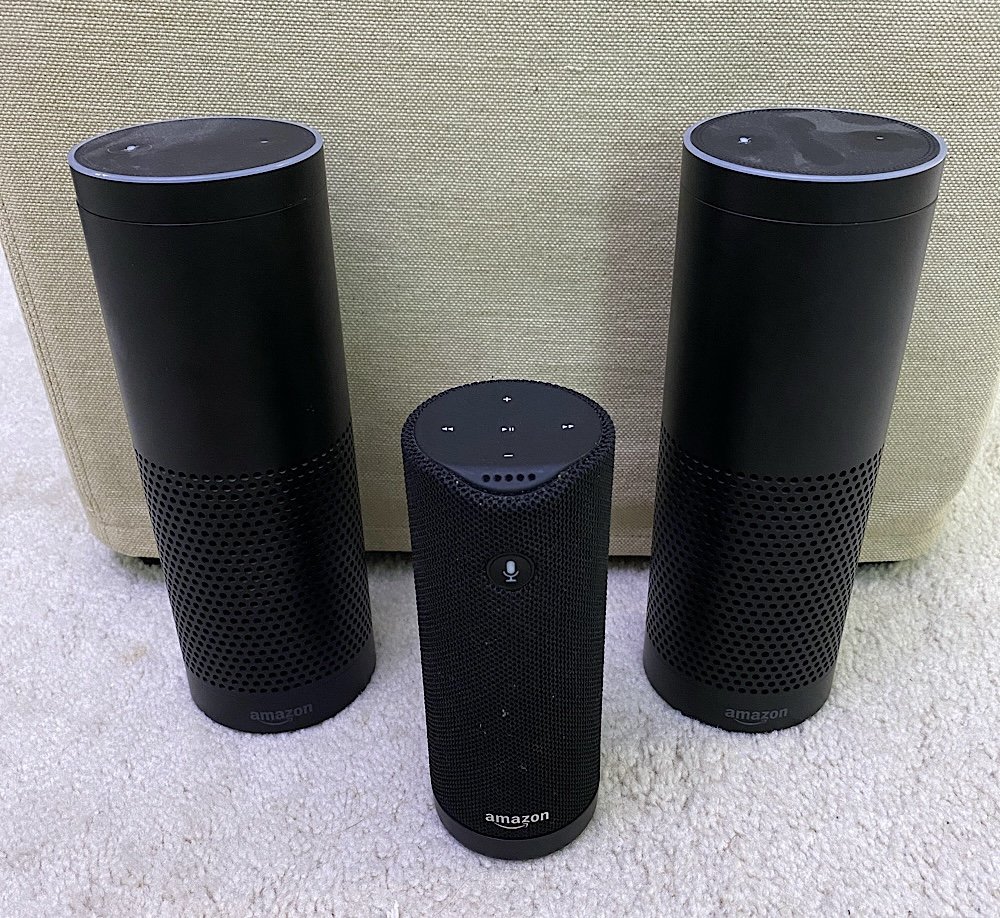
I purchased my first Amazon Echo in April 2016. At the time I noted in my personal journal that the threat modelling used to justify the purchase said it was probably okay at the time. I also said and repeated for a while that I know at some point in the future I would need to likely get rid of the device for privacy reasons My friends who were big into security looked at me like I was crazy when I bought it and talked about. Most everyone else at the time had no idea what I was talking about. Those the new of the echo thought it was cool.

When we moved to the UK I purchased an Amazon Tap. The Tap is now discontinued portable speaker with Alexa. We used it around the house before we moved since the other echo was in transit. I packed it in our luggage and when we arrived in England and got our internet we had a music speaker. Even now we mostly use the smart speaker for listening to music and setting timers. Right after we moved simply having a speaker in the empty house was the goal.

Once we were settled in the wired Amazon Echo ended up in our bedroom. The Tap wound up in the kitchen so we could move it around and use it when we needed to. One of the advantages of the tap was that you could disable the always listening mode of Alexa. That way you could turn it on only when you wanted it to do something. It was less convenient but more secure. That was a selling point for me. Then we just got lazy and left it on all the time to unknowingly call out for it and have it not hear us two or three times before it reacted.

When I was debating on building out and an Internet of things network in the house I purchased another Amazon Ech Plus or whatever they called it. It was the version of the Echo that had the ability to become a home hub. That went into the guest room/my office.

Over time I kept reading stories of the privacy concerns people had with the the Echo speakers. I also experienced one or two shall we say oddities with the speakers that made me think it was listening a little more then you realise it should be. I convinced M to use a plain old “dumb” Bluetooth speaker for music in the Kitchen. I was able to get her one for £25. I also purchased myself a portable Bluetooth Speaker so I could listen to my audiobooks. With that new speaker I unplugged the bedroom echo. With M’s Bluetooth Speaker I intended to unplug the Amazon Tap in the kitchen however I didn’t feel that M was comfortable enough with just the Bluetooth speaker to do that.

Around this time Apple did a funny thing. They released the HomePod mini. Based on my current threat model that was my opinion the answer to my technical challenge. We had some gift card money so I purchased a few of the Home Pod Mini’s at John Lewis when they came out. I immediately removed all three of the Echo’s that we had.

The home pod mini is not as feature rich as an Amazon Echo. For what we use it for it has so far been good enough. That’s another story for a different day. The reason I bring it up is it was the final piece to the puzzle that enabled me to throw out the Echo’s and still have a relatively safe alternative.

Technically I did not throw anything out. I gave one of them to my nephew and another to a friend of mine. I think we still have one left to give away or may have given it away already. I cannot recall. We also still have Amazon Fire’s that the girls use. I severely limit what they can do and there is no always on listening. So it’s not like I just stopped using Amazon hardwa. It’s that we don’t use their what has always been a bit spooky audio devices. And now if you’re thinking about it I am not a hypocrite. Apple’s privacy policy and how they use the recordings on the surface seems much more palatable then what Amazon does. That means at least for now I’m happy to leave Apple devices listening in the home and not Amazons.

W Sisters Story T on Operational Security

T has on a few occasions mentioned passwords to me. She wanted me to guess the password to open her journal that she has that she draws in. We get the girls little notebooks that they doodle in. When they fill it up we get another one. They got ones in Italy and they would sit and draw paintings at museums. They were getting full by the time we went to Ireland last May and got them new ones there. I have also picked up one or two that have little locks on them.  They both requested them and even spent their own money to get them.

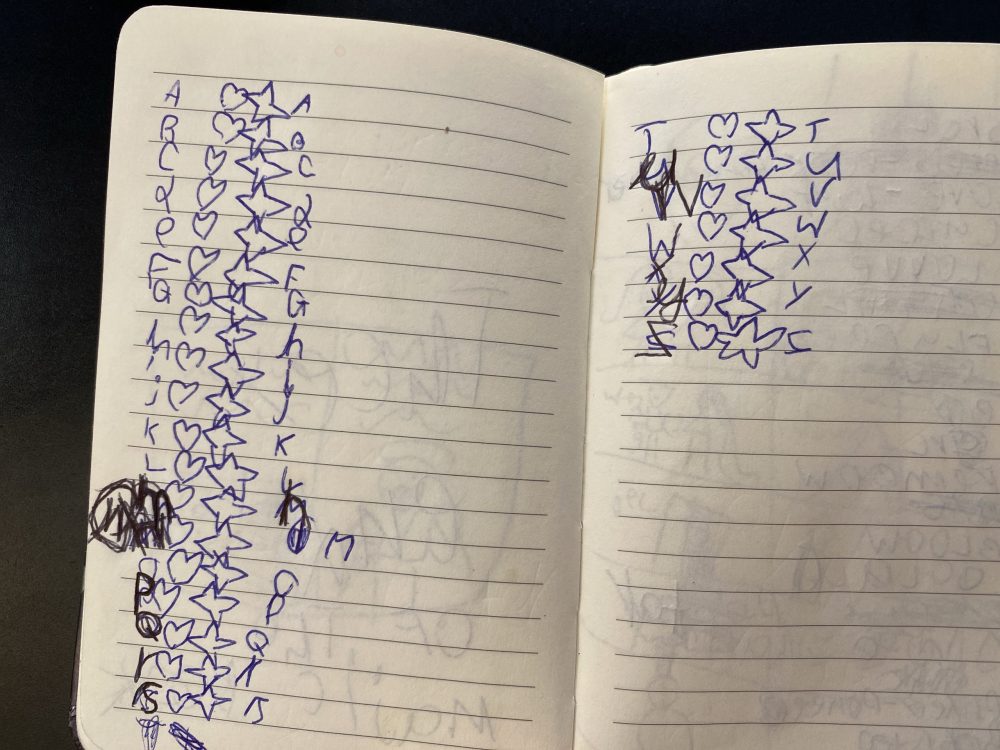
T has a notebook that does not have a lock on it. The other day she asked me to guess her password. I tried a few times and couldn’t. I was getting a little annoyed with her since she kept insisting i guess. I had no context to go on so guessing was going nowhere. Then I realised she did not want me to not just pull a password out of thin air. She had written about 30 or so odd lines in her notebook. Each started with a letter and then had other charicters and maybe a letter or two throw in.  The page she showed me is this posts picture.  It looked like she made her own sheet of passwords. She asked me to guess what one was hers to open the book. I guessed the password that started with the letter T. She smiled and said i was correct.

It wasnt the first time she talked passwords.  It was the most recent and also the most involved effort put in by her.  I find it very funny that she is in some odd way she is already thinking about operational security!  That and she really liked the spy “job” at Kidzania both times she went.

Sad Fishing

I know fishing is a big problem. I got this text today. It is like they are not even trying. The URL isn’t even a true paypal URL. They did not eve spell multiple correctly.

All kidding aside I assume people still fall victim of this. Simple rule, do not click on links in email unless are epxecting it. Even then never let your guard down.

Using a From Email Address as Validation is Not a Security Measure

I have been on a mission as of late to migrate all of my login details for account’s I use email from one domain name I have to another. I decided to stop using the main domain name I have been using for years. One of the main drivers was cost. It’s pretty expensive each year to own it. It is a country specific one and not cheap like a .com. It is also no longer as relevant for me.  I  loved its simplicity. It just didn’t make sense to keep having it long term.  It is paid for through 2021 or something. I have time to confirm I’ve captured every account and moved it.

In the process of doing this I am also closing accounts I don’t need anymore. It’s a great spring cleaning in the autumn. I originally wrote this in the fall of 2019.

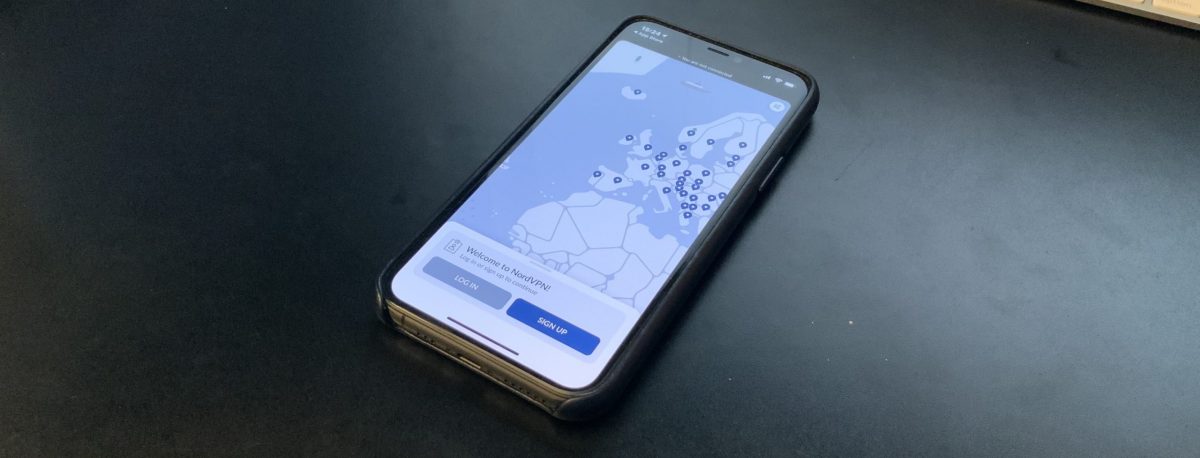
When I attempted to change the email address I used with NordVPN I realized they do not have an option to do that in their online portal. I have  come across this issue a bunch of times going through this change process. Eventhough it’s annoying I typically open a case to request a change and its done pretty quickly.

For my own security reasons I use a unique email address for every account that I create online. This allows me to know when my information is being sold or if an email is authentic. It also protects me if one provider is compromised and the account details are sold or published online. There’s lots of times where I recieve a message that looks semi-legitimate. It is only when I look and see it’s going to a completely different email address than I gave them that I know it’s fake.

This setup makes things more secure from fishing or other exploits. The downside is it is not so straight forward to get a message via one of these aliases I setup and reply back easly.  That is because my email provider Protonmail charges for each alias you use.  To get around that I use their catchall feature.  I can have unlimited inbound email addresses. The catch is I can only reply back coming from only 5 of them. Most of the mail I get other than personal mail I don’t really need to reply to. The trade off is worth it for me most of the time.

In this instance with NordVPN I was asked to reply to the support case via email. Ussually in this situation what I typically do is I have an email program that allows me to send outbound mail and I can edit an alias to match the email address I’m using with that vendor. It’s slightly annoying however if I don’t have to do it often it’s not that big of a deal.

There were challenges in validating my account with the NordVPN. That required several emails back and forth. In one instance when I was away from my desk I got lazy and just replied from my generic catchall address. That exposed my default address to the vendor. I wasn’t that concerned about revealing that address to them however it was sloppy for me. What was silly was their reply. After two more rounds of back-and-forth I was told I need to send a response from the original email address since that was the one on file with them.

What seems silly to me is this company was relying on an email “from address” as some sort of security validation? Whenever I do send them mail  I’m literally cutting and pasting the contents to a new message and spoofing the address. Anyone can do that. Yet somehow they feel that if I  recieve their message it isn’t enough. In my case i am spoofing an address of my own so thats not bad.  What is bad is mail spoofing is super easy and this company somehow thinks its a securty function to get mail from a specific address.

If you are going to insist on a security measure why are they not having a secure ticket portal that my login to their service gets me into?  Or a built in chat system within their app amoung other things that are more secure than email.

I found this whole experience dealing with this VPN provider to be very frustrating. I am only writting about it because of the hypocritical things they said.  Do not tell me you are a security company and then rely on a “reply to” as a validation you are speaking to the right person.  Another thing they did was they wanted me to send old credit card details in cleartext email.  Yes the card was 2 years old however still dont say you are a security company and ask for PII in a clear text email.

The situations been sorted. I have updated my email address eventually. I’ve been using NordVPN provider for years. This extremely poor experience has left me looking for a new provider when this one runs out. It’s partly due to just the bad communication back and forth. And part of it is the hypocrisy of claiming that they are a security company and doing some of the most unsecure methods to communicate.

UPDATE: Just as I started to write this post in late 2019 it came out that NordVPN had two seperate public incidents where they were compromised. That along with this story got me to move providers 4 months before my contract term ended with NordVPN.

To Keep or Cancel Whatsapp

In my part 1 of My Great Social Media Purge of 2019 i outlined my objectives with assessing my use case of each social media platform I use. Part 2 covered Twitter. Part 3 covered Reddit. Part 4 covers Linkedin. Now part 5 is Whatsapp, or as I call it “the chat app i am forced to use since everyone left AOL IM”.

I thought about WhatsApp when I first started this excersise. It still only comes in fourth on my list. Partly because I was procrastinating. My assesment with WhatsApp is simple. I dont want anyone to know who i talk to. I am not doing anything wrong or illegal. Neither to my knowledge is anyone i am talking to. That is imiterial though. I have a right to privacy and I am excersising that right. Plain and simple.

Not wanting people to know who I talk to and using WhatsApp is challenging. Whatsapp does collect tons of meta data about your messages and calls. They allegidly are not able to read the body of the messages. Just the metadata. The question then becomes do care that WhatsApp has any metadata on me? More specifically the question could be how bad is it that they have metadata that i called my mom? Or my wife? Since lets face it they are the main people i use it for. I also chat or call people internationally with it for work. I can say I dont care about work linkage on WhatsApp however I probably should. I do care about everyone else I chat with on whatsapp. It’s mainly innocuous yet the linkage is still there in collected meta data. Will it likely impact me in my every day life that Facebook has that linkage? Probibly not. The fact they can learn a whole bunch about me because of it is creepy.

Practically speaking I know I will not get my local parents Organization for my kids school to stop using whatsapp. That means I have to live with the metadata collection.with. Or choose not to be in the conversation. I want to be in the conversation and there are too many ad hoc chats with friends and coworkers using Whatsapp that there would be a noticible loss of comunication and colaberation with several circles of people if I delete the app. Likely moreso than any other tool I am using and rewviewing.

To minimize my exposure to Whatsapp I aim to move as much of that conversation over to Signal or Telegram. Preferably Signal. I haven’t been very successful so far. Some work friends use Telegram. I got some family on Signal. The vast majority of people still use Whatsapp. I am going to make much more of an effort on this going forward.

The verdict on Whatsapp (For now) is sadly I will keep it. I will say its keep for as long as I have to, however lets face it that will likely be a while. I blame everyone else I chat with.