
My Never Ending Qwest for the Perfect Task App

Some would say i am a pretty organized person. I sometimes it doesn’t feel like that, however most of the time I would say i am generally pretty organized compared to most people I know. My problem has sometimes been my tracking of what i need to do has gotten too complex.

For several years I had been trying (and sometimes succeeding) at following the Getting Things Done approach to taking care of my actions. I had been using a web service called Remember The Milk to do that. I have written about it a few times in the past.  RTM has iPhone and iPad apps that made it easy to take my actions lists with me and edit them offline. I was content using it for several years but sometimes I dabbled with other systems trying to find something better. I never really found anything and always ended up back with RTM.

Back in 2014 I started implementing a kanban approach to some procedures we do at work. Reading up on kanban has gotten me to think adopt some of the concepts to my personal life.  That line of thinking got me to branch out from RTM. A big part of kanban is visualizing your work. RTM just generates basic lists. I tried having several lists to denote different steps on a personal kanban system but it was lacking a lot of the visual element when i couldn’t see all the steps at the same time. I also had challenges with sorting projects in RTM. I could create them but that required a smart list for each project. That caused me to have a ton of different smart lists that i had to look at in order to see my tasks. RTM also had a limitation in that they didn’t offer sub tasks for a task so in order to group several actions together i had to create a project even if it was small and could be represented by one “card” and several sub tasks.

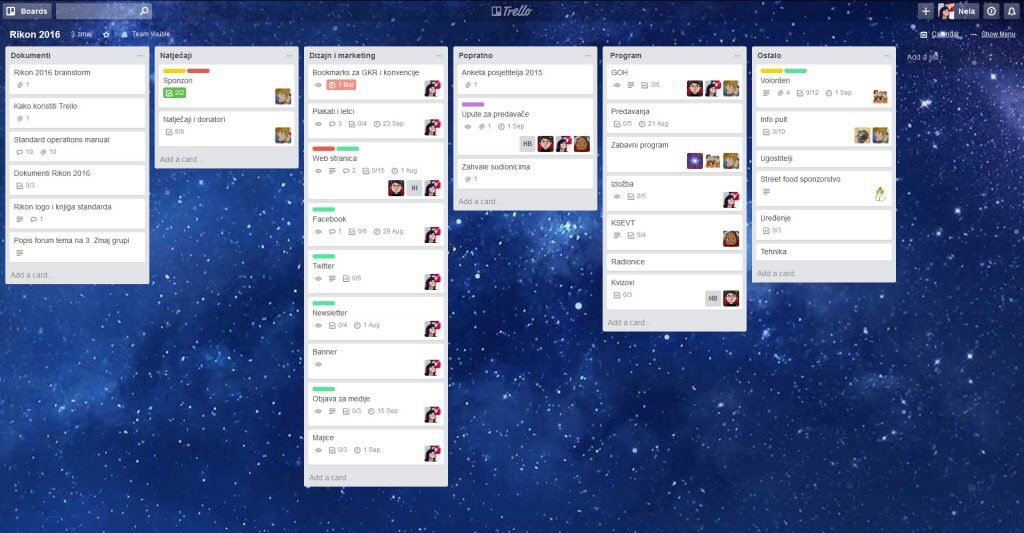
In searching for several different options I came across Trello. After testing and playing around with several similar applications I settled on  moving my work and personal task management to Trello. Since the summer of 2014 my use of Trello has exploded. Not only do I use it for personal and work boards. I track meeting agendas in it. At one point we had a training schedule at work using it. For personal projects such as planning for vacation we use it. I have a board for places we want to try or like to go to for lunch at work. The board I like to show as an example of how to use it when people ask is my Mixology board. There I clipped from the web recipes of mixed drinks that I want to learn or have already mastered creating. I try to share a few family boards with my wife however she is not as big on task organization as I am.

The biggest drawback to Trello originally was the fact that there mobile applications didn’t really handle off-line synchronization. In the past year however they’ve added that functionality so while I’m on the subway I am able to update a board or individual cards and they sync up to the cloud when I get network signal. There are some small limitations to this however not something that has prevented me from using it. Things like checklists don’t load when you open the card without network signal.

I’ve been happy to pay the five dollars or so a month in their Trello Gold subscription. I almost want to pay for the full $15 a month professional plan however no one else I interact with does that so functionality would be limited.

In the several years that I’ve been using Trello (I didn’t realize it has been over 3 already) I have tried to look for alternatives. Not because I’m unhappy, just because I’m always looking for the next great option. Folks at work have used the GIT task board. I have played with Microsoft office 365’s  task boards and neither of them come close to ease-of-use or functionality. So for now Trello it is.  Until at least Atlassian messes it up now that they own it. Here’s to hoping they don’t.

Evernote

For the past 6 months or so I have been using Evernote. I kind of stumbled upon it while looking for a personal wiki solution. I know evernote is not a wiki. I was looking for a Wiki and ended up with Evernote. OK, I started this story at the end. So let me start from the beginning.

In the past I have written about VoodoPad. I loved, it. Still do but it is a Mac only application, and with needing to use a work Windows machine over the past almost 2 years I had to stray away from VoodoPad since well I want my “stuff” in other places than at home on my computer. At first I tried google docs, and quickly moved to Zoho. Fear of not having control of my data and an easy export option got me to build my own Media Wiki install and just password protect the site. At first I was happy with Media Wiki, but the effort of making the entries look good was significantly more than what I spent with VoodoPad. I know I shouldn’t complain because a year before I was using VoodoPad I was using plain old text notes with no search on my Treo. I got spoiled, I admit it. Media Wiki was a great idea, but it was over kill for what I wanted. I thought I wanted a wiki to collect my thoughts and document information I need to recall often, or just store for future searching. Ever since I started a Wiki at Partsearch for documentation (yes after Gus’ nagging for months to try it) I was hooked on the format.

When using Media Wiki became too much for me to bother with I went on a search for a replacement. I wanted something that was cross platform, and could also be used in a browser. I also wanted ease of use, and the ability to get my data out of their system if i needed to. I read some reviews of evernote and I gave it a try. At first the differences from what I thought I wanted (a wiki) and Evernote were a huge stumbling block for me. That was until I learned that I can still have great search functionality out of Evernote even though it wasn’t a wiki. It was what I wanted for putting notes and stuff into something.

The more I started using the program the more I relied on it. Then the iPhone version came out and I thought ti was great, but then was not so happy about its lack of offline support. Recently they fixed that and now I can store all my notes locally on my Windows computer, Mac or phone. At that point I was like OK, these people have earned me paying for the premium service.

Now I use Evernote for everything including to just jott down notes in a meeting. No more scratch pads, or even a text/notepad window opened. Without Evernote and Remember The Milk (another app I have written about a few times) I don’t think I would be as productive at work or at home. I am eager to see what the Evernote people will come up with for the iPad.

Speaking of RTM

I last week I wrote about my current fixation with Remember The Milk (RTM). I just found a reason to like it (and other web apps) even more. I read a brief reference to a SSB (Site Specific Browser). I vaguely recall hearing about the concept before so I decided to read a bit more about it. Turned out I had used one before (Zimbra Desktop Client). The concept is pretty basic, but an interesting twist to using websites over native applications. I read up on Mozilla’s Prism, and then I found the Mac only Fluid. I have since installed both apps. I know that all these apps do is let me run a dedicated instance of a browser for a specific site. I like that it makes a site act like a dedicated program. With RTM there are even scripts to enhance the site to make it more like a real installed program.

For me I typically have at least 3 tabs open in my browser at all times. These are the sites / apps that I always use. I have my Zimbra mailbox, RTM, and Google Voice. I am experiencing a known bug with the Zimbra Desktop program so I have been using the site. Besides that issue, now with a SSB I can take two of those tabs away and make them act like stand alone programs. Thankfully I am not the first person to want to do this with RTM or Google Voice. I have installed some Greese Monkey scripts to make Google Voice look and feel like a real program on my Mac. The doc icon even throws up the number of unread SMS or Voice Mails I have. RTM’s tasks lists now look like a separate program. Both are very cool. I even have nice looking doc icons for both.

On my Mac I have decided to use Fluid. It appears to have a few more features over Prism. I am configuring Prism on my Windows 7 laptop so I can use it there also. So far I am impressed with the results, and I am thinking about what other sites I would want to give the SSB make over? Both apps Fluid and Prism are taking me one step closer to truly accessing my “stuff” from anywhere in a nicely presented way.

Task Management With Remember The Milk

I have been using Remember The Milk for several months now and I think I am hooked. Like many tools that I actually like I am never satisfied (well almsot never) so I have been on a trek for months to find a better solution than RTM. That is what is so funny to me. When I try to find something better than something I already have or use is usually when I realize it may not be perfect but it is the best thing out there. RTM is one of those things that is just the best out there but not perfect.

I have in the past year really liked applications or services that let me use them anywhere I am. For RTM that means I want to be able to use it at home and work, and while I am on my mobile phone. The RTM website is pretty easy to use and I have not really minded there is no native client for the Mac and Windows. I actually chose to use the web interface over syncing with Outlook. I used Google Gears for a while specifically for RTM, but have since unistalled it at work at least. It was taking forever to load lists sometimes with Gears on. Without Gears the site was much faster. Go figure since Gears was supposed to speed things up.

RTM’s recent call it scripting task entry is fantastic. It was exactly what I was waiting for. Now I can batch add tasks via email and have them tagged and put in the proper locations and lists without me having to edit manually. The only thing I am missing from the site right now is the ability to batch add notes. I need to do that a lot daily when updating tasks.

Using RTM on my iPhone is a breeze. Honestly having RTM on my iPhone makes the phone useful. I love my iPhone (another device I am always trying to replace but for almost a year and a half I have been unsuccessful), but without RTM’s app for task management I am not sure if I could keep it as my main phone. When I am anywhere (mainly commuting on the subway) I am updating my task lists or see what I need to be doing. RTM on my iPhone and updating my work email on my Blackberry are what I do while in transit that keeps me productive while on the move.

I hope the RTM people continue to update the service, but it has been hands down a fantastic task management system for me. I was big into task management before I used the service so it isn’t for everyone, but for me it is as close to perfect as I have been able to find. I am still looking but as the months go by I am looking less and less!

Data, Data, Everywhere

I read allot about cloud computing now a days. It makes me laugh because before that I read about grid computing, or web based apps, or web 2.0, etc. Someone writes up some new buzz words. To me alot of these terms boil down to getting access to my stuff from anywhere. If that is in a cloud, grid or web app, I don’t care. I want ubiquitous access to my stuff.

I have written about some of the technologies that make this happen for me before because it is very important. Something so minor today that happened to me reminded me of how important this is.

Today as I was winding down at work and preparing to go home I was updating the tasks I need to work on the rest of the week. I use Remember The Milk (RTM) for my task management, and I was having problems with google gears updating my offline copy of data so I was syncing my data and verifying all my tasks I worked on were updated. After I closed Firefox and began to shut down my laptop to go home I realized I had 3 pieces of paper with notes I took in a meeting that I needed to update some tasks with new actions. To turn my laptop back on and boot it up would take like 15 minutes (don’t ask why XP takes that long, I don’t know), and putting the papers in my bag to take home was a good idea. The only issue was I knew I would forget to input the info when I got home. Knowing I had to do it while I remembered I grabbed my iPhone and opened my Remember The Milk app on it and sync’d down a replica copy of my data. I updated the most important items to RTM and put the few remaining notes that could wait a few days to add into my bag. It took a bit longer to enter info on the iPhone but everything was updated. I then made further updates on the Subway on the way home, and then re-synced the data when I got home on my Wifi connection. I could have done it walking from the Subway but it was just faster to use my WIFI connection. The entire process was entirely seamless. During the entire process I had my information up to date anywhere I need it. My home computer, phone, or work computer! To me that is the perfect example of having my stuff, data, whatever anywhere I need it to be.

RTM uses a web browser, Google Gears, and the iPhone with data synchronization to enable data everywhere. Other applications or tools I use have different methods.

I used to use VoodoPad as a personal wiki. Then I started using multiple computers. One of then happens to be a windows XP box so a Mac only app like VoodoPad no longer cut it. I needed the data in that wiki more than when I was just sitting at home. I tried Google Apps, then Zoho, and then I ended up with my own installation of Mediawiki. I secured the site and now I can access the wiki from any computer with an internet connection. No cloud needed. Just a simple web application worked. For some work related stuff that I want to track for just me I still use Zoho since they have a nicer GUI, and WYSIWYG editor.

For email I used to use a simple IMAP mail store, but I only had recent mail (past few months) online. Then I started using Google Apps and got addicted to having all my mail from all time in one place. I never thought I would ditch an application for a web browser as my email but I did. I had some things I didn’t like Google Apps for (I previously talked about it), so I ended up using Zimbra. Now I have all my personal mail in 01.com’s cloud. Not sure if it is really a cloud but that is what they call it. I can now access my mail from any browser (and it looks fantastic), any IMAP application, Outlook with the Zimbra plugin, or they even have their own app that sync’s data. And there is Mac version of the app too. I use the Exchange connector on my iPhone to sync all the address, mail, and calendar data from Zimbra to my phone. It automatically sync’s up when data changes. No need to plug in and sync. Knock on wood i haven’t had any noticeable issues with the syncing. I also sync the same data to my Address book & iCal on my Mac for offline editing. I can access that data anywhere, and I do use all the options I have to access it!

The last major application I use to access my data anywhere is probably the coolest. It is SugarSync. I have written about it before, so I won’t really go into why I like it. What I will say is I have started putting more data into my SugarSync replica. Jayson got me thinging about it when he started playing with the Amazon S3 cloud for backups of his personal data. I have used SugarSync to keep my office type documents backed up for a few months and I have loved it. I want to start using it or something like the S3 to backup all my important stuff. My close call a few months a go that almost cost me all of my backed up data got me thinking. Just having 2 hard drives wasn’t enough. I started putting my archive of photo’s onto the S3 today. I hope to calculate how much doing the same to video’s will cost. These systems (S3 or SugarSync) gives me access to my files from anywhere. I have used SugarSync to open files on my iPhone to grab information. It has been very useful. If I sync everything up in a cloud storage system I could use any computer just like I was at my own. Yes there are some pitfalls to that system (I like locally downloaded replica copies of stuff for ease of use) but overall it is a really cool idea that has worked for me!

Free Google Apps, to Paid Zimbra!

My brother in law reminded me that he lost everything in his Gmail inbox a few months ago. He can’t recall how that happened, and there is no way to get the data back. Knowing him, I don’t think he did something to delete it. This story on top of several people I have spoken to about percieved issues with Googles privacy policy has got me wondering if I should be relying on Google Apps for my mail. To be truthful I was originally a skeptic of Gmail but I have been using Google Apps for about a year with no major issues. That being said hearing horror stories about lack of support or loss of mail (or loss of access to mail), hijacking of accounts, etc got me thinking. I am willing to pay for rock solid service from a mail provider, but even paying for Google Apps doesn’t (in my eyes) solve the security and privacy issues with Googles terms of service.

All these concerns got to seriously look at using Zimbra again. Earlier this year I had tried out 01.com‘s personal Zimbra hosting but ended up sticking to Google Apps. What has changed? The iPhone for one. The need in my opinion to have my contacts synced with my mail system. The fact that I have an iPhone so I switched to Remember The Milk for task management. One major reason I didn’t keep using Zimbra was it didn’t sync tasks to the Mac and at the time that was a requirement. With me using RTM that isn’t an issue anymore. I could have used my existing hosting provider and used simple IMAP mail like I did for years, but I grew attached to a nice web UI. The ability to have the same mail experience on any computer became very compelling, so going back to simple IMAP mail wasn’t going to cut it.

Last week I signed up for a business account with 01.com (biz account offers me more features over the personal one I previously tried). I have already moved the majority of my mail from Google Apps over to Zimbra. The moving of mail was slow since I was just coping messages between the two services using IMAP. Getting my contacts and calendar into Zimbra was easy with the import functionality as well as the iSync connector. I am having issues sync’ing my calendar back with my Mac, but everything syncs up perfectly with my iPhone. If I realized Zimbra would work so well syncing with the iPhone I would never have renewed .mac (mobileme). I would have been better served just using sugarsync and Zimbra, but I didn’t know about sugarsync in July. I know for next year not to renew mobileme!

Now all I need to do is sort out a few minor glitches with my Zimbra experience and I will be happy to stop using Google Apps.

Technorati Tags: , , , , , , , ,

Task Management

For the past few years I have been trying to find the perfect solution for task management. I try to follow the Getting Things Done model for organizing my “stuff”. Even before I followed GTD I tried different tools for task management. For years that simply meant using the built in task functions in Outlook. When I switched to a Mac I continued to use Outlook for about a year or so for mail and tasks since I wasn’t comforatable enough with iCal, Address Book, and Mail. By 10.3 or so I switched over and began using iCal for task management. iCal is a good calendar program, but it isn’t so hot for tasks (in my opinion). I used it since it was what worked when syncing my Treo’s. I wanted to have the categories stay intact so I had problems with Entourage. That left me stuck with iCal. I tried Market Circles’s Daylite for a while. In the version 1.x days or even the early 3.x days it wasn’t the best with syncing with the Palm so I used it on and off again but I always ended up back with iCal. It wasn’t the best solution, but it was the one that worked for most of the basic functions. When Daylite 3.5/3.6 came out last summer with Sync Services support I switched back to Daylite. I had problems with my computer that forced me again back to iCal. By the time I got my iphone I knew I needed to find a new solution for task management, since the iphone didn’t support iCal tasks. Daylite is coming out with an iphone product that looked perfect, and there were a few other products out there that did similar functions, but my new job threw a kink in my plans. See next paragraph!

During this entire time using a Mac based program was not an issue since the two companies that I worked at didn’t care if I used my own Macbook. My boss at Partsearch at one point allowed my tech team to buy Mac’s when we wanted to. He even got one. My current job however requires me to use a windows PC exclusively. This poses a problem for me. If I used a desktop program to manage tasks I would have to choose between data I can only access at work or via my work laptop or data that I can access only at home or via a PDA. Neither option was appealing to me. For the first 3 weeks at my new job I was using outlook for work tasks, and continued to use iCal for personal ones. It was becoming apparent that I needed to take the plunge and choose one. I couldn’t decide! Then I remembered I signed up for Hiveminder. It is a web based task tool by Best Practical. They are the guys that make Request Tracker, a favorite issue tracking tool I have used at a few companies. I started using that site for my new tasks. It was an ok experience. I had some issues with the usability of the site so I wasn’t sure if I would continue using it.

The overall idea of a web based tool did have my curiosity. In the past I had discounted a web based tool since I wanted a full featured client. Now I needed the flexibility of accessing my data anywhere. I went to Lifehacker to see what reviews they had for web based task management or GTD tools. I found a few that looked promising. That was when I came accross Remember The Milk. I remembered reading reviews about RTM a while ago, and every review was positive. So after signing up and playing with 2 or 3 other services I signed up for an account with RTM. It has only been a few days, but I have all my active tasks in RTM. So far I have found it to offer most of what I am looking for. I can have lists, tags, due dates, & reminders. It has a good search function. Adding of notes isn’t so hard. It also has a quick entry for for tasks (Hiveminder’s is better, but you can’t have everything). I also like that I can access an iPhone optimized version of the site. It isn’t an offline client, but it is close enough. I can also view (unfortunately not edit) my tasks in iCal. I just downloaded the gmail plugin for RTM that allows me to manage my tasks in my Google Apps account. That looks very promising also. The other major feature I love is the offline mode thanks to Google Gears. If I had any doubt that I would be trying this service for a while it went out the window with the offline mode option.

Remember The Milk

For now I am exploring what I can do with RTM. As it stands now task management is now another function I can perform via a web app, and not an installed application. More about that in a later post.

So why am I rambling on for paragraphs about task management? There are a few tools (hardware or software) that I live and die by. Managing tasks is one of those critical tools and I have been in limbo for ages with mediocre options (Daylite excluded, it rocked but I was never 100% right for my situation). With Remember The Milk, it looks like I have a great tool, and I have options with how I access it. I like that. I know I am fickle. In two weeks I might be writing about some fatal flaw I found in this service that makes it not right for me, but for now this is the way to go for me!