
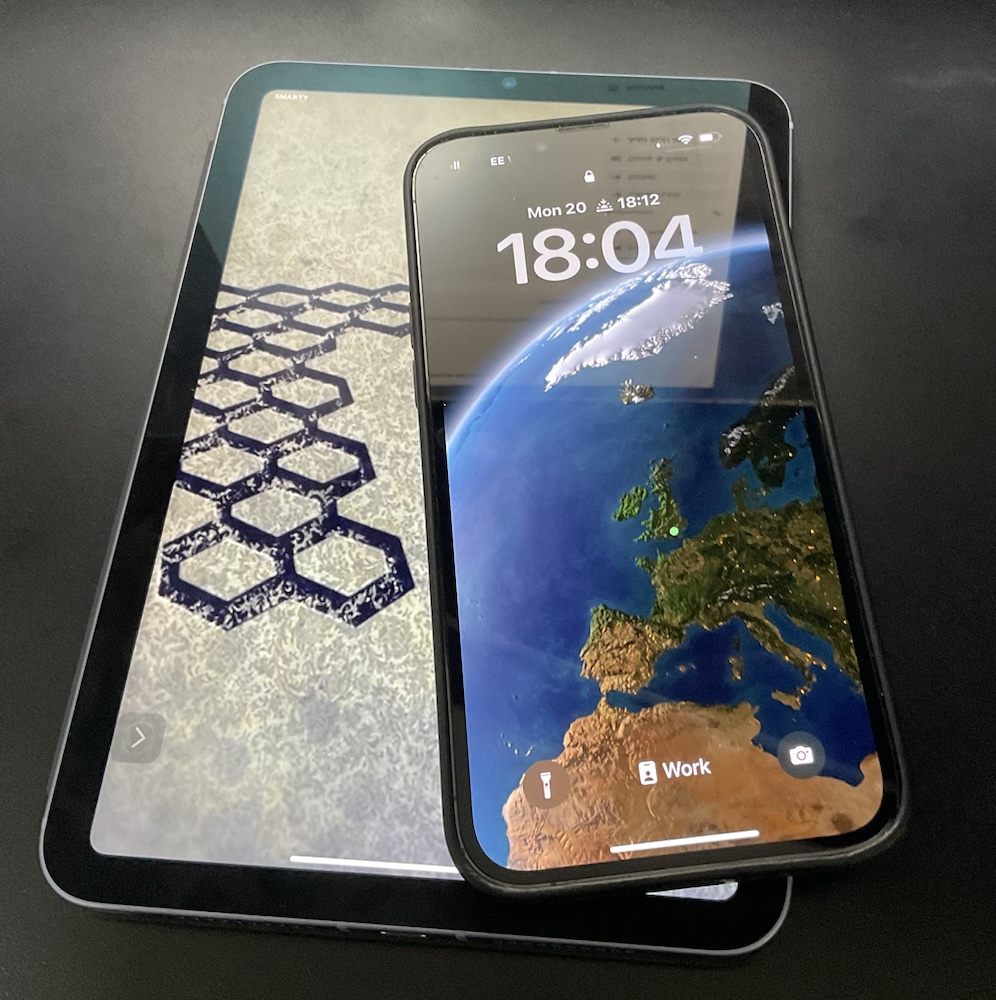
My iPad Mini as a Phone?

I have had two mobile phones at the same time for years. One is my work number. The other one is my personal one. It is been that way ever since work stopped letting me expense my own number and required you to have your number on their shared account for at least 10 years or so. In the US I had concerns about moving my personal number to my work account. What if I left and I wanted my number back? Our human resources Department was actually very cool and had said you can absolutely have your number back. Only in rare situations (not a scenario I fell into) would there be a question of not allowing it. In any event I felt more comfortable keeping my personal number separate so I had my work phone and I had my personal phone.

When I got to the UK I could have simply got only a work phone. I didn’t have any history of a number that I have been tied to. In the end I got my own personal one for the same reasons I had one in the States. I wanted one separate from Work. In the UK it is significantly cheaper to do this. My personal phone SIM costs me 13 pounds for more data and minutes than I ever remotely use. In the US that same plan would cost 75-100 dollars.

The phone I use for work has varied greatly. It is generally my second phone. That means it is never a high end one. It has been everything from vanity of Android to an iPhone SE, the original. The SE is what came standard with the contract in the UK. The screen is frankly just too small for me. I find that funny since for years that was the standard size of an iPhone screen. I had many different iPhones of that screen size and didn’t like the size however got by ok. I guess age just catches up to you. Since the phone that came with the contract was virtually useless to me I used the SIM card to experiment with different phones. When are travelled internationally a bit in the summer of 2019 I bought an Android phone and they did dual SIM cards and used the Work SIM with it. I found that the very big sized screen of the android phone I was using specially as a second device made it useful for me. I didn’t always keep in my pocket so even though was bigger than my regular iPhone 11 pro it didn’t matter. I have written about my issues with the Android phone and why I sold it in another post. With that phone gone however I was back to either using the iPhone SE or an iPhone 6 that I had from the states. Neither option had a lot of storage. 32gb on an iPhone is basically unusable in my opinion now a days. To compensate for the poor storage and small screen of the SE I splurged for a used iPhone 7+. The screen size was nice. It was better than the 6 or SE I had. It just wasn’t bigger than my iPhone 11 Pro that I used for personal use. The physical size of the 7+ was bigger than the 11 Pro. That made it an oddity. The screen was smaller yet the size was bigger. The screen was nicer and the storage was better than the other options I had. I still found no value in carrying it around and left it in my bag for when I need it.

Even before the lockdown I had thought about using a tablet as a quasi phone. It was a good idea I never really did anything about it. During the lockdown I obviously did not really leave the house very much. I ended up using my iPad Mini 4 as a sort of phone replacement. In many use cases at least around the house the iPad mini was a pretty good phone replacement. I couldn’t keep it in my pocket all the time yet it was nearby most of the time. One challenge was that the iPad mini 4 was starting to see its age in performance. Before the mini 4 was being used as a sort of phone replacement I had meant to sell it on eBay anyway. My using it and feeling its limitations compelled me to sell the mini 4 on eBay and and upgrade to an ipad mini 5.

Sometime after getting my new iPad mini I moved my work SIM card to it. I have been using the mini basically as my second phone. Even though I can’t put it in my pocket (it is a bit big for that) I can carry around and even put it in my jacket pocket of some jackets. If I am out of the house for more than a brief trip to the market I usually have my backpack or messenger bag with me that I can easily put it in. I am finding the much larger screen size to be great.

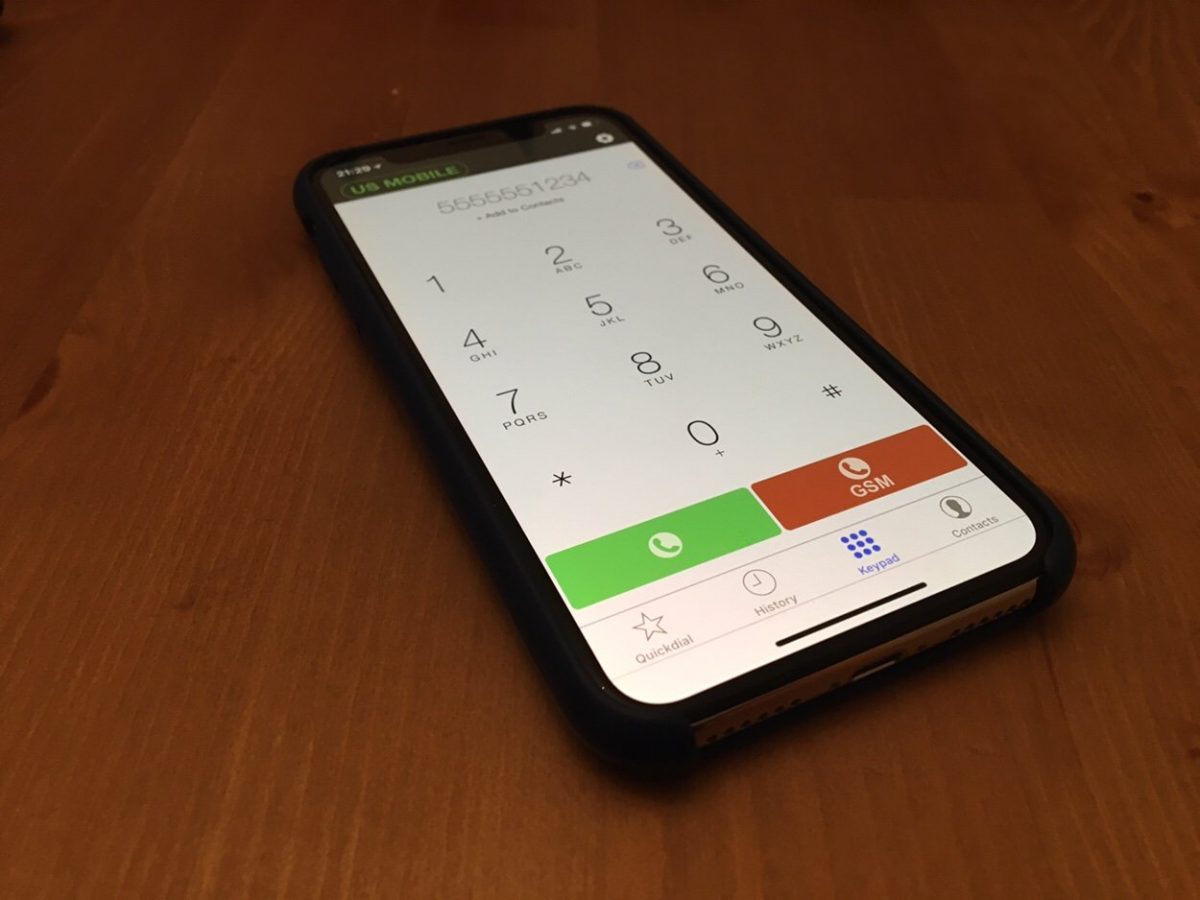
Except for WhatsApp I think I can do pretty much everything on the tablet that I do on my phone. All my work apps work perfectly well and I take advantage of the bigger screen. I can make calls using FaceTime audio, Signal or Bria for voip calls using my US number. Let’s face I do not make many regular phone calls these days. Even if I need to I can use FaceTime tethering to my iPhone for that anyway.

I may end up needing to put the work SIM card into a real phone at some point in the future. I am not really sure. I am hoping not. The iPad mini isn’t perfect. I still use my phone more in the house since it in my pocket. I also use my iPad Pro more as a sort of computer replacement around the house. When I need to run out for short periods of time or even just to sit here and dictate this blog entry using the iPad mini is just right.
Tech Thursday: VOIP To Replace Our US Mobile Numbers

I wrote this months ago and haven’t gotten around to posting it.  I have a few more tech move discussions I would like to get to.  Hope to make time to write them.

As part of our planning to move to London we had to figure out how we were going to keep in touch with people in the States. That meant what level of the presence we were keeping in the United States while we were gone.

We didn’t have a home phone number that we shared with anyone so keeping that wasn’t an issue. It was really just for our intercom in our apartment. Once we moved we were able to grid it.

M and I used our mobile numbers for texting and calls so we wanted to keep them. We were going to push as many people to use Apple Messenger, WhatsApp, Telegram, and similar apps however for those that do not have access to (or know how to use) those systems we wanted our old US mobiles.

M’s use case was really to keep her number only in case people wanted to call. For me I also wanted to be able to keep the accounts open that require a mobile phone for verification.

I spent a lot of time researching what the cheapest most reliable option for us to use to simply keep in touch with everyone in cases they do not have

For the simply keeping in touch with people after we leave I did a lot of research and ended up with a voice over IP service I’ve been using for years. I simply took both of our mobile numbers and ported them over to VOIP.MS. our quasi-home phone was a DID on the service for years. I also had other numbers for various things on the service. Sending and receiving calls have been pretty seamless over the years. Their price is also super cheap since you can get a pay-as-you-go plan. Each number is about one dollar per month plus usage.

The porting process to VOIP.MS took a few weeks. That is the porting system’s issue not theirs.  Other than how long it took the process was seamless for both numbers. I ported mine over in December right before we left. I kept using my work mobile during the few days there was a gap when my service ended and the number moved to VOIP.MS. for M since she did not have a work phone we ported her number in January. The hardest part about this whole process was porting her number since T-Mobile made us jump through hoops to unlock the number for porting. Even though we had paid off her iPhone a year ago they still kept phone locks and we didn’t figure that out until after we ported the number away from T-Mobile and tried to use a local Sim card in the UK.

The only challenging part of staying in touch using these US numbers is texting.  People that have iPhones can keep texting us if they know our email addresses.  Anyone who only had our number or use Android would have that message turned into an email now.  We don’t really see them so basically texting to those old numbers are useless. So basically we can receive phone calls. It’s been a minor annoyance every once in a while when someone tries to contact me hasn’t updated my contact details that I sent out listing my local number. For me that hasn’t been a major issue. For M I don’t think it has been a problem at all or she’s just not realizing people are trying to get her.

Slightly more complicated a problem is having a number that receives SMS short codes. This is required for services like Google or your bank to send you verification codes. What I learned is most voice over IP providers do not support them very well. After a lot of research I found one company Line2 who supported them. They published a list of all the codes they know to be working okay into their system. They also said they would work with you if you had a problem with another provider that’s not listed. A brief search of their list showed me that they covered most if not all of the companies that I would receive SMS’s from. Unlike VOIP.MS they are not cheap. One line costs $10 a month. With that plan however I did get unlimited calls and texts. Not that I use it. It feels expensive however in the end it was cheaper than buying the cheapest mobile phone plan and simply not use it except for verifications.

I kept two numbers for me. One for personal communication and one for the SMS short code verifications. That was deliberate. VOIP.MS is very flexible in how I can route calls so I keep my personal number with them. The client I use will allow me to do call recording, change my caller id, route to different places with a lot of granular control.  Line 2 the provider I use for SMS short codes only lets you use their client or a basic call forwarding.

Overall i am very pleased with both serviced. Line2 is relitivly expensive however it was cheaper than some other service providers i looked at. Their recievibg SMS Short codde options also seems better than most other solutions out there. i would (and have) reconend either provisers to anyone looking.

From Cellular to Mobile

One of the first things I need to get in England is a phone. More specifically a UK Sim card for my iPhone. It sounds pretty simple. You can get them pretty much anywhere. Seriously the recommendation was to buy one in a Tesco (a Grocery Store) Surprisingly for an American they’re super cheap compared to US plans. I think we pay around $130 for two iPhones and one iPad with about three or four gigs of data and unlimited minutes between them.In the UK you can get close to unlimited or unlimited minutes and three or four gigs of data per line for about 15 to 20 pounds a month. What I found is not all plans are created equal.

I’m probably a stickler for technical details more than most people however there were a few things that I’m concerned about. For one what is the service look like where we want to live and near my office? When I had AT&T in time square I basically could not use my phone for three years at work. That’s not really acceptable in 2018. Since we own our phones were looking for a pay as you go or a pay monthly without contract.

I’m going to try 3. The reviews have been decent. I’m concerned about coverage but I’ll have to be there to test it. The advantage they have over everyone else is for about the same price they offer complete roaming in Europe and the US for no additional charge. That means calls to the UK and data usage is like I was still in the UK even when traveling. I would need to continue the use of voice over IP solution when calling US phone numbers however that’s not different from when I would be in the UK as well. That set up seems like the most liberal roaming policy of everyone. It’s even better than the T-Mobile options I have in the states now.

One thing I learned that I heard rumors about previously was you by prepay some cards from the grocery store. That’s a little different from the US. While on our house hunting trip I bought a 3 & EE SIM card at a Tesco.  I wasn’t able to use 3 Sim card I bought.  I was able to use the EE card for my phone and i bought another one for my iPad. I didn’t really pay attention to signal strength in the neighborhood we were looking to get a house. I also wasn’t near the office very much. I was hoping to settle on a carrier during the trip and then keep the number when we moved. What I learned when I went top up the prepay card while I was there was to do a top up remotely you need a local address. Even though I had a local debit card it’s still tied to my US address until we move. At the time of this writing we don’t have a house sorted so I will either not use the number I got or once the house is sorted I can top up a card and be ready for when we arrive.

I know I can do most of this when we get there however especially for technology challenges like this I want to be prepared. This particular challenge won’t get resolved until were actually living there. I will likely post an update once I have figured out what we will do and then see how it goes.

My Choice of an iPhone 6

When the iPhone 6 & 6 Plus came out I originally wanted the Plus.  With my eyes I wanted as big of a screen as I could get.  However I did have a Galaxy Note whoever version was out right after Teagan was born.  I tried it for a few days and quickly returned it because it was unusable with one hand.  Someone needing to hold a baby a lot having two hands free isn’t always possible.  Those thoughts in my head and the fact that the Plus wasn’t really available right away led me to the 6.  Even with the 6 i was concerned about its size.  I need that one handed use.  I was pleasantly surprised when I got the 6 that it is generally usable with one hand.  The screen size was much better than my old 5.

This upgrade cycle I opted for the 128gig version.  I had the 64gig for the 5 and the 4S before that.  I may have had a 64 4 if they made them but I can’t remember.  When I got the 5 I really needed the space.  As I used it and day to day used my iPad more I found the storage not to be as limiting as it used to be.  That being said I did come close enough to filling up all 64gig’s that I didn’t want to chance another year or more with that much space. I spend the extra money on the larger storage.  I also opted for the white version this year.  For a few years I kept wanting white but either canceled the order and changed to black or couldn’t get the white.  This go round I didn’t want to make any excuses and I got the white.

So far I have been very happy with my choice.  I even toyed with a 6 Plus for a few days last month.  I confirmed my original thoughts that it was too big and I returned the phone.  I made the right choice for me until next September.  Then we shall see what else comes out.

My Parents Are Becoming So Tech Savy It Scares Me Sometimes

We live in a very technical world now a days so I don’t know why it surprises me that my parents are slowly embracing modern tools. I am less surprised by my dad than my mom but it sometimes still takes getting used to.

My dad at least has a long history of having useful gadgets. He was the first person I remember to have a PDA. It was an old Sharp Wizard that I eventually inherited. I get my love of gadgets from him, but I think I take it to a whole new level. Of course there is alot cooler stuff out now.

My mom on the other hand is not tech savvy at all. I still get calls from my mom for help doing basic stuff on my dad’s GPS. Of course my sister who once programed for a living also calls me just as frequently about similar issues so I shouldn’t judge.

What is funny recently is that my dad had been dead against a smart phone for ages. At one point I got him a Treo 300 that he used for a year or so, but didn’t like the small keyboard. He ended up going back to a regular phone and an old style Palm handheld. He has had a palm handheld (minus the time with the Treo when it was Handspring) since they first came out in 1996. Recently, well actually over the past few years he has been asking about an all in one phone/PDA. The problem is he doesn’t like the little keyboards. Because of that he hasn’t switched his setup, but has really wanted to ditch his phone, PDA, and pager (yeah he still has one) for one device. His work was going to give him a Blackberry a while ago but he turned it down because again he didn’t want a keyboard. I showed him the iphone when I got it and we decided it wasn’t for him since he would have a problem with the lack of feedback on the virtual keyboard. Recently he has been wanting a new phone again, so he went to the Verizon Store (his carrier). I was surpassed when he came back and said he wanted a Blackberry Storm. He liked the feedback of the virtual keyboard, and the phone did everything else he needed. He even wanted to get the data plan to get work email. He spent about an hour with sales guy and ended up buying one. I now need to go over and migrate his palm data to the Blackberry. In some ways I am not surprised he got that phone and in others I am a bit surprised he has a phone as advanced (arguably) as the one I have!

My mom also surprised me with technology when she started asking me about the Amazon Kindle. Apparently Operah had a special about it and she was interested. My sisters mother in law gave my sister a Kindle and my sister lent it to my mom for a cruise she went on a few months ago. She really liked it since she didn’t have to pack a bunch of books. She took a while to get over some issues with it but apparently got the hang of it. For a while I was pondering upgrading to the Kindle 2 and she asked if she could have my old one if I did. At first I wasn’t going to upgrade. For me the price of the Kindle 2 was too much to be worth the upgrade from the first version. My mom’s birthday is coming up and I couldn’t figure out what to get her (and I still owe her a mothers day gift) so I asked if she wanted my Kindle for her birthday gift? She said yes, so I ordered a Kindle 2 for myself. The new one would be a waste for her, so I don’t feel so bad giving her the generation 1 version. I am excited for the new Kindle and hopeful my mom doesn’t run into any problems using the Kindle the next time she uses it.

In a later post I might write about part two of this post, about my progress at weaning both my mom and dad off AOL. They still use it for email. I setup a mail domain on Google Apps and created accounts for both of them. I just need to show them how to use the Gmail web interface and get them to tell people the new addresses.

No Good Applications For The Blackberry?

In some of my free time over the past few weeks I have been looking for some free or cheap applications for my Blackberry I got from work. It has only been six months since I had a Blackberry but I can’t remember many of the applications I used on the BBerry. I think I just didn’t use that many.

For now all I have installed is Gmail, Facbook, and Google Maps. Since I have a personal iPhone I haven’t even used any of those applications since I have them all on my iPhone. The Blackberry is still great for mail, but so far not much else.

I Cannot Stand The Blackberry Pearl

I cannot stand the Blackberry Pearl! I know it is a really small phone, and it is a Blackberry but it drives me crazy. The only reason to have a Blackberry is to use it for email. I think all other functions of it are sub-par as smart phones go, so to have an email device without a full keyboard is driving me up the wall. My office gave me a brand new Verizon Wireless Pearl when I started and I tolerated the horrible keyboard since it was the nicest phone they had. The last straw was about two weeks ago when I was writing my boss and the dam predictive text or whatever you call it could not type out LAN, nor could I cancel out of the options it was giving me.

Early last week I had our telecom person switch me to an Blackberry 8800 that my predecessor had. That phone is huge, and kind of sucks but it has a full keyboard. I will use it until we can figure out why we cannot get the iPhone or any other Wireless Active Sync device to connect to our Exchange 2003 server.

The Curve

I have only had the Blackberry Pearl for a short time, but it is now out! I now have a Blackberry Curve from work, and I am very happy. Yes the Pearl is really small, but the Curve is not much bigger. It is only slightly wider. The rest of the dimensions are the same, and it has a full keyboard. That makes all the difference to me. That means my Pearl goes up on Ebay!

Technorati Tags: ,

Blackberry Pearl Hard Reset Update

Apparently RIM is not as smart as other hardware vendors. When you do a hard reset of a Pearl you don’t actually get all the programs refreshed to the factory default. I would argue that it isn’t a hard reset, but whatever. It boils down to the fact that when you mess up an install you can’t fix it. It took me a while, but i was able to get the lost applications back after following the instructions from this forum post.

My issue isn’t even 100% resolved since i lost the new AT&T phone theme i had with my Pearl and instead have the older not as nice looking Cingular theme on the phone since the software I was able to get the restore to work from must have been older than what was on my phone. In any case I am all better for now.

Technorati Tags: , , ,