
I did not goto the office from March 2020 through August 2021. Since August i have mainly worked from home with periodic days in the office. I’ve said it before that my walking to and from the train on my commute was the bulk of my exercise.I was lucky in the sense that walk give me about 80% of my daily activity and step count needed for at least a basic level of movement. While at the office I would deliberately walk further when doing things to get more movement in throughout the day.
I’ve written about some of my exercise routine during the lockdown so I won’t rehash most of it. Since April 2021 and the restrictions on lockdown easing I have been trying to get out more and more for coffee. It is one way I try to offset the lack of my commute and the exercise that comes with it.
I had been typically meeting up with friends in the morning for coffee. The way my schedule works is early morning is really the only consistent time I could get away. The challenge was catching up after taking a 30 minute break or getting peoples availability on a consistent basis.
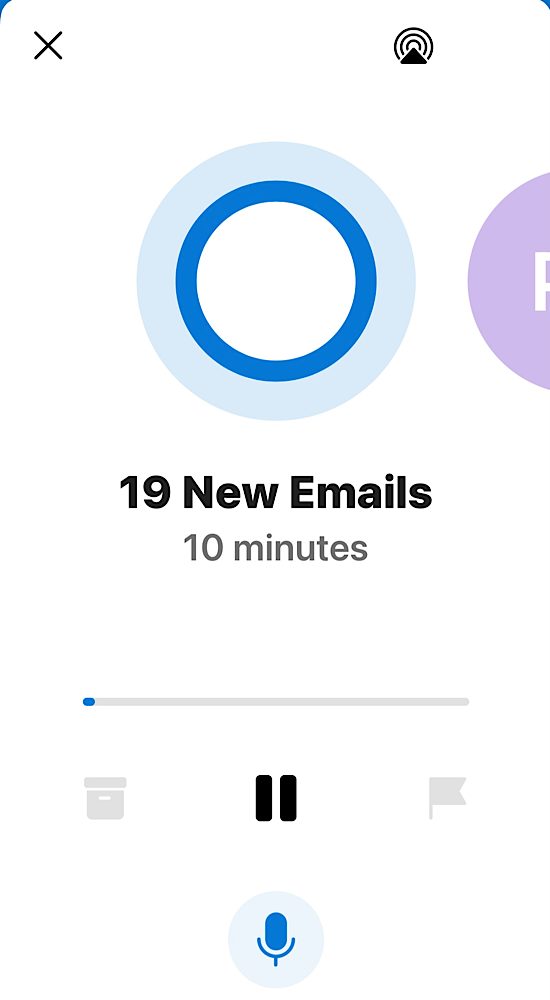
On a separate thread that becomes related later I’ve been playing around with Microsoft outlook on my iPhone. For several months now Microsoft has had an option that it will read you your mail and allow you to audibly take actions on it. at first it was a novelty. Then they kept adding features and I figured out a workflow that was useful for me. I found that if I had a lot of messages I could listen to them and flag the ones that I wanted to look at in more detail or respond to, or take any action on later. Things that weren’t important or I didn’t need to do anything with I could simply archive. I also could except or decline meeting invites. In essence I wasn’t able to completely control my inbox using Cortana reading to me however I can organize it in such a way that when I sat at my desk I could focus on specific things to do.
One day when no one was around to have coffee I figured why don’t I just go anyway since it was a lovely day. before that point I was not really using the Cortana read to me functions that much so it did not dawn on me to just go to coffee and sit and listen to my mail. On one faithful day in June that’s just what I did.
Once the males done being read to me I typically have a list of flagged mail that I need to either file away or take actions on. usually I break out my iPad and write responses to things. Anything that requires further research or dedicated time on a bigger display I’ve created to do task from that. From there I generally have a good feel for what immediate work I need to do today beyond my longer-term project and task list.
The coffee shop I have been going to is near my house and after the school drop off appears pretty empty most of the time. The staff is always super lovely and I can sit out in the back garden when it’s not cold or raining. Actually I think they even have heaters when it’s cold however I’ve only done that once or twice. i’m pretty pleased with my routine and hope to continue doing it weather permitting.
I originally wrote this article over the summer of 2021. Sadly the coffee shop i wrote about is gone. Now a days I go to other ones and generlaly am using Cortana more on my walk to and from the school runs with the kids.