
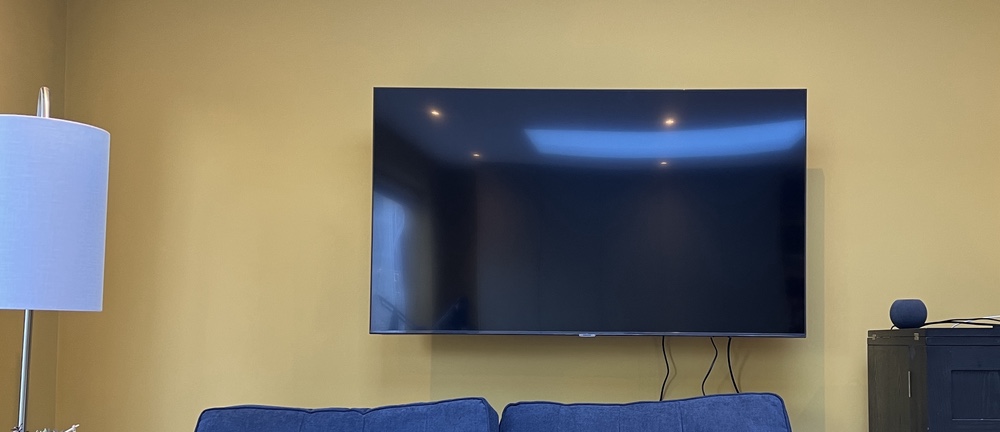
All I Want Is A Dumb TV

We got a new television back in October 2022. As much as I try to stay up on the trends in technology, purchasing televisions has always made me apprehensive. When I bought the television in our living room nine years ago, I remember spending a lot of time researching and still not being 100% sure what I was getting was just right. The time before that, when I got my first LCD TV, was just as stressful. There are so many features that I really don’t know if having them matters. Even when reviewers say you need 240 Hz or whatever is the thing to get, I question whether it’s really worth the extra money when M doesn’t really care and my eyes aren’t exactly perfect anyway. I digress. I just want to talk about one bell and whistle in TVs today that you cannot avoid: the smart in smart TVs.

When I bought my last television in 2013, it was pretty hard, if not impossible, to get a decent TV without smart software. I didn’t like it then. I only used the Wi-Fi on our other television a few times to update firmware. That turned out to be a great decision on my part. The Vizio TV we had was one of the models where they were caught up spying on their customers. I forget exactly what they were doing, but I think it was either using the microphone to listen in or to see what advertisements people were interacting with. Either way, it was creepy and illegal. It didn’t impact me since my Wi-Fi on the TV was off, so there was no way for the TV to communicate with the vendor.

When I received our new TV, the folks from John Lewis went to set it up for me (it was part of the deal of mounting it on the wall). They asked what my Wi-Fi details were. I told them they didn’t need to do anything and that the television would never join my Wi-Fi network. It turns out, however, that I was incorrect. I tried to keep the television off the Wi-Fi network, but if I did that, I got a warning that remained on the screen until I connected it to the Wi-Fi. I guess the TV was smarter than I thought! 😂

Full disclosure I took the original complete blog entry I wrote previously and ran it through Microsoft Copilot, because why not. The results were not far from what I wrote but just better enough that for fun I am posting it!

I Can Finally Stop Tinkering With my Media Center, For Now…

I make a conscious effort to limit what personal family details I post however I do enjoy writing this blog. That means I typically focus my writing around technology. I find tech interesting and it’s a huge part of my life. Not the largest part however big enough that there are plenty of topics to write about. Looking back at my blog posts over the past few months I thought I talked extensively about my media center setup challanges. I was surprised then to realize that I haven’t written about my evolving use of my Apple TV 4 since I purchased it late last year: My New Apple TV.

I was happy that on day one the new Apple TV ran the latest version of the Plex app. The challenge I had was that Plex is only half of my media center/TV watching set up. Content purchased from the iTunes store makes up part of the other half of my use case. Live TV takes up the rest. The big roadblock after I got my Apple TV was it couldn’t stream live TV. I have a HDHome Run from Silicon Dust that takes my cable card and streams my cable TV to any networked device that can receive it. The Apple TV does not natively support this. Silicon dust does not have their own app for the Apple TV (yet anyway). Initially that was extremely frustrating. It required me to maintain other device just so we can watch live TV. That complicated media center use for my wife. Ease-of-use is critical for her and I. For her she just wanted it to work reliably. For me I don’t want to get frantic calls or texts that my daughters can’t watch curious George because something hokey is going on.

Luckily for me after the new year I stumbled across not one but two applications in the Apple TV app store that supported streaming TV from an HDHome Run. I got into the beta program of one app however there were some challenges with the audio being out of sync with the video. That was a problem that I had with my Kodi Media Center on my Raspberry Pi. I then found the second app which cost about $15 buy however it was out of beta and it looked too promising not to try it. I am so glad I did. It worked perfectly. Now I was able to have Plex, iTunes, and live TV all on my Apple TV. That enabled me to simplify the media center substantially and thus make it easier to use.

The streaming TV app works pretty flawlessly. I was able to clean up the cables and devices in my media Center when I no longer needed my android TV, Raspberry Pi OSMC, and Mac Mini running Plex. All those devices at one time or another were testbeds that failed in one way or another. I still have one Raspberry Pi plugged into an HDMI cable in my media Center however that is usually just for when I’m building something. My media center experience is not dependent on it though.

Experimenting and finding the most optimal set up for us for TV/media consumption took a pretty long time. I am glad the technology caught up to to the requirements that I was looking for. The setup has been pretty stable for the past several months. I haven’t made any major changes to it since getting the T streaming app. I have been adding additional apps to the Apple TV however the basic configuration doesn’t change. I do want to try getting a game controller and seeing if there are any good games on the Apple TV.  I no longer have an Xbox 360 so at present nomgaming platform of any kind. Of course I haven’t played an Xbox game in four years don’t miss it all that much most of the time.

Suck it Indiana Jones

Suck it Indiana Jones.  I too have found the holy grail.  Well the Holly Grail for me in relation to my media center experience.  After searching for a solution that works that includes all my requirements I finally think I have it in one device.  My Apple TV 4.

That device in and of itself maybe was 1/3 of the solution.  For me a Media Center is not complete without my media library accessible via Plex or Kodi.  I prefer Plex since that is what I use as my server however I would have settled for Kodi.  Plex turned out to be available on the new Apple TV on day one.  It worked great.  The main other piece of the puzzle missing was the ability to watch live TV.

To save $20 a month I dropped my TiVo a few months ago.  I was just not using it enough to justify the expense.  MC loves her live TV thought so I needed a solution.  I bought a HDHomeRun Prime.  The problem has been I haven’t been able to find a good live TV streaming client that seamlessly worked on any device other than my old Sony Google TV.  My home built OSMC didn’t work very well.  It was very choppy video.  The Kodi setup I built on my Mac Mini worked ok for the live TV however it didn’t play my Plex content very well.  It also required switching HDMI inputs to get to my iTunes content.  That was a challenge when the HDMI switcher didn’t work and MC couldn’t get the girls their 15 minutes of Seasami Street sometimes in the morning.

I had been using the new Apple TV with the Sony Google TV as an overlay on the Apple TV.  I did something similar with the Google TV when I had my TiVo.  It still required two devices and two remotes to work.  It did work but is not very elegant.  I also want to rid myself of all Google devices so having to rely on the old Sony Google TV is an annoyance.

Today however everything seems to have changed for me. Yesterday I got an invite for a beta program of one app that will allow me to use the live TV stream from my HDHome Run natively on my Apple TV.  I setup the app today to give it a try.  It worked but it is clear that the app is still beta.  I am hopeful that this app will flesh out their issues and will work well.

In the mean time however as luck would have it I found another app in the Apple TV App Store that I hadn’t seen the last 3 or 4 times I browsed the store for live TV streaming Apps.  This time I found “Channels”.  For $15 it claimed to do everything I wanted in live TV native in the Apple TV.  I figured I would give it a try.  After some drama related to two step authentication and my Apple ID I was able to purchase the app and give it a test drive.  From the 15 minutes of playing around with it I am pretty impressed.  It doesn’t have the audio / video out of sync issues that have experienced on several platforms.

With this app if it continues to be functional I am able to par down my media center to just my Apple TV the front end, Plex running on my Synolog as my back end along with my Silicone Dust HDHomeRun for TV streaming (using a cable card).

Getting to this setup has been a multi year process of trial and error.  If it proves to be reliable I will be very pleased and hopefully the configuration will be simplified enough that MC and soon the girls won’t have any problems using it.

For now I am pleased with the turn of events that gave me my holy grail of media centers!

My New Apple TV

Just in time for me to give up on my Mac Mini running Kodi the new Apple TV arrived.  It doesn’t solve all my media center problems however it is a step in the right direction since it now runs Plex.  The setup is much more reliable than what I was experiencing with my Kodi build.

The main issue i have with the Apple TV is i cannot currently run HDHomerun to watch live TV streaming from my cable card HDHomerun device.  My current work around is using my old Google TV.  Thankfully that device has an app that runs the live tv streaming.  It isn’t the greatest but it is reliable.  I plug the Google TV into the Apple TV and it can run as an overlay on the Apple TV.  The benifit of that is I don’t need to change the TV inputs to watch live TV.  that is a big win since switching TV inputs with the Logitech Harmony has been less than reliable recently.

I am hoping an app comes out on the Apple TV that solves the limitation however until then I at least have a reliable if not clunky (too many remotes ) solution.

Desk Reorg

At home tonight I decided to reorganize my desk, again. About two weeks ago I moved things around on my desk(s). I have two desks and a little desk/cart arranged in an L shape since I can’t get the middle piece of my desk system in the color lament of the desks I have. So I have a make shift L. It actually looks pretty good. I love my Anthro Desks! I have been tweaking the setup since I got the smaller desk I used to make the L. Two weeks ago I took away my setup for my work laptop since i thought it was cluttered and put my media center iMac there in stead. I ended up not really using the monitor I freed up from the laptop setup so it was just sitting there idle.

Yesterday I got the idea to try a 2nd monitor on my iMac setup again. I also had the need for that laptop setup (using the laptop only wasn’t cutting it) so I decided to reorganize everything. I moved the media center iMac back to the center part of the L, returned the Dell monitor to setup my laptop again, and then broke out my old Apple 23″ cinema display to use as my second monitor alongside my 24″ iMac. I am not going to really be able to sell the Cinema Display since it is 3 years old so I might as well try to use it.

I know it sounds like allot of monitors, and it kinda is. But I accumulated everything over time. I actually have extra stuff I need to get rid of or give away that didn’t even make it to this configuration. I will use the main display on my 24″ iMac for personal stuff, the 23″ display on that iMac now sports a full screen XP VM that I can do work on. My 20″ iMac will remain as my media center and used for video processing and controlling my Apple TV & xbox 360 media centers. The other setup will be for my work laptop so I can do other work stuff on it.

Once I clean up everything I will take another Panorama picture of everything. Right now check out the before Panorama photos I took a few months ago when I still had my Macbook setup.

Desk Panorama Take 2

Before

After, TBD…

iPhone 2.2

I upgraded today to the iPhone latest version of the iPhone software, 2.2. On the off chance that the problem I had last week with my iphone not syncing with my computer was related to the phone and not the computer I am updating the software right away. So far I don’t see any major features stand out. I am happier that my Apple TV has a new OS version on it so I can control the volume of the Apple TV using my remote software on the iPhone! Now that is functional!

The Weirdest Technial Problem

On 2nd I wrote about a weird issue regarding my iPhone resetting. Unfortunately since then the issue happened on two other occasions. By the 3rd issue I decided to call Apple and open a ticket on my problem. They couldn’t help me much on the phone so they wanted me to bring the phone in and see someone at a local Apple Store. This is when things get interesting.

A few days before the 3rd incident with my iPhone I noticed that one of the external USB drives I have threw an error when I booted up the Macbook. I was bad and kind of ignored the error since I could see the drive mount and didn’t appear to have any issues. After a few reboots with the sam error I actually read the error and noticed it was warning about a corrput file system. Since this drive was a backup drive and only used as an archived copy of data I didn’t need the data I decided to pull the drive and use a spare I had. The next time I rebooted my computer Sunday night I got the same error, but this time it was on another 750 gig USB drive I had plugged into my Macbook. This time the error was on a drive that I do use and have critical data on. I was not hugely worried since I could still read the data on the drive. I decided to copy the critical data off onto another 750 gig drive that I decided to use as a mirrored copy of the data on the first drive.

Once I moved all the data off of the damaged drive, I formatted it and prepared to mirror all the data on the 2nd drive back over to it. I started off a replication of the good drive using Synk and then went to bed. This was the same night I called in the iPhone for support. I woke up the next morning to find that my Mac had crashed and never copied very much data. Once I rebooted my Macbook I noticed that the one good drive I had was now not visible in OSX. I checked the disk utility and I saw the drive but it was not available. A verify failed telling me the file system was messed up. I began to panic a bit. All my efforts to create a good backup process ruined by some weird fluke issue. At this point I had to take my Macbook and goto work.

After work I went to the Apple Store on 5th Ave and told the Genius Bar guy my woes. He looked over my iPhone and then my Macbook. After explaining what happened to my USB drives they decided that I can hold onto my iPhone but that they want to take my Macbook in to run some tests on.

Now I am without my Macbook, my iPhone works but has no media on it. I was instructed to reset it again, but not restore it. I am waiting to do that when I get my Macbook back. I can’t install anything without all the data on it. After a bit more panicking about the lost data on my hard drives I am feeling a bit more optimistic. I am using Data Rescue II to pull the data off my bad drive. It is taking ages to copy but so far I have been successful. I am about 70% done with my restore. I think the most critical data is already restored onto my good drive. Once I am done I will format the bad drive and mirror the data back over to it. I will then do what Jayson does and physically unplug the backup drive and sync it every week or every other week. Longer term I am looking to get another Drobo or some sort of other solution that does some sort of RAID.

While I wait for my Macbook to return I am not off the Grid. I am using my iMac I typically use for TV, and I have my work Thinkpad.

Apps Found on My iPhone 3G

I have been using my iPhone 3G for a few weeks now. So far I am a fan! There are still a few things it cannot do (call recording!) but overall it is a great phone. I have downloaded a ton of free and paid apps. Some of my favorites installed on my phone now are:

GrandDialer – Basically an app that will do GrandCentral's click to dial. I haven't used it that much yet, but so far it is really cool.

Weather Bug – because I like to know the weather.

iTrans NYC – fantastic NYC subway maps, plus transit alerts

Facebook – because I got addicted to it back in May!

iDrink – You never know when you need the ingrediants to make a fantastic drink

GoContact – send contacts details quickly. It is amazing how often I need to do this

Loopt – Location based stuff is just fun. I just wish anyone I know used it

aSubnet & Instant Byte – Subnet calculator. I also have some unit converter software specifically for technology. Very helpful. I am waiting for an SSH client, and a cheap FTP program (the only one out there is $10).

iNetwork Test – runs a test of my wireless connection and keeps track of results and the locations they were taken. Very cool.

Mobile News & NY Times – my fix of the news.

1Password – website password management on my iphone. I love this on my Mac and it works great on my phone.

SplashID – I had this on my Palm for ages, and the concept is the same. My password library with me anywhere i go, but in a nice secured format.

Remote – iTunes / Apple TV remote that just works.

PwGen – random password generator. I have a program like this on my Mac, but a portable one is cool. In my job creating passwords happens all the time!

BigTipper – I hate calculating tips, this makes life easy.

Flashlight – It is just cool!

and More…

Dinner With My Parents

Tonight my parents came over and we had dinner. We ordered in, which is is a change of pace for us. I finally gave my mom her birthday present. We viewed the raw footage from the 8mm film I had converted to DVD. Seeing the reactions from both my parents was well worth the price I paid to have the film converted. I took notes on when most of the clips were taken so I could resequenced them correctly. I had to guess at the order of teh clips when I had them put to DVD. I am glad I paid to get the raw AVI files since I can go back and add a music sound track and sequence the files using iMovie. I demonstrated one of the 22 clips with a music sound track and my mom loved it. The video editing takes time, but the finished product is fantastic.

Today was basically a trip down memory lane. I had been playing with iMovie for a while before my parents came over. I wish I had more reasons to take more pictures or video, since I have fun editing stuff. The only real stuff I take pictures of now are my niece and nephew. I showed my mom some quick slide shows of them on my Apple TV and she loved them also.

My biggest problem is that there is almost no video of me as a kid except for the 8mm video I just put to DVD. Then there is my Bar Mitzvah video that I have a low quality MPEG-1 of. I am having that converted by the same people that did the 8mm videos in the next week or so.

Once I have the finished DVD with some music to it I will give my parents a remastered copy. If I have time I will also put a web friendly version on my flickr page for other family members.

The stroll down memory lane was fun, but I need to get ready for work tomorrow.

Home Videos

Other really cool news that happened yesterday was that I got back my families home movies from Home Movie Depot. They were finished allot sooner than I anticipated, so I was really happy. I browsed the DVD’s since I wanted to see them, but I need to sit with my parents and watch the whole things since they can tell me what and who I am seeing.

First impressions are that this service was fantastic. Some of the clips are really washed out and almost impossible to see, but I think that has more to do with the fact that they were in a box for 35 years and may have been poorly shot when they were taken. Most of the clips looked great.

I am also glad I spent the extra money on the hard drive with the original AVI’s they created before they burned the DVD’s. I do want to re-order the clips since I labeled them wrong. I also would love to try and add music to the video since there is no audio on old 8mm film. All the source material AVI’s equal about 20 Gig’s of drive space. I am going to keep those, and make copies to play with. I want to see if i can convert them to put on my Flickr account, or my Apple TV. To me, cleaning them up will be a fun project. I am going to see what I can do with the clips in iMovie, and iDVD. If I can’t do everything that I want, I will play around with Final Cut Express, but I am not sure if that program is overkill for my needs.

I am planning on having my family over and have a BBQ and then view the DVD’s!!!