Please Take My Money: Green King

It’s time for another round of Please Take My Money, the ongoing saga of payment systems that either make it ridiculously easy to spend money or somehow turn it into a test of patience and willpower.

Today’s contestant: Green King.

When I think back, I don’t even remember Green King having an online payment system before COVID. Maybe they did, but it certainly wasn’t memorable. Then lockdown happened, and suddenly the idea of ordering from your phone became not just convenient, but essential.

After restrictions lifted, one of the first places we went was our local Green King pub. For the first time, they had an online ordering option. I actually thought that was great. One thing the pandemic got right, if we can say that about anything, is the ability to order food and drinks from your table instead of waiting in line at the bar.

Now, don’t get me wrong, I like the charm of a proper English pub. I don’t mind going up to order a drink. But queuing to order food? Hard pass. So the fact that Green King introduced mobile ordering felt like progress.

Originally you had to register for an account. Nothing kills “convenience” faster than “please create a password.” I get that companies want to collect data and “build loyalty,” but if you’re in the business of selling me a sandwich and a beer, maybe focus on that. I don’t need another account to forget about.

Anyway, once I begrudgingly registered, it worked fine. I could order food, add my table number, and my meal magically appeared without waiting at the bar. That alone put Green King ahead of some others I’ve tried. So let’s call the early days a neutral: annoying sign-up, but decent execution.

Fast forward a few years, and they’ve clearly learned. The app no longer requires you to store your card details. You can just pay with Apple Pay or Google Pay and be done. No extra forms, no saved card nonsense, no trust fall into yet another company’s database.

And that’s the thing. Retailers love to say they “take security seriously.” The reality is that they may not be able to focus on it as deeply as a credit card company or a bank does, which is understandable. So when an app lets me not store my card details, that’s a feature, not an inconvenience. It’s basically zero knowledge in practice. If they ever get hacked, it won’t matter, because my card details were never there to steal in the first place.

These days, ordering through Green King’s app is smooth. You tap, pay, and your order’s on its way. Seamless. Efficient. Almost enjoyable.

So, after a rocky start, Green King has graduated from “barely tolerable” to “actually pretty great.” They finally figured out the assignment: make it easy for me to give you my money.

The Great No Wallet Experiment

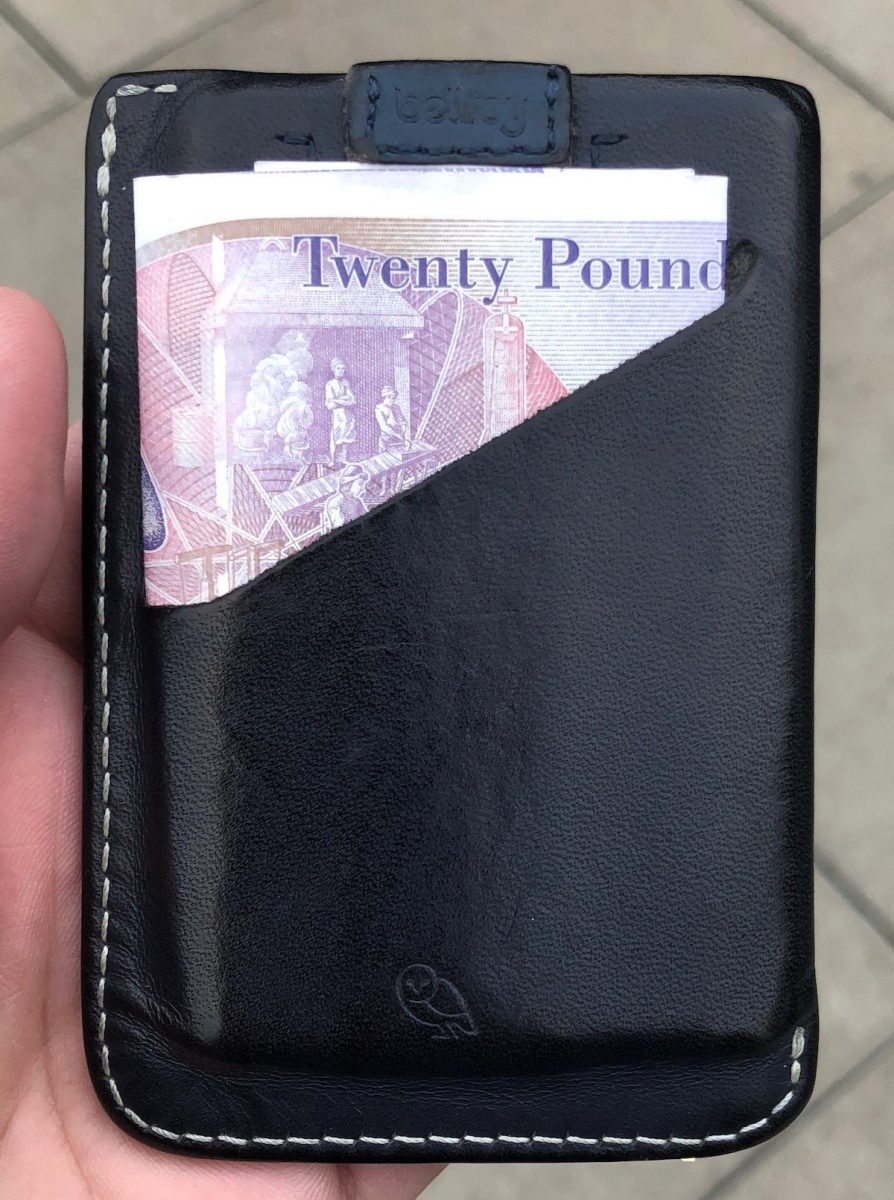
One of the minor advantages to living in England versus the US is the ubiquity of tap to pay. Pretty much anywhere that takes a credit card allows you to use the NFC chip on your credit card or Google/apple pay. The catch has been you can only use it up to £30. After that you need to use the chip and pin. That meant for most day-to-day transactions I was able to use Apple pay on my watch. I kept my belroy slim wallet (pictured) with three credit cards and ID in it along with 20 pounds just in case I needed to spend more than £30.

In late August I read a newsgroup thread talking about how merchant terminals were no longer limiting Apple pay to £30 per transaction. That made sense to me since I bought stuff in the Apple Store for way more than £30 and they didn’t seem to have a limit. What I didn’t realize immediately was I was reading about a change to the banking laws that was coming into effect in mid-September so the terminals were changing their requirements

After September 17 or so there’s no longer a hard limit on how much you can spend with tap to pay. Apple and Google Pay offer 2nd factor authentication already. It’s my face or fingerprint on my phone so there in theory is no additional validation or limit on using my phone or watch to make purchases.

Using a physical card with a NFC chip need to reauthorize with the PIN every hundred pounds or so. This change in theory makes it possible for me to not have to carry a wallet. It also means in theory that using Apple pay is more convenient/better than using an actual physical card.

At the time of writing this it’s been at least two months since this came into effect. Since then i only once had to use a physical card at one merchant. Since this is still an experiment I leave my wallet with an emergency card or two in my bag hidden away. It still also has an emergency £20 note. You know for that rare time I need cash. So far the experiment has been fantastic. Even the one case that i did need my physical card i think the terminal was having issues. Even with the physical card the system had to try twice to make the transaction go through.

Here is to hoping I don’t need to carry a wallet ever again. Well at least in the UK.

Underground vs Subway Showdown Part 1: Take My Money

While I am still settling into writing routine I figured I would start off with some comparison posts. I know its a bit cliche to do comparisons. I also know people who have moved countries say you shouldn’t really do it if you want to enjoy your new home better however with some things my mind just goes to comparisons. And no comparison between New York and London would be complete I feel without talking about the subway and the Underground. FYI I refer to the Underground a lot in this post. I do that instead of saying the Tube mainly because my Dragon Anywhere dictation had trouble getting Tube correct in all the different contexts I was using. I really mean the Tube and the DLR in my comparison since I use both systems daily.

Payments

The Underground and the subway are in some ways similar and yet are so starkly different. First difference between the systems that stands out for me how you pay. In New York the subway is a flat rate to go anywhere. You can also purchase a daily, weekly, monthly unlimited card. The flat rate of the unlimited cards were pretty awesome. That is where the awesome ends with the Metro Card. You see for those of you that do not live in NY the Metro Card requires you to use a magnetic strip reader that was semi new and cool when introduced in the mid 1990’s. Ah the aggravating memories of having to stand at a turnstile swiping my card 15-20 times before it would work. Or swiping it 15-20 times only to have it say just used when you did not just use it because you were standing there for 5 minutes trying to get the dam card to work. Wow, I just had bad flashbacks about that. That is just two typical issues I had with my Metro Card.. I sum up the Metro Card experience by saying it is 1990s technology that has not aged well. At present there’s only a rough roadmap to replace the system.

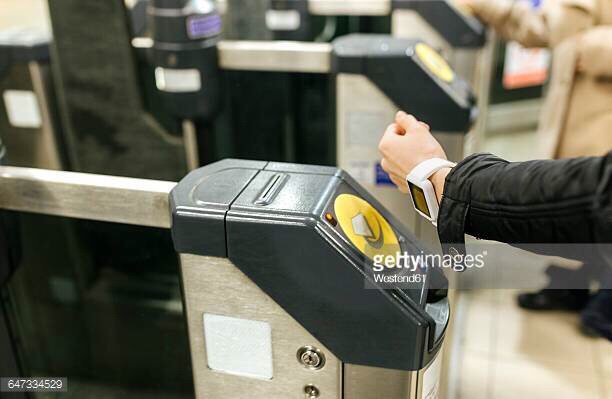
The underground on the other hand you pay based on where you are and where you’re going to. I get the reasons for this however in practice it costs me more. Payments on the underground are contactless. I had the oyster card when I visited for moving here. On the last trip or two visiting I realized I could use my iPhone with Apple pay to tap into and out of the system. Since I’ve been living in London I have an Apple watch series 3 and now am able to make payments via my watch.

Head-to-head contactless payments for the Underground wins. Even if it costs a bit more money the Metro card is crap. I had countless issues with it. The simple fact that I can pay for my trip using my watch will win anytime.

In Part 2 of The Underground vs Subway I will ponder why in the world stuff breaks so much on 100+ year old infrastructure.

Please Take My Money CVS

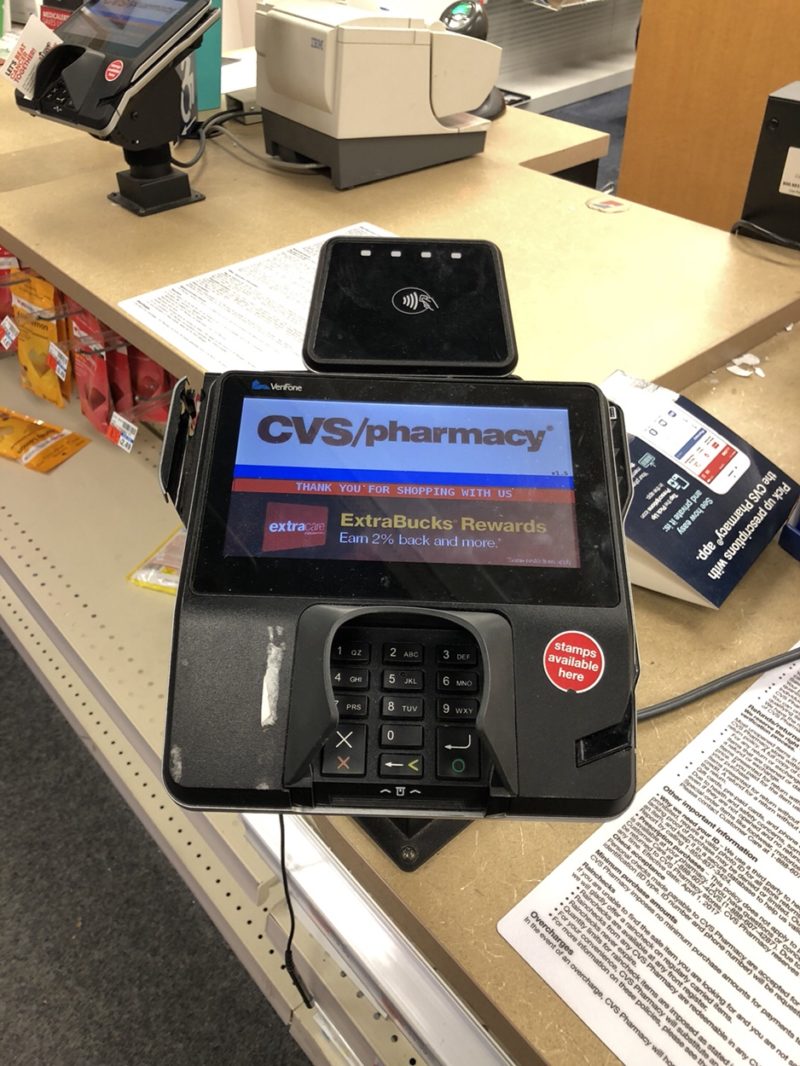
CVS POS Terminal

Prior to my big move while I was on the topic of writing about target and NFC payments regarding Target I had to go to CVS and pick up something. While I was waiting to check out I was reminded that CVS has the shiny new point-of-sale terminals with the big logo for tap to pay that doesn’t work. If I remember correctly they used to allow it and then when Apple Pay came out they turned it off.  It was because they were a partner of CurrentC and didn’t want their competitor to work.

Whatever happened to companies going sure I will take any form of your money so you can buy our stuff? It reminds me that I wanted to create a web series about “Please Take My Money”.  It started with Macy’s.  I wrote about it a few years ago: If I wrote more about it, I would chronicle all the challenges I’ve experienced with companies not simply letting me buy their stuff or give them money when it should be really easy. In CVS’s case it’s they want to save money on the transaction fee they pay credit cards.  To do that they turned off all cordless payment systems that competed with CurrentC. Thankfully that service that was only good for the retailers and not the consumers failed.  Apple Pay still not working at least at my local CVS.

Please Take My Money Target

CVS POS Terminal

One Saturday not to long ago we went to Target to spend some gift cards that we had lying around that we need to use before we moved. While I was there I wanted to grab a coffee at their sort of Starbucks. You know it’s says Starbucks but it’s not. I know it’s not since I can’t use my Starbucks card.

While I was at fo-Starbucks I noticed they had a tap to pay/NFC reader on their point-of-sale terminal. Since I try to use Apple Pay everywhere I can in hopes that one day I won’t need to really carry a wallet.  I was happy to try to use it.. Then I tried. The checkout clerk said oh it’s Apple it won’t work. The machine only takes Samsung Pay. I didn’t really want to argue the technical details of NFC payment terminals with a fo-Starbucks Clerc.  To be clear however what he said is not entirely true. Apparently target is deliberately limiting their system to Samsung pay or simply telling people anything else will not work. And NFC chip is an NFC chip. If I had one in my credit card I should be able to just tap it on their system.

I find it frustrating when a retailer is misleading customers about their deliberately limiting their choice at the same time. Let’s face it there’s nothing stopping them from doing it. And I don’t think it’s a legal issue however it’s a bit shady to tell me it just doesn’t work.  As it turns out Target cannot use the failed CurrentC.  However they decided to use their own app to make payments only.  That way they keep the loyalty information and save prices on credit card transactions.  That credit card transaction savings is a good thing.  A good thing for them since they are not passing the savings on to the consumers. On the plus side this entire engagement reminded me to be thankful that CurrentC was a complete and utter failure.

I sadly paid with my chip and PIN (only using a debit card since the US hasn’t figured out PIN’s for credit cards yet) and still enjoyed sipping my Cappuchino while pushing the girls in the shopping cart.

Photo is from a CVS POS were likely I had the same issue.

The Ever Increasing Complexity of Securing My Personal Information Online

Do you know how many online accounts you’ve created? How many of those have personal information that could be exploited or sold? According to lastpass I have approximately 350 Online account profiles created. The exact number of those that have personal identifying information such as my name, address, email, or even credit card I’m not sure. I am guessing out of all those maybe 1/3 to 1/2 of those sites require a physical address and maybe a credit card or some sort of payment information. In this day and age when Yahoo has at least two or more compromises to their security I personally cannot trust random institutions on the Internet to keep my information safe.

I’ve had this conversation with many people and depending on the audience i am considered a tinfoil hat crazy or just a determined realist. Either way the state of the Internet today where many sites require registration is such that I am concerned about the level of personal information I’m trusting with people that frankly don’t deserve or have not earned that trust.

There is no one simple fix to this challenge. I have taken a multileveled approach to addressing the situation depending on my use of a particular website.

For websites requiring a name and email address I simply provide an alternative name as well as either a unique email address I can destroy as needed for generic email address that I periodically destroy. If I create a unique address I can simply destroy the address when I no longer need that website. The process of creating an address does take a few minutes however so for one off sites that I need to register with and don’t intend to use again addresses that I delete every few months. That helps me reduce any spam.

The above solution only works for websites that do not require payments of any kind. Things get complicated when you start dealing with websites requiring some sort of payment method. To limit exposure I’ve used a few different options depending on the situation.

The simplest solution is when I have a service provider for a website that provides digital goods and they accept Bitcoin. In this scenario I would need to provide any personal information or any reasonable payment information. The challenge here is the number of websites that offer Bitcoin payment options are limited. One example of this use case would be my VPN provider.

The next area would be a website that does not offer bitcoin however I still need to pay for services that do not require shipping anything to me. In this case I would look to use PayPal when possible since none of my personal information are stored with the website only on PayPal systems. If that’s not possible I will use a real credit card. For recurrent purchases as of now I’m currently stuck and need to continue to provide my real information and a credit card. For nonrecurring services I will use blur. Blur is a service that allows me to buy prepaid credit card. What is unique about this service is that it allows me to use their address and any name you want on the virtual card. It’s also completely virtual so you can use it as a one-off disposable credit card number. I’m trying to go back to websites where they require credit for details however I don’t shop with them at all anymore or often. I replace any valid credit cards with one of the disposable ones from Blur. It requires a lot of effort however update the site or two here and there when I think I have a few minutes to spare.

One of the challenges with blur is that in some cases I have had issues validating the credit card. It’s hit or miss so I’d like it to be more reliable however it’s still a good choice to use I no longer want my personal detail shared however the account on the site cannot be canceled. At that point filling in details not specific to my personal information is useful.

The most complicated scenario is when I need a real physical address to have something shipped to me. In those scenarios Apple pay, or PayPal is preferred. That way my details are not stored on a any websites systems. In recent months I’ve been surprised how many services do you offer PayPal however the majority of times it feels like I do need to provide my credit card information. In cases where I do have to give my real credit card details I will try to not create an account on the site. Many websites force you to do that however. In those cases I try to remember afterwards to go back and provide non-identifiable information in my profile. That way if the site is hacked all the have is my purchasing history and identifiable information that cannot be tied to me. I’m not as consistent in doing that as I would like to be however the past year and more diligent about cleaning who has personal identifiable information.

Within that last group of sites there are some that I frequently reuse. Under those circumstances I don’t have a choice at this time other than to maintain my personal information including credit card details with that website. In the case of someone like an Amazon I use two factor authentication however does not prevent them from being hacked in their database stolen. At present maintaining information on these sites is a risk I have to take if I want to use the Internet. All of what I described previously enables me to minimize the number of sites I have to trust with this information.

Even with all of these actions I’m not where I want to be with regards to personal information exposure online. I’m probably better off than 99% of the population however I know what specific actions I need to do to secure myself further. Now it’s just a matter of finding the time to go through the list of sites I’ve recorded that I’m registered with and make necessary updates. At the time of writing this I’m about 60 to 70% done. The challenges it only takes one site like the Yahoo breach to have bad things happen.

Surprised by the availability of NFC payment

I was shopping today and I was surprised at the number of locations that I went to that supported Apple Pay (aka NFC payments).  Along those lines until this week I hadn’t seen anyone asking me to use the chip in my card (EMV chip) eve thought the deadline that shifts the liability to the merchant and not the credit card companies if they don’t use the chip passed in November.

Of all the places I went to today the quick scorecard I had was as follows:

  • Macy’s, YES but I knew that already since I have used it before
  • Lego Store, NO however what was frustrating about this merchant was that they used the same terminal as several places I have shopped at that do take NFC payments.  To make things more annoying the terminal had a big NFC logo on its screen however I was told the system didn’t accept the payment type.  I did have to pay using the EMV chip.
  • Applebee’s, YES however I couldn’t get it to work.  They still get props for the fact that check out was via a tablet at my table.  It was still a regular swipe card but cool that I could have ordered food and checked out at the table.
  • La Maison Du Chocolat,  YES
  • Card store, NO.  Let’s face it this is a local Hallmark store that doesn’t even take AMEX so I didn’t expect anything.  They still used the standard swipe card.
  • Party store, NO, however I only bought something very cheap and paid cash.
  • liquor store, NO but at least they took AMEX.   For some reason I find many liquor stores that don’t take it however that is a different conversation/blog post.

Based on my experiences today counting the stores that should have worked with the NFC payments I was supposed that almost 40% of the stores supported the NFC payments.  That was higher than I would have guessed.  I am hopeful that 2016 will see a large increase in the number of stores accepting the chip technology.

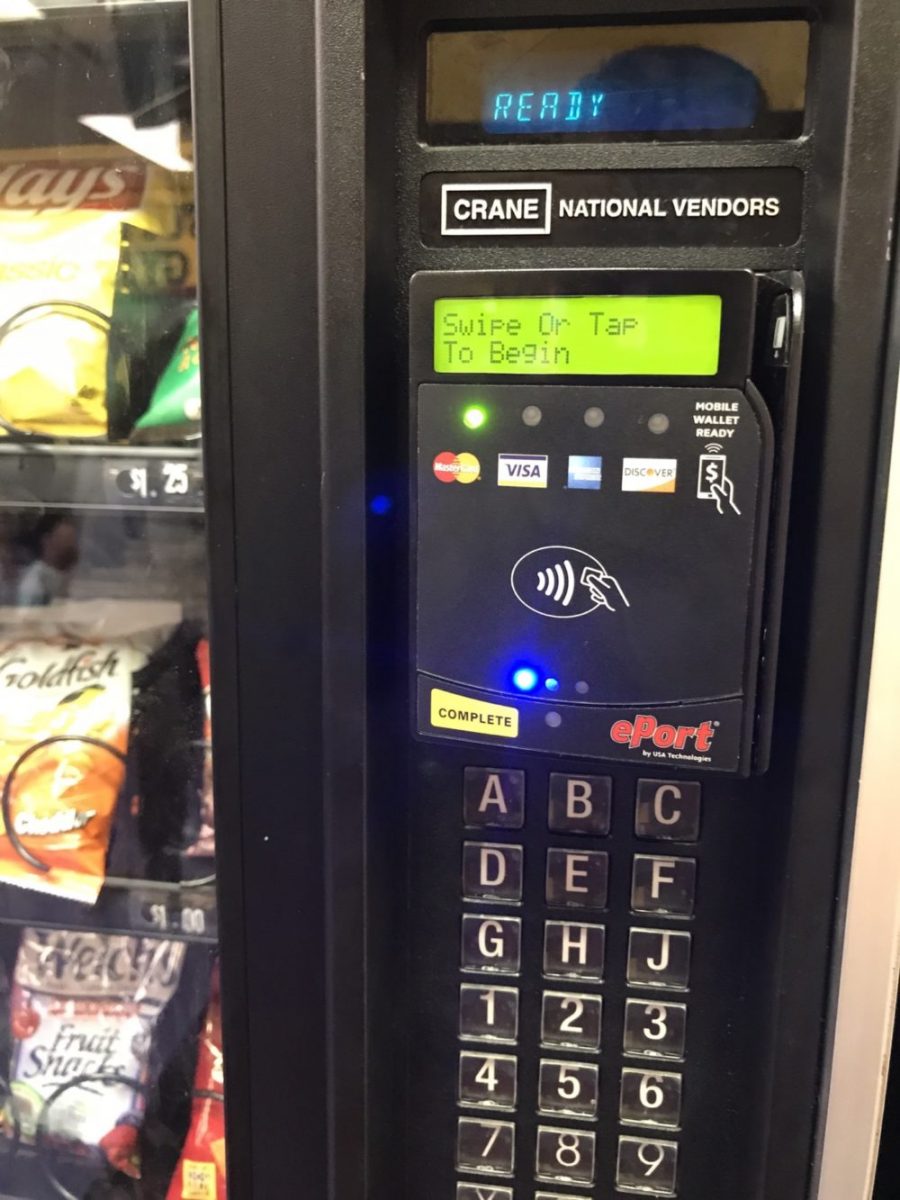
Apple Pay on a Vending Machine???

I still cannot use Apple Pay or any NFC card at the vast majority of stores yet as I was dropping off T for school today I noticed the vending machine in the lobby of the Y accepted credit cards.  Upon further inspection it flashed the NFC logo and Apple Pay logo that it accepted that too.  I suddenly had to resist the urge to buy a Snickers bar!