Showing a Little Bit (a lot) of Geek

I always though it was cool to have interesting stickers on technology gear. I never did it since I always tried to keep my stuff in pristine condition since I knew that I would likely want to sell it to buy something newer down the road. I know many of the stickers on laptops these days say they are removable. The challenges after you remove them you generally can see that there was something there previously. That’s not good if you want to try to sell something later on.

It didn’t dawn on me until recently that I could show off my geek side on my work here since that’s not something I will ever personally go and sell. Plenty of people in the office I’ve seen have done it and it was never something I thought to do until I started looking at Pinterest.

Earlier this month I bought a few stickers. Last Friday I got around to putting them on my laptop. I know I think they are pretty cool…

Mac Quicken Update

I’ve been using Quicken 2016 on my Mac for a few weeks now. I have had less issues regarding duplicate transactions than I did with Bankify. That’s the good news. There are some growing pains however. Not everything works as well as I would like. There’s one stock that the system won’t find so I have to manually updated if I want to get the correct values.

I haven’t had as much problems with reconciling my accounts as I did with Bankify however it hasn’t been all roses and rainbows. I’m not sure if it’s just issues I didn’t catch in the migration or issues in downloading of the data. It is definitely easier to reconcile however than the old system. So my main objective has been successful.

Other challenges I’ve had with finding things. Editing a payee or category wasn’t a straightforward as I thought it would be. There is no menu option to go to payees. You have to start typing in a payee and then click on the edit button to bring you up all of the payees in window to edit them. If you don’t know that it’s frustrating. The iOS app didn’t seem that useful however I haven’t played with it that much. Of course I haven’t played with that much because it didn’t seem that useful.


All in all I’m hoping Quicken improves with a new Quicken 2017 soon however my challenges are not enough to want me to go back to Bankify. I’ll see how things are going in another month or so.

Blog Update

I haven’t been updating this blog in a while. That is usually a sign of me not writing however  I have been doing a lot of off-line journaling as I mentioned in Dragon Anywhere. Some topics I would like to write about for this blog however I just haven’t had a chance to get to them. I do feel like I’ve gotten a handle on my journaling enough that I’m going to try to churn out a few topics that I’ve been meaning to write about. The first one is already scheduled to post tomorrow is a follow-up to something I wrote and backdated earlier this month.

It does feel like every few years I write a post like this about how I want to write more. I always do want to write more. Getting into the routine is always the hard part. Getting pretty close right now so stay tuned.

Dragon Anywhere

By the looks of my posts on this blog it would seem like I’m not writing much for some time. In recent months as far back as February I’ve started to journal more. The difference I guess is that the journals are private. The fact that I am writing at all is a positive for me.

I wanted to write more in general for some time. I’ve also wanted to be more active in my journaling. It’s something I wanted to do when Teagan was born and I did for a little while but didn’t keep it up. I’d like to say I’ve improved because of my determination to write. Slightly true however I feel like there is a different answer. That answer to me is Dragon Dictate. My so-called writing isn’t in fact writing it all. It’s mainly my dictation letting the software do the typing. I’ve had Dragon Dictate for several versions on my Mac. I think it’s a fantastic piece of software. My proof is that I think over time spent more on upgrades for it then on any other single piece of software. Unfortunately what has happened in the past is I will get it and use it and then start using it less over time. Part of that was due to feeling self-conscious about using dictation at work. The other part being probably just general laziness. Flash forward to this February I think I got rid of the laziness factor and just started dedicating some more time to writing. Using the dictation software I was able to actually write faster. That meant I could write more in the same amount of time or just get finished quicker.

Once I started sitting at my computer and dictating it was still challenging to find time to do that. I started using the dictation option built right into Siri on my iPhone to dictate into the journaling I use DayOne. That work rather well however it did require corrections more often than I would like. It also required me to do bursts of sentences quickly before the dictation stopped listening. This method still enabled me to keep writing almost daily.

The next big improvement for me was signing up for the Dragon anywhere subscription sometime around May. As a monthly service it’s kind of expensive for what it does. It gives me and always listening dictation option. I find that much better and more accurate than the built-in Siri option for dictation. I figured for $15 a month I would give it a try. What I found that I’m doing now is that I will dictate as I’m walking. I get a lot of my journaling done now between walking from the subway home and walking from the subway to my office. I probably just look like someone talking on the speakerphone to someone however it works surprisingly well.

I still want to do more. I’ve a list of draft topics in my Dragon anywhere app for things that I’m either partially done with or to do’s. That gets me back to trying to find more time in the day to dedicate towards “writting”. My other option is to just go on longer walks! Either way if unable to carve out more time I hope to write more about topics fit for this blog. I’m trying to do some cool things as a hobby however I don’t have the time talk about it.

Other than a few manual corrections this in my last several posts were entirely dictated.

Hello again Quicken, goodbye Bankify

For the past few years I’ve been using iBank / Bankify for my personal financial management. I documented my move to iBank in a previous post. Finding a Mac compatible financial application was the final app that I needed to completely go Mac only not require a virtual machine for my personal use.
I’ve been generally okay with iBank now Bankify however there been some lingering challenges. First and foremost I keep getting duplicate transactions even after I downloaded from my bank. What that means is I sometimes have to spend hours each month trying to reconcile my accounts because a single transaction might have three or four transactions in my register. It also might turn out that several of those transactions if the account transfers might show up as a transfer to the wrong account thus throwing off balances across multiple accounts.
This year one of my financial goals was to automate bimonthly banking and bill payment as much as possible. This bug has caused challenges to completing the objective. This month I had a renewed desire to find an alternative. I tried you need a budget however the downloading of transactions from my bank seemed to be clunky. It also focuses on budget only. That’s important to me however I need an app that can do more. My sites then turned to Quicken since their 2016 Mac upgrade it seems to have been a big improvement over the 2015 one. I know it doesn’t have all the same features as the Windows version however I wanted to stay native Mac. I did contemplate trying the Windows version however I don’t think I need some of the advanced features that the Mac version does not offer. That is why today I bought Quicken for the Mac 2016.
The import process went surprisingly painlessly. My export from Bankify went over without any problems. The import of that file to Quicken also appears to of been painless. I need to go through each account and confirm the balances make sure everything is correct. For now it looks like this is the easiest migration I’ve had to do. In the past I went from Quicken for Windows to Mac and then back again. Then I went from Quicken to Bankify. Each of those migrations was painful and took a lot of time to validate things right or to tweak the process in order to get a good copy of my data. Part of my problem is trying to keep and migrate 16 years of data. I don’t need it but I want it and since it’s all in one file should be straightforward to migrate. I do have an additional eight years of data in other files that I don’t migrate but I have all of my financial transactions going back to my freshman year in college in some sort of backup or another. At some point soon I need to archive old transactions to an off-line backup so I don’t have all of it on an Internet connected machine. That’s my next step.

Teaching Alexa New Commands

Tonight I taught my Echo to turn on and off my media center using my Harmony Hub.  I showed MC and she was not impressed.  I am starting to think unless Alexa makes her a full breakfast and delivers it to her in bed she won’t be impressed by what it can do.

I also got the echo to take its own task list items I give it and add it to Trello so it is useful for me.

Next up is integrating smartthings commands.

BitTorrent Syncy Network Phase II

Since around the new year and trying to figure out what next phase of my private cloud backup network would look like. The design was originally leveraging several raspberry pi’s however practice only one remains at a remote location. The remaining remote locations I’m using old Mac Minis. Even the one Pi I do have deployed is inoperable and needs to be rebuilt. I’m not sure if it’s the Rasbian version of BitTorrent Sync are generally anyone expelled for sync but I had several problems with the Rasbian  installs losing their license identity. What happens is I then have to re-add the BitTorrent Sync pro license and reindex all my shares on that node. It’s annoying and I’m concerned though because option at some point.

At the same time I’ve been looking at ways to better secure the remote data. All of my systems are at friends and families houses so endpoint security’s been less of a concern then on the network security however when BitTorrent Sync announced encrypted folders I was extremely curious. After playing around with it for a while I have opted not to use the encrypted folders however it’s something I’m still thinking about for the future.

On a side note I’ve been contemplating a Lenox desktop to complement my Mac. I shopped around and found a nice inexpensive Zotak. I picked one up and put a 120gig SSD and eight gigs of RAM in it. I wasn’t sure if I was use it as a desktop or to replace my BitTorrent Sync Pi. Right now I’m having keep a replica copy of my data at home to test it out. I’m currently running go to 14.04. It’s been running pretty well however I did have one or two anomalies with sync folders so I am not yet ready to deploy it in the wild. My goal in a long-term is to replace all the minis with something like the Zotak. The new boot to install also increases that new to 4 TB of storage versus the raspberry Pi I have deployed with a 1 TB hard drive.

As part of my incremental upgrades I have put a 4 TB drive in one of the remote minis and the other has a 2 TB drive. That gives me some headroom since fully seated backup is around a terabyte.

Holding off on any additional drive upgrades until I can confirm that the Ubuntu based Zotak is working well. If it is I hope to pick up another one two.

The raspberry Pi’s are not going to go to waste. I’m using one of them has an extra replica copy at home for BitTorrent Sync. I have a higher tolerance for failure for that since it’s an extra copy at home of my data. I’m installing some applications on another one. Future projects for the remaining ones include a possible reverse proxy, Wi-Fi hotspot and or WebCam. I just need to find the time for all these projects. For now just want to finish my backup solution upgrade.

And if you’re reading all this thinking yourself do I really need a four node private cloud network the answer is of course not. The other answer is it’s really six nodes if you count the three I’m running at home. In the end I didn’t save the money using a private cloud  since even though a lot of the equipment was lying around there was some upfront costs that I won’t realize unless I use the system for 2 to 3 years. The reason to do it however was more because I can and because I wanted control over my information. I’m glad I’m continuing to tinker with this since I’m learning a lot and a lot of fun.

iPhone 6S or Not

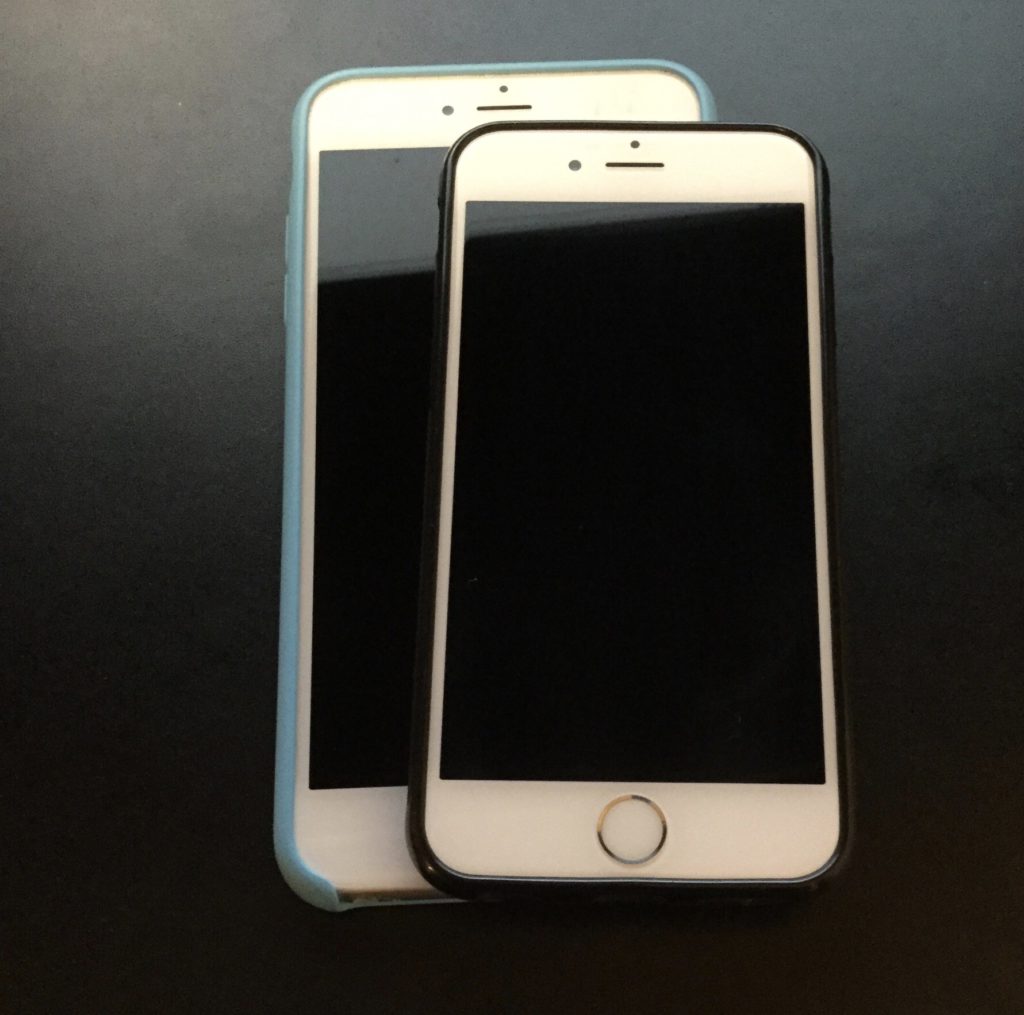
Ah September.  Fall is almost upon us.  That means iPhone upgrade season.  I admit that typically I have upgraded phones annually.  That ended when when the iPhone 5S came out.  There was just not enough compelling reasons for me to upgrade so I skipped it.  Last year the 6 was significant enough of an upgrade and I needed  new phone so the decision to upgrade was simple.  The harder part was deciding between the 6 or 6 Plus.  The 6 won out.  This year I have to ponder the same issue.

The 6S may not be enough of an upgrade however the force touch does seem nice.  It boils down to I likely do not need to upgrade however I am going to anyway.  I save away money every month with the assumption that I am going to upgrade and I can sell the 6 with enough resale value that I am don’t get sticker shock from the upgrade.