All I Want Is A Dumb TV

We got a new television back in October 2022. As much as I try to stay up on the trends in technology, purchasing televisions has always made me apprehensive. When I bought the television in our living room nine years ago, I remember spending a lot of time researching and still not being 100% sure what I was getting was just right. The time before that, when I got my first LCD TV, was just as stressful. There are so many features that I really don’t know if having them matters. Even when reviewers say you need 240 Hz or whatever is the thing to get, I question whether it’s really worth the extra money when M doesn’t really care and my eyes aren’t exactly perfect anyway. I digress. I just want to talk about one bell and whistle in TVs today that you cannot avoid: the smart in smart TVs.

When I bought my last television in 2013, it was pretty hard, if not impossible, to get a decent TV without smart software. I didn’t like it then. I only used the Wi-Fi on our other television a few times to update firmware. That turned out to be a great decision on my part. The Vizio TV we had was one of the models where they were caught up spying on their customers. I forget exactly what they were doing, but I think it was either using the microphone to listen in or to see what advertisements people were interacting with. Either way, it was creepy and illegal. It didn’t impact me since my Wi-Fi on the TV was off, so there was no way for the TV to communicate with the vendor.

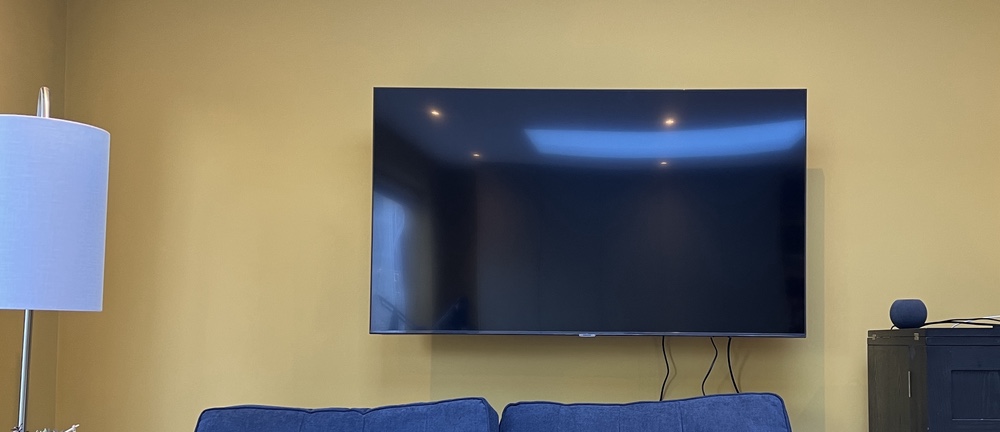
When I received our new TV, the folks from John Lewis went to set it up for me (it was part of the deal of mounting it on the wall). They asked what my Wi-Fi details were. I told them they didn’t need to do anything and that the television would never join my Wi-Fi network. It turns out, however, that I was incorrect. I tried to keep the television off the Wi-Fi network, but if I did that, I got a warning that remained on the screen until I connected it to the Wi-Fi. I guess the TV was smarter than I thought! 😂

Full disclosure I took the original complete blog entry I wrote previously and ran it through Microsoft Copilot, because why not. The results were not far from what I wrote but just better enough that for fun I am posting it!

Groundhog Day

My return trip home was not as uneventful as the other legs of my trip this week. Actually so far it has been a disaster. I got to the airport over two hours in advance like the resort and the airline suggested. I got through customs and security pretty quick, even if security had me take my belt off and swapped my entire bag. The lines werent horrible. Then I sat. There was no free wifi like the Jetblue site suggested there was and I couldn’t get the pay WIFI point to take any of my credit cards.

This is where the fun began. My flight got delayed. At first just an hour. Then that hour past and a flight that was supposed to leave at 2:10 got moved to 6PM. They claimed that they needed a part from NY that they had to fly in. This would have been ok if there was a place to eat (I don’t count a skeevy cafeteria that only looked like it had fried chicken and rice) and the fact that they are doing construction in the small terminal. That mean drilling and other loud banging sounds all day. Top off the no WIFI, power outlets, and the terminal was packed. it was not pleasant. Then we hear the flight was canceled. There would be no flight until tomorrow morning.

Thankfully they put us up at a decent hotel. Unfortunately getting to the hotel was not fun. First we had to wait on line to get travel vouchers. Then we had to wait for luggage while the bus drivers waited to take us to the hotel. For about an hour no one knew what was going on. Then the luggage shows up and we have to claim it, then put it on a van for the hotel. Thankfully I got a seat on one of the first bus’s. Then it was waiting at the hotel for a room. Thankfully again I walk fast and actually got to the head of the line for rooms. I have been in this situation before and kinda knew what to do. After a wait for my luggage to show up I headed to dinner.

There was a decent steakhouse in the hotel so I went there and had a nice filet. Half of it was paid for by Jetblue. On the plus side at the restaurant there was an acapella group from stanford that held a small performance for the guests. It was pretty good and something nice to break up the crazy day.

My luck didn’t hold out and I walked out of dinner without my Kindle. I didn’t realize it until I was back at my room. I ran back to the restaurant and thankfully the waiter found it and held onto it. That would have been really bad if that was lost too.

I took a quick shower and am getting ready for bed now since I need to be up at 4:30AM to catch my flight. Apparently Jetblue is flying out a plane for us and we can leave tomorrow morning. I am not happy about the events of today, but in context it could have been (and still may become) much worse. Right now I am worried that we may be delayed again and have problems getting into NYC since a storm is supposed to be on its way. We shall see what happens. Right now I am thankful I have an extra change of clothes for tomorrow.

No one likes being stranded. Jetblue did the right thing by putting us all up for the night, but overall the entire process was horrible. There was very little to no communication about what was going on. It looked like Jetblue staff wasn’t communicating to each other because no one had the entire picture of what was going on. In the end things worked out but during the entire situation it was frustrating not know what was going on.

Printing

I find myself spending money this weekend on a printer and all the accessories that go with it (extra ink, paper, etc) even though I avoid printing at all costs. I currently own an HP LaserJet 1200 that I bought way back in 2002. Back then I couldn’t stand to use an ink jet printer. The Laser Jet still prints black and white copies perfectly 6 years later. That is the problem. It prints black and white copies only. If don’t print much, but more and more the things I have wanted to print are in color. I have recently been thinking about upgrading one of the oldest pieces of gear that I have.

I looked at color laser printers, but decided not to go that route. HP had a nice one that wasn’t much more than what I ended up spending but it was a huge workgroup printer. Laser Toner also would be really expensive especially since I don’t print that much. I looked at several multi function printers and ended up buying an HP OfficeJet J6480. It got really good reviews from Cnet. I liked that it could be used as a flat bed scanner, and it had wireless networking. Both functions I wanted and it worked with my Mac. It wasn’t the cheapest multi-function printer out there, but it had some of the best reviews and the wifi was the final deciding factor for me. I should hopefully have it by mid week.

The Security Myth

Security. I am a fan of it. Security is like a nice warm um well security blanket! No really. It is good, and most people take it for granted. The problem is allot of time security is this myth that people believe in that may not really exist. Take Wifi for example. I just used macstumbler while I am sitting at my desk at home. Do you know what I found? 8 wireless networks. One of them was mine. Of the other 7, I saw 4 open networks. Of those 2 had the default network names, and one was just named my network. That means that 50% of the networks around me where not just open for anyone to go into. That is crazy. I bet the people using those open networks don’t know they have a huge security hole on their network, or they don’t care. The network device manufacturer’s have a big problem. Make the setup of the devices too hard and people won’t buy them. Make them too easy (as they are most of the time now) and you have tons of unsecured networks. Having the majority of the people using this gear not know the mechanics of how the gear works does not help the situation. It is like having everyday people work on their cars instead of taking them to mechanic’s.

I don’t think most computer people will argue with the assessment I have made above. Or they can if they want. Wifi security has been discussed to death. Even with proper WEP or WPA encryption the system is still not safe. I know that. I have WPA setup on my wifi point. I know I can also add MAC address filtering, etc. I know better, but I still think I have secured the system enough. Have I really? I think for the most part yes. I think of WPA as the club. you can still steal the car (aka break into my network) but why would you waste time with my network or car when you can steal the guy down the streets car who left the door unlocked or just doesn’t have a club? I have a myth of security.

Another example of gaping security wholes is another growing wireless standard, Bluetooth. I have been a fan of it since I first read about it almost a year before the first mobile phone with bluetooth came out. And when it did, I bought one. A Ericsson (they were just Ericsson back then) r520. So for the record I am a fan of Bluetooth. I am a fan of wifi for that matter. I remember when I was at my first tech job back in 96 I got to play with a demo of a 1mbit (i think) wireless card and point from Raytheon. The problem is bluetooth has the same security myth. It also has the problem of the media blowing the issues into this huge security crisis. The simple fact is that most phones and other bluetooth devices were configured to be as easy to configure as the manufacturer could make them. That means allot of devices are setup to be discoverable by default. That means that if the bluetooth radio on a phone is on, someone else looking for bluetooth devices can see your phone if you are in range. To prove that, last week on Amtrak home from my trip I was able to view up to 4 other bluetooth devices from my seat. To protect yourself all you usually have to do is make a change in the default configuration of your device to not be “discoverable”. Do most people do this? Nope. But if you turn discovery off by default you have people complain that setting up partnerships are too hard. See the problem?

You have people then go around thinking all is ok, until they have a problem or someone tells them their phone is at risk of being broken into. First of all that may or may not be true given that you have to set passkeys, etc. For argument sake lets say it is an accurate assessment. These people then freak out and get mad at hardware vendors for delivering unsecured devices. How do you win?

Most of the time people live in the dream world that their stuff is safe. The crazy thing is that maybe 99% (or the vast majority) of the time people’s fantasy worlds are not broken. That perpetuates the myth that all is safe. Even if someone has been using their unsecured wireless internet connect for free for months.

The more I think about it, the more security myths I think about. And I am only thinking in terms of personal computer security. Don’t get me started on other society security concerns.

A perfect example is a few years ago my mom called me after she saw an Oprah on TV. She was calling to warn me that email I send wasn’t secure and that anyone can intercept and read it. She was shocked, but Oprah set her straight. I was like, yeah mom of course email is not secure. Old news. She was surprised that I knew that. It is scary that the general population assumes something like email is secure, and it isn’t. On the flip side can email be intercepted? Of course if it is not encrypted. Is most mail not encrypted? Yes. Will my mom have to worry about her neighbor reading her email or some stranger intercepting it? Probably not. It is very possible to do, but come on who really is going to try and sniff out her mail? its a real threat, but I don’t think most people won’t ever have to worry about it. Doesn’t mean I don’t think we should all get certificates and secure our mail. I would love to do that, but it is impractical in today’s world. So you see even I let the myth of my stuff is secure live on some level. We all do it, and if you don’t think you do, you are kidding yourself.

Flight Blogging

Off to Maine for the weekend. So far the flight so good. LGA (can’t spell it out, so there) is actually not that busy Saturday mornings at 7AM. I did not need to get to the airport 2 hours early. I am early almost to a point of neurosis. Rich picks me up from the airport in a bit when I land. Then it is off to the inn. Hopefully there will be more to do, or less time to do nothing than I originally thought.

On the plus side the place I am staying says they actually have free WIFI. I will see if it works when I get there.

Mobile Technology

I tell everyone I used to hate traveling for work. That is partially true. In the end I dreaded the trips, the waits in the airport, getting lost in po-dunk towns in rental cars, etc. In the beginning I loved traveling. I think I did too much too quick. Also I did this during a period of the worst air traffic delays in the history of US air travel. I also flew out of the most delayed airport in the US. An airport that the FAA said accounted for 25-30% of all delays at the time, Laguardia airport (LGA).

This entry is not about my love or dislike of travel, that I can save for many entries later. What I am thinking about is the cool technology you can use or rely on when traveling.

Studies are coming out now saying more and more people are “cutting the cord” or becoming wireless phone only households. I have been using my cell as my primary (or only) home phone since 1998. Earlier than that I lived at home with my parents and they did have an extra line, even though I never used it.

When traveling you can use the coolest tools that keep you in touch or working. The stuff out now is even better than what I was able to use when I traveled regularly 3 years ago. Wow, it has been 3 years since I did that.

When I was on the road I relied on a laptop (Compaq Presario 1875 or something with an AMD K6-2 180mhz processor, then a number of Micron 15″ TFT laptops, and eventually a Dell latitude CPx). The laptops I have now kick the ass of the ones I had then. My thinkpad T-40 I use for work is literally half the thickness of the micron’s I used and 3-4 times more powerful. The battery lasts like 4 hours. If I got 90 minutes on the micron or 60+ on the Compaq I was happy. Even my tiny Powerbook gets better battery life than the old desktop replacements.

My cell phone back then was several flavors of the Nokia 6160, Motorola Timeport, or later on a Nokia 8890. The service actually was as good as it is now. T-Mobile’s coverage has gotten better, but I used to go everywhere with my AT&T Tri-mode TDMA Nokia’s. The phone was big but worked all over. From Canada, to Portland Oregon, to Portland Maine. The difference is I am paying about half the price I paid back in 1999 for about the same amount of minutes or even more minutes now.

The other difference with cell phones are that my Treo 600 is a handheld and a phone. I also get wireless internet access on it. For me between 1998 and 2001 that was impossible for me. now I can get email on my phone or use another phone with bluetooth to get mail on my laptop. I didn’t even have a blackberry then. I would have killed for a blackberry when I traveled. I take it for granted now.

The WiFi hotspots would be awesome to have had when I traveled. I used to use Laptop Lane at some airports back then, but they weren’t everywhere.

VPN software and Exchange 2003 with RDP over HTTPS would have been awesome. Either would have been awesome. At Datastream we had to use outlook from outside the firewall using AT&T Global net dial up. It was so slow. Now it would be trivial and fast to use, especially with high speed internet in some hotels now. When I went to vegas last winter I plugged my Powerbook (then a 15″ TiPowerbook) into the network jack in the hotel and I was able to VPN back to work. It came in handy when Keith needed something when I was out. That is the coolness I am talking about. Technology that just works when you are on the road.

If I was still traveling I would probably look at the bluetooth GPS receivers they have out now. Connect it to my iPack 1945 and know where I am. It would be killer.

What is also funny is that more and more people are using gadgets on the road. Besides the pain in the ass people on cell phones everywhere (writing this as someone’s phone goes off on the train). I mean laptops PDA’s, and other neat stuff. Around me right now on the train is 4 ladies with huge laptops doing work. One has to be my mom’s age. 4 years ago that wouldn’t be going on. When I am on the train to kingston I always see several people with blackberry’s or Pocket PC’s & Palms of several varieties. Then there are the iPods. They are everywhere. Note to self need new iPod for train trips like this. must replace sold one ASAP.

I just find these observations amusing. Why, because all this stuff that I see I have been doing for years. That is no big deal, but I always used to get made fun of by some of my friends about doing it. Then like clock work 6 months later they would be doing the same thing. I don’t consider myself a trendsetter but some technology stuff I get right away because I think it will work for me. I was that way with the first bluetooth phones. I got it and used it to connect to my PC and use a bluetooth headset. Turns out that it didn’t work very well, but it worked and I used it for months.

Enough of my observations. I am off to stretch my legs on the train for a while and maybe take some pictures with my Treo and post them to my MoBlog!!!

This blog entry was written while listening to Higher from the album “Human Clay” by Creed And Superman from the album “America Town” by Five for Fighting

Tech Shake Up

I am having problems with my iMac. it keeps crashing on me almost once a day. My Powerbook never did that on me. It started happening after I put in the Airport Extreme 802.11g WiFi card and my extra 512 megs of ram. At this point I honestly don’t know if either of them is causing this problem. I took out the Airport card. I don’t use it that much since the mac sits on a desk with a switch right on the floor. If it keeps crashing I will take out the ram. if it still is having problems I may just wipe the hard drive and configure it from scratch. I did just open up out of the box and started using it:)

I am still waiting for the Treo 600 to become available for T-Mobile. No end in sight for that. I called handspring to buy an unlocked version of the phone. They said they had unlocked Cingular branded (but it would work with T-Mobile). the only problem was that it is backordered for 2-4 weeks. No one else has them in stock either. I can get an AT&T version, but it is locked. Been there, and done that. I can also get a sprint one from anywhere, but I want a GSM version. T-Mobile has been good to me for most of the time since September 2000. I don’t count that period of 4 months after 9/11/2001 but we did have issues with service in NYC. Handspring wanted $700 for me to wait 2-4 weeks. I decided to wait a bit longer. I don’t want to order the phone and then be able to order my T-Mobile version for $399, and not be able to because I already had an order in. If/when they can ship my order same day or next day I may get it. I am not happy!!!

This entry was written while listening to Wherever You Will Go by The Calling

Moveabletype, linux, and vmware

I am still a huge fan of Moveabletype. That is of course what currently runs my blog. I want to keep using it running on my Red Hat 9.0 Server I built. The only problem is the place I want to put it in my new apartment requires a wireless connection. My new Win2003 server works fine with Wifi, but I am having trouble finding drivers for the card I got to work with Red Hat. For now the server sits next to my desk, but I don’t want to leave it there. I am trying to hid as much electronic crap as possible from visible sight. I want 1 computer out. And that computer will be my desktop, not my server!

I am playing around with running red hat on VMWare on the Windows 2003 server. I am a huge fan of VMWare, but I have not really been using it to it’s full potential. I started using it allot more this week, and I am finding that I love it even more. The only problem is that I need more ram on my work machine to get it to run really well with more than 1 os running at a time.

But back to my idea. So I had a red hat VMware system already built. I configured apache and threw on moveabletype. I am getting some driver error when I try to start moveabletype’s prep file. I need an expert (friend) to look at it. I am going through my config files to verify things are correct.

To cover my bases I am also installing a Windows 2000 Server instance on VMWare also to play around with moveabletype on windows. I don’t plan to use it, but I want to see if it will work and I don’t want to mess up my system I just built so a vmware instance is the best way to test it. All I need to do is make a backup of the file before doing anything and I have a complete OS backed up. Wednesday at work I took an entire vmware OS file and moved it to a different computer and it worked without doing anything special. That totally ROCKS!

I will post results of my ongoing testing. Hopefully this will work and I can keep moveabletype on red hat and consolidate everything to 1 server and just run the vmware software. I will see.