
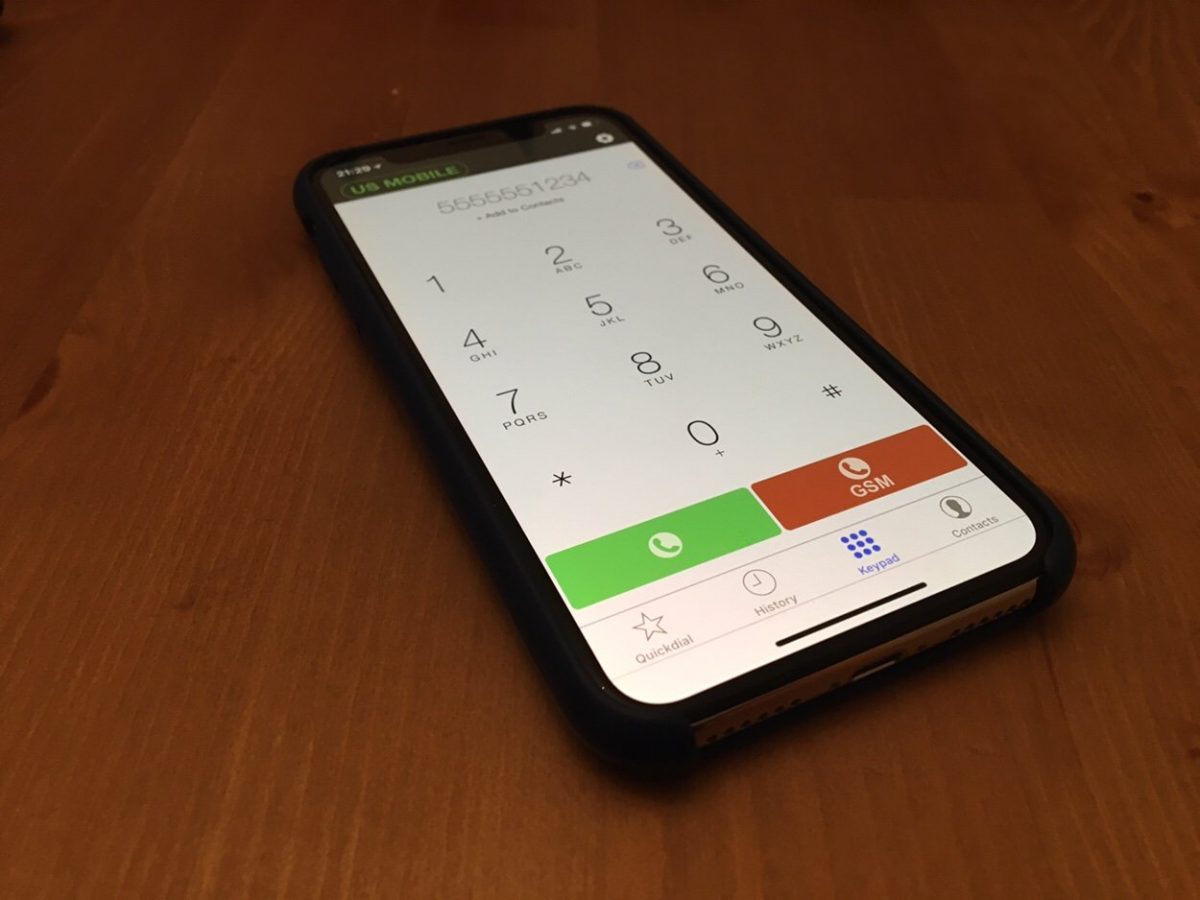
Tech Thursday: VOIP To Replace Our US Mobile Numbers

I wrote this months ago and haven’t gotten around to posting it.  I have a few more tech move discussions I would like to get to.  Hope to make time to write them.

As part of our planning to move to London we had to figure out how we were going to keep in touch with people in the States. That meant what level of the presence we were keeping in the United States while we were gone.

We didn’t have a home phone number that we shared with anyone so keeping that wasn’t an issue. It was really just for our intercom in our apartment. Once we moved we were able to grid it.

M and I used our mobile numbers for texting and calls so we wanted to keep them. We were going to push as many people to use Apple Messenger, WhatsApp, Telegram, and similar apps however for those that do not have access to (or know how to use) those systems we wanted our old US mobiles.

M’s use case was really to keep her number only in case people wanted to call. For me I also wanted to be able to keep the accounts open that require a mobile phone for verification.

I spent a lot of time researching what the cheapest most reliable option for us to use to simply keep in touch with everyone in cases they do not have

For the simply keeping in touch with people after we leave I did a lot of research and ended up with a voice over IP service I’ve been using for years. I simply took both of our mobile numbers and ported them over to VOIP.MS. our quasi-home phone was a DID on the service for years. I also had other numbers for various things on the service. Sending and receiving calls have been pretty seamless over the years. Their price is also super cheap since you can get a pay-as-you-go plan. Each number is about one dollar per month plus usage.

The porting process to VOIP.MS took a few weeks. That is the porting system’s issue not theirs.  Other than how long it took the process was seamless for both numbers. I ported mine over in December right before we left. I kept using my work mobile during the few days there was a gap when my service ended and the number moved to VOIP.MS. for M since she did not have a work phone we ported her number in January. The hardest part about this whole process was porting her number since T-Mobile made us jump through hoops to unlock the number for porting. Even though we had paid off her iPhone a year ago they still kept phone locks and we didn’t figure that out until after we ported the number away from T-Mobile and tried to use a local Sim card in the UK.

The only challenging part of staying in touch using these US numbers is texting.  People that have iPhones can keep texting us if they know our email addresses.  Anyone who only had our number or use Android would have that message turned into an email now.  We don’t really see them so basically texting to those old numbers are useless. So basically we can receive phone calls. It’s been a minor annoyance every once in a while when someone tries to contact me hasn’t updated my contact details that I sent out listing my local number. For me that hasn’t been a major issue. For M I don’t think it has been a problem at all or she’s just not realizing people are trying to get her.

Slightly more complicated a problem is having a number that receives SMS short codes. This is required for services like Google or your bank to send you verification codes. What I learned is most voice over IP providers do not support them very well. After a lot of research I found one company Line2 who supported them. They published a list of all the codes they know to be working okay into their system. They also said they would work with you if you had a problem with another provider that’s not listed. A brief search of their list showed me that they covered most if not all of the companies that I would receive SMS’s from. Unlike VOIP.MS they are not cheap. One line costs $10 a month. With that plan however I did get unlimited calls and texts. Not that I use it. It feels expensive however in the end it was cheaper than buying the cheapest mobile phone plan and simply not use it except for verifications.

I kept two numbers for me. One for personal communication and one for the SMS short code verifications. That was deliberate. VOIP.MS is very flexible in how I can route calls so I keep my personal number with them. The client I use will allow me to do call recording, change my caller id, route to different places with a lot of granular control.  Line 2 the provider I use for SMS short codes only lets you use their client or a basic call forwarding.

Overall i am very pleased with both serviced. Line2 is relitivly expensive however it was cheaper than some other service providers i looked at. Their recievibg SMS Short codde options also seems better than most other solutions out there. i would (and have) reconend either provisers to anyone looking.

Bye Grandcentral, Hello Google Voice

I have been using Grand Central since December 2006. When it was announced I thought it was the perfect idea that solved most of the issues I had with multiple phone numbers that I have been trying to solve since 1996! Grand Central had great promise but two issues I had with it prevented it from being the solution I wanted it to be. The first issue was simply the quality of the calls recieved via Grand Central. For me at least the performance was hit or miss. I couldn’t rely on it as my main inbound phone number because I got burned so many times by call quality issues. The other issue I had was that Grand Central required you to press 1 once you picked up a call. The options it offered (1 to answer a call, 4 to record, and other options to send to Voice Mail or listen in on the VM) were nice, but 99% of the time I pressed 1 to answer the call. On a smart phone such as my iPhone it was a pain to find the virtual keypad and press one. It was even worse if I was using a headset. They never offered an option to turn off that requirement to press an number when you answered a call, until now.

Google bought Grand Central what seems like ages ago and nothing ever happened with the service. I was happy to keep using my Grand Central number as the default number I gave out when signing up for something or to a doctors office, the pharmacy, etc but I still used my mobile number as the main number I gave out. Recently at work I started using Grand Central as my main contact number and my mobile as my backup since I move around allot but people still get my mobile to reach me on. This week Google announced the release of Google Voice, aka the relaunch and upgrade of Grand Central. I patiently waited until my account told me I can upgrade to the new Google Voice. So far I am very impressed. My major technical issue regarding having to always press the keypad to start a call has been resolved. I now have the option of turning that off, so I did. I also liked the SMS functions, and the ability to leverage my existing GMail contacts. The transcribe feature is nice, but just bells and whistles to me for now.

I am hoping that the quality of the calls are consistent with the new Google Voice. If they are, it is an almost perfect solution for me. I look forward to using it more over the next few weeks to put it through its paces. It took google a while to get this update out, but so far it seems worth the wait!

Netbook Update

I have had my HP Mini 1000 for about a month and a half now and so far I haven’t had the urge to get rid of it. On the surface that doesn’t sound like a stellar endorsement, but from me it is. The netbook hasn’t changed my life or anything close to it. I am not really even using it for the main reason I got it. I ended up returning the wireless USB card so I don’t lug the netbook around with me everywhere allong with my work computer. What I do use the netbook for is light typing around the house, or when I don’t want or need to carry a regular laptop around I throw it in my bag. It was cheap enough so I don’t regret keeping it and using it like this. It is a nice to have and when I need it I am very grateful I have it.

The screen size prevents me from using it much more than I currently do. That is partly due to the screen being small, and my eyes being not so perfect. The keyboard still kicks ass, and the wifi and bluetooth actually work without any major complications. That is not something I could say for previous bluetooth experiences with Windows XP.

I just recently paired my Jawbone 2 bluetooth headset with the Mini 1000 to use Skype 4.0 on it. I never really used the Jawbone even-though as bluetooth headsets go it was expensive. It is also the best rated bluetooth headset I could find, but I never fit in my ear. I just read a kick ass review by someone at Cnet. The fix was so simple it was almost funny. They suggested putting a Jabra ear gel on the earpiece. I had one from an old Jabra headset and the instructions worked flawlessly. The headset now fits snug on my ear. I will use it with the Mini 1000 for a bit so I can make Skype calls on it. I want to try that out vs my Mac the next time I work from home. I am curious about the call quality differences between the latest Mac version of Skype and the new 4.0 version for Windows.

From Unlimited to 900 Minutes a Month

Back in August I wrote about how I was saving by using Skype instaed of my mobile phone when at home.

I also finally canceled my Broadvoice account over the summer. It wasn’t because I was unhappy with the service. I was, in fact they were always great. I would recomend them to friends looking for a VOIP phone. I just didn’t use the service that much so it wasn’t worth spending the $8 or so a month that it cost to have the cheapest plan. I also was using Skype more and Skype was cheaper and provided more options for me. It wasn’t an easy choice but eventually Skype won out and I dropped Broadvoice.

Up until August I had switched to an unlimited Mobile phone plan so I could use my Mobile as my only phone and not have to worry about number of minutes used. This was nice and easy but also about $40 more expensive per month than I was previously paying for Mobile voice service.

Now I am using Skype out for my calls when I am at home, and I am routing most of my work calls through GrandCentral so I can select what phone I want them to ring at. This has decreased my Mobile minutes used by allot. I probably could get by with only 450 minutes a month but I have yet taken the plunge and switched to that cheap of a plan. I am sticking with the 900 minutes I have had but I use less and less each month. It is weird since I have relied on my mobile as basically my only phone for years. I have been thinking about going back to the unlimited mobile service because it is just easier to deal with, but for now I am enjoying cheaper service with Skype!

Mobile Phone Savings

Back around March / April time frame I upgraded my mobile phone plan to the new unlimited minutes option from AT&T. I was using my mobile for just about all calls and my usage on the phone shot up. Then in June I was able to make outbound calls via Skype but have my caller ID come up as my mobile #. That change allowed me to use my computer to make most of my outbound calls. In July my mobile usage peaked, but towards the end of the month I began to seriously use Skype over my mobile. I mean why use my mobile when I am sitting at my desk at work or at home where I spend most of my time on the phone anyway? Because of this huge decrease in the usage of my mobile I am switching to a cheaper plan when my billing cycle changes next week. I will save $40 a month by going to a 900 minute plan with rollover. That might even be over kill at the usage rate I am going but I don't want to chance it. The cost of Skype in and out for one year is around $61. I make that back in under two months. Now all I need to do is wait for more friends of mine to use video chat and I won't need to make any calls at all!

Skype With Caller ID

I have previously commented about how fantastic Skype was, as well as that its biggest limitation was that it didn’t provide caller ID information when making calls. Well Skype finally enabled outbound caller ID for US skype customers. If that wasn’t good enough, they went a step further and allow you to use the caller ID information from your mobile number instead of your Skype Out number. This is the perfect solution for me since I want my mobile # to be the only number I have to give out. All I needed to do was register my mobile with my account via an SMS message and now all outbound calls via skype come up as if it was from my mobile.

For me this feature may change how I use my communication tools. I might not need to pay for unlimited mobile phone service if I can make unlimited outbound calls from my skype phone for $3 a month, and people would only see my mobile number!

To Skype or Not to Skype

As I said in a post a about a week or so ago, I have made a decision not to renew my .mac subscription and instead I went back to my traditional hosting provider, even if I don’t use it that much. I do use it enough to warrant a traditional provider that gives me flexibility. Another technological decision has also been on my mind as of late. This one involves VOIP phone providers.

I currently have a Broadvoice VOIP account. I have had one since I moved into my apartment in Manhattan in 2003. I have my number setup on a Cisco 7940 IP Phone. I think the service and the phone are fantastic. I haven’t had many reasons to complain, but I just don’t use the service that much. On the other hand I also have a Skype In number, and until recently I had Skype Unlimited. Now I am paying month to month for Skype Pro. The problem is I don’t use both services enough to justify the expense of one, let alone both. I have a mobile phone that is my primary number, and I don’t even go over my monthly minutes on that. It is smart to have a VOIP phone since it is really cheap. I want one just in case I have issues with the mobile, but like I said I don’t use either of them that much.

To cut costs I have been thinking about dropping either Broadvoice or Skype. The problem is both services have their pro’s and con’s. Skype is actually cheaper per year and if I started using it more the cost is also fixed since I get unlimited inbound and outbound calls on the plans I have. Broadvoice has a few nifty features Skype does not but I don’t use it enough to make it worth my while. What Broadvoice does have in its advantage is that I can use my Cisco 7940 phone with it. That phone is great. It has a good speakerphone, and I have a really good headset for it. The Skype cordless phone I have has a good speaker, but no headset. I can use a headset with Skype if I use my computer, but there is no way to change from headset, to handset, to speaker on the same call if I use the computer. As weird as that sounds, it happens more than you would think.

My final option is to do what I have done for years in the past before VOIP. That is drop all other phones and just use my mobile. All the major wireless carriers announced unlimited phone plans this week, so that is a very viable option right now. What to do…

Nokia N810

The N810 finally came out late last week. I was actually very lucky and found a reseller in downtown Manhattan that had them in stock. I picked on up and have been playing with it for about a week. It is a really interesting device. I am finding that I am not going to use it for what I originally planned (as a PDA/Internet tablet to complement a normal mobile phone) but I still like it just the same.

The Palm VM on it is really cool. I have been playing with that for a while. I am getting addicted to mine sweaper again. Email, Chat and browsing on the tablet is cool also. I also think that Skype & Gizmo on it are amazing. You can barely tell that I am on speakerphone when using Skype on it. I did an entire conference call on speaker using skype and wifi. It was really cool.

I am waiting to see what other applications get ported over to the Maemo 2008 OS.

NYTimes.com

Skype Caller ID

So close, yet not yet. That is what I am thinking about Skype’s new Caller Identification. This has been one feature I have wanted on Skype for some time. With it, I can finally think about using it as a true phone replacement for my current Broadvoice home phone. Now all I have to do is wait for them to enable the service for use in the US.

I also realized that it would be really cool if Skype passed through caller ID info from a caller when you use call forwarding. Right now I see the same crazy 0012345678 show up on my forwarded calls as people see when I call them. Maybe this Caller Identification resolves this also? I hope it does.

Technorati Tags:

VMware Fusion

While at VMworld I got to sit through a demo of the new VMware product for the Mac. They are calling it Fusion as a code name now. It looked pretty cool. is it better than Parallels? I am not sure yet. It has allot of things going for it. For one I use VMware products on other platforms and the VM’s being compatible is a huge plus. I don’t need to build new VM’s when I want to run something on my Mac.

Drag and drop between guest and host was also awesome looking. Parallels has nothing like that. The VMware product also appears to have better USB support. Using the iSight camera in the VM was nifty but with iChat and Skype on the Mac natively I don’t know what I would use it for. Well maybe the Cisco video conferencing software with Call Manager so it might be worth it. If I can get my Treo 700P to sync to the VM on my Mac with Fusion I will be completely sold. I cannot get Parallels to do that even with the latest build.

I will say that I am a bit biased for the VMware product (just because of the interoperability with their other products), so unless Fusion really sucks I will be using it. That doesn’t mean that I won’t be critical of it if I have issues with it! So far I like what I saw in the demo. I hopefully will be getting access to the closed beta they offered people while at VMworld. From what I saw it looked pretty stable. The only issue I saw was that NAT networking was the only network option available in the beta. Bridged networking will come in a later build.

Technorati Tags: , , , ,