
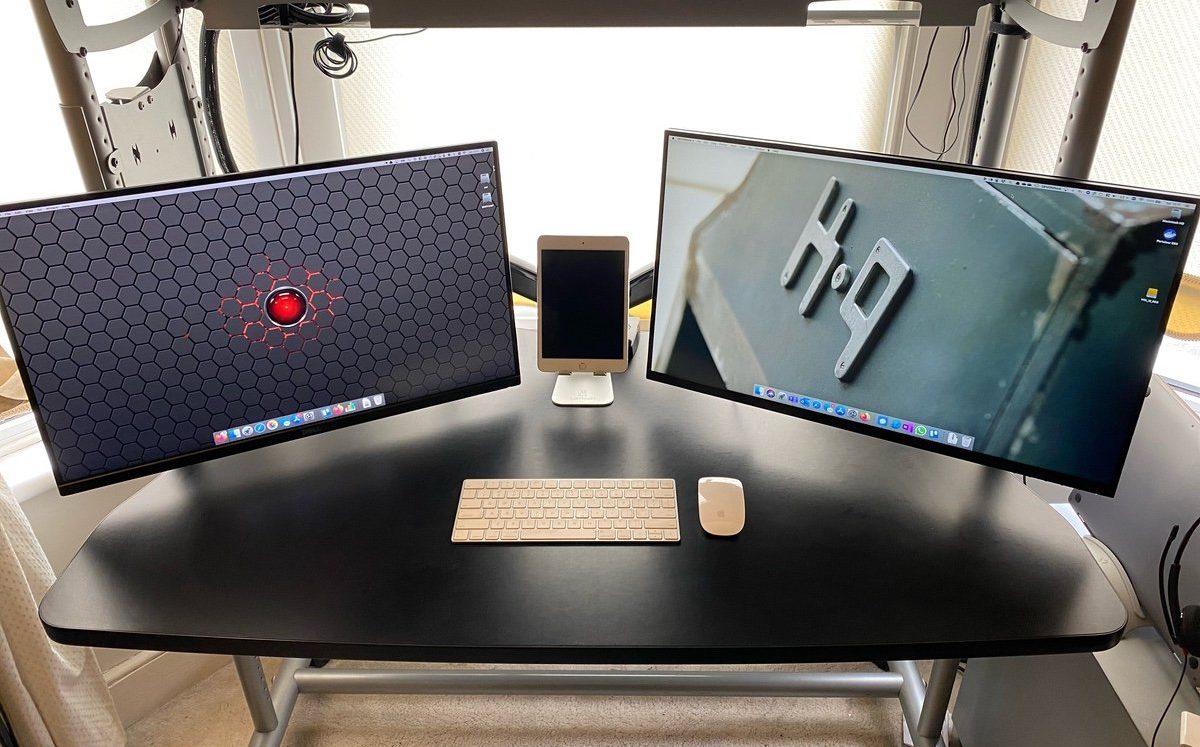
When I lived in New York and was single I had a rather large L-shaped desk. On one part of the desk I had a heavy duty monitor arm that held a 30 inch HP display. On the smaller part of the L I had another monitor arm with a 23 or 24 inch display that I used when I work from home. When I moved into M’s apartment I had to get rid of the smaller part of the desk and the L bracket that joined the two pieces together. There just wasn’t enough room for it all. I had bought of modular desk and added to it over time. When it came time to move all I took was the main base of the desk. It is what I’ve had ever since. I love that desk. By the time I had moved I switched to an Apple Cinnema display instead of the 30″ monitor so the big arm went away. The other one did too when I got rid of the smaller part of the desk.
For years my setup remained an Apple Cinema Display plugged into either a desktop or laptop. Since I’ve been in London I bought a second Dell 27 inch monitor. That way I can have my work laptop on one screen and my home computer on and other at the same time. It made for an extremely cluttered desk. It did not leave me a lot of surface area to do anything. With all this extra working from home this season and now the indefinite working from home due to the virus it finally dawned on me to take some sort of action.
I did some research and found a relatively inexpensive well reviewed dual monitor on arm. The review said it would hold the weight of my Apple Cinema Display even though the specs in the product description were unclear. The arm arrived early this week. It was trivial enough to mount my Dell monitor to it. Mounting an Apple Display is another story. It needed a special mounting bracket to do so. Since Amazon and Apple no longer carried the Apple VESA mount adapter kit I picked up one new on eBay. It arrived a few days later and after a little bit of fussing I got the adapter on the monitor. Mounting on the alarm was again pretty easy after that. I learned immediately after I put the monitor on the arm that this setup was not going to work. This particular monitor arm really would not hold the weight of an Apple Cinema Display.
My Apple Cinema display is easily 10 years old. It still works pretty well however it showing its age. I almost had to replace it a few months ago when the power cable was starting to fray and all the wires were exposed. A bunch of electrical tape later it’s still working. The only way use my work computer with it is with a special thunderbolt to USB C adapter. I’ve been pondering buying a new one for a while. With my monitor arm plans foiled I started researching other monitors. I settled for the newer version of a Dell 27 inch display I already had. The weight is about the same or lighter then what I already have so mounting wasn’t an issue. What I bought also looks pretty similar to what I have so there’s some symmetry there. Yes that actually matters a little to me.
When the new Dell monitor arrived it was pretty trivial to get it mounted on the arm like the first Dell I had. Once that was done I wrapped the cables coming from the monitor in the innerduct I had lying around. Yes I have innerduck I bought and had lying around for the exact purpose of wrapping cables in. The innerduct made it look nicer. Once it was all put together I was pretty pleased with the end result. The only thing I forgot was I needed to plug in a WebCam on the monitor that replaced the Apple Cinema Display. I do video calls with work and it slipped my mind that the new monitor did not have a camera. Luckily I had one to use.
Now that I’ve finished the new setup and the desk is reconfigured I don’t know what took me so long to do it in the first place. It looks much better and is more functional than the old setup. The extra space i can get by easily moving the monitors up and out of the way is nice!