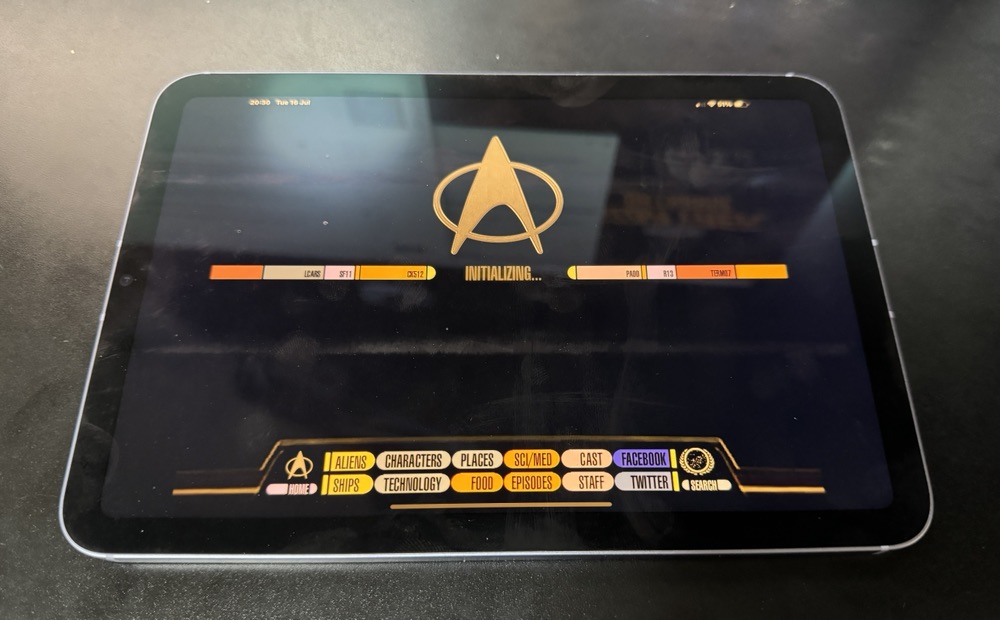
Star Trek PADD’s are not as good as an iPad Mini 6

Years ago, when I was working in New York, I got my hands on one of the first-generation iPads. It was fantastic. Right from the start, I knew this device was going fit a tech gap I didn’t even realise I had until I saw it.

One memorable day, my boss called me into his office. As usual, I grabbed my iPad—I often used it to jot down notes or show something relevant during discussions. Walking into his office, I felt a bit like a character from Star Trek, carrying something essential. I couldn’t resist sharing this thought with him: “I totally feel like Commander Riker walking into Picard’s office to discuss something important.” It earned a good laugh and lightened the mood.

Recently, this memory came back to me while I was thinking about how indispensable my iPad mini has become. It’s with me almost everywhere, serving as a book, a large phone, or a general input device. Comparing the sleek design of the current iPad mini with the clunky Star Trek PADDs from science fiction 30 years ago, I couldn’t help but appreciate how far technology has come. Back then, they only thought about each PADD doing seemingly one thing since people walked around with many of them. 23 century suckers, my iPad mini can multi-task.

Reflecting on these advancements, it’s clear that our modern ‘PADDs’ have far surpassed the sci-fi visions of the past.

Is This Use of an iPad Too Much?

If you have read any of this blog at all or know me you will know I am a fan of technology. I think it can be used for great stuff. Recently on holiday in Copenhagen and Stockholm I had to wonder is there a too far in use of consumer electronics? The Square terminal with an iPad just seemed to fit when I first saw it. This I wasn’t sure.

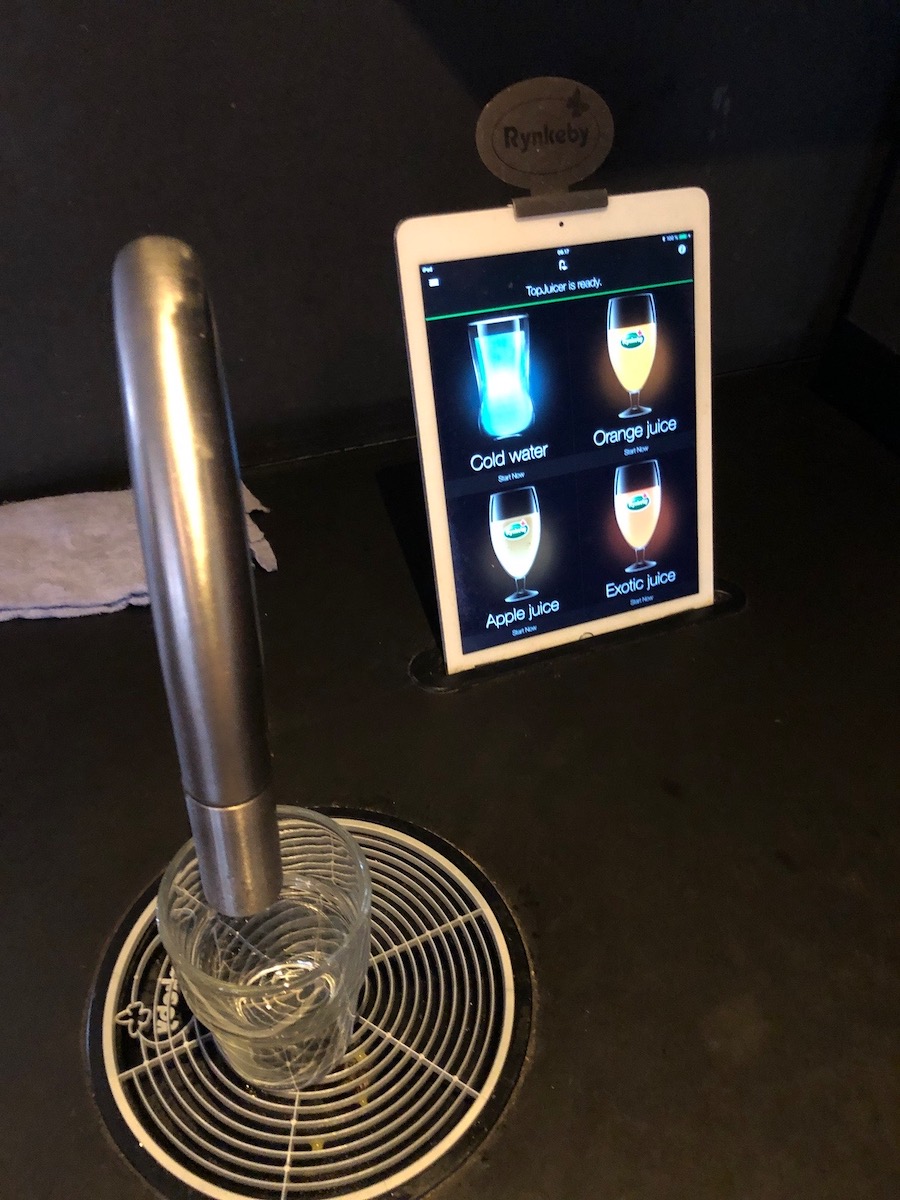
In two different hotels in two different countries we saw a beverage dispenser that used an iPad as the interface for it. On the surface it seems pretty ridiculous right? That was my first thought. Then I remembered something I read a while back about the power of these devices. Basically the argument is that lots of devices that once had to be custom designed using embedded chips or custom software could now be done using a commodity device like the iPad and some sensors or add on accessories. In this case the iPad was plugged into a beverage dispensing system. I don’t know how much that rig cost versus an old style machine with a few hard coded buttons. It makes sense that it may actually be cheaper. The iPad is a pretty powerful computer.

Seeing this setup to me seemed ridiculous. I had to try it out. After thinking about it I now have a new perspective and think it may actually be an odd looking but good evolution of the technologies uses.

Better Late Than Not at all: iOS 11 GM

I am becoming terrible with drafts and the blog. I wrote this in mid September (this year at least) and never published or scheduled this.

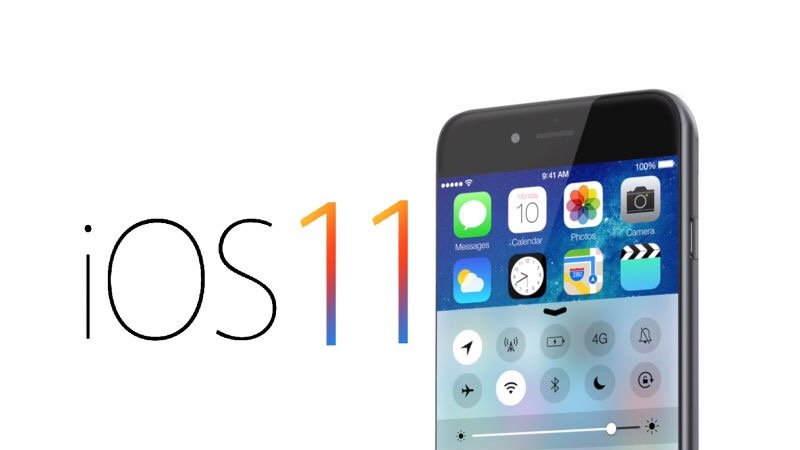
It is that time of year. The time after the Apple announcement listing release dates for iOS and when it actually is available for the general public. The thing is if you are in the beta program you can get the General Master version now. I dabble in the beta versions but so not put them on my iPhone. With the GM out it is always a question of do I install it on all my devices. It is always a question yet I usually do install it.

So far in the past 24 hours I have installed it on my iPad Pro and thought it was great. That got me to install it on my work iPhone. Once I knew that was stable in installed on my personal iPhone. Now either everything will stop working together or I am set!

Next up do I play with a late beta of macOS on my laptop?

This isn’t so topical anymore since the final versions of iOS and macOS have been out for a while. I didn’t want my writing to goto waist.

iOS 11

It is that time of year. The time after the Apple announcement listing release dates for iOS and when it actually is available for the general public. The thing is if you are in the beta program you can get the General Master version now. I dabble in the beta versions but so not put them on my iPhone. With the GM out it is always a question of do I install it on all my devices. It is always a question yet I usually do install it.

So far in the past 24 hours I have installed it on my iPad Pro and thought it was great. That got me to install it on my work iPhone. Once I knew that was stable in installed on my personal iPhone. Now either everything will stop working together or I am set!

Next up do I play with a late beta of macOS on my laptop?

My new iPad Mini

Even though I am the owner of a Nexus 7 and an iPad 3 I was excited to pre-order the new iPad Mini.  I bought the Nexus 7 only because there wasn’t’ any smaller offering that Apple had.  I love my iPad but holding it on the train and using it when holding at all for any long period of time is uncomfortable.  At work I carry it around everywhere.  The Nexus 7 was great for the price but has always been slow and even though I want to give Android a chance it still doesn’t beat out iOS in my opinion.  With all those factors in mind I was pleased to order the iPad Mini.  I hope to be able to replace most if not all of what I use the full size iPad and the Nexus with the mini.

I opted for the 64gig version since i do use a lot of space.  I also wanted the LTE (Verizon) edition since I thought the Nexus 7 and the original iPad that i had with Wifi only was too limiting.  Being able to browse or check information away from wifi is worth the cost.

Now the jury is out on if I like it or not.

Baby Tech

I do not hide the fact that I am a tech person, or that I love gadgets.  If they have a usefull purpose and they are easy to use I am all for them.  Tech for me was always easy.  I found what I liked and just used it.  When we found out we were having a baby I knew there were some tech items we would need, but I didn’t realize how much stuff we would have that would help.

The first thing I thought of when I thought stuff we needed was a video camera.  My friend Jayson had one for his little ones and I thought it was the coolest thing to be able to see and even interact with them from your iPhone.  When the time came to look I narrowed my search down to the Withings Baby Monitor and the Dropcam.  Withings makes another device I have used and they seemed like their camera was pretty well built but it was $300.  The Dropcam was half the price but it wasn’t designed specifically as a baby camera.  We wanted 2 cameras anyway.  One for the play area the baby would eventually play in and for her crip.  I bought the cheaper camera first to try and if we didnt like it i would use it for the play area and then buy the other camera.  In the end I love the Dropcam and we will be buying another one.  As I write this post I have my Nexus 7 in a stand with the Dropcam app running on it.  I leave the Nexus 7 by the side of my bed with the camera app running at night.  MC switched from a blackberry to an Galaxy Nexus because Android devices could display the video.  She also leavs her phone proped up at the side of her bed with the video on.  When I am at work she props the phone up by the TV in our living room so she can see it on our couch.  I have been leaving the camera site up on my computer at work so I can easliy switch over to see if Teagan is napping.  We still use the audio monitor and leave the sound off since there is a few seconds delay.  We do realize that we may be quick to react sometimes because we see Teagan moving on the video but not making much noise.  We know now to stop and wait a bit before we go check on her but it is still a fantastic tool!

We also have the traditional baby monitor, but even thought it is a common house hold consumer electronic device it is still baby tech.  I got a model that was the best customer reviewed on Amazon and the same day we got it my friend Jenn sent us one from our gift registry.  Thanks Jenn, we use that thing all the time.  The battery lasts all day, and we only plug it in at night when we goto sleep.

The video camera and baby monitor were both items we knew we would be buying.  What I didn’t think we would ever need was a humidifier.  It is very low tech, but it is still tech.  We have steam heat and it gets pretty dry in the winter.  Teagan was very nasal sounding almost from right when we brought her home.  I have a video of her sounding like Darth Vadar.  The doctor recommended a humidifier.  Its a pain to clean often but it works.

Another item we didn’t think we would need was a temperature & humitity sensor.  When we realized it was dry we wanted to know how bad it was and when we should run the humidifier.  I bough a humidity sensor and MC put it in Teagan’s crib.  We put another one on my desk were my computer is since that is near were we will setup Teagan’s play area.  It tells us the humidity and temperature, and also says when humidity is high or low.  We are not sure how accurate the readings are but it has been good so far.  Consumer electronics have come a long way when a decent big LCD temperature sensor like what we got goes for less than $9.  I can just imagine how much something like that would cost 20 years ago.

The last major item that we use daily that you wouldn’t really consider tech.  My mom bought a Giraffe that plays music.  It also will play sounds simulating a human heart beat.  it is supposed to be soothing to the baby, and we find it great to use when putting her down for a nap.  Its a stuffed animal but it is a consumer electronic device with a mini music player inside and buttons up its back for the different options.  Not as high tech as the video camera but tech none the less, and we rely on it every time we put Teagan in her crip.

Other items we use are our phones to view the Dropcam, as well as my Nexus 7.  I am finding I use the Nexus 7 more at home as a clock and dropcam viewer than I do taking it to work.  That is due to other reasons i posted in late October, but because its around the house more I find myself using it for the baby more.  When we sit down to eat dinner or watch a movie we prop it up and use it to keep taps on Teagan.  When I feed Teagan in her room I will take it in and use it to play a sleep play list I made to calm her down.

It seems like a running theme for me in recent posts to point out that yes we dont need most of this tech, and things like the Dropcam weren’t really a viable option for kids as young as my 3 1/2 year old niece but they are pretty common today.  Need or not, they all make caring for our newborn significantly simpler than it would have been.  Raising a baby still isnt easy but it could be much much harder.  I look forward to talking about more tech I get to use with or for Teagan as she gets older.  I am personally waiting for the GPS tracker bracelet or neckless so i know when she is going or coming from school.  i know that is a way off but she is only 6 1/2 weeks old.  I have time.

The Case for Two Tablets

On last Wednesday Apple announced several product refreshes as well as a new iPad mini. It was very funny that a company as secretive as Apple had this product announcement predicted so perfectly weeks before. I for one was hoping the rumors were true since I really wanted a smaller iPad even though I love my third-generation iPad.

The dilemma for me has been I want a tablet to use in multiple situations. MC and I use my iPad around the apartment, usually on the couch to do all sorts of things. We will order take-out, fresh direct, browse the web, or just look up where we know some actor that were seen on TV using the IMDB app. We use it when we travel as a map, research tool, email checker, reading a book, watch a movie, and probably lots of other things I’m not remembering. At work it’s what I take to go to a meeting. I have a notebook and a pen but I barely ever use it. With the iPad I can take notes with Evernote, jot down a task with remember the milk, or quickly pull up a story on our Jira system via the web browser.

For all those situations the iPad is fantastic! The screen size is beneficial and it’s either sitting on a desk or not being held long enough for the weight to matter that much. If there were no other use cases for me one device would be perfect. Problem is I also want something that I can use on my 45 minute commute each direction to work. I could use my smartphone but the screen is still pretty small and sometimes it’s difficult to read for long periods of time. If I’d better vision maybe that would be in, since plenty of people just use that. A Kindle is a great idea, but the regular ones you can only read books on. I would love to catch up on just by reading but during the commute time I want to be able to get up to date on all the overnight email at work (I get up to 100 overnight). I also want to review my tasks for the day, read news stories, books, and watch movies or podcasts. I don’t do that every day but each day in the mood to do something different. Using my full-size iPad is difficult since it’s hard to hold in one hand while standing on the subway. If I get a seat it’s usable but still not the best option. Let’s face it I don’t always get a seat anyway.

When Google announced the Nexus 7 I was excited because I thought that form factor would be perfect for my commute to work. I was right. Reading on it perfectly fine with one hand for less than an hour at a time. The screen size was okay. I would’ve liked bigger but I understand the need to be aware holding one hand was more important. The problem is it’s low and kind of buggy. This is an about the Nexus 7, so not going to all the details. Let’s just say I got what I paid for but the experience is still lacking. So much so that I do not always take it with me each morning.

I am hopeful that the iPad mini will be as well built as the larger iPad. There’s no reason to believe otherwise. With the smaller device I’ll be able to use it on my commute to and from work, possibly in meetings, when empowered about in the city for the day, and as a second device when MC and I both want to use it at the same time. That last one has happened several times when we traveled even though she’s not wanted to get her own.

I will admit that it’s an expensive device for specific purpose, however that aside I see need just by looking at how much I’ve tried to use the Google tablet. I opted to spend the extra $130 to get the LTE model. I’m not sure if I will activate it but I have seen the limitations of just Wi-Fi only in both the original iPad and the Nexus 7 slut want the option. Now all I have to do is wait three or so more weeks and give it a testdrive. Worst-case scenario is it gets eBayed. The unlikely but possible best case scenario is I eBay my iPad three.  More likely is I end up keeping both, but we shall see.

I will end this post by saying that no one really “needs” a tablet computer.  There are people out there who can’t afford food so having one or two niche devices that didn’t really exist before 2010 is not necessary   Whats necessary and what people want or makes their lives easier is a totally different story.

Hulu Plus

With Netflix annoucning that streaming movies and TV shows will now cost extra I decided to check out alternatives.  I have been skeptical about Hulu plus just because if i am paying for a streaming system I would hope that there is no commercials but with the ability to watch content via a Roku or iPad on Hulu won out and I signed up for a free trial.

Now I am in the middle of my first paid month and I will say I haven’t used it too much but when I have used it I was glad i had the service.  Tivo failed me a few times and just going to an online library was nice.

Having Hulu Plus alone to me was useless since I don’t want to watch stuff on my computer.  At the begining of the month I bought a Roku 2.  The main reason I got one was to use it as a front end to Plex, but Roku offered a Hulu client so I figured why not try it.  Together Hulu with presentation on the TV makes it worth it.

Of course the main reason i bought the Roku was to use it with Plex.  Unfortunately the Plex client for Roku is very basic.  I love the Plex media center but using it on the Roku was not as good as it is on my Mac Mini.  I need to figure out what is wrong with my Mini that the HDMI connection is flakey.

DC Trip

Even though it was only a few days after we got back from our European vacation Friday we were off to DC for the weekend. M had a baby shower for her cousin and I thought it would be a good weekend getaway even if I was just going to hang out somewhere during the shower.

Friday night we took the train down and went to a nice Italian restaurant near the hotel we were staying at.

Saturday we meet up with M’s friends Katie and Kevin for brunch. It was only the second time I had met them we had a great time. After brunch walking back to the hotel we ran into M’s friend Mary Beth. What was so funny was we were having dinner with her that night but stumbling upon her was unexpected. We talked a bit and then hung out at the hotel. it was a fantastic day and we found some couches out in the shade on the Hotel property. We just read, and did some research on my iPad. I am thinking M may need her own iPad after seeing how much she wanted to use mine for browsing. We then meet up with Mary Beth again for dinner. We had a fun time at dinner.

This morning M went to the shower after we had breakfast at the hotel. I hung out at the hotel a bit before heading to Union Station to kill time till our train home. I sat at Starbucks using the free wifi a bit then walked around, then had lunch at Uno’s in Union Station.

The return trip since the price wasn’t much more we opted for the Acela Express vs the regular Amtrak. It saved some time and I always like the Acela. I am a fan of cool trains.

It was a short trip but we had a good time. We both really enjoy DC and it is also really nice that M has tons of friends who live there.