My iPad Mini as a Phone?

I have had two mobile phones at the same time for years. One is my work number. The other one is my personal one. It is been that way ever since work stopped letting me expense my own number and required you to have your number on their shared account for at least 10 years or so. In the US I had concerns about moving my personal number to my work account. What if I left and I wanted my number back? Our human resources Department was actually very cool and had said you can absolutely have your number back. Only in rare situations (not a scenario I fell into) would there be a question of not allowing it. In any event I felt more comfortable keeping my personal number separate so I had my work phone and I had my personal phone.

When I got to the UK I could have simply got only a work phone. I didn’t have any history of a number that I have been tied to. In the end I got my own personal one for the same reasons I had one in the States. I wanted one separate from Work. In the UK it is significantly cheaper to do this. My personal phone SIM costs me 13 pounds for more data and minutes than I ever remotely use. In the US that same plan would cost 75-100 dollars.

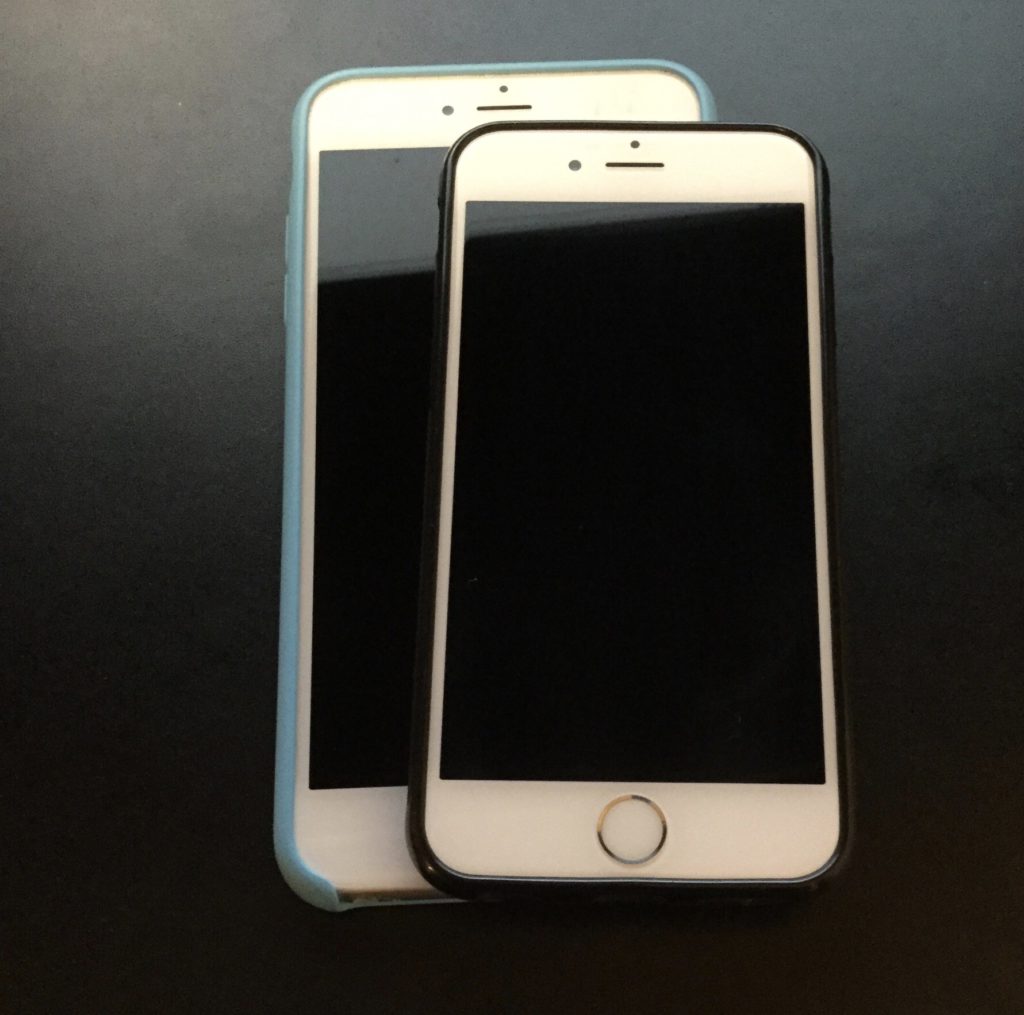
The phone I use for work has varied greatly. It is generally my second phone. That means it is never a high end one. It has been everything from vanity of Android to an iPhone SE, the original. The SE is what came standard with the contract in the UK. The screen is frankly just too small for me. I find that funny since for years that was the standard size of an iPhone screen. I had many different iPhones of that screen size and didn’t like the size however got by ok. I guess age just catches up to you. Since the phone that came with the contract was virtually useless to me I used the SIM card to experiment with different phones. When are travelled internationally a bit in the summer of 2019 I bought an Android phone and they did dual SIM cards and used the Work SIM with it. I found that the very big sized screen of the android phone I was using specially as a second device made it useful for me. I didn’t always keep in my pocket so even though was bigger than my regular iPhone 11 pro it didn’t matter. I have written about my issues with the Android phone and why I sold it in another post. With that phone gone however I was back to either using the iPhone SE or an iPhone 6 that I had from the states. Neither option had a lot of storage. 32gb on an iPhone is basically unusable in my opinion now a days. To compensate for the poor storage and small screen of the SE I splurged for a used iPhone 7+. The screen size was nice. It was better than the 6 or SE I had. It just wasn’t bigger than my iPhone 11 Pro that I used for personal use. The physical size of the 7+ was bigger than the 11 Pro. That made it an oddity. The screen was smaller yet the size was bigger. The screen was nicer and the storage was better than the other options I had. I still found no value in carrying it around and left it in my bag for when I need it.

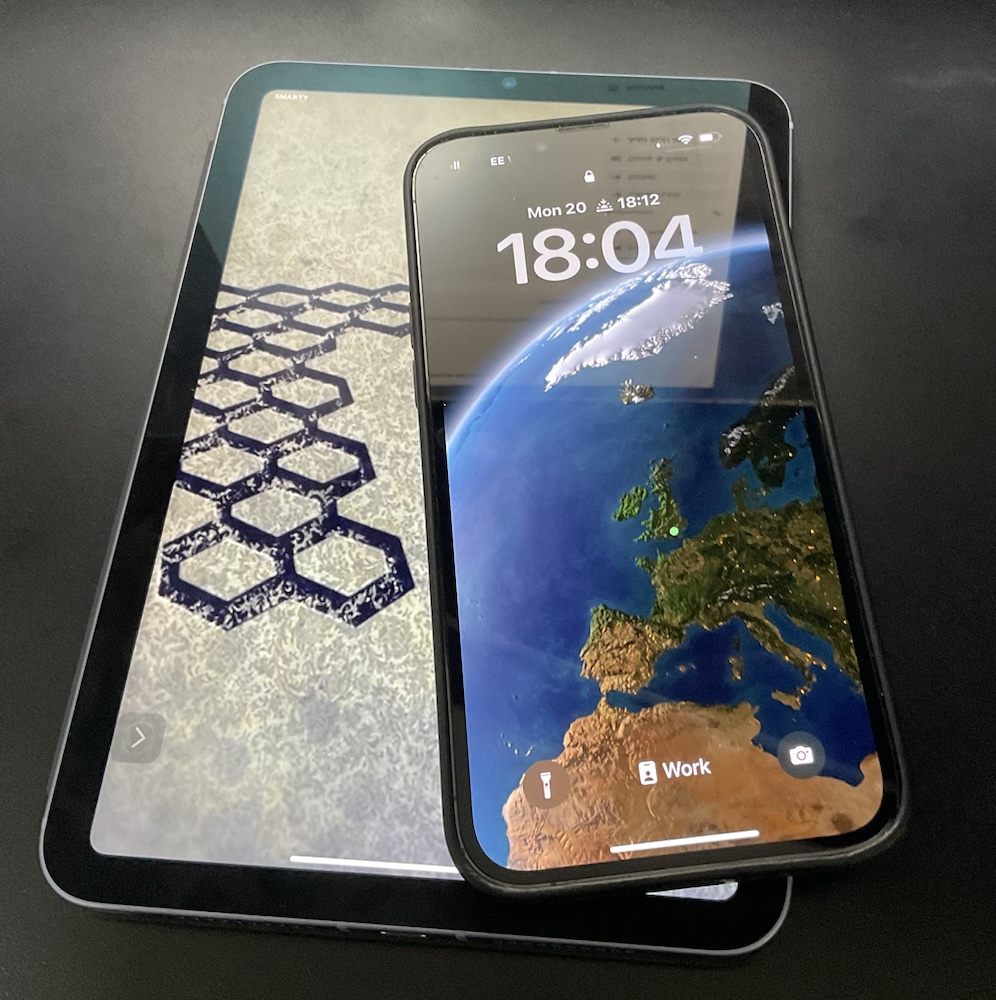
Even before the lockdown I had thought about using a tablet as a quasi phone. It was a good idea I never really did anything about it. During the lockdown I obviously did not really leave the house very much. I ended up using my iPad Mini 4 as a sort of phone replacement. In many use cases at least around the house the iPad mini was a pretty good phone replacement. I couldn’t keep it in my pocket all the time yet it was nearby most of the time. One challenge was that the iPad mini 4 was starting to see its age in performance. Before the mini 4 was being used as a sort of phone replacement I had meant to sell it on eBay anyway. My using it and feeling its limitations compelled me to sell the mini 4 on eBay and and upgrade to an ipad mini 5.

Sometime after getting my new iPad mini I moved my work SIM card to it. I have been using the mini basically as my second phone. Even though I can’t put it in my pocket (it is a bit big for that) I can carry around and even put it in my jacket pocket of some jackets. If I am out of the house for more than a brief trip to the market I usually have my backpack or messenger bag with me that I can easily put it in. I am finding the much larger screen size to be great.

Except for WhatsApp I think I can do pretty much everything on the tablet that I do on my phone. All my work apps work perfectly well and I take advantage of the bigger screen. I can make calls using FaceTime audio, Signal or Bria for voip calls using my US number. Let’s face I do not make many regular phone calls these days. Even if I need to I can use FaceTime tethering to my iPhone for that anyway.

I may end up needing to put the work SIM card into a real phone at some point in the future. I am not really sure. I am hoping not. The iPad mini isn’t perfect. I still use my phone more in the house since it in my pocket. I also use my iPad Pro more as a sort of computer replacement around the house. When I need to run out for short periods of time or even just to sit here and dictate this blog entry using the iPad mini is just right.
Always Blame The Tools, OK Seriously Do Not Do That

I wrote previously about my motivations or lack of motivations on writing.  With all that I wrote being true an added issue was recently writing was just harder to do.  I do a lot of my writing by dictating to Siri.  Previously to that i was using Dragon Anywhere and Dragon Dictate by Nuance to dictate.

Since I write when i have a spare moment that often is when i am away from my computer.  That means I leveraged Siri a lot.  I wrote about why I went with Siri vs Dragon Anywhere.  For a while before i wrote that post I was really not using Dragon on my phone.  Siri was working great so I couldn’t justify the costs.  I am not sure if it is my location (London wireless is as good or better than NY) or issues with the newer IOS versions however Siri isn’t as good as it was when I wrote that post.

Around mid May I decided to sign up for the Dragon Anywhere trial again.  I was able to blast out the bulk of what would be my first blog post really quick.  I was also able to write a detailed journal entry for the day I downloaded the app.  That was enough for me to be happy to pick up the subscription again (for now).  In the end i could have just used the dam dictation software I pay for on my Mac.  It is much less convinenentq than having it on my phone.  It happens to be better to use.  Just not that much better to make me sit down at a computer worth my while.

With the real or perceived obstacle of not being able to dictate out and about removed I am hopeful I can continue my fledgling writing/dictating streak.

Better Late Than Not at all: iOS 11 GM

I am becoming terrible with drafts and the blog. I wrote this in mid September (this year at least) and never published or scheduled this.

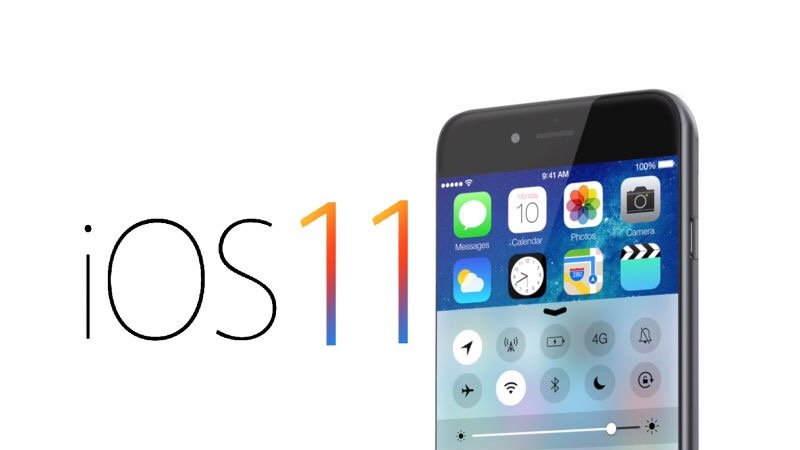
It is that time of year. The time after the Apple announcement listing release dates for iOS and when it actually is available for the general public. The thing is if you are in the beta program you can get the General Master version now. I dabble in the beta versions but so not put them on my iPhone. With the GM out it is always a question of do I install it on all my devices. It is always a question yet I usually do install it.

So far in the past 24 hours I have installed it on my iPad Pro and thought it was great. That got me to install it on my work iPhone. Once I knew that was stable in installed on my personal iPhone. Now either everything will stop working together or I am set!

Next up do I play with a late beta of macOS on my laptop?

This isn’t so topical anymore since the final versions of iOS and macOS have been out for a while. I didn’t want my writing to goto waist.

iOS 11

It is that time of year. The time after the Apple announcement listing release dates for iOS and when it actually is available for the general public. The thing is if you are in the beta program you can get the General Master version now. I dabble in the beta versions but so not put them on my iPhone. With the GM out it is always a question of do I install it on all my devices. It is always a question yet I usually do install it.

So far in the past 24 hours I have installed it on my iPad Pro and thought it was great. That got me to install it on my work iPhone. Once I knew that was stable in installed on my personal iPhone. Now either everything will stop working together or I am set!

Next up do I play with a late beta of macOS on my laptop?

I Played iOS 10 Beta Roulette and I Lost

When Apple announced that the public betas for iOS was available I thought about trying it out. I then remembered Beta one of iOS and how I had to quickly remove it from my phone even though it wasn’t a phone I relied on day-to-day. This year I waited. Last year around now I felt it was safe enough to try the beta on a phone and generally was okay playing with it through the official launch of the operating system.

Since as of this writing it is late August (22-August and not sure when this post will be scheduled to post) and the launch date for the final version of iOS 10 is close enough I finally installed the latest public beta of iOS 10 on my iPhone 6S Sunday. So far I haven’t noticed much difference. It feels like all his bedding features I was looking for a not yet enabled class apps are written to support them. I am talking about features like unified call log and chat messages in messages from my VOIP applications. Or Siri application integration.

One function that does work is facial identification in photos.I was able to tag some photos with the correct names of people however when I miss tagged one photo I was not able to remove the linkage. There’s definitely some work that needs to be done however so far it looked pretty cool.

Other than the notification pop-ups looking different I haven’t really experienced much change so far. Our plus side most of the apps I’ve tried to use including my dictation app seemed to work without problem. I was concerned about the beta breaking stuff. That is why I waited until late August to try a beta. I am also only testing on one phone that if I ran into a problem I don’t have to rely on.

UPDATE

I wrote the initial part of this post over the weekend and scheduled it to publish on Friday, 26 August. Between the time I wrote it and Wednesday night I had a change of heart. There did not seem to be anything fundamentally wrong with iOS 10. I’m eager to see some of the new functions working when applications are updated to support them however feature wise the beta was just not that compelling to keep using it. The trade-off to using it was flaky network connections where I would have to put the phone in airplane mode and then turn it off every time I came out of the subway. To my dictation app, Dragon Anywhere not syncing correctly even know it mostly worked. I don’t rely on this phone that’s running the beta however it was more nuisance than it was worth.

In the end there wasn’t anything majorly compelling to use the beta or to get rid of it. I took the short term hit of time to do a full restore last night and will eagerly upgrade when the final version comes out.

The iPhone 6S Plus

When the iPhone 6+ came out I was intrigued with the bigger size however I opted for the plane old iPhone 6. After about two months I decided to try the 6+ on my work line. I had it for all but a day and returned it. At the time and used to a lot of things one-handed. I tried the galaxy note in the past as well and it was too big. I stuck with my 6. Flash forward to this year and when the 6S came out I opted for it over the plus for the same reasons. I ended up selling my Nexus 6 that I was using for my work line. That was also a big phone but significantly cheaper then the plus. I was using it more as a media device than anything else. As much as I like the device having one device is android among all the others that were iOS didn’t make any sense. For a time I returned to my old iPhone 5 as my work line however the size of that screen was becoming very annoying compared to larger 6. Since I was getting by with the next six as a media device and hearing several people work enjoying the larger phones I decided to take the risk and get another plus for my work line/media device.

After about a day I wanted to give it a try as my main phone. Swapping between phones my Sim card was harder than I thought it would be. It was not as simple as swapping SIM cards. I had to re-associate my iTunes account and phone number to each phone.

Once I started using the plus as my main line I was surprised to find that I liked it. There were still limitations with regards to what I can do one handed. What I realized however was that now that my kids were slightly older I was not as concerned about pushing strollers or carrying a baby in one arm needing to answer the phone. It still uncomfortable to use in some situations because of its size however the advantage of the larger screen in other aspects of day-to-day use have so far been outweighing the downsides. It’s interesting how much a year or two makes your requirements change just enough.


My week using the iPhone 6S plus has my main phone is evolved into indefinitely using it as my primary. I’m curious to see how long I keep it up or if I decide to switch back. I’m hoping to like it and I just sell the 6S. Of course I do that I have to figure out what to use for my work line. The challenge I have is the work upgrade options are pretty paltry so I would have to either get something that’s not so great or pay out-of-pocket for something else.

My Choice of an iPhone 6

When the iPhone 6 & 6 Plus came out I originally wanted the Plus.  With my eyes I wanted as big of a screen as I could get.  However I did have a Galaxy Note whoever version was out right after Teagan was born.  I tried it for a few days and quickly returned it because it was unusable with one hand.  Someone needing to hold a baby a lot having two hands free isn’t always possible.  Those thoughts in my head and the fact that the Plus wasn’t really available right away led me to the 6.  Even with the 6 i was concerned about its size.  I need that one handed use.  I was pleasantly surprised when I got the 6 that it is generally usable with one hand.  The screen size was much better than my old 5.

This upgrade cycle I opted for the 128gig version.  I had the 64gig for the 5 and the 4S before that.  I may have had a 64 4 if they made them but I can’t remember.  When I got the 5 I really needed the space.  As I used it and day to day used my iPad more I found the storage not to be as limiting as it used to be.  That being said I did come close enough to filling up all 64gig’s that I didn’t want to chance another year or more with that much space. I spend the extra money on the larger storage.  I also opted for the white version this year.  For a few years I kept wanting white but either canceled the order and changed to black or couldn’t get the white.  This go round I didn’t want to make any excuses and I got the white.

So far I have been very happy with my choice.  I even toyed with a 6 Plus for a few days last month.  I confirmed my original thoughts that it was too big and I returned the phone.  I made the right choice for me until next September.  Then we shall see what else comes out.

Android vs iOS

I am not a professional reviewer. I want to get that out there first thing. I have wrote about my opinions and comparisons of technology products in the past I am well aware that any number of people have written about this subject. I am writing about it because I continually try to be open minded and it has been very difficult to do so when comparing IOS to Android.

I can safely say that I’ve used regularly all of the major mobile operating systems in the past 10 years. I have owned many generation Treo’s with the Palm OS. I can’t even count the number of blackberries I’ve had. I have used three or four Symbian devices and loved my Nokia E60 for the 6 or 8 months I had it before I got my iPhone 3G.  I have tried numerous Android devices, and even had a few windows mobile phones.  I mention all that because I am not someone who just gets Apple stuff by default.  I look like that but that is a credit to Apple for making great devices and software.  I actually have only been buying Android devices because I didn’t want to be so reliant on Apple. My observations started between Android & iOS only because I wanted to see what was out there.

As a technology person on paper iOS has problems and Android looks promising.  What I mean by that is if I read anywhere else that an operating system and an ecosystem was so restrictive as Apple’s was I probably wouldn’t try it.  When you dig a little deeper that restrictiveness some of my Android friends like to complain about actually makes some sense.  it provides for a more stable phone.  It really does.  I have seen it between my iPhone and several Android devices.  I do not want to go back to the days were I reboot my phone every few hours like i did with my Treo 600.  Lack of true multi-tasking on iOS is another item that when it was announced iOS would be that restrictive i was turned off by it.  Now Apple has come up with interesting ways to let you think you have multitasking but still limiting it and thus reducing power usage.  Restrictive yes, but in the end it probably helps the overall experience.

On the other hand that restrictiveness has a drawback.  On my Galaxy Nexus I love the Locale app that changes settings based on my location and time of day.  My ringer goes off at night except for some work numbers.  My Google Voice # would change to point to my desk phone when I was at work and Skype when I was at home.  Come on that is cool.  Using that same example though, one of the best plugin’s for that app has a big note saying it is buggy and the developer does not suggest using it.  Really? If it crashes the phone then block it.  Apple would.  I know its heavy handed but the idea here is to be transparent as possible but have the customers interests at heart.

There are plenty more examples.  The last big one i would highlight is the fact that iOS is again restrictive on how the UI of apps look.  Sounds bad on paper, its apple being restrictive again.  Only problem is have you looked at Android apps?  How about comparing them to iOS apps.  Not just any iOS apps.  Compare something to the same app on iOS.  Apples restrictiveness gives the customer a consistent user experience.  Androids openness give you an inconsistent experience.  As a user i have been frustrated by this.  Heck I still don’t know what some of the dam icons mean on my Nexus 7.  Apple uses icons also but they just come across as more intuitive.  Getting back to that app comparison.  I have used many apps on both platforms.  When I bought my first Android phone that is what i did.  I went through making sure i could get the same experience on Android I had with iOS.  For the most part i found the same apps for Android that i had on iOS or ones that did the same thing.  Problem was they weren’t comparable.  Sometimes in features, but mostly in general look and feel and polish.  Some have improved over time but Apple still has better looking apps.  Foursquare, Facebook, Lastpass, Yelp, to name a few of the ones that I have had issues with.  The last aspect of user experience I would question is Exchange mail support.  Its built in to both platforms now but have you used the email app on Android.  Not the Gmail app because that is actually a great app.  I do give them credit for that.  I am talking about the regular email app.  Or the calendar app.  Using them on Android for my exchange mail was horrible.  It is just plain ugly and clunky to use.  iOS mail app may have its problems but it is intuitive and nice to look at.  Even the 3rd party apps such as Touchdown were horrible looking and I stopped using them after their trial ended.  That exchange limitation alone is a show stopper for me.

The theme I have seen with Android is that the apps work but they leave me wanting to go back to my iPhone or iPad.  Thats the problem.  I have gotten these devices wanting to be swept away and to sell my iOS stuff on eBay, but every time I get one I end up back with Apple.  Android keeps getting better but its been 4 years and they still aren’t that close in my opinion.

By now its clear I am in the Apple camp, but I really don’t want to be.  Given the opportunity I would switch.  The 5 or more Android phones I have had since using iPhones are an indication I do want to try.  Of course in the end I have a new iPhone 5 and an iPad Mini on order.  With those purchases Apple has locked me in for another year or two.  I will see how the landscape looks then, and maybe my own personal opinion may change.


Google Apps Premium

On several occasions I have blogged about Zimbra. In June I decided to switch back to Google apps. For about a month or so I had been playing with both Zimbra and Google apps. What’s funny is I was relatively happy with Zimbra, but when I was playing with android phones I started looking again at Google apps. It seems like nowadays Google apps is universally accessible on multiple operating systems and phone platforms. Zimbra does use Microsoft’s exchange sync but do not as universally compatible as Google apps. The biggest drawback was the limitations on android phones. Even though I ended up not keeping an android phone I actually like the flexibility that Google apps gave me. When I first started using Zimbra I actually A copy of mail both on my Gmail and on my Zimbra account. Recently I have been less concerned about downtime with anyone provider, so that redundancy seemed like overkill.

What I ended up doing was I stopped using Zimbra and started using the free Google apps. Once I got the IOS 4.0 upgrade for my iPhone however I was compelled to purchase the paid version. There was a quirk with each change sync settings and IOS 4.0 that was fixed with the premium version. I tried the 15 day free account and liked it. I ended up canceling my Zimbra account and and now I am only using Google apps. Feature wise I can’t complain about Zimbra. Overall the two products were similar. I do however like the UI of Google apps. Recent integration of Google voice to my Google apps for domains also affirms my choice was the right one for me at the time. The

So far I’ve been happy with my choice for the past few months. I know every year or two I reassess the situation. I did that about two years ago when I switched from Google Apps to Zimbra, any year or so before that when I moved on to Google apps from another mail provider. Let’s hope I am satisfied with what I have now for a few years. Of course if Google doesn’t continue to innovate I’m open to other options.