
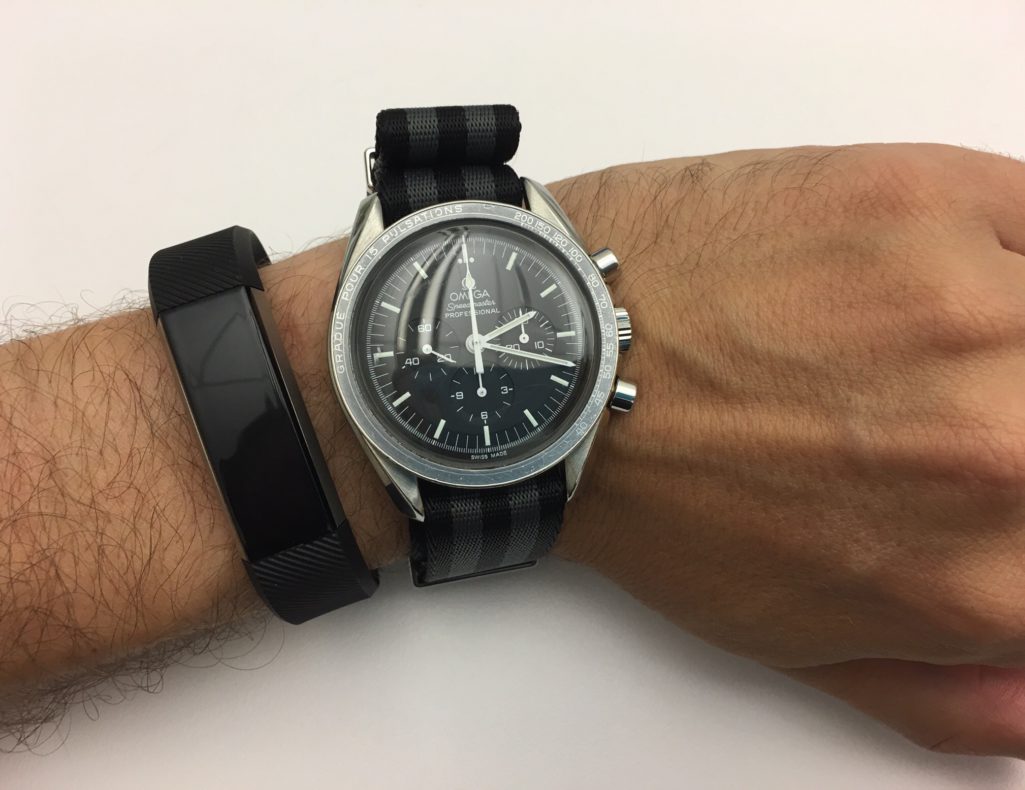
Jawbone Up to Fitbit

I’ve been using a jawbone up as my activity tracker since they became a product. I love that they were small bands that I could wear in addition to my watch that did pretty much all I needed them to. I was frustrated that the first generation recalled however pleased that that the company Jawbone was smart enough to give me a full refund. I was excited when the second generation came out and waited weeks for one to come in stock to purchase. Later I was frustrated at how often my second-generation band would break however pretty pleased that the company would continue to give me new ones. After upwards of five bands however that got old pretty quick. I have blogged in the past around my challenges with my jawbones. (http://scottodyssey.com/?s=jawbone+up&submit=Start+searching).

Even with all my problems with the UP I continue to choose it over the Fitbit Flex  as far back as late 2013. After the second generation UP, i purchased the UP24 (possibly 2 of them) I then bought an UP2 when the 24 finally died. My first UP2 started to lose its battery charge earlier this year. It also lost top paint covering on the metal that rests against my watch. It didn’t look good but it worked until the battery started dying. I then bought another one with a more rubbery strap. This weekend that latest UP2’s rubber strap ripped. I was able to wear it for a little while longer however became so frustrating to wear and looked really stupid I decided I needed to buy something else.

The challenge for me was I did not want to buy and other band from Jawbone after going through at least 10 of them in three or four years. Granted I didn’t end up paying for many of those since they were warranty replacements I did have to  pay for more than one or two of them.

For me technology purchases usually work out the best when they are well thought out. I know myself and I have specific requirements. Because of that I tried to remember why I selected the jawbone over the fit that when I owned both at the same time. I do remember that the jawbone felt like a more accurate step count. The silent alarming also felt like it was better however I know that fitbit has improved on that since I last owned one. Separate from my previous owning a Fitbit I do not like that Apple and fitbit do not work very well together. Specifically Fitbit does not talk to apples Health application. After some brief research I did find out that there is an app that will sync that data between the two devices. I also found out that both myFitnessPal, and Withings can talk to Fitbit with no problem. That will allow me to continue to use my Withings scale and myFitnesspal with a Fitbit. With all that information in mind I went out to the store to check out the new Fitbit Alta compared to the Fitbit Flex. Both appeared to be the same size however the Alta had a small display. I wasn’t fully clear if the altar had significantly improved sensors for the extra price it cost. Since I wasn’t sure I erred on the side of caution and splurged the extra money for the Alta.

Set up of the device was pretty trivial. Syncing between all the apps that I use was equally simple to do. The device feels pretty sturdy on my wrist. I’m curious how long the battery life will last. I confirmed for me the displays useless since I turned off all notifications such as text messages and phone calls. I also turned off the auto on function or whatever they call it that turns the clock on when I lift my wrist up. I have a watch I don’t need this band to act like one. I just needed to track my activity and silently alarm me to be more active. So far it’s been pretty successful at doing that.

A minor side benefit to switching to Fitbit over jawbone is apparently several people I know have Fitbit’s and I’m already in competition with several of them to keep my step count up. Several people at work have talked about doing something similar with Virgin Pluse activity trackers that our health insurance company is offering for free. I don’t like the idea providing medical and activity details to my insurance company so I opted out. This gives me the gamification of working out that I want but doesn’t share the data as much.

I’m hopeful that this was a sound purchase and it will last more than a few months.

Showing a Little Bit (a lot) of Geek

I always though it was cool to have interesting stickers on technology gear. I never did it since I always tried to keep my stuff in pristine condition since I knew that I would likely want to sell it to buy something newer down the road. I know many of the stickers on laptops these days say they are removable. The challenges after you remove them you generally can see that there was something there previously. That’s not good if you want to try to sell something later on.

It didn’t dawn on me until recently that I could show off my geek side on my work here since that’s not something I will ever personally go and sell. Plenty of people in the office I’ve seen have done it and it was never something I thought to do until I started looking at Pinterest.

Earlier this month I bought a few stickers. Last Friday I got around to putting them on my laptop. I know I think they are pretty cool…

Blog Update

I haven’t been updating this blog in a while. That is usually a sign of me not writing however  I have been doing a lot of off-line journaling as I mentioned in Dragon Anywhere. Some topics I would like to write about for this blog however I just haven’t had a chance to get to them. I do feel like I’ve gotten a handle on my journaling enough that I’m going to try to churn out a few topics that I’ve been meaning to write about. The first one is already scheduled to post tomorrow is a follow-up to something I wrote and backdated earlier this month.

It does feel like every few years I write a post like this about how I want to write more. I always do want to write more. Getting into the routine is always the hard part. Getting pretty close right now so stay tuned.

Dragon Anywhere

By the looks of my posts on this blog it would seem like I’m not writing much for some time. In recent months as far back as February I’ve started to journal more. The difference I guess is that the journals are private. The fact that I am writing at all is a positive for me.

I wanted to write more in general for some time. I’ve also wanted to be more active in my journaling. It’s something I wanted to do when Teagan was born and I did for a little while but didn’t keep it up. I’d like to say I’ve improved because of my determination to write. Slightly true however I feel like there is a different answer. That answer to me is Dragon Dictate. My so-called writing isn’t in fact writing it all. It’s mainly my dictation letting the software do the typing. I’ve had Dragon Dictate for several versions on my Mac. I think it’s a fantastic piece of software. My proof is that I think over time spent more on upgrades for it then on any other single piece of software. Unfortunately what has happened in the past is I will get it and use it and then start using it less over time. Part of that was due to feeling self-conscious about using dictation at work. The other part being probably just general laziness. Flash forward to this February I think I got rid of the laziness factor and just started dedicating some more time to writing. Using the dictation software I was able to actually write faster. That meant I could write more in the same amount of time or just get finished quicker.

Once I started sitting at my computer and dictating it was still challenging to find time to do that. I started using the dictation option built right into Siri on my iPhone to dictate into the journaling I use DayOne. That work rather well however it did require corrections more often than I would like. It also required me to do bursts of sentences quickly before the dictation stopped listening. This method still enabled me to keep writing almost daily.

The next big improvement for me was signing up for the Dragon anywhere subscription sometime around May. As a monthly service it’s kind of expensive for what it does. It gives me and always listening dictation option. I find that much better and more accurate than the built-in Siri option for dictation. I figured for $15 a month I would give it a try. What I found that I’m doing now is that I will dictate as I’m walking. I get a lot of my journaling done now between walking from the subway home and walking from the subway to my office. I probably just look like someone talking on the speakerphone to someone however it works surprisingly well.

I still want to do more. I’ve a list of draft topics in my Dragon anywhere app for things that I’m either partially done with or to do’s. That gets me back to trying to find more time in the day to dedicate towards “writting”. My other option is to just go on longer walks! Either way if unable to carve out more time I hope to write more about topics fit for this blog. I’m trying to do some cool things as a hobby however I don’t have the time talk about it.

Other than a few manual corrections this in my last several posts were entirely dictated.

Hello again Quicken, goodbye Bankify

For the past few years I’ve been using iBank / Bankify for my personal financial management. I documented my move to iBank in a previous post. Finding a Mac compatible financial application was the final app that I needed to completely go Mac only not require a virtual machine for my personal use.
I’ve been generally okay with iBank now Bankify however there been some lingering challenges. First and foremost I keep getting duplicate transactions even after I downloaded from my bank. What that means is I sometimes have to spend hours each month trying to reconcile my accounts because a single transaction might have three or four transactions in my register. It also might turn out that several of those transactions if the account transfers might show up as a transfer to the wrong account thus throwing off balances across multiple accounts.
This year one of my financial goals was to automate bimonthly banking and bill payment as much as possible. This bug has caused challenges to completing the objective. This month I had a renewed desire to find an alternative. I tried you need a budget however the downloading of transactions from my bank seemed to be clunky. It also focuses on budget only. That’s important to me however I need an app that can do more. My sites then turned to Quicken since their 2016 Mac upgrade it seems to have been a big improvement over the 2015 one. I know it doesn’t have all the same features as the Windows version however I wanted to stay native Mac. I did contemplate trying the Windows version however I don’t think I need some of the advanced features that the Mac version does not offer. That is why today I bought Quicken for the Mac 2016.
The import process went surprisingly painlessly. My export from Bankify went over without any problems. The import of that file to Quicken also appears to of been painless. I need to go through each account and confirm the balances make sure everything is correct. For now it looks like this is the easiest migration I’ve had to do. In the past I went from Quicken for Windows to Mac and then back again. Then I went from Quicken to Bankify. Each of those migrations was painful and took a lot of time to validate things right or to tweak the process in order to get a good copy of my data. Part of my problem is trying to keep and migrate 16 years of data. I don’t need it but I want it and since it’s all in one file should be straightforward to migrate. I do have an additional eight years of data in other files that I don’t migrate but I have all of my financial transactions going back to my freshman year in college in some sort of backup or another. At some point soon I need to archive old transactions to an off-line backup so I don’t have all of it on an Internet connected machine. That’s my next step.