The Dot Group Problem

This post is partially channeling my wife’s outrage, but as the household tech support department, I’m equally annoyed.Here’s the story.

The .group top-level domain (TLD) launched in 2015. I know this because I looked it up after dealing with this nonsense. My wife has a personal domain name using .group. It’s short, simple, and sounded nice and professional when we registered it.

We both use a mail service that supports unlimited aliases. Every new website or service gets its own unique email address. That way, when one of them leaks or gets sold, we know exactly who’s responsible for the spam. It’s a great system.

Today, for example, I got an obviously dodgy email pretending to be from a legitimate service provider. It was already flagged as spam, but even if it hadn’t been, I could tell it wasn’t real because it was sent to an alias I’d only ever used for a different service. Case closed.

So yes, that whole “unique email per service” setup works brilliantly. And my wife has adopted it too, with some encouragement from me and a bit of technical assistance.

Now here’s where the outrage begins.

It’s 2025. The .group domain has been around for ten years. There are hundreds of new top-level domains now. And yet, there are still websites out there that refuse to accept an email address ending in .group.

She’ll try to register for something, type in her perfectly valid address, and the site throws back: “Please enter a valid email address.” Excuse me? It is a valid email address. The site’s validation code just isn’t built to handle it.

This drives me absolutely mad. I’ve built and supported web applications for years in e-commerce, corporate systems, and startup products. It’s baffling that companies still don’t invest in maintaining their websites properly. Maybe they don’t know how modern validation should work, or maybe they just haven’t prioritized it. Either way, it’s not a great look in 2025.

Our fix was simple, if slightly irritating: we bought another domain. It’s not quite as clean or memorable as the .group one, but my wife liked it, and it works. It’s a standard .uk domain, which every site on the planet seems to accept without complaint.

Problem solved, more or less. The new domain costs about five pounds a year, which is fine. The annoying part is that the .group domain, the one she can’t use everywhere, is about three times that price. But it’s tied into too many existing services to just drop.

That’s the real downside of using custom domains for email. Once you build your digital life around one, moving away from it is basically impossible.

So now, our workaround is simple. We’re keeping the .group domain active for existing logins and old services but using the new .uk address for anything new.

It’s not the fault of the .group registry. It’s just a side effect of how unevenly the web is maintained. Some companies build things properly, others never update. And here we are, ten years later, still running into “invalid email address” errors for perfectly valid ones.

Is This Tech Snobbery?

Is it wrong to be tech biased against businesses (by not using them) in 2023 that still say email us and they give a Hotmail address?

Replace Hotmail with AOL and it’s the same question.

If you said ok to the first question do I assume the same is true if a merchants website looks like it originally was on geocities? Points for you if my last sentance makes any sense and you know what Geocities was!

The Story of The New New New Web Hosting Provider

I have had numerous hosting providers in the past 25 years. Do I date myself by saying that? It is the truth I guess. I have hosted a website in one form or another for easily over 20 years. Trying to think of them I cannot recall all the providers I have used. I have had full service web providers. I have hosted my own. Way back when I first started out I even used free sites like Geocities or hosting via my AOL account. Yes I had one of those. I have had dedicated service providers for just mail and blog. And probably for a while I might have done nothing other than simply used Gmail. Over two years ago I moved to a provider siteground.co.uk. They hosted my blog, some email domains of mine that are not on Protonmail and any odd and end webiste I put up. For what they offer it is probably overkill for me. I signed up because the previous provider I had Hostpoint.sh contract was up. Hostpoint was on the expensive side.  They were a great provider for what they offered. The cost benefit for me did not make it economically sensible to continue to use them.  Siteground had a really good deal so i signed up for a 3 year contract with them. For me three years is like a lifetime. I never used to like 1 to 2 year mobile phone contracts. The deal was too good to pass up so I signed for that term.

Now as I write this I have less than 6 months on my site ground contract I looked at how much the renewal cost will be for my hosting. Without the deal the prices it is about triple what I was spending. I have had zero problems with Siteground. Like Hostpoint they have been a fantastic hosting provider. My challenge is for what I use them for the price they’re charging just seems ridiculous. I could host a site myself at home if I wanted to sort out mail relaying. I do not want to so I started looking for alternative providers. Oddly most hosting providers are not very cheap.  yeah $5-$15 (£3-£12) or so sounds inexpensive however it adds up over the year. Most of the good ones are on the higher end of that range.

Giving up on the relitivly expensive consumer proivders I ended up looking at lowednbox.com for deals for a VPS.  If you do not know a VPS is. a Virtual Private Server. So basically a virtual machines at a hosting provider. A friend showed me the lowendbox site ages ago and i really didn’t bother looking into a VPS.  I was doing too much with my Raspberry Pi’s so did not want to pay for any remote systems.  Now however a cheap (£1-£3) a month VPS (Virtual Private Server) might just do it for me.  Most of what is offered at the £1 range may not be enough RAM for my needs however for slightly more or basically £15-£23 a year i can get a pretty decent virtual server that i could replicate most of what i get from a provider. In my search I even found a provider that does shared hosting (what most people get as webhosting) for $1.50 a month.

I wasn’t sure what i wanted so i picked up two seperate deals (3 if you could a VPS i got for a VPN project that i may write about another time) from lowendbox.com.  I got the cheap $1.5 a month shared hosting as well as a VPS for a year for £22.  Even with both providers I am paying 25% of what i would have paid if i renewed siteground.

After a bunch of trial and error with the cheap shared hosting provider and the VPS I settled on the VPS. While I was figuring out what to do and realised the $1.50 a month basic provider didn’t seem to be working out I approached the situation a bit differently. My VPS can support my website pretty easily. Even if there is a reliability issue the website doesn’t need to be up 99.99% of the time like email kinda needs to be. That meant I could decouple my mail hosting from my website if I could do it cheaply enough. I went about trying to find an email only hosting provider. The problem was just like with regular hosting everyone offered really cheap introductory rates and then the price was much higher. With email only hosting providers it was kind of funny since the price they were offering I could buy a cheap complete hosting package for the same amount of money. I then continue to look for relatively easy to maintain out of the box email applications so I could possibly host a dedicated email VPS. That was proving problematic.

In my research around hosting my own mail on a dedicated VPS I stumbled across someone reviewing a relatively inexpensive email hosting provider. Their annual plans that offered more than what I needed were pretty cheap. What was even more interesting was the fact that they offered a lifetime plan that was only slightly more limited than the annual offering I was looking at. That lifetime plan options was also more than enough for my needs. It was approximately three years worth of hosting upfront to get the lifetime plan however the company seemed to be around for a while and pretty stable. I assume that I could at least get a return on my investment in the first three years. If I am lucky I won’t have to worry about paying for mail hosting for a while beyond that. The email provider was MXRoute.

I set up a few of the email domains that are use already and the system has been pretty stable. The final cut over was moving the mail domain my mum uses and that I sometimes use. The move was pretty easy. The only challenge was setting up mum up while she is in the US and I am in the UK. The fix was getting her to use GMAIL. She had a GMAIL account she previously used already. I just directed her GMAIL account to pull from her old hosting provider I had. I then switched her over to gmail in two FaceTime sessions with her. Then once GMAIL was working I simply changed the POP account settings in GMAIL web for her and migrated the MX records of the domain. Overall there was not may issues.

With mail sorted I went back to the VPS I setup and got my blog setup. I decided to use Yunohost for the VPS. it is an app that sits on top of Debian that lets me administer the server and install other apps pretty easy. it had a one click install for WordPress (what I use for the blog) as well as many other applications. After playing around with the setup for a while I decided to move the blog over and hope for the best. I found a plugin that pretty easily migrated the blog from one instance of WordPress to another. I then changed my DNS and everything moved over pretty well. I am finishing writing this in on 6-April, exactly one month from when I moved over to my VPS. So far things are working fine. Only thing different for me and the old provider so far is that I need to remember to monthly take a backup of the site in case I break something.

Overall my VPS is costing me £24 a year. If I kept site ground that price would not cover 2 months on the regular priced plan I would have to move to when my contract runs out. Now lets hope I do not mess up my setup since I only have myself and friends to fix it vs a provider!

Editing note I wrote this in Feb 2021 and agave been slow to post. Funny enough even though I change my tech setup a lot this post is still accurate a year and a half later.

Security Comes First

My mum visted for April term break. She took the girls for a few days to a hotel. One day she took the girls to the postal museum. We went to the same museum with her when she visited a few years ago. It was nice and the underground tunnels and train ride was fun. When my mum needed an activity for a day she thought to go back there.

One of the activities is to create a stamp with your face on it. Both girls created ones.. The museum makes it easy for you to send your work of art to yourself by emailing them. My mum did just that to my personal email address. She really doesn’t know any other one.

The moment I got the mail and realised what it was I didn’t think oh cute. I thought oh great who knows who now has my email since it was sent via an unsecured system on a public kiosk. To be fair the stamps were cute however that wasn’t my first thought.

Coffee With Cortana

I did not goto the office from March 2020 through August 2021. Since August i have mainly worked from home with periodic days in the office. I’ve said it before that my walking to and from the train on my commute was the bulk of my exercise.I was lucky in the sense that walk give me about 80% of my daily activity and step count needed for at least a basic level of movement. While at the office I would deliberately walk further when doing things to get more movement in throughout the day.

I’ve written about some of my exercise routine during the lockdown so I won’t rehash most of it. Since April 2021 and the restrictions on lockdown easing I have been trying to get out more and more for coffee. It is one way I try to offset the lack of my commute and the exercise that comes with it.

I had been typically meeting up with friends in the morning for coffee. The way my schedule works is early morning is really the only consistent time I could get away. The challenge was catching up after taking a 30 minute break or getting peoples availability on a consistent basis.

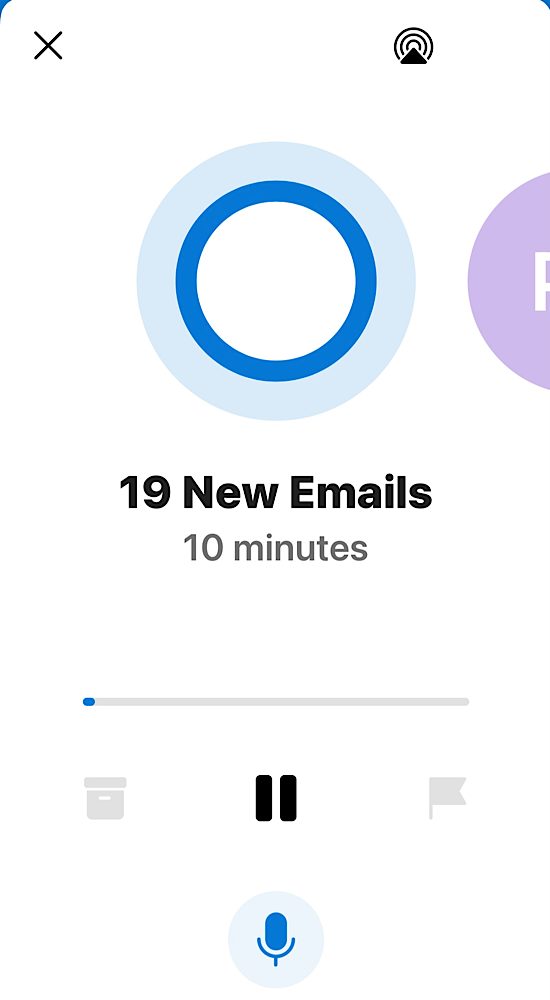
On a separate thread that becomes related later I’ve been playing around with Microsoft outlook on my iPhone. For several months now Microsoft has had an option that it will read you your mail and allow you to audibly take actions on it. at first it was a novelty. Then they kept adding features and I figured out a workflow that was useful for me. I found that if I had a lot of messages I could listen to them and flag the ones that I wanted to look at in more detail or respond to, or take any action on later. Things that weren’t important or I didn’t need to do anything with I could simply archive. I also could except or decline meeting invites. In essence I wasn’t able to completely control my inbox using Cortana reading to me however I can organize it in such a way that when I sat at my desk I could focus on specific things to do.

One day when no one was around to have coffee I figured why don’t I just go anyway since it was a lovely day. before that point I was not really using the Cortana read to me functions that much so it did not dawn on me to just go to coffee and sit and listen to my mail. On one faithful day in June that’s just what I did.

Once the males done being read to me I typically have a list of flagged mail that I need to either file away or take actions on. usually I break out my iPad and write responses to things. Anything that requires further research or dedicated time on a bigger display I’ve created to do task from that. From there I generally have a good feel for what immediate work I need to do today beyond my longer-term project and task list.

The coffee shop I have been going to is near my house and after the school drop off appears pretty empty most of the time. The staff is always super lovely and I can sit out in the back garden when it’s not cold or raining. Actually I think they even have heaters when it’s cold however I’ve only done that once or twice. i’m pretty pleased with my routine and hope to continue doing it weather permitting.

I originally wrote this article over the summer of 2021. Sadly the coffee shop i wrote about is gone. Now a days I go to other ones and generlaly am using Cortana more on my walk to and from the school runs with the kids.

Using a From Email Address as Validation is Not a Security Measure

I have been on a mission as of late to migrate all of my login details for account’s I use email from one domain name I have to another. I decided to stop using the main domain name I have been using for years. One of the main drivers was cost. It’s pretty expensive each year to own it. It is a country specific one and not cheap like a .com. It is also no longer as relevant for me.  I  loved its simplicity. It just didn’t make sense to keep having it long term.  It is paid for through 2021 or something. I have time to confirm I’ve captured every account and moved it.

In the process of doing this I am also closing accounts I don’t need anymore. It’s a great spring cleaning in the autumn. I originally wrote this in the fall of 2019.

When I attempted to change the email address I used with NordVPN I realized they do not have an option to do that in their online portal. I have  come across this issue a bunch of times going through this change process. Eventhough it’s annoying I typically open a case to request a change and its done pretty quickly.

For my own security reasons I use a unique email address for every account that I create online. This allows me to know when my information is being sold or if an email is authentic. It also protects me if one provider is compromised and the account details are sold or published online. There’s lots of times where I recieve a message that looks semi-legitimate. It is only when I look and see it’s going to a completely different email address than I gave them that I know it’s fake.

This setup makes things more secure from fishing or other exploits. The downside is it is not so straight forward to get a message via one of these aliases I setup and reply back easly.  That is because my email provider Protonmail charges for each alias you use.  To get around that I use their catchall feature.  I can have unlimited inbound email addresses. The catch is I can only reply back coming from only 5 of them. Most of the mail I get other than personal mail I don’t really need to reply to. The trade off is worth it for me most of the time.

In this instance with NordVPN I was asked to reply to the support case via email. Ussually in this situation what I typically do is I have an email program that allows me to send outbound mail and I can edit an alias to match the email address I’m using with that vendor. It’s slightly annoying however if I don’t have to do it often it’s not that big of a deal.

There were challenges in validating my account with the NordVPN. That required several emails back and forth. In one instance when I was away from my desk I got lazy and just replied from my generic catchall address. That exposed my default address to the vendor. I wasn’t that concerned about revealing that address to them however it was sloppy for me. What was silly was their reply. After two more rounds of back-and-forth I was told I need to send a response from the original email address since that was the one on file with them.

What seems silly to me is this company was relying on an email “from address” as some sort of security validation? Whenever I do send them mail  I’m literally cutting and pasting the contents to a new message and spoofing the address. Anyone can do that. Yet somehow they feel that if I  recieve their message it isn’t enough. In my case i am spoofing an address of my own so thats not bad.  What is bad is mail spoofing is super easy and this company somehow thinks its a securty function to get mail from a specific address.

If you are going to insist on a security measure why are they not having a secure ticket portal that my login to their service gets me into?  Or a built in chat system within their app amoung other things that are more secure than email.

I found this whole experience dealing with this VPN provider to be very frustrating. I am only writting about it because of the hypocritical things they said.  Do not tell me you are a security company and then rely on a “reply to” as a validation you are speaking to the right person.  Another thing they did was they wanted me to send old credit card details in cleartext email.  Yes the card was 2 years old however still dont say you are a security company and ask for PII in a clear text email.

The situations been sorted. I have updated my email address eventually. I’ve been using NordVPN provider for years. This extremely poor experience has left me looking for a new provider when this one runs out. It’s partly due to just the bad communication back and forth. And part of it is the hypocrisy of claiming that they are a security company and doing some of the most unsecure methods to communicate.

UPDATE: Just as I started to write this post in late 2019 it came out that NordVPN had two seperate public incidents where they were compromised. That along with this story got me to move providers 4 months before my contract term ended with NordVPN.

Encrypting Email, It’s Not Just For Criminals

In March I blogged about my “almost disposable email“. I still have improvements to make  when dealing with external sites and services.  Overall that model works pretty well.

When thinking about my personal email, my dilemma changes a bit. Unlike most people who use the Internet send and receive email for personal use I have changed my address multiple times over the years. Friends and family of mine have commented about the fact that I change probably too often. In reality it’s only once every 3 or 4  years. That apparently is to much for most people. Of course some the people commenting may still be using AOL addresses from the 90s.

In 2014 I blogged about My sudden allergic reaction to all things Google.  In that post I wrote about migrating from Google hosted mail to a hosting provider in Switzerland. The Swiss-based provider I selected offers much greater privacy protection vs a US-based company. For what I was looking for the price difference was nominal. By moving to a Swiss-based provider wasn’t a magic bullet. All my data on my website and email stored on their servers is still not encrypted at rest.  In other words I am still exposed just less likely to get snooped on by a government.  Even that statement has caveat. Let’s say I am better off than before.  I still have much to do.

With my mail being hosted in Switzerland I have relatively good level of privacy protection. That means if someone wants to get a hold of my mail they would need some sort of court order.  The fact that there is a request should be disclosed to me. That is unlike US hosting providers that would not need to inform me if they were asked to spy on me. To go a step further and make it impossible for anyone to get my email on the mail server I would need to   encrypted my email at rest with the hosting provider having no knowledge of the encryption keys. The reality is this is important however not my threat model. I’m more concerned about personal details being intercepted via an unsecured network.

To address both of these problems I have been investigating two different secure email providers. Protonmail & Tutanota. Both in theory provide the same service. They allow you to encrypt email and send it. They also encrypt email at rest on their systems and have no knowledge of how to decrypt. Email sent between two people on let’s say proton mail has the email encrypted completely. If however I am on protonmail and I send an email to someone not using that system messages secure however there is a caveat. What really happens is an email is sent to the recipient telling them that there is a secured message waiting for them and it provides a link to that message. I can send along a password hint if I want as well. The recipient can then click on the link and read and respond to the email. It secure however not super user-friendly to what most people are use to. I experienced similar systems when I briefly worked at a health benefits organization that had to comply with HIPPA rules in the US.

My threat model concerns sending and receiving of secured information via email.  I do realize that the use case is not required for most emails i send. In most cases what I’m sending can go “in the clear”. Having the ability to encrypt as needed is the big value to me.

Having stored mail encrypted at rest with the provider having no knowledge of the decrypt keys also makes me feel more comfortable when I am not hosting the data. ProtonMail & Tutanota both offer this fundamental security feature.  The challenge with both providers that neither currently have a way to import or export email. I am a person who has most if not all of my mail going back to 1996. For years I was proud to have that stash of mail.  I also have gone back to really old messages for information.  In today’s world however having that much personal data sitting on a typical mail server is too big of a potential risk and a major liability.  

I no longer keep that archive of mail on a live mail server.  Instead it is encrypted on a personal computer in a database.  At least I still have it. To use ProtonMail or Tutanota would mean I would no longer have correspondence that goes into the system. That limitation is given me a little bit of pause. Since I started playing around with the system late last year proton mail has announced they will be launching a secured IMAP option. I am assuming that will enable me to offload mail from their system. That would make their solution much more viable for me.

As I continue to play around with both systems I have been favoring ProtonMail over Tutanota. I’ve not yet jumped into using one for my personal mail however I am leaning towards protonmail. One of the hesitations I have is that protonmail is not cheap.  It costs about half of a full hosting package I have per year. Tutanota is as cheap as one dollar a month per user. Protonmail is around five dollars per month for what I initially need it for. Protonmail also does not allow me to move my entire family using a specific email domain onto an account unless I use a much more expensive account than the five dollars per month plan. Tutanota will let me set up multiple family mailboxes for one dollar per mailbox per month. That makes Tutanota an option if I wanted to continue using the same email domain I currently use for my personal email.

The solution to this issue is for me to switch domain names i use.  I have a few other ones I own i can start to use however that brings me back to how I started off this post.  I don’t want to change my address, however it is a price i am willing to pay if other factors are positive.

I could make my life easy and just use Tutanota and move my family over to it also. The challenge is I like protonmail much better. The UI is nicer on both the web and iOS app. The iOS app loads faster. It has a few more nifty features versus Tutanota such as tagging. Overall I just get a better feeling about it.

Knowing myself what I likely will end up doing is change my personal email so I can use a different domain name that I have that isn’t being used for anything else and point that the proton mail. I would then leave my existing mail domain where it is and allow my other family members to continue using it.

For now I’m still waffling a bit on what to do. If your friend or family member of mine and you are reading this, you know why in a few months you might get a notice that I changed my mail address yet again.  Of course if you read this far kudos to you.

Almost Disposable Email

In a previous post I discussed my overall approach to personal information stored on websites. That post spent a lot of time discussing personal details such as my name address and credit card information. First and foremost any website you deal with nowadays requires an email address.

In the past I had generic email addresses for specific topics. I had traveling at, shopping at, web services at, etc. I have been doing that for almost 18 years now. The value that gave me was if I received a message from for example my domain registrar to an email address I use for traveling I would know it’s a fake address. You’d be surprised how often that would happen.

For two or three years I have been creating disposable email addresses that I rotate every quarter. Those were for websites that required an email address but I never really plan on using it again. The challenge there was if I used one of these disposable addresses and then change my mind and wanted to keep using the site I would have to go and make a change to my settings update the address on file. This method worked most of the time.

For years I had the challenge where one website would sell my details and then I would get spanned so my entire shopping email address would be tainted by one vendor. That scenario was a nuisance however I never really addressed it. Recently when I started doing a threat model regarding my entire online presence I decided that I needed to change my approach in regards to email addresses. Instead of having generic grouped addresses and some disposable group that addresses I needed to have more unique dresses per site. That meant new websites needed a unique address that I continue to use or delete as needed. Sites that I already had I needed to go back and create dedicated email addresses for.

With the mail system I’m using the process was very manual. I did go into the admin tool and create each alias I wanted. Then I had to go to each website and update the address on file and document the change in my password management application. The solution is pretty comprehensive for my needs however going back and applying it to all of the sites I currently use is taking time. It is not something I’m doing in mass. Anytime I go to a site and it’s using an old address I’m making the change. This approach is slow however I don’t want to  block off large amounts of time to complete this all at once.

Securing Email Isn’t Only For Spies, Dissidents, & Journalists, Right?

Over the past year and a half I have been taking lots of steps to secure my digital life. I’ve written a lot about the different aspects of that. My migration from Google mail and other services to more secured options.

One thing I’ve known has been a concern that I’ve not yet addressed the quantity of data online. For example even though I moved my mail to a Swiss based provider I still had my entire email archive available. I have mail going back as far as 1997 I believe. I have been wanting to take that archive off-line and out my email provider’s servers. Over the years I’ve had the packrat mentality where I want to keep all of my messages. Recently I’ve grown to not want many of the messages I received. I’ve been deleting stuff that are unnecessary however there are still things that I get a do want to keep. In general I would like to keep the archive, especially my personal correspondence.

The challenge that I have is that I’m growing less trustworthy of any service provider. Even though my email hosting company is in Switzerland they take no extraordinary security precaution so the system is just as susceptible to hacking as most. That means my mail at rest is in the clear, unencrypted. But I want to do is take my mail and store it off-line so I have more control over it. I currently plan on keeping it in a local archive on my Mac at home. I will also have it backed up on my bit torrent sync network.

The first step in this process was for me to copy all of my mail to a local application. For my purposes I found the built-in Mac mail application to work the best. Once I had a downloaded copy of all the mail I was able to export it to an mBox formatted archive. At the same time I took the opportunity to recategorized how I organized my mail. In the past when I was using Google I had been using tags extensively. When I exported out of Google I went back to a folder structure where each high-level tag was its own folder where I put received mail. When I exported the mail to a local folder I put all sent mail in one folder and all received mail and another. Using mail tags I was able to continue to tag and make smart queries of the male if I ever needed to get a hold of the categories that I used in the past.

Once I had the off-line mBox files I put them in an archive on my BitTorrent Sync network. I kept the live copy in my Mac mail on my computer in case I need to search for and email in the archive. Over the past few weeks after I’ve done this I’m surprised how often I do go back and reference old emails for things like key codes or when did I buy something. After I was satisfied that the mail was backed up I deleted it from my hosting provider.I did leave this calendar year’s mail on my hosting provider. I figured that was a good round number to keep online. I can annually do an archive. Having to be at home or to remote into my home computer to perform mail queries has become a slight inconvenience however it hasn’t been the end of the world.

In addition to moving my entire mail archive off-line I want go further and start using a secured email provider like proton mail that takes extraordinary steps to encrypt the data at rest.I do not need that level of security for all my mail however does come in handy for some of it. There’s been several messages I’ve been hesitant to send or had no choice but to send that contain sensitive information such as bank information or Social Security numbers in the past that I would prefer not to use via email. And of course that’s not my paranoia security experts say never do that. Having a secured provider that encrypts the mail at rest and also has mechanism for sending secured mail to others could be useful. Really what he secure mail is doing is it sending email to the recipient with a link back to the website that secured that contains the actual message. I need to provide a password hint in the body of the mail I send. It’s not perfect however in most cases it will solve the problem of sending outbound secured man.

One of the challenges in a system such as proton mail is that at present there is no mechanism to import or export mail. That means anything I receive is locked into that system. On day one that’s not a problem however I like to have data portability. Protonmail says they are working on that function however who knows when or if it will ever come to pass. I may still use them for some correspondence only and in essence had two private email addresses one for security and one for unsecured messages. That way I can route one I want secured to the encrypted system.

I’ve also been looking at Tutanota as an alternative to proton mail. It appears to have the same import and export limitations however otherwise seems like a very similar and comparable option. Both systems offer a free tier.I signed up for both services to play around with them. I’ve since signed up for a month-to-month service with both of them and them in the process of pointing in unused email domain to Mutant, while I’ve already completed setting up proton mail. Protonmail so far seems like a slightly better option in terms of usability however it is significantly more money per month than Tutanota. The only reason I signed up for the paid version of Tutanota after I signed up for Protonmail was because it was less than two dollars a month.I hope to give both services try for a month or two before settling on one or the other.

For now the combination of moving my mail off-line and having a encrypted provider as needed suits my needs. These changes are all still pretty new so I will see how things pan out over the next month or two before I decide to make any tweaks or to let the situation be as is for the time being.

Partial Goodbye Google

Today I took the next step in my exodus from Google services.  I deleted my old @powerz.org mail domain from Google Apps.  I had used it for several years before retiring it for a newer one about a year ago.  With my mail backed up elsewhere and after I finally got all of the services dependent on the domain moved I was able to delete my account.  it felt good, however my other Google Apps Domain is more of a challenge.  I still use some of the google doc’s associated with it and figuring out an alternative is my current challange.