British Siri in America, American Siri in England?

When Siri first launched you basically got the voice they gave you. In the US it was a lady voice. In the UK it was a man. In later revisions they gave the option to choose between a male and female voice. Either at that same time or in any even further revision Apple gave you the option of choosing the accent. Originally you had one American voice for your iPhone. Now you can select an American, British, or Australian accent in either male or female voices for your English-speaking iPhone.

I’m not sure why however I light the British female voice better. I’ve been using it on my phone ever since. On my iPad to differentiate I use the British male voice. I even now use ways with the British accent voice. I have been doing this long before there was any plan to move overseas.

Now I’m asking myself the question when living in England do I set the voice to be an American female? The dilemmas I ponder while sitting on the subway during my commute. Other people might think about world peace, however I wonder what voice to use on my iPhone.

I Am Planning to Get an iPhone X Despite Face Recognition

It used to be that when a new iPhone would come out it would have enough features that I would go one by one. There really wasn’t a question about it. When the iPhone 5S came out it was the first time I decided not to upgrade. It just wasn’t compelling for me.

I had the same dilemma when the iPhone 7+ came out and I had an iPhone 6S+. Someone convinced me to get it and go on the Apple purchase plan so I can get upgrades every year. Not saving any money however it’s a consistent payment for the same level of technology. With our plan to go overseas in January I do not think I can continue to use the Apple purchase plan since I believe it is only offered in the US. When the iPhone X was announced I originally thought I wanted it. Then as I do sometimes, I waffled a bit. I was not sure if the price difference was worth it verse the iPhone 8. The difference in cost is $200.

I was reading a review comparing both the 8 & the X and as I was reading it I was leaning more and more towards going with a simple iPhone 8+. One of the things that sounded cool in the beginning but as I read about it and thought about it I really did not like was the face recognition. The security minded part of me screams this might not be a good idea. At least Maybe I should wait till I get it. That along with the fact that the iPhone 8 and 8+ have virtually identical internals then the X got me wondering if I really needed to be spending the extra $200 for the X.

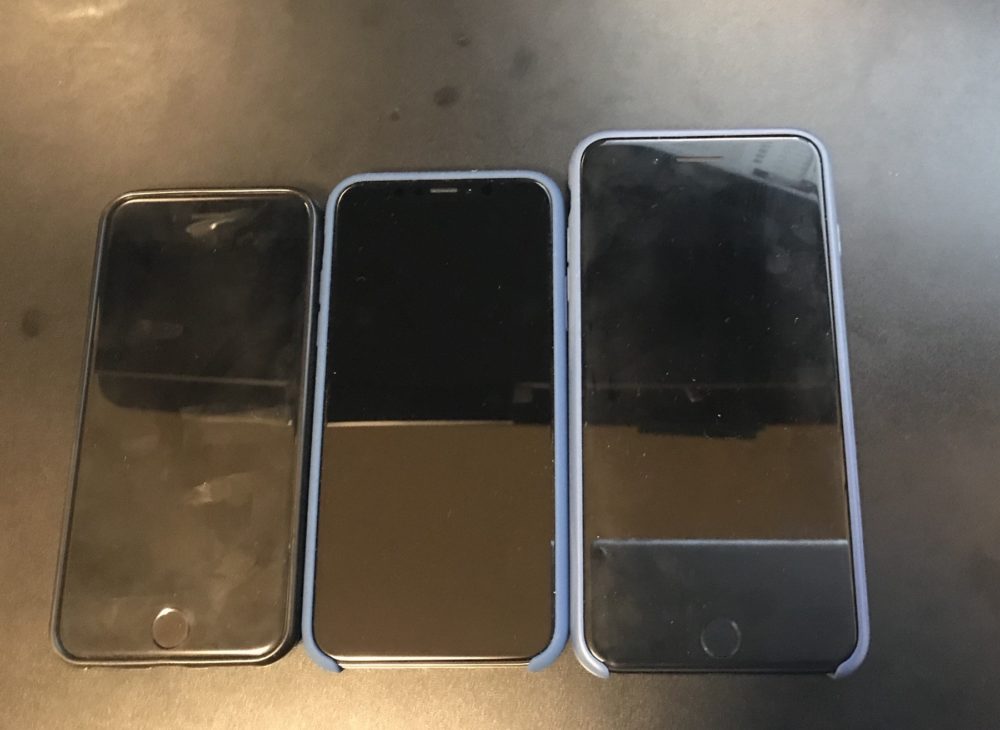
I was basically convinced to go with the iPhone 8+ until I got the end of the article and they showed a scale diagram of all three phones side-by-side. The iPhone 8, 8+, & X. I was surprised to see how dramatically smaller the iPhone X was to the 8+ while at the same time having a larger screen. The iPhone X was only marginally wider than the iPhone 8. That’s pretty small.

Despite the fact that I have reservations on the facial recognition unlocking of the phone the size difference between the plus and the X is too compelling. That means in a few weeks I will be getting up early to preorder my iPhone X. Later that morning I’ll be aggravated by the fact that I probably couldn’t place the order quick enough because Apple systems are overloaded. I do not have a crystal ball I just remember the last two or three times I tried to do this. I’m just stubborn enough to ignore past history and try again anyway.


Drinking Americano

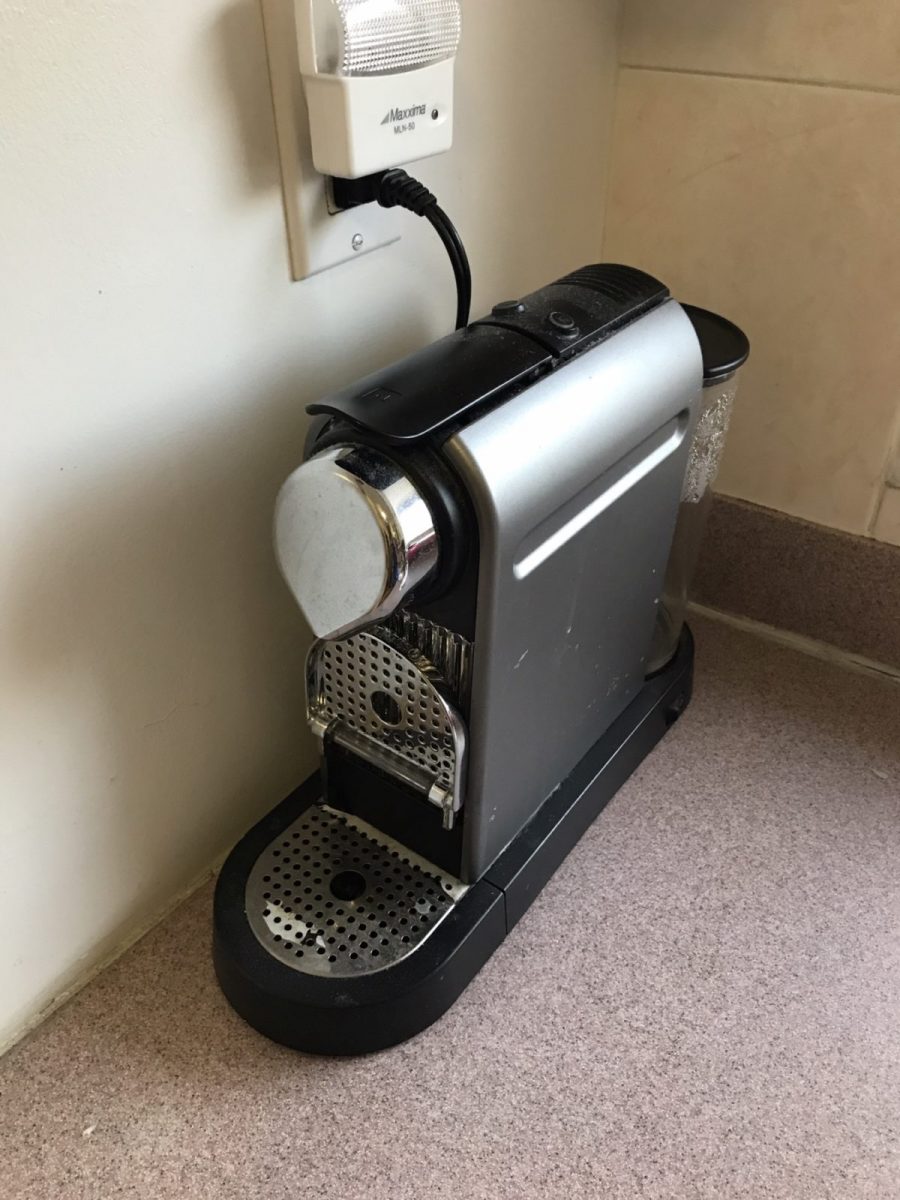
I started drinking more Americano’s in the morning on the weekends. I usually drink French press since it’s significantly cheaper and tastes pretty good. With our upcoming move I’m not sure (almost positive it can’t) if the Nespresso machine will work so it is on the list of what has to go.

The delicious challenge I have is that I have a bunch of pods remaining I need to drink before we move in December.  I will either drink a single Lungo shot on its own or make an Americano using the single shot pods.  I am running low on the Lungo shots so it will be Americano’s for a while. The delicious challenge was accepted.

The less delicious challenge to finish the decaf will happen later.

Messaging apps overload

With my kids in school apparently that means more messaging apps I need to have on my phone. Last year things were simple. Both of my kids classes used WhatsApp. Each class had a group and we would chat with parents. It was pretty useful. I am not the hugest fan of WhatsApp since Facebook collect meta-data however it’s not terrible for that specific use case.

I personally use Telegram as my first choice of messaging app. I like the secure features as well as the ability to chat on multiple devices if I want. It’s not tethered to my phone. WhatsApp has a computer app but you need your phone nearby. I can’t use it on my iPad at all. Having just those two apps would’ve been manageable however the number of applications are use for Chad has proliferated.

There is messages for apple messages and SMS. And there are the two different chat apps I use at work. I also have signal since it supposed to be pretty secure some good like telegram however not many people use it so it just sits there. I still have Skype. I do not use Skype for texting really anymore however I do use it to make phone calls now and again.

The latest wrinkle is both girls are in new classes this year and each class has decided to use a different app for communicating with the parents. The benefit of at least one of them is that the teacher communicate back-and-forth with us now. Using WhatsApp that didn’t happen however it wasn’t a problem since we could simply email the teacher. I haven’t tried my other daughters app that was recommended. I got the notice to provide might details to get a login tonight. That’s pond me wanting to write about the now nine different messaging applications nuts on my phone.

On one hand getting up to the minute updates from school is useful. Also being able to send the teacher a last minute notice is pretty useful too. But nine apps? That’s getting a little much even for someone like myself who actually likes technology. I’m not even counting email applications in that number.

iOS 11

It is that time of year. The time after the Apple announcement listing release dates for iOS and when it actually is available for the general public. The thing is if you are in the beta program you can get the General Master version now. I dabble in the beta versions but so not put them on my iPhone. With the GM out it is always a question of do I install it on all my devices. It is always a question yet I usually do install it.

So far in the past 24 hours I have installed it on my iPad Pro and thought it was great. That got me to install it on my work iPhone. Once I knew that was stable in installed on my personal iPhone. Now either everything will stop working together or I am set!

Next up do I play with a late beta of macOS on my laptop?

Update on Encrypting Email, It’s Not Just For Criminals

In late April I wrote about my secure email plans as well as my waffling in a final decision for how I want to set up my system. Since then I’ve been lucky enough to be invited into the beta for ProtonMail‘s IMAP Bridge. One of the challenges I had in April was neither secured provider ProtonMail or Tutanota had a way for me to export mail once it was in their system. That was a huge drawback for me. I knew about the protonmail beta however at the time of writing that post I was not invited into it.

I’ve since started taking part in the beta and I’m very pleased with the outcome so far. I’m able to use the Apple mail app on my MacBook to connect to the service. Since the bridge can ask via standard IMAP I’m then able to use Devonthink to import my mail into a database for archiving. I was able to do that with my regular accounts before however this is new for protonmail since in the past I was only able to access it via the web.

The beta changes my opinion of the service now that my mail is not locked into it. I had high hopes for the beta when I heard about it and my experience to date confirmed my expectations.

The next big challenge I had was what email address to use. With the male archiving problem solve force myself to make a decision. I’ve opted to go with a new domain name. I will route my personal address from the old domain name to the new one. In my signature I will offer both addresses as reply to options. That is because the from address can only be new mail domain that I’ve set up. Proton mail does not allow me to create a fake alias phone address not hosted on their system. Perspective restriction however it was a minor inconvenience for me.

With all these changes set up I have been using proton mail for a few weeks now. I’m still sending a copy of my personal mail to my old mail server. In about a month if everything goes according to plan I will remove the redirect back to my hosting service provider’s email system and solely use proton mail for my personal email.

After that my next decision is do I move my nonpersonal email to proton mail as well. Not having the alias option is more of a challenge with that type of mail. That is because I have unique email dresses for many sites I use. If I need to email someone many times has to originate from the address where the account is registered to. For now I will stick to personal mail only and assess the situation in the future.

Overall very pleased my new set up. It’s not perfect however nothing usually is. It turned out to be very functional and the trade-offs are now well worth it.

Containerizing My Media Center

Back in February when my family went on vacation I spent a lot of time playing around with Docker. I converted several applications I was running on raspberry pi’s to run in Docker containers on my Synology Diskstation.

The challenge I gave myself was could I set up the containers to run on the NAS (The Diskstation) while at the same time being able to run them on my Mac mini as a backup in case there was any problems. That meant I needed to figure out how to replicate the configuration information between the devices.

I solve that challenge by setting up a new Resilio Sync folder for all of my Docker config’s. In most cases there was little to no reconfiguration needed to have those config files work on the NAS or the Mac mini. It wasn’t a super elegant solution since it did require human intervention however switching between systems was not something I intended to do often.

I did run into problems getting Plex to run as a container. I was having performance issues in general running Plex on my NAS. My solution was to setup Plex on my Mac mini as a native app. At some point I want to go back and figure out how to get Plex working in a container. Even when I do that I will still need to build a new machine to host it on. The Diskstation just doesn’t have the power to run Plex and my sync application at the same time anymore.  Even with the 4gig I upgraded the disk station to a year or so ago is now not enough.. For now I can continue to use Plex on my Mac. Longer-term I have bought components to build myself a Linux application server to host all of my containers so I can make my disk station just host files.

Encrypting Email, It’s Not Just For Criminals

In March I blogged about my “almost disposable email“. I still have improvements to make  when dealing with external sites and services.  Overall that model works pretty well.

When thinking about my personal email, my dilemma changes a bit. Unlike most people who use the Internet send and receive email for personal use I have changed my address multiple times over the years. Friends and family of mine have commented about the fact that I change probably too often. In reality it’s only once every 3 or 4  years. That apparently is to much for most people. Of course some the people commenting may still be using AOL addresses from the 90s.

In 2014 I blogged about My sudden allergic reaction to all things Google.  In that post I wrote about migrating from Google hosted mail to a hosting provider in Switzerland. The Swiss-based provider I selected offers much greater privacy protection vs a US-based company. For what I was looking for the price difference was nominal. By moving to a Swiss-based provider wasn’t a magic bullet. All my data on my website and email stored on their servers is still not encrypted at rest.  In other words I am still exposed just less likely to get snooped on by a government.  Even that statement has caveat. Let’s say I am better off than before.  I still have much to do.

With my mail being hosted in Switzerland I have relatively good level of privacy protection. That means if someone wants to get a hold of my mail they would need some sort of court order.  The fact that there is a request should be disclosed to me. That is unlike US hosting providers that would not need to inform me if they were asked to spy on me. To go a step further and make it impossible for anyone to get my email on the mail server I would need to   encrypted my email at rest with the hosting provider having no knowledge of the encryption keys. The reality is this is important however not my threat model. I’m more concerned about personal details being intercepted via an unsecured network.

To address both of these problems I have been investigating two different secure email providers. Protonmail & Tutanota. Both in theory provide the same service. They allow you to encrypt email and send it. They also encrypt email at rest on their systems and have no knowledge of how to decrypt. Email sent between two people on let’s say proton mail has the email encrypted completely. If however I am on protonmail and I send an email to someone not using that system messages secure however there is a caveat. What really happens is an email is sent to the recipient telling them that there is a secured message waiting for them and it provides a link to that message. I can send along a password hint if I want as well. The recipient can then click on the link and read and respond to the email. It secure however not super user-friendly to what most people are use to. I experienced similar systems when I briefly worked at a health benefits organization that had to comply with HIPPA rules in the US.

My threat model concerns sending and receiving of secured information via email.  I do realize that the use case is not required for most emails i send. In most cases what I’m sending can go “in the clear”. Having the ability to encrypt as needed is the big value to me.

Having stored mail encrypted at rest with the provider having no knowledge of the decrypt keys also makes me feel more comfortable when I am not hosting the data. ProtonMail & Tutanota both offer this fundamental security feature.  The challenge with both providers that neither currently have a way to import or export email. I am a person who has most if not all of my mail going back to 1996. For years I was proud to have that stash of mail.  I also have gone back to really old messages for information.  In today’s world however having that much personal data sitting on a typical mail server is too big of a potential risk and a major liability.  

I no longer keep that archive of mail on a live mail server.  Instead it is encrypted on a personal computer in a database.  At least I still have it. To use ProtonMail or Tutanota would mean I would no longer have correspondence that goes into the system. That limitation is given me a little bit of pause. Since I started playing around with the system late last year proton mail has announced they will be launching a secured IMAP option. I am assuming that will enable me to offload mail from their system. That would make their solution much more viable for me.

As I continue to play around with both systems I have been favoring ProtonMail over Tutanota. I’ve not yet jumped into using one for my personal mail however I am leaning towards protonmail. One of the hesitations I have is that protonmail is not cheap.  It costs about half of a full hosting package I have per year. Tutanota is as cheap as one dollar a month per user. Protonmail is around five dollars per month for what I initially need it for. Protonmail also does not allow me to move my entire family using a specific email domain onto an account unless I use a much more expensive account than the five dollars per month plan. Tutanota will let me set up multiple family mailboxes for one dollar per mailbox per month. That makes Tutanota an option if I wanted to continue using the same email domain I currently use for my personal email.

The solution to this issue is for me to switch domain names i use.  I have a few other ones I own i can start to use however that brings me back to how I started off this post.  I don’t want to change my address, however it is a price i am willing to pay if other factors are positive.

I could make my life easy and just use Tutanota and move my family over to it also. The challenge is I like protonmail much better. The UI is nicer on both the web and iOS app. The iOS app loads faster. It has a few more nifty features versus Tutanota such as tagging. Overall I just get a better feeling about it.

Knowing myself what I likely will end up doing is change my personal email so I can use a different domain name that I have that isn’t being used for anything else and point that the proton mail. I would then leave my existing mail domain where it is and allow my other family members to continue using it.

For now I’m still waffling a bit on what to do. If your friend or family member of mine and you are reading this, you know why in a few months you might get a notice that I changed my mail address yet again.  Of course if you read this far kudos to you.

I Have Given Up (Sort of) On Activity Bands

Ever since before I decided to lose it weight I was tracking my activity. Originally I used a Jawbone Up. I went through several versions of them and then I try to Fitbit for a while. I ended up going back to jawbone and then again back to Fitbit. For about a year I have been using a Fitbit Alta.

That was until last month I stopped using an activity tracker during the day. The annoying clanking of the band against my watch finally drove me to stop using an activity band altogether during the day. I did some basic research and I found that the accelerometer on my iPhone is relatively comparable four step count to a wristband activity tracker. The downside I read were you don’t always have your phone with you so the phone doesn’t always capture your total activity. For me I generally do carry the phone with me most of the time and the level of accuracy the phone would give me versus wristband was worth the trade-off.

Several weeks into this change my step count seems pretty consistent. I still use my Fitbit to track sleep however I stopped wearing it during the day. Generally pretty happy about that decision since having my watch and a wristband was always annoying. It was worth it when there was an alternative however now that I found a decent one I don’t see going back to wearing a dedicated wristband with the feature set that are currently offered.

Yes Your Internet Provider Can and Might Be Spying on You

In late March Congress repealed regulation that the FCC set up that prevented Internet service providers from collecting and selling information about their customers without their consent. Rightfully many people are pretty upset over this. Security blogger Brian Krebs points out that this repeal changes nothing day today. That is because as of right now the rules that were repealed never actually took effect yet. I would go a step further and say if someone is only now concerned about this issue they likely won’t take the right steps to protect themselves anyway. 

I applaud people’s concerns. They should be concerned. That being said several people have recently asked me questions about VPN setups. That might solve issues regarding your ISP collecting data about you however it does not prevent all the other companies that are collecting data about you.

When I talk about this topic with anyone I always recommend that they watch the documentary Terms and Conditions May Apply. I’m not sure how many of my friends had actually seen the documentary. It’s a disturbingly fascinating view of how your information is being collected. Thanks to my friend Andrew who pointed his documentary out to me last year.

I just finished reading The Art of Invisibility by Kevin Mitnick. I previously wrote his book the art of deception and liked it a lot. In the art of invisibility Kevin goes over the details of what you would need to do to become invisible online. In the end there’s no way I’m going to take all the steps necessary to do that. It was disturbing just to read the extent of what you would have to do in order to become truly invisible. For me I outlined in a previous post some of the steps I do to minimize my exposure.

When people ask me about what VPN provider to get or some other way to secure themselves online the question I usually ask is what is their threat model? What’s the problem they’re trying to solve specifically? I have  a few threat models depending on the situation for my online behaviors. I know that I am light years ahead of what most people do however I’m also aware there are several key improvements I need to make in how I use the Internet.

I use a VPN however I don’t use it as often as I would like to. When out of my apartment I try to use it all the time unless I’m at work on my work equipment. At home I have set up my router to tunnel everything through the VPN. The challenge is I don’t use it. I have a consumer router running an open source firmware. It suffers from the same problem all other consumer routers do, it has a relatively lightweight CPU. When I run a VPN client from a computer of mine I may get near line speed of what I would get without the VPN. When I run the VPN the my router I was getting 4-8 times slower connection. This is all due to CPU constraints on the router. 

To solve this problem I need to either by a commercial grade router or build my own using a computer. I’m going opt to use a low-end Zotak fanless  computer and build my own router. One of the guys at work pfsense. It looks pretty good and I’m going to give it a try. Now I need to just find the time to work on it.

My recommendation to my friends is yes get a VPN. Preferably one incorporated outside of the US.  I personally have been using NordVPN for over a year and have been pretty happy with it. I have recently been trying out AirVPN.. They have less options for entry points in the US however they offer some unique features with their VPN client. I also like  the history of the organization and why they became a VPN provider.

I also recommend if you’re serious about your privacy to read one of the books I suggested or just watch the movie. Most people understand that stuff they’re doing online is being tracked however I don’t feel like most of my friends or the general public truly understands the extent at which you are being tracked.